This post contains affiliate links. If you purchase through them, we may earn a small commission at no extra cost to you. This product was provided through the Amazon Vine program for our honest review. All opinions are our own. Thanks for supporting Gaming Gear Drop.
Pros
- Adjustable Tension Joysticks
- Dual-Mode Triggers
- TMR Joystick and TMR Triggers
- Tri-Mode Connectivity
- Multi-Platform Support
- Fast Optical Buttons
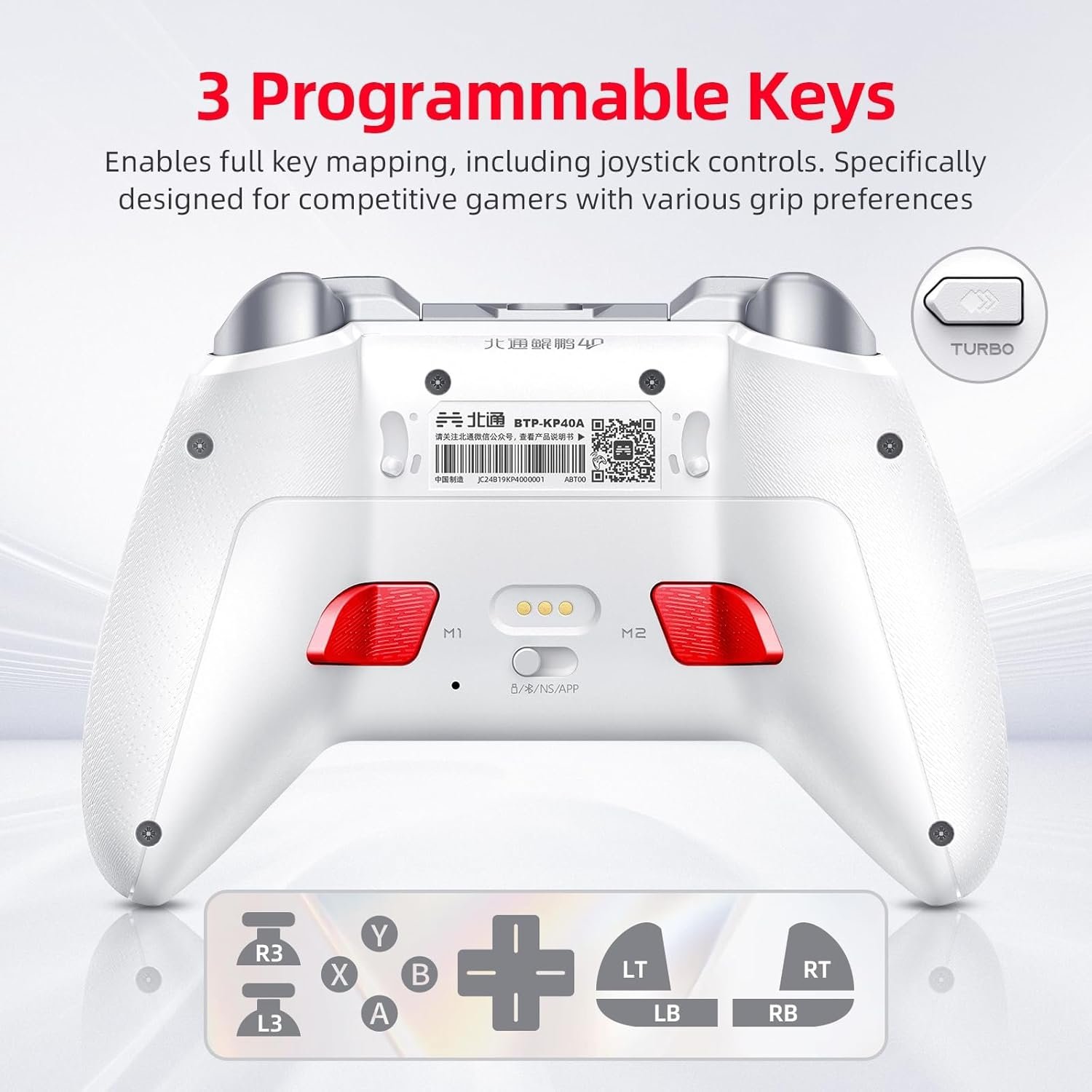
- Customizable Back Buttons
- Software Support
- Motion Controls
Cons
- Quality Control Issues
- Software Issues
- Connection Issues
Quick Summary
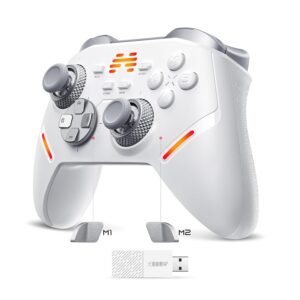
The Beitong KP40 is a highly customizable controller designed for gamers who play across multiple platforms like PC, Nintendo Switch, and mobile devices. Its main highlights are its advanced TMR joysticks that have adjustable tension to prevent drift, and its versatile triggers that can be physically switched between a short and long pull. It also offers tri-mode connectivity (wired, wireless, and Bluetooth), customizable back buttons, motion controls, and deep software support for remapping buttons and adjusting sensitivity. While it’s packed with features, some users have reported issues with software glitches and occasional “bad batch” quality problems. Overall, it’s a strong option for players who love to fine-tune their gear and want a versatile controller.
For more information, stick around and read below for my take on this product.
Hey there, welcome to our review of the Beitong KP40 Wireless Gaming Controller! We’re here to offer insights and hopefully make your decision-making a tad easier. We’ve collected details about the gaming accessory to share with you.
Throughout this review, we’ll delve into discussing its key features, highlighting user feedback, our impressions, and who might benefit most from it.
So, if you’re considering getting the Beitong KP40 Wireless Gaming Controller and want to know if it suits your needs, stick around!
Key Features
Controller Layout
The controller features a comfortable design with a hybrid cross D-pad, which is shaped to handle both precise up-down-left-right presses and smooth diagonal movements. The ABXY buttons use optical switches, which register presses quickly and are built to last for over 10 million clicks. For extra control, there are two customizable buttons on the back of the controller that are easy to reach without shifting your grip.
Advanced TMR Joysticks and Triggers
This controller uses advanced TMR (Tunnel Magnetoresistance) technology for both its joysticks and triggers. This magnetic system reads movement without physical parts rubbing together, which helps prevent “joystick drift” over time, uses less power, and provides high precision. A standout feature on the joysticks is the ability to physically adjust the tension; by turning a ring on each stick, you can make them feel stiffer for steady aim or looser for quick movements. The triggers are also customizable, with physical locks on the back that let you switch between a very short, quick press for shooting games and a longer, smoother pull that’s better for gradual control in racing games.
Motion Control Customization
A built-in 6-axis gyroscope allows for motion controls in games that support it, letting you aim or steer just by tilting the controller. Using the software, you can customize these controls by setting the sensitivity, adding a dead zone so small shakes don’t register, and choosing modes that change how the tilting is interpreted for different game genres like shooting or racing.
Button Customization & Macros
Through the Beitong Gamepad Assistant software, you can remap the controller’s buttons. This allows you to assign different actions to any button to create a layout that feels most comfortable for you. You can also record simple macros, which are short, repeatable button sequences that you can activate with a single press.
Customizable Turbo Function
The controller has a Turbo feature that can be assigned to a button. When activated, Turbo makes that button repeat its input automatically as long as you hold it down. This is useful for actions in games that require pressing a button many times in a row.
AI Smart Vibration
The controller has two vibration motors built in. It uses a self-developed AI vibration algorithm that intelligently identifies in-game actions and character movements to provide more realistic and immersive vibration feedback. You can also adjust the strength of the vibration from level one to five in the software.
Tri-Mode Connectivity & Multi-Platform Support
The controller offers three ways to connect: wired with a USB-C cable, wirelessly with the included 2.4GHz dongle, or through Bluetooth. It is designed to work with a wide range of systems, including PC, Nintendo Switch 1 & 2, Steam Deck, Android, and iOS devices. A simple switch on the back of the controller lets you easily change between platforms.
Software Support
The Beitong Gamepad Assistant software is where you can create and manage profiles for both Switch and PC modes. It allows you to adjust all the settings mentioned above, as well as run tests and calibration to make sure the controller is working correctly. The software also handles firmware updates to improve performance over time.
Motion Control Customization
The controller has a built-in motion sensor. You can tilt the controller to aim, steer, or trigger a mapped action. In the software, you choose what motion controls, set the sensitivity, add a dead zone so small shakes do not register, and flip the X or Y direction if that feels better.
There are also modes that control how motion is interpreted. These modes let you decide whether tilting acts like moving a stick or applies a specific motion profile tuned for a type of game.
In shooting mode, turning the controller left or right and tilting it up or down moves your aim like a stick. When you stop moving the controller, the aim returns to the center.
In racing mode, tilting the controller left or right acts like steering, and tilting it forward or back can act like throttle or pitch. When you level the controller, the input returns to the center.
Performance & Feedback
Many customers find the Beitong KP40 to be a great value, offering a comfortable feel and solid performance at a budget-friendly price. The controller is praised for its responsive buttons, smooth joysticks, and sturdy construction. Users often highlight the D-pad for its unique tactile feedback. The lighting adds a nice aesthetic touch, and the software provides simple customization for stick sensitivity, trigger depth, and lighting effects. The adjustable triggers are also a popular feature, making it easy to switch between a short pull for shooters and a long press for racing games. Both wired and wireless modes connect quickly, and the motion controls function well in supported titles.
Some customers specifically highlight the controller’s TMR technology in the sticks and triggers as a notable advantage over common Hall-effect designs. They appreciate the ability to physically adjust the hardware, such as tightening the stick tension or switching the triggers between a short and long press, finding this hands-on tuning more convenient.
However, the controller is not without its issues. Some customers have reported “bad batch” complaints, such as buttons failing after a few months or noticeable input delay. Others mention that the software can be glitchy or that certain advertised features don’t work as advertised.
My Thoughts: BEITONG KP40 Wireless Gaming Controller
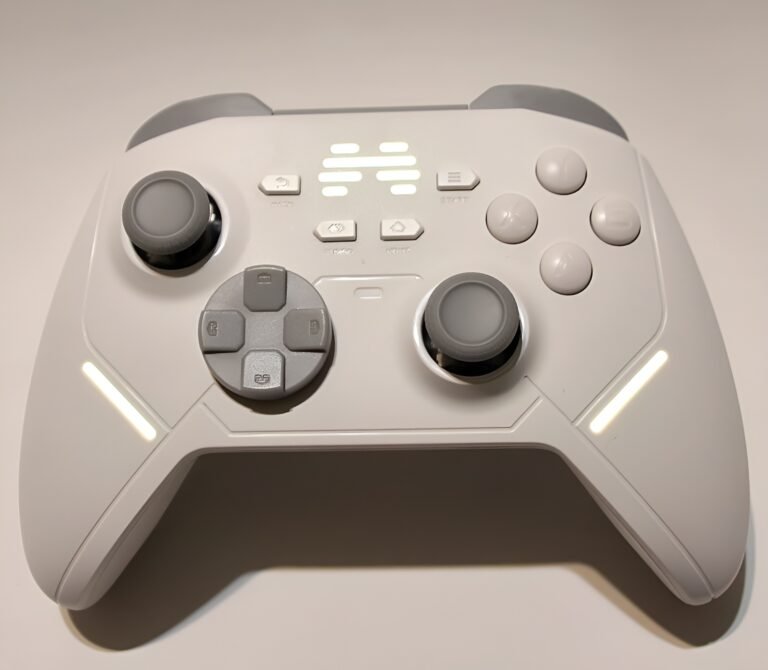
After spending a good amount of time with the Beitong KP40, I’ve found its layout to be straightforward and comfortable, even during long play sessions. The hybrid D-pad is slightly raised, which helps make diagonal inputs feel clean and intentional. The two rear buttons are placed just right, making them easy to use without having to adjust my grip. I appreciate the versatility of the triggers; using the short pull for quick taps in shooters feels snappy, while the full travel is better for gradual throttle control in racing games. The controller’s shell has a subtle, grippy texture that has been great for keeping it secure during intense moments.
Connectivity has been rock-solid for me, mainly on PC and Nintendo Switch. Being able to switch between a wired connection, Bluetooth, or the 2.4 GHz dongle makes jumping between devices painless. The physical platform switch on the back is a simple but effective time-saver that I’ve come to rely on.
The companion software is genuinely useful and adds a lot of value to the experience. It’s the central hub for handling firmware updates, but its real strength is in the customization. You can easily remap buttons, adjust the lighting, and calibrate the sticks and triggers. What I particularly like is the on-screen guidance that explains what each setting does. It removes the guesswork and makes it easy to create a setup that feels perfectly dialed in.
Who Would Likely Favor This Product?
Gamers who play on multiple different systems might want to look into this controller. With its ability to easily connect to a PC, Nintendo Switch, and mobile devices using a wire, Bluetooth, or a wireless dongle, it’s a convenient all-in-one option for people who switch between platforms.
This controller would also be a great fit for players who love to fine-tune their gear. If you enjoy customizing how your controller feels and responds, the KP40 offers a lot of control. You can physically adjust the joystick tension, set the triggers to a short or long pull, and remap all the buttons, including the extra ones on the back. The software allows for even deeper changes, like adjusting joystick sensitivity and vibration strength.
Finally, players looking for long-term durability and performance might appreciate the advanced technology inside. The TMR joysticks and triggers are designed for high precision and to prevent “joystick drift” over time. The fast 1000Hz polling rate also ensures that inputs are registered quickly with minimal delay, which can be important for competitive gaming.
FAQ (Frequently Asked Questions)
How do I get the software? You can download the “BEITONG Gamepad Assistant” by following these steps:
- Go to the official BEITONG website.
- Find and click on the Support section.
- Download the correct version of the software for your device (PC, iOS, or Android).
What devices can I use this controller with?
The controller is compatible with a wide range of devices, including PC, Nintendo Switch, Steam Deck, iOS, and Android.
How do I switch between connection modes (Wired, Wireless, Bluetooth)?
The controller has a physical switch on the back that lets you easily toggle between the different connection modes.
What are TMR joysticks and why are they good?
TMR is an advanced magnetic sensor technology that helps prevent “joystick drift” over time, making the controller more durable and precise. The TMR design in this controller also allows you to physically adjust the stick tension, making it feel tighter or looser to match your preference.
What do the trigger locks on the back do?
The trigger locks let you switch between two modes. One mode gives you a short, quick “clicky” press, which is great for shooting games. The other mode allows for a long, smooth pull, which is better for gradual control in racing games.
Can I remap the extra buttons on the back?
Yes, the two buttons on the back of the controller are fully customizable. You can use the BEITONG software to assign any other button or a macro to them.
Does the controller have motion controls?
Yes, it has a built-in 6-axis gyroscope for motion controls. This allows you to aim or steer by tilting the controller in games that support this feature, like on the Nintendo Switch and PC.
If you are still interested in knowing more about the product, click the button below
BEITONG KP40 Wireless Controller with Adjustable TMR Joystick, Dual TMR Triggers, and Optical Buttons
- Force-Adjustable TMR Joysticks & Triggers: Experience ultimate control with TMR joysticks that combine durability and precision. Easily adjust the stick tension during gameplay (30-90gf) to find your perfect feel, all with less than 1% drift and a 5400+ resolution. The rapid TMR triggers are contactless and offer a precise 0.1mm actuation for instant response.
- Enhanced Optical Buttons & Hybrid D-Pad: Gain a competitive edge with optical micro switches that are 70% faster than traditional buttons and rated for a lifespan of over 10 million presses. The custom 8-direction Hybrid D-Pad provides precise feedback and control, making it perfect for fighting games and other genres requiring accurate inputs.
- Multi-Platform with 1-Key Switching: Seamlessly play across PC, Switch, Steam, iOS, and Android with a dedicated platform button on the back for easy switching. Enjoy tri-mode connectivity (Wired, Bluetooth, and 2.4GHz wireless) and a hyper-responsive 1000Hz+ polling rate for a lag-free gaming experience.
- 6-Axis Gyro and Turbo Control: Immerse yourself in games with the built-in 6-axis gyroscope for precise and intuitive motion controls. Activate the TURBO button to assign rapid-fire to any key, helping you secure victory with a single press.
- Deep Software Customization: Personalize your controller using the Beitong Gamepad Assistant software. You can customize the joystick’s dead zone, turbo speed, vibration strength, RGB lights, and much more to create the perfect setup for your playstyle.
- Smart Charging Station Ready: The controller is compatible with a Smart Wake-Up Charging Station (sold separately). This allows for easy, stable charging—just place the controller down to charge and pick it up to automatically reconnect and play.
Images by Gaming Gear Drop unless otherwise noted. Additional photos sourced from the official BEITONG Amazon listing for review purposes.