This post contains affiliate links. If you purchase through them, we may earn a small commission at no extra cost to you. This product was provided through the Amazon Vine program for our honest review. All opinions are our own. Thanks for supporting Gaming Gear Drop.
Pros
- Budget-Friendly Price
- Comfortable for Adults
- Responsive Buttons
- Long Battery Life
- Programmable Back Paddles
- Turbo Functionality
- Easy to Connect
Cons
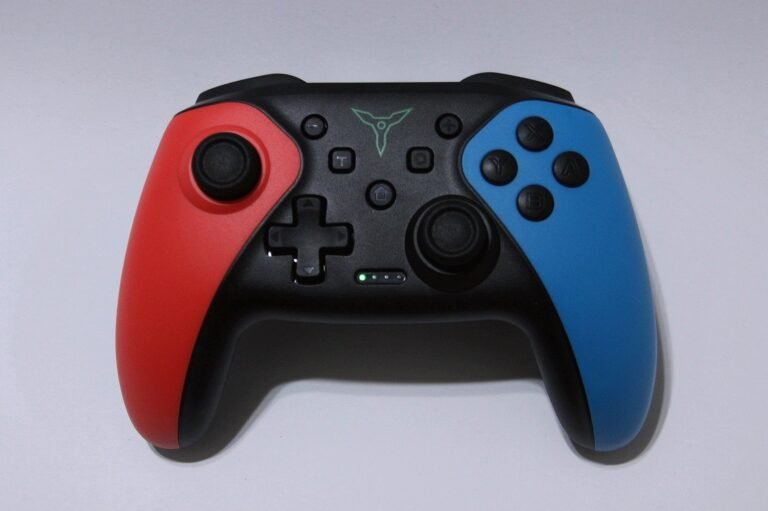
- Hard-to-Read Buttons
- Occasional Input Lag
- Early Durability Risks
Quick Summary
The ELISWEEN Wireless Switch Controller is a solid, budget-friendly choice that many users prefer over the official Joy-Cons. It fits comfortably in adult hands and features a long-lasting battery that charges quickly. Gamers appreciate the responsive buttons and the easy-to-use extra features like programmable back paddles and Turbo mode. However, it has some minor downsides. Some users find the face buttons hard to see due to dark labeling, and there are occasional reports of input lag or the unit stopping working within the first month. Though most customers feel it offers good value for the money.
For more information, stick around and read below for my take on this product.
Hey there, welcome to our review of the ELISWEEN Wireless Switch Controller!
For this review, we tested this controller to offer honest insights and hopefully make your decision-making a tad easier. We have gathered all the important details about this gaming accessory to share with you.
Throughout this post, we will discuss its key features, highlight user feedback, share our personal impressions, and explain who might benefit most from it.
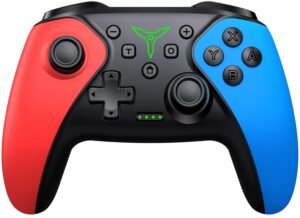
So, if you are looking for a reliable Switch-themed Red and Blue wireless controller for your Nintendo Switch, PC, or mobile device, stick around to find out if this suits your needs.
Key Features
Multi-Platform Compatibility
This controller is designed for the full Nintendo Switch family (OLED, Lite, and standard). It also works with Android devices (HID mode), iOS devices (iOS 13.0+ for MFi games), and Windows PCs (via USB cable or Bluetooth).
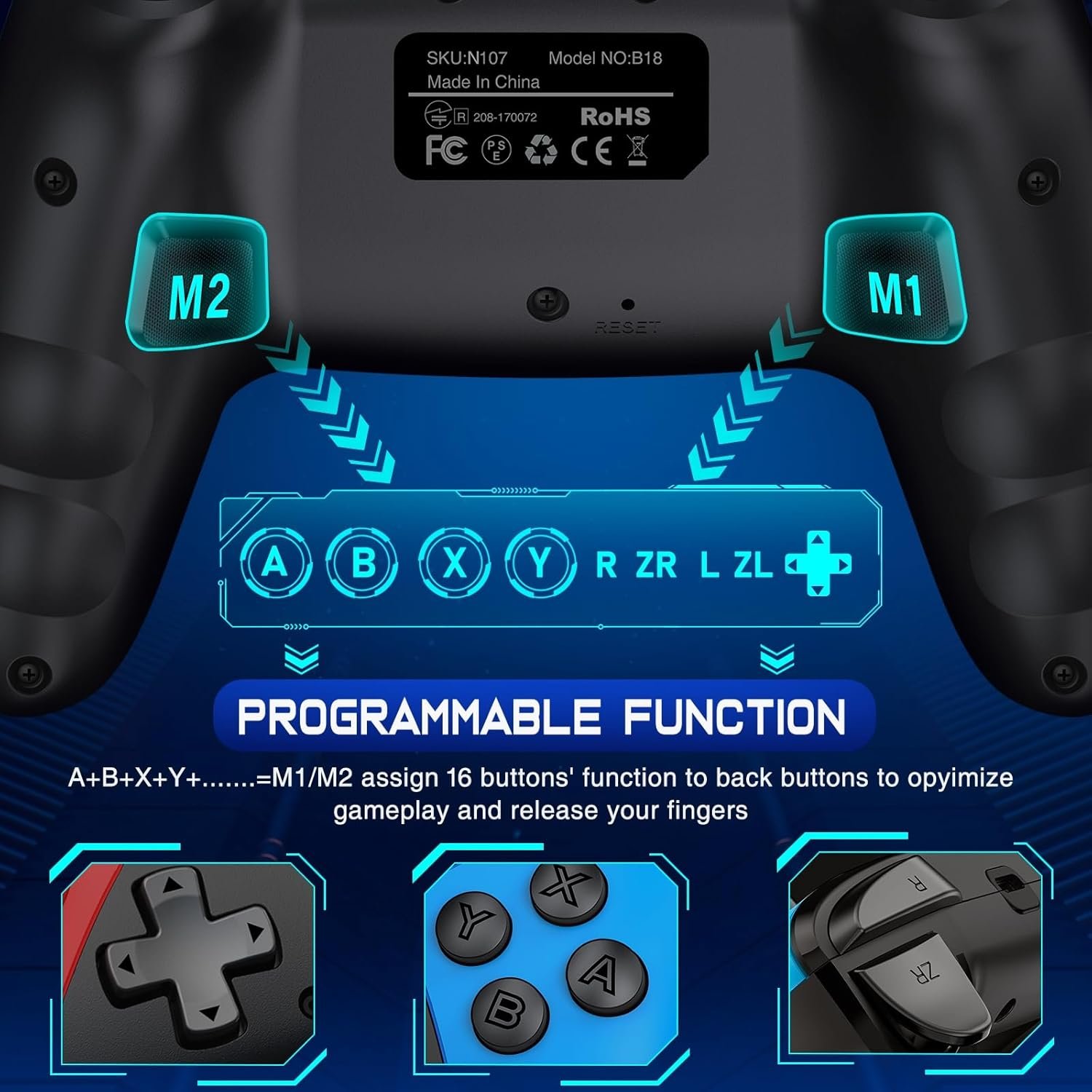
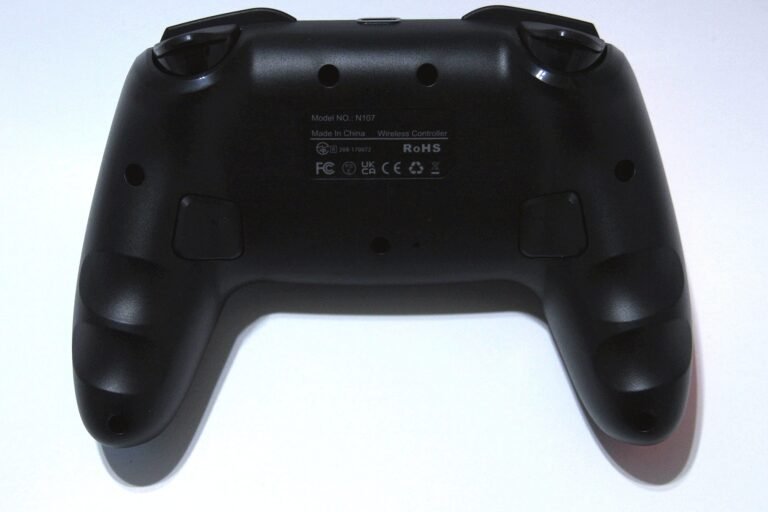
Programmable Back Buttons
It features two back buttons, M1 and M2, which can be customized. You can map them to a single button press or program a “macro” sequence of up to 16 inputs, recording the exact timing of your mov
Customizable Turbo
The Turbo function allows for both manual and automatic rapid-fire modes. You can adjust the speed to three different levels: slow (5 shots/s), medium (12 shots/s), or fast (20 shots/s).
Vibration & Motion Control
It is equipped with dual vibration motors that have four adjustable strength levels (None, Weak, Medium, Strong). For Switch games, it includes a gyro sensor for motion controls.
One-Key Wake-Up
Once paired, you can simply press the “Home” button on the controller to wake up your Nintendo Switch console remotely.
Button Layout Swapping
A unique feature allows you to swap the functions of the A/B and X/Y buttons, or the joystick and D-pad, by holding specific button combinations (Capture + L3 or R3), which is helpful for different gaming habits.
Performance & Feedback
Most people who bought this controller seem really happy with it, especially given the price. It is often praised as a solid alternative to the expensive official controllers. Owners generally say it is built well and can take a beating, with buttons that stay responsive even after months of use. The battery life is another win, with many confirming it charges fast and keeps going for long sessions.
As for comfort, it seems to fit adult hands better than the small Joy-Cons, and the grips help keep it steady. The extra features, like the back buttons and Turbo, are reported to be easy to set up and use. Connecting it is usually a breeze, and it is confirmed to work with the Nintendo Switch 2, as well as Amazon Luna and some Android games.
There are a few complaints to watch out for, though. Some users find the face buttons hard to read because of the dark labels. While most work great, a few people mentioned experiencing lag or delayed inputs. There are also rare reports of the controller dying or breaking within the first month, but folks who reached out for help generally said the customer service was good at fixing the problem.
My Thoughts: ELISWEEN Wireless Switch Controller


I really enjoyed the physical design of this controller. It strikes a nice balance, feeling a bit like a cross between a PS5 DualSense and the official Switch Pro Controller. It has enough heft to feel substantial in your hands without being overly large or heavy.
On the Nintendo Switch, it performed great. I only had to pair it once, and the “One-Key Wake-Up” feature worked reliably every time I wanted to jump into a game. Setting up the extra features like Turbo was straightforward, too.
However, using it wirelessly on PC and Steam Deck was a bit of a hassle. It connected easily the first time, but reconnecting later was a struggle. Even though my computer “remembered” the device, the controller would just blink and turn off instead of connecting. I essentially had to “forget” the device and re-pair it from scratch every single time I wanted to play wirelessly. It works perfectly fine when I just plug it in via USB, but the Bluetooth quirk was definitely frustrating for PC gaming.
Who Would Likely Favor This Product?
Gamers who own a Nintendo Switch or Nintendo Switch 2 might want to look into this product. It works with both systems, making it a good spare controller that you can keep using even after you upgrade your console.
Mobile gamers on iOS and Android could also find this useful. It connects via Bluetooth to give you better control than using a touchscreen. Note for iPhone users: This controller only works with devices running iOS 13.0 or later, so check your version before buying.
Finally, players who enjoy arcade shooters or competitive games might like the Turbo and back buttons. The Turbo lets you set up rapid-fire to save your thumbs, and the back buttons let you map extra actions for faster reactions.
FAQ (Frequently Asked Questions)
How do I pair this with my Nintendo Switch?
Go to the “Change Grip/Order” screen on your Switch console. Then, on the controller, hold the Y button and the HOME button at the same time until the lights start flashing fast. It should connect automatically.
Will this work with the Nintendo Switch 2?
Yes. This controller is compatible with the original Switch, the OLED model, the Lite, and the Nintendo Switch 2.
Can I scan Amiibos with this?
No. This controller does not have an NFC reader, so you cannot scan Amiibo figures or cards with it.
How do I set the Turbo speed?
Hold down the Turbo (T) button and press the D-pad Up or Down to cycle through the three speed levels (slow, medium, fast).
Does it work on iPhone or iPad?
Yes, but you need to make sure your device is updated to iOS 13.0 or later. To pair it, hold the B button and HOME button.
If you are still interested in knowing more about the product, click the button below
Upgraded Wireless Switch Pro Controller | Switch 2 Compatible | 1000mAh Battery | Programmable Back Buttons | Multi-Platform
- Wide Compatibility: This upgraded controller is designed to work with the Nintendo Switch, Switch Lite, OLED, and the new Switch 2. It also connects wirelessly to iOS and Android devices, or to a Windows PC using a wired USB connection.
- Programmable Back Buttons: There are two programmable buttons on the back (M1 and M2). You can customize these to copy a single button press or a combination of buttons, making complex in-game moves easier to perform.
- Long Battery Life: The controller features a large 1000mAh rechargeable battery. This provides approximately 15 hours of continuous playtime on a single charge, and it takes about 3 hours to recharge fully using the included USB-C cable.
- Custom Turbo and Wake-Up: It includes a Turbo function with three adjustable speeds (5, 12, or 20 shots per second). It also features a “One-Key Wake-Up” function, allowing you to wake up your Switch console remotely by simply pressing the Home button.
- Vibration and Motion Control: The controller has dual vibration motors with three levels of intensity: weak, medium, and strong. It also includes a 6-axis gyro sensor for playing motion-controlled games on the Switch.
Images by Gaming Gear Drop unless otherwise noted. Additional photos sourced from the official ELISWEEN Amazon listing for review purposes.