This post contains affiliate links. If you purchase through them, we may earn a small commission at no extra cost to you. This product was provided through the Amazon Vine program for our honest review. All opinions are our own. Thanks for supporting Gaming Gear Drop.
Pros
- Multi-platform support
- Hall Effect sticks
- Classic design
- Responsive buttons
- Turbo support
- Compact size
Cons
- Quality Complaints
Quick Summary
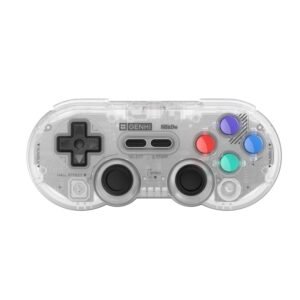
The GENKI x 8BitDo SN30 Pro PocketPro is a compact wireless controller built around a classic SNES-style design, updated with modern features like analog sticks, shoulder buttons, Bluetooth, and USB-C charging. It works across a wide range of platforms, including PC, Nintendo Switch, mobile devices, and Steam Deck.
Its Hall Effect joysticks help reduce long-term stick drift, and features like motion control on Switch and a Turbo function add flexibility for different types of games. The controller is lightweight, easy to carry, and well suited for retro and classic-style gaming.
While it includes modern inputs, the layout remains closer to a traditional retro controller. Some users point out that the analog stick placement may feel less comfortable for long sessions or stick-heavy games, especially compared to more modern controller designs.
For more information, stick around and read below for my take on this product.
Hey there, welcome to our review of the GENKI x 8BitDo SN30 Pro PocketPro Bluetooth Gamepad.
For this review, we spent time using the controller across supported platforms to get a better sense of how it performs in everyday use. We’ve gathered the key details that matter most and outlined what to expect from this controller, including its classic layout and overall design.
Throughout this post, we’ll walk through its main features, look at customer feedback, share our personal impressions, and explain who might find this controller worth considering.
So if you’re looking for a translucent gray, wireless classic-style controller with modern features for PC, Nintendo Switch, or other supported platforms, this review should help you decide whether it fits your setup.
Key Features
Compact Build and Classic Button Layout
The PocketPro is a wireless gaming controller created through a collaboration between Genki and 8BitDo, based on the familiar SN30 Pro design. It uses a classic SNES-style layout with a proper D-pad, clickable joysticks, shoulder buttons, and modern additions such as Home and Screenshot buttons. Power controls are handled through the Start button, keeping operation simple and consistent.
The controller is compact and lightweight, measuring under 30mm thick with the analog sticks included. Its slim profile makes it easy to carry in a bag or case, while still offering a full set of buttons and inputs. The PocketPro uses digital triggers rather than analog triggers and supports both wireless Bluetooth and wired USB-C connections, giving flexibility depending on how it’s being used.
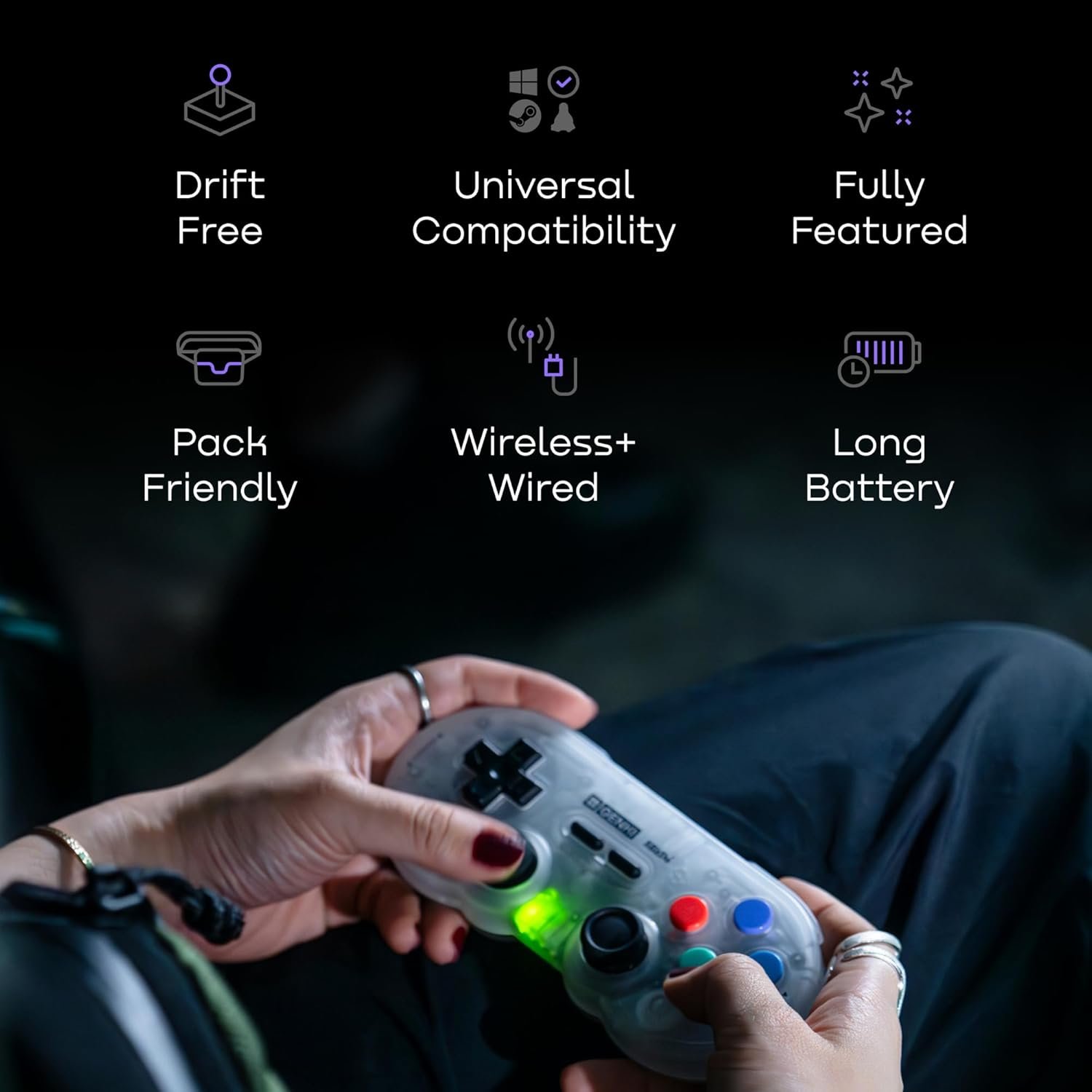
A built-in 480mAh rechargeable battery provides around 14 to 18 hours of playtime, depending on use. Charging is handled through USB-C and typically takes about 1 to 2 hours.
Hall Effect Joysticks
The PocketPro uses Hall Effect joysticks that rely on magnetic sensors instead of physical contact. This helps reduce joystick drift over time and keeps movement feeling accurate and smooth during long-term use.
Multi-Platform and Multi-Mode Compatibility
The PocketPro works across a wide range of systems, including Nintendo Switch, Switch 2, Windows PC, Steam Deck, Android devices, Apple devices, and Raspberry Pi. It supports multiple controller modes, including Switch mode, X-input, and D-input, allowing it to adapt to different platforms and emulation setups.
Within the Apple ecosystem, the controller can be used with iPhone, iPad, Mac, Apple TV, and Vision Pro. Switching between input modes helps ensure proper button mapping depending on the device being used, making the controller suitable for players who move between multiple systems.
Wireless Bluetooth and USB-C Wired Play
You can connect the controller wirelessly using Bluetooth or plug it in using a USB-C cable. When wired, the controller stays powered on continuously. When using Bluetooth, it automatically turns off after inactivity to save battery.
Motion Control and Rumble Support
On Nintendo Switch, the controller supports motion controls for games that use gyro aiming or movement. It also includes standard rumble vibration for feedback during gameplay, though it does not support HD Rumble.
Turbo Function
The Turbo feature allows most standard action buttons to repeat inputs automatically instead of requiring repeated presses. This is useful for action games, shooters, or any situation where holding or repeating a button saves effort.
The controller supports both manual Turbo and auto Turbo modes. Manual Turbo repeats the input only while you hold the button down. Auto Turbo continues repeating the input on its own until you turn it off. Turbo settings reset when the controller is powered off or disconnected, and the feature is not available when connected in Switch mode.
Performance & Feedback
Overall customer feedback on the SN30 Pro PocketPro is positive, with users highlighting several strengths in everyday use. Many point out that the controller feels responsive, with clean button presses and steady input during gameplay. The Hall Effect joysticks are often mentioned as a benefit, especially for players who care about long-term durability and avoiding stick drift. The retro-inspired design also comes up frequently, particularly among those who prefer a classic controller look.
8BitDo is generally known for making quality controllers, and customers often feel the SN30 Pro PocketPro reflects that reputation with its solid build and reliable performance. Multi-platform compatibility is another aspect users bring up, especially for those who use the controller across different systems.
That said, customer feedback also points out a few flaws. Ergonomics are one of the most commonly noted downsides, with some users saying the analog stick placement feels uncomfortable, especially during longer sessions or in games that rely heavily on stick movement. While this doesn’t affect everyone, it is a recurring point mentioned in feedback.
My Thoughts: GENKI x 8BitDo SN30 Pro Wireless Game Controller
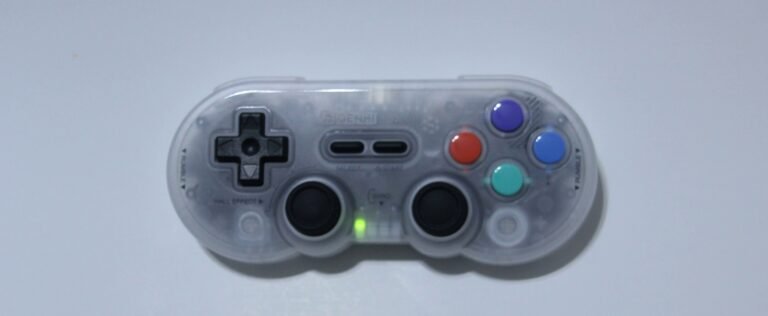
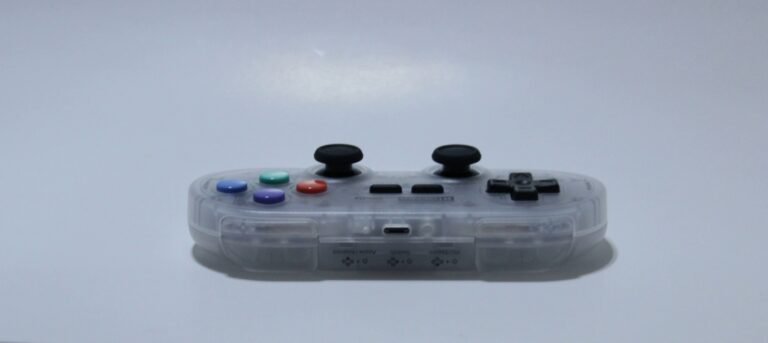
The controller feels like a modern take on a classic SNES design. It keeps the familiar shape but adds analog sticks and shoulder buttons, making it usable beyond just retro games. I played a mix of FPS titles, third-person games, and platformers, and overall the experience felt decent across all of them.
I used the controller on both PC and Nintendo Switch. One thing I appreciated was how clearly it shows which button combinations are used for connecting to different systems. That made setup easier and reduced the need to constantly check the manual just to figure out what does what.
Where the controller stood out most for me was with classic games, especially SNES titles. Playing retro games on it felt natural and enhanced the overall experience. It comes across as a controller designed with classic gaming in mind, and I can see why it would appeal to players who focus on older games or value precise inputs, such as speedrunners.
Updating the controller’s firmware was also straightforward. I simply connected it using a USB cable as instructed and completed the update without any issues.
Overall, I find it comes across as a solid option for classic gaming, with enough modern features to stay flexible.
Who Would Likely Favor This Product?
Gamers who play across multiple platforms might want to look into this controller. It supports Nintendo Switch, Switch 2, Windows PC, Steam Deck, Android, Apple devices, and Raspberry Pi, making it useful for players who move between systems or use emulation setups.
Players who prefer a wireless controller with a classic design may also find this appealing. The SNES-style layout keeps things familiar while still including modern features like analog sticks and shoulder buttons, allowing it to work with both older and newer games.
This controller may also suit players who like having a Turbo function available. For games that involve repeated button presses, Turbo can help reduce effort and make longer sessions more manageable, especially in classic, arcade-style, or action-heavy games.
FAQ (Frequently Asked Questions)
How do I update the firmware on the GENKI x 8BitDo SN30 Pro PocketPro?
To update the firmware, follow these steps:
Go to the 8BitDo website
Click the Support tab
Under Bluetooth Controllers, search for SN30 Pro
Select the Firmware Updater
Connect the controller to your device using a USB cable
Follow the on-screen instructions to complete the update
Where can I find the manual for the SN30 Pro PocketPro?
To access the manual:
Go to the 8BitDo website
Click the Support tab
Under Bluetooth Controllers, search for SN30 Pro
Select the Manual
Does this controller use Bluetooth?
Yes. The Pocket Pro supports wireless Bluetooth connections on supported platforms. It can also be used with a USB-C cable for wired play.
Can I use this controller wired?
Yes. The controller supports wired USB-C connections on compatible devices. When used wired, the controller stays powered on continuously.
What platforms does this controller work with?
The Pocket Pro works with Nintendo Switch, Switch 2, Windows PC, Steam Deck (SteamOS), Android devices, Apple devices (iOS, iPadOS, macOS, tvOS, visionOS), Raspberry Pi, and other Bluetooth-supported systems.
How do I turn the controller on and off?
Press Start once to turn the controller on
Hold Start for 3 seconds to turn it off normally
Hold Start for 8 seconds to force the controller off
How do I connect the controller to Nintendo Switch?
Wireless connection:
Hold Y + Start to power on the controller
Hold the Pair button for 3 seconds (first-time pairing only)
On the Switch, go to Controllers → Change Grip/Order
The LED stays solid once connected
Wired connection:
Enable Pro Controller Wired Communication in Switch settings
Connect the controller to the dock using a USB-C cable
How do I connect it to a Windows PC?
Bluetooth:
Hold X + Start to power on the controller
Hold the Pair button for 3 seconds (first-time pairing only)
Open Bluetooth settings on your PC and pair with 8BitDo SN30 Pro PocketPro
Wired:
Hold X + Start
Connect the controller using a USB-C cable
How do I connect it to Android or Apple devices?
Hold B + Start to power on the controller
Hold the Pair button for 3 seconds (first-time pairing only)
Open Bluetooth settings on your device and pair with 8BitDo SN30 Pro PocketPro
Note: Wired connections are supported on some USB-C devices, depending on the platform.
Does the controller support motion controls?
Yes. Motion controls work when connected to Nintendo Switch. Motion control is not supported on other platforms.
Does the controller have vibration or rumble?
Yes. The controller includes standard rumble vibration. It does not support HD Rumble.
How does the Turbo function work?
Hold the button you want to assign Turbo to
Press the Star button once to enable Turbo
Press the Star button twice to enable Auto Turbo
Turbo resets when the controller is powered off or disconnected
Note: Turbo is not available in Switch mode.
How long does the battery last?
The built-in 480mAh battery provides around 14 to 18 hours of playtime, depending on use. Charging takes about 1 to 2 hours using USB-C.
What do the LED lights mean?
Blinking red: Low battery
Solid red: Charging
Red off: Fully charged
When connected to Nintendo Switch, the LEDs also show the player number.
If you are still interested in knowing more about the product, click the button below
GENKI x 8BitDo PocketPro Wireless Controller – Hall Effect Joysticks | Compact Design | Multi-Platform
- Universal Compatibility: Designed to connect easily across a wide range of devices, this controller supports Nintendo Switch, PC, Android, iOS, and Steam Deck. It is also compatible with Tesla entertainment systems and supports firmware updates for future platforms like the Switch 2.
- Precision Control: Features Hall Effect joysticks that use magnetic sensors to eliminate stick drift and ensure long-term accuracy. It also includes 6-axis motion controls (gyro) and vibration feedback for a modern gaming experience.
- Pro Features & Retro Style: Combines a classic SNES-inspired design with modern functionality. It offers a full 19-button layout including a clicky D-pad, and supports Turbo mode for rapid-fire inputs in action games.
- Compact & Portable: Built for gaming on the go, the controller features a slim, lightweight profile that fits easily into a pocket or travel bag. Despite its small size, it retains full grip functionality for spontaneous multiplayer sessions.
Images by Gaming Gear Drop unless otherwise noted. Additional photos sourced from the official Human Things Amazon listing for review purposes.