This post contains affiliate links. If you purchase through them, we may earn a small commission at no extra cost to you. This product was provided through the Amazon Vine program for our honest review. All opinions are our own. Thanks for supporting Gaming Gear Drop.
Pros
- OLED Control Hub
- Sensa HD Haptics
- Simultaneous Audio
- Retractable Wideband Mic
- 4-Mode Connectivity
- Comfortable Design
Cons
- Software Glitches
- USB Resource Errors
- Quality Complaints
Quick Summary
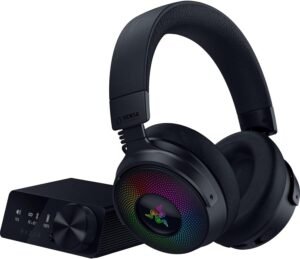
The Razer Kraken V4 Pro is a flagship wireless gaming headset designed to be the ultimate command center for your battlestation. Its standout feature is the dedicated OLED Control Hub, a desktop device that allows for on-the-fly customization, system monitoring, and seamless switching between inputs. The headset also features Razer’s Sensa HD Haptics, providing a deep, rumble-based immersion that users describe as feeling like a subwoofer on their head.
With four modes of connectivity—including ultra-fast 2.4GHz, Bluetooth, USB, and 3.5mm—it offers massive versatility for PC, console, and mobile gamers. While the sound quality and retractable Super Wideband Mic are highly praised, the headset is held back by some significant technical hurdles. Users have reported software bugs where the headset isn’t detected by Synapse, confusing configuration for the OLED hub, and specific USB resource errors on complex setups. Additionally, long-time fans may find the haptic vibration feels different from previous models.
For more information, stick around and read below for my take on this product.
Hey there, welcome to our review of the Razer Kraken V4 Pro Gaming Headset! We’re here to offer insights and hopefully make your decision-making a tad easier. We’ve collected details about the gaming accessory to share with you.
Throughout this review, we’ll delve into discussing its key features, highlighting user feedback, our impressions, and who might benefit most from it.
So, if you’re considering getting the Razer Kraken V4 Pro Gaming Headset and want to know if it suits your needs, stick around!
Key Features
Headset Design & What's Included
This headset is built to sound great and feel comfortable on your head. It uses special 40mm speakers that deliver clear, deep sound, covering a wide range of high and low noises. The ear cups are soft, made with memory foam and a leather-like material that fits nicely around your ears. It’s also fairly light, weighing just under a pound (0.88 lbs), so it’s easy to wear for a long time. As for what you get in the package, it includes the headset itself and the OLED Control Hub. You also get all the cables you need: two different USB cables (Type A to C and Type C to C) and a standard 3.5mm audio cable to plug into almost any device.
Retractable Super Wideband Mic
The headset includes a retractable Razer HyperClear Super Wideband Mic that you can easily pull out or stow away. It is designed to capture a wider frequency range (100 Hz – 10 kHz), which makes your voice sound incredibly detailed, rich, and natural. It uses a unidirectional pickup pattern to block out background noise and has a high signal-to-noise ratio (≥ 60 dB) to keep your communications clear.
On-Headset Controls
You can manage many features right from the earcup. There is a volume control wheel, a dedicated mic mute button, a button to control the haptics intensity, and a multi-function button that can be used to switch audio EQ presets or change wireless modes.
Battery Life
The headset’s battery life varies depending on how you use it. You can get up to 50 hours of playtime on the standard 2.4GHz wireless connection if you keep the lighting and haptics turned off. If you are using the simultaneous connection (2.4GHz + Bluetooth) with those features off, it lasts up to 45 hours. However, if you want the full experience with both haptics and lighting turned on, the battery life drops to around 13 hours. To help conserve power, the software includes settings to automatically turn the headset off when it’s idle.
OLED Control Hub & Connectivity
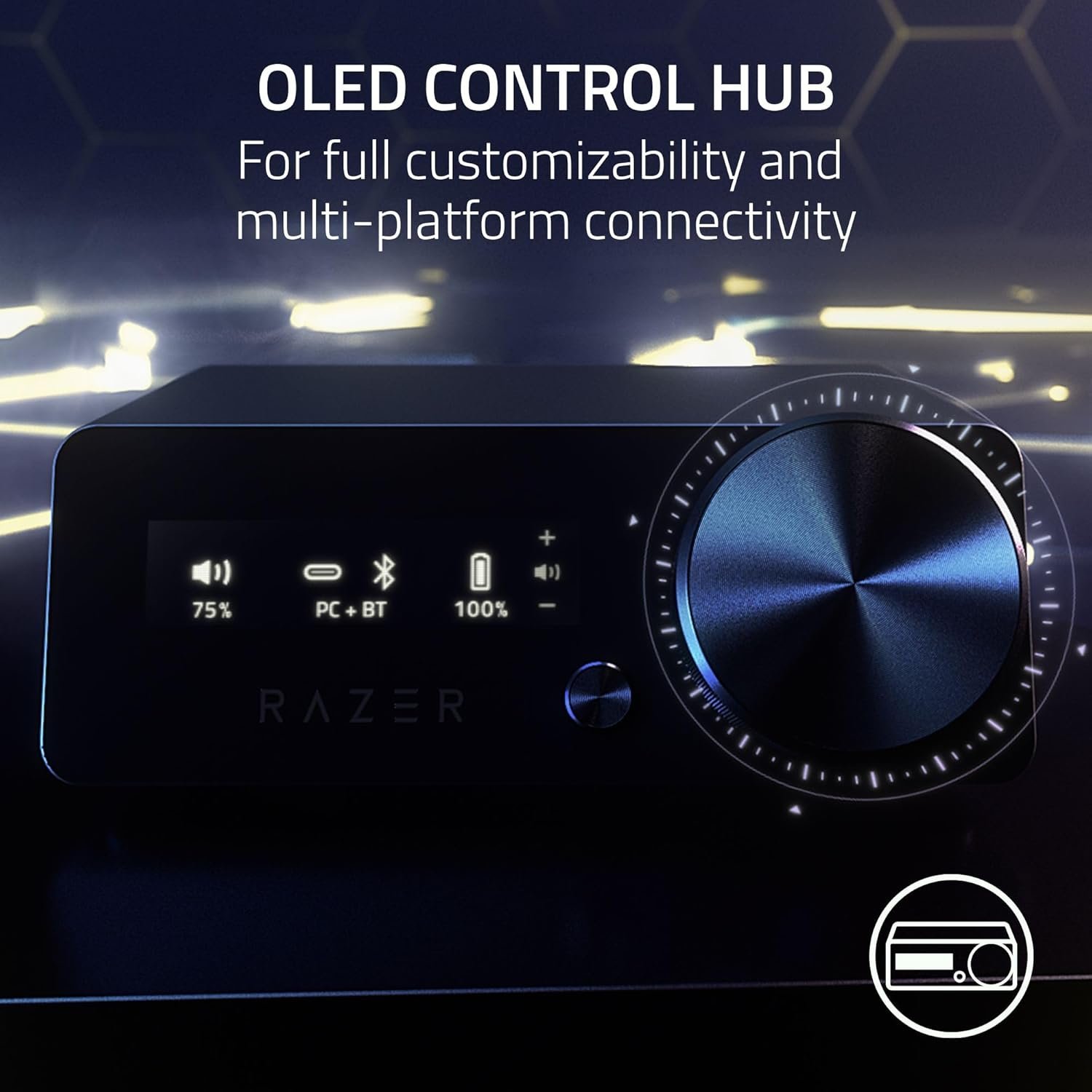
This headset features a substantial, weighted OLED Control Hub that sits on your desk (measuring roughly 5 by 3.5 inches) and acts as a powerful command center. It sports a clear 2-inch OLED display that can show real-time PC system metrics or custom animations. The hub is designed to be the central bridge for all your gear. On the back, it has two USB-C ports, allowing you to connect both your PC and a console (like a PS5) at the same time and switch between them instantly. It also includes a 3.5mm AUX input for connecting external audio sources like a phone.
Using the hub’s control knob and mode button, you can adjust almost every aspect of the headset without opening software. You can switch input sources, change EQ settings, fine-tune haptic intensity, control lighting, and manage volume or chat balance. This hub also enables the headset’s massive versatility, offering four different connection options: ultra-fast 2.4GHz wireless (via the hub), Bluetooth for mobile, wired USB, and 3.5mm aux.
OLED Screen Customization
Using the OLED subtab in the software, you can fully personalize the Control Hub’s display. You can customize the Home Screen to show a variety of content when inactive, including animated GIFs, static images, emotes, a scrolling text banner, or an audio meter that reacts to sound. Useful functional displays are also available, such as System Info (which updates PC stats periodically) and Headset Status for real-time information. The software also allows you to adjust the OLED brightness, set the screen timeout duration, and choose a screensaver or dimming option to save power. Additionally, you can manage microphone settings here, such as adjusting volume or enabling Mic Preview to test your audio intensity.
Immersive Haptic Feedback
The headset features Sensa HD Haptics, which converts audio into physical vibrations you can feel. It uses a dedicated haptic driver in each earcup to create realistic, directional rumbles that match the in-game action. With a frequency range of 45-300Hz and a maximum force of 4.3g, it adds a deep, powerful layer of immersion that you can physically feel. You can adjust the intensity right from the headset or the control hub.
Haptics Customization
The software includes a dedicated “Haptics” subtab that lets you fully personalize the audio immersion. You can toggle the Haptic Intensity on or off and use a slider to precisely increase or decrease the strength of the vibration feedback. For games that support it, you can launch the Chroma app to activate Razer Sensa HD Integrated Content, which unlocks the engine’s full potential. For standard audio, you can enable the Audio-To-Haptics Profile to choose from different presets or create your own custom profile to match your preference.
Simultaneous Audio
You can stay connected to two devices at once with simultaneous audio. This allows you to listen to game audio from your PC or console (via the 2.4GHz connection) while simultaneously hearing audio from your phone (via Bluetooth), so you can take calls or listen to music without interrupting your game.
High-Quality Surround Sound
The headset uses upgraded TriForce 40mm drivers made from bio-cellulose. This design helps to improve the soundstage and reduce distortion, providing clear audio and deep bass. On a Windows PC, you can also use the Razer Synapse software to activate THX Spatial Audio, which is an advanced 7.1 surround sound for a more lifelike experience.
Software Customization (Razer Synapse)
The headset is supported by the Razer Synapse software, which serves as the hub for deep customization and management. The “Sound” subtab allows you to toggle between standard Stereo and immersive THX Spatial Audio, and access the equalizer to fine-tune your sound profile. You can set up “Game Profiles” that automatically load specific settings when a game is launched, and use the “Game/Chat Balance” slider to adjust the audio mix. Additionally, the “Enhancement” tab lets you customize incoming audio with features like Sound Normalization to keep volume consistent, Bass Boost to add depth to low-frequency sounds, and Voice Clarity to improve the crispness of incoming dialogue.
The “Mic” tab offers deep control for your outgoing voice. You can adjust volume, use Mic Preview to hear yourself, and enable enhancements like Volume Normalization, Vocal Clarity, and Noise Cancellation to suppress background noise. There is also a Mic Equalizer and Mic Monitoring (Sidetone) to prevent shouting.
For lighting, the “Lighting” subtab gives you full control over the Razer Chroma RGB. You can adjust brightness, use the “Switch Off Lighting” tool to save power, and choose from “Quick Effects” like Breathing, Spectrum Cycling, or Audio Meter. For deeper personalization, the Advanced Effects option lets you open Chroma Studio to design custom profiles.
Finally, the software handles general management. The “Power” subtab helps conserve battery by setting auto-off timers, while the “Linked Games” tab lets you associate profiles with specific games. The general “Settings” menu handles startup behavior, notifications, and profile migration.
Four Modes of Connectivity
This headset offers massive versatility with four different connection options to suit almost any setup. For lag-free gaming on your PC, PS5, or PS4, you can use the ultra-fast 2.4GHz wireless connection via the OLED Control Hub. If you want to go wireless on your mobile device or Nintendo Switch, the headset also supports Bluetooth 5.3.
For a stable wired connection, you can plug directly into your PC or console using the included USB cable. Finally, the standard 3.5mm aux cable provides universal compatibility, allowing you to plug into consoles (like Xbox controllers), mobile devices, or any other audio source that has a headphone jack.
Performance & Feedback
Overall, the Razer Kraken V4 Pro receives high praise from many customers who love the immersive experience it provides. Users frequently describe the sound quality as excellent, crisp, and crystal clear, noting that it truly brings games to life. The new OLED Control Hub is often cited as a “game changer,” allowing players to adjust settings on the fly and switch between devices easily. The haptic feedback is another standout feature for many, with users describing it as feeling like a subwoofer on your head that adds a punchy, engaging layer of immersion to gameplay. The headset is also rated highly for comfort and build quality, with good battery life and seamless connectivity between Bluetooth, wireless, and wired modes.
However, there are some significant technical frustrations reported by users. A common complaint involves the software and connectivity; some users found it difficult to configure the OLED hub, requiring restarts or reconnecting the device to get the sound working properly on PC. Others reported a major issue where the Razer software fails to detect the headset, forcing them to unplug and replug the unit to get it recognized. Users with extensive Razer setups also noted a specific “not enough USB controller resources” error, which can force them to sacrifice certain audio features.
There is also some division regarding the audio and haptics. While many love it, some long-time fans felt the bass performance was “meh” and that the rumble vibration has been downgraded compared to previous Kraken or Nari models, describing it as just a “loud rumble” rather than a physical sensation. Other design gripes include poor ventilation that causes ears to get sweaty, a power button that sometimes becomes unresponsive, and the inability to disable or change the loud “Mic On/Off” voice prompts.
Finally, there are reports of quality control issues in some batches, such as microphones stopping working after a month or loose USB-C ports that cause disconnection when moving. Additionally, it is noted that the headset does not work with Xbox systems.
My Thoughts: Razer Kraken V4 Pro Wireless Gaming Headset
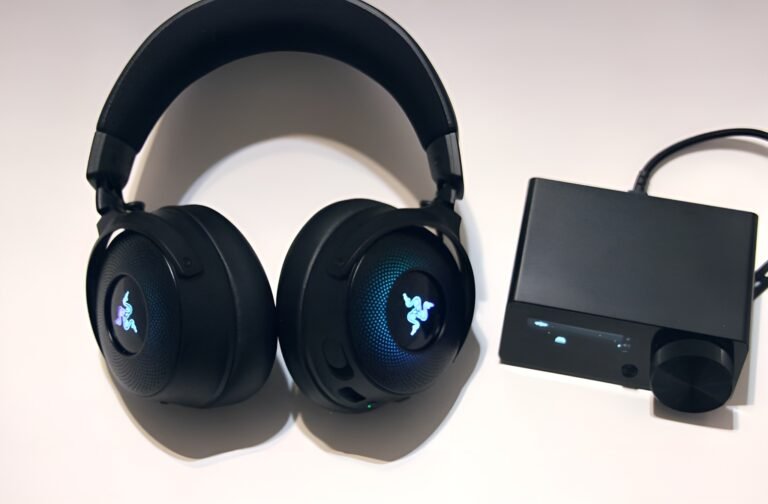
I was honestly amazed by what this headset offers; it is packed with features and allows for a level of customization that really fits my needs. However, I have to say right off the bat that I didn’t like the manual provided in the box. For a headset with this much tech, the included instructions aren’t great. That said, the online version is a whole lot better and provides everything you need to get started using the headset.
In terms of performance, the sound quality is fantastic. I love that I can customize the audio to my exact preferences, creating a great immersive experience whether I’m playing games or listening to music. Watching movies is a highlight for me; it feels like I am in my own personal theater, hearing details I usually miss with typical headsets.
My favorite features are the Sensa HD Haptics, which add a rumble to the sound that really draws you in, and the simultaneous audio mode. Being able to hear my PC (connected via the hub) and my phone (via Bluetooth) at the same time is incredibly useful.
The OLED Control Hub itself is a cool piece of tech. Although I wish the box was a bit smaller, I enjoy the custom animations and how it helps me control the headset settings. The software programs offer even more ways to customize things, and with the help of the detailed online manual, getting the full experience out of this amazing tech is much easier
Who Would Likely Favor This Product?
Gamers who want to feel their games as much as they hear them might want to look into this headset. The standout feature is the Sensa HD Haptics, which adds a powerful rumble and deep bass that syncs with the action, making gameplay feel much more immersive and punchy.
Players who juggle multiple devices will also find this very useful. The simultaneous audio feature lets you listen to your PC (game audio) and your phone (via Bluetooth) at the same time, so you can take calls or listen to music without pausing your game.
Those who prioritize high-quality sound will appreciate the immersive audio experience. With its upgraded drivers and THX Spatial Audio, it delivers clear, lifelike sound that makes you feel like you are right in the middle of the game or movie.
Finally, fans of the Razer ecosystem and those who love tech gadgets will likely favor this product. The included OLED Control Hub and the deep software customization through Razer Synapse offer a level of control and personalization that tech enthusiasts often look for.
FAQ (Frequently Asked Questions)
How do I get the software?
To unlock the full potential of the headset, you’ll need Razer Synapse. Here is how to get it:
- Visit the official Razer website.
- Select the “PC” tab at the top.
- Click the “Software” tab and then select the “Razer Synapse” page to download it.
How do I find the user manual?
If you need the full manual, you can find it on the Razer support site:
- Visit the Razer website and click on “Support.”
- Click on “PC Support” and then select “Headsets.“
- Look for the RZ04-0516 model (Razer Kraken V4 Pro) or the RZ04-0517 model (Razer Kraken V4) if you have that version.
- Click on “User Guides” to download the manual.
What is the warranty?
The headset comes with a 2-year warranty. To make sure you are covered and to score exclusive benefits, you should visit the Razer warranty policy for more information.
What is the OLED Control Hub for?
The OLED Control Hub sits on your desk and acts as a command center. It lets you adjust volume, change EQ settings, toggle haptics, and switch input sources (like from PC to console) without having to alt-tab out of your game or open software.
What are Sensa HD Haptics?
Sensa HD Haptics is a technology that converts audio cues into physical vibrations. It gives you a layered, directional rumble that matches the in-game sound, making you feel explosions, footsteps, and other effects for deeper immersion.
Can I listen to my phone and PC at the same time?
Yes. The headset supports simultaneous audio, allowing you to hear game audio from your PC (via the 2.4GHz connection) and audio from your phone (via Bluetooth) at the same time.
If you are still interested in knowing more about the product, click the button below
Razer Kraken V4 Pro Wireless Gaming Headset OLED Control Hub | HD Haptics | 4-Mode Connectivity | Super Wideband Mic | THX Spatial Audio
- OLED Control Hub: Includes a powerful desktop device that helps you customize and centralize your audio controls. It allows you to check PC system metrics at a glance, adjust headset settings, or switch your audio to a different connected system.
- Razer Sensa HD Haptics: Experience the next leap in haptic technology, allowing you to feel the game like never before. The headset provides layered and realistic haptic feedback that mirrors the intensity, direction, and duration of in-game audio.
- Four Modes of Connectivity: Enjoy full audio immersion on PC, console, or your phone. You can go wireless using ultra-fast 2.4GHz and Bluetooth, or stay plugged in for non-stop gaming via a USB or 3.5mm connection.
- Retractable HyperClear Super Wideband Mic: By covering a wider frequency range of sound, this next-generation retractable microphone captures an incredible amount of detail in your voice, ensuring everything you say sounds clear, rich, and natural.
- TriForce Bio-Cellulose 40mm Drivers: This upgraded TriForce design uses an ultra-thin bio-cellulose diaphragm, which improves the soundstage and reduces distortion. This results in distinct clarity and deep, rich bass reproduction.
- THX Spatial Audio: With advanced 7.1 surround sound, you can enjoy true-to-life acoustics that optimize the game’s sound design. This allows you to hear everything as if you were right in the middle of the action.
Images by Gaming Gear Drop unless otherwise noted. Additional photos sourced from the official Razer Amazon listing for review purposes.