This post contains affiliate links. If you purchase through them, we may earn a small commission at no extra cost to you. This product was provided through the Amazon Vine program for our honest review. All opinions are our own. Thanks for supporting Gaming Gear Drop.
Pros
- Multi-compatible
- Programmable
- Hall triggers
- Motion controls
- RGB lighting
- Touchpad
- Audio support
Cons
- Bad batches
- Connection issues
- Setup
Quick Summary
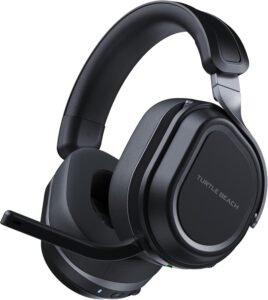
The Turtle Beach Stealth 700 Gen 3 Wireless Gaming Headset offers a wide range of features, including multiplatform support, a dual-transmitter CrossPlay system, simultaneous 2.4GHz wireless and Bluetooth connectivity, and customizable audio controls through the Swarm II app. It is designed to provide immersive sound with strong bass and long battery life, along with flexible connection options across PC and PlayStation systems.
While audio performance and battery life stand out as strengths, some users have reported connection stability issues and occasional software concerns. Comfort can vary depending on head size, and firmware updates may be needed to optimize performance out of the box.
For more information, stick around and read below for my take on this product.
Hey there, welcome to our review of the Turtle Beach Stealth 700 Gen 3 Wireless Gaming Headset.
For this review, we tested this headset to offer honest insights and hopefully make your decision-making a tad easier. We have gathered all the important details about this gaming accessory to share with you, specifically focusing on the black version of the headset.
Throughout this post, we will discuss its key features, highlight user feedback, share our personal impressions, and explain who might benefit most from it.
So, if you are looking for a reliable black wireless gaming headset for your PC, PlayStation, or mobile device, stick around to find out if this suits your needs.
Key Features
Switch Between Two Devices Wirelessly
The Stealth 700 Gen 3 comes with two USB wireless transmitters. This allows it to stay connected to two different platforms at the same time. By pressing the CrossPlay button on the headset, it can switch between devices without unplugging anything. Both transmitters need to stay powered on for switching to work.
Wireless and Bluetooth at the Same Time
This headset can use 2.4GHz wireless for game audio while also staying connected to a phone or tablet through Bluetooth 5.2. This means game sound can play from a console or PC while calls, music, or chat apps run from a mobile device. Each connection has its own volume control.
Large 60mm Dual Drivers for Clear Sound
The headset uses 60mm dual drivers designed to separate low and high sounds. This helps produce clearer audio across bass and higher tones. The listed frequency range is 20Hz to 20kHz, covering standard gaming and media audio levels.
Flip-to-Mute Microphone with Noise Reduction
The microphone flips up to mute and flips down to activate. It uses a unidirectional design and includes built-in noise reduction to help reduce background sounds. Mic settings can also be adjusted further using the Swarm II app.
Long Battery Life with Quick Charging
The built-in rechargeable battery is rated for up to 80 hours of use. If the battery runs low, a 15-minute charge can provide several hours of additional play time.
Comfortable Cushions with Glasses Relief
The ear cushions use memory foam wrapped in a mix of leatherette and fabric material. The design includes glasses-friendly support to help reduce pressure for users who wear eyewear.
Strong Frame with Lay-Flat Earcups
The frame includes steel reinforcement for added durability. The earcups rotate to lay flat, making storage and transport easier.
App Control for Audio and Mic Settings
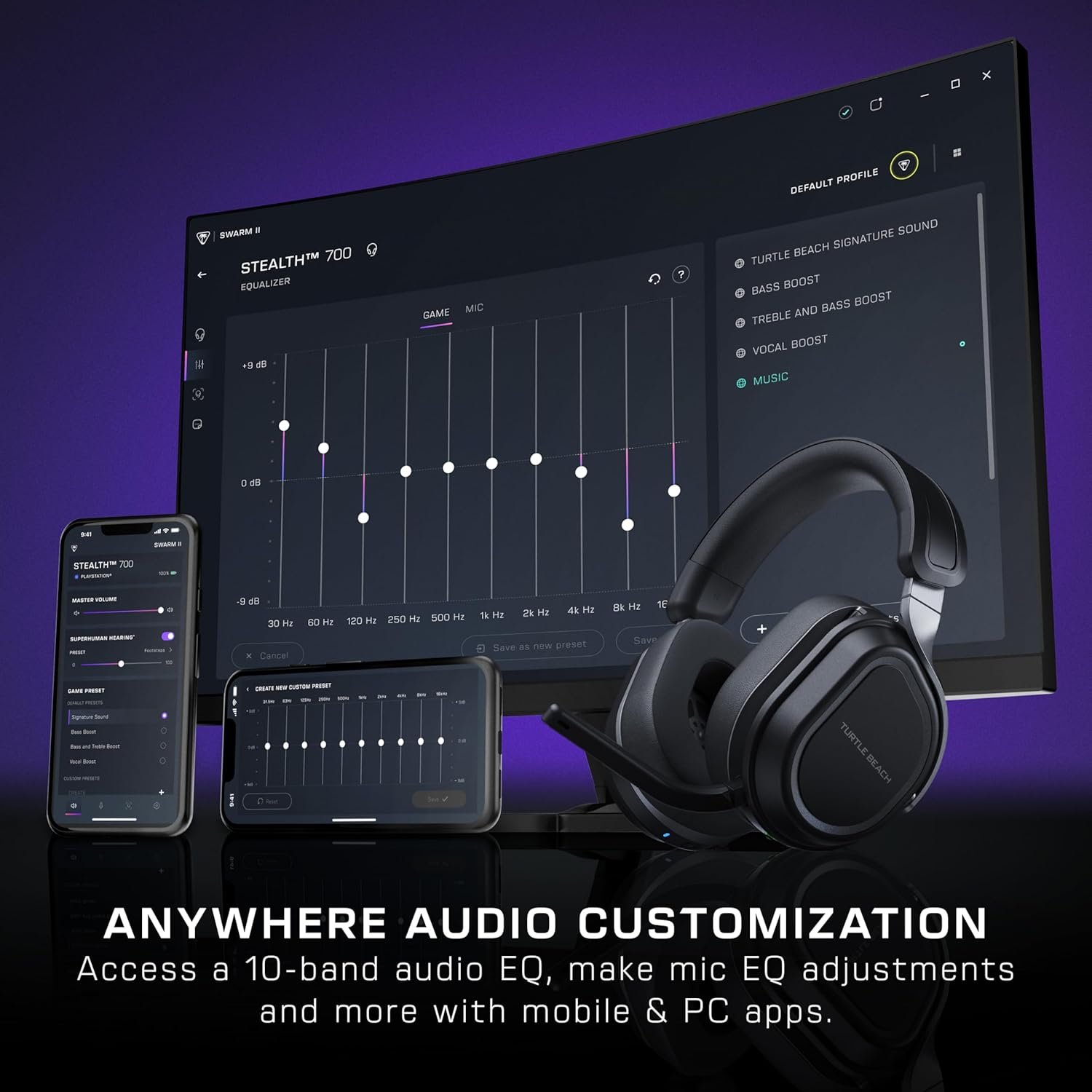
Using the Swarm II desktop or mobile app, audio can be adjusted with a 10-band equalizer. The app also allows firmware updates, microphone sensitivity adjustments, noise gate control, and button customization.
Customizable Wheel and Mode Button
The headset includes a secondary control wheel and a mode button that can be reassigned using the app. These controls can adjust features such as game and chat mix, mic monitoring, bass and treble levels, and preset audio modes.
Platform Compatibility
The headset supports Xbox Series X and S, Xbox One, PlayStation 5, PlayStation 4, Windows PC, Steam Deck, and Bluetooth-enabled mobile devices.
On-Headset Controls
Physical controls on the headset include power, EQ mode, game volume, Bluetooth volume, mic monitoring, the CrossPlay switch button, and a USB-C charging port.
Built-In Audio Presets and Superhuman Hearing
The headset includes preset sound modes such as Bass Boost, Signature Sound, Treble Boost, and Vocal Boost. It also includes Superhuman Hearing, which can be adjusted in intensity through the companion app.
Performance & Feedback
Customers say the Stealth 700 Gen 3 delivers strong sound quality during gaming. The audio is described as clear and immersive, with bass that feels deep without overpowering other sounds. The 60mm drivers are mentioned as providing fuller sound, and the headset is described as performing well for both competitive and casual play. Noise isolation is also noted as helping reduce outside distractions.
Battery life is described as long-lasting, allowing extended use between charges. Setup is mentioned as straightforward, and the ability to switch between consoles using the CrossPlay system is described as convenient. Bluetooth support is noted as allowing connection to mobile devices at the same time as console or PC audio. The Swarm II software is mentioned as offering additional sound customization through EQ adjustments and audio settings. The microphone quality is described as clear during voice chat.
Feedback also mentions that the headset feels sturdy, with materials that hold up during regular use. The ear cushions are described as comfortable for many users, and the glasses-friendly design is noted as helping reduce pressure for those who wear glasses.
On the negative side, customers mention connection issues as a concern. Some describe occasional audio dropouts or pairing problems. In certain cases, updates were needed to improve stability. There are also reports of receiving units with missing transmitters or minor cosmetic marks out of the box.
Comfort can vary depending on head size. Some customers describe the headset as feeling tight, while others mention it feeling loose. A few also describe it as heavier than expected. There are mentions of the microphone feeling less premium in build quality, and some describe the companion software as inconsistent or less polished than expected.
My Thoughts: Turtle Beach Stealth 700 Gen 3 Wireless Gaming Headset
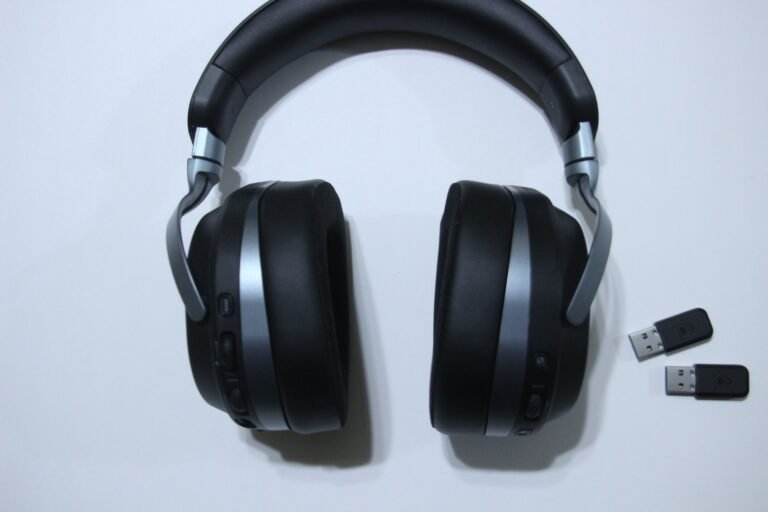
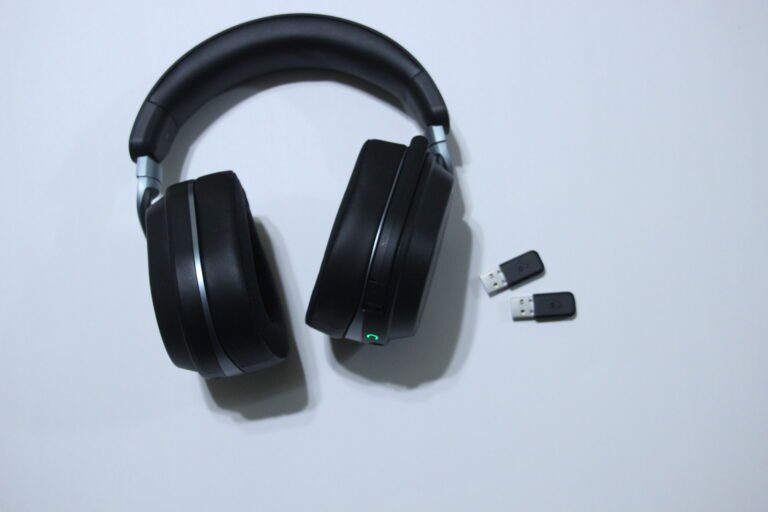
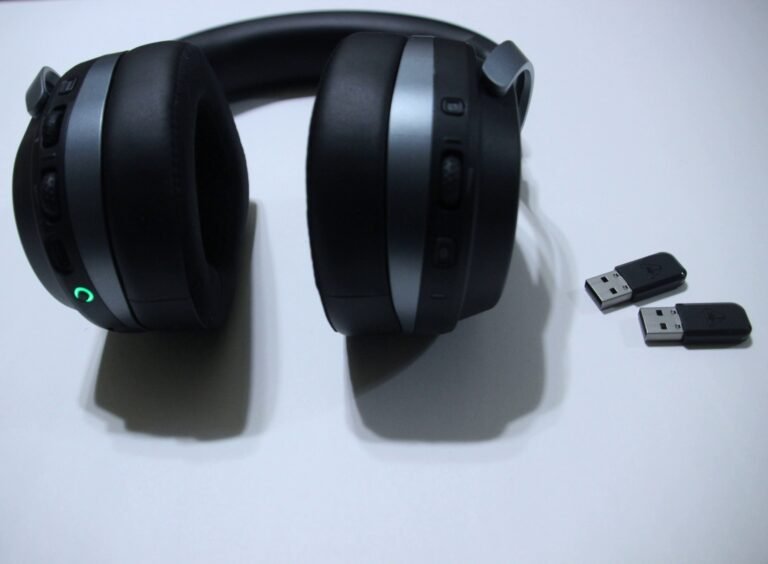
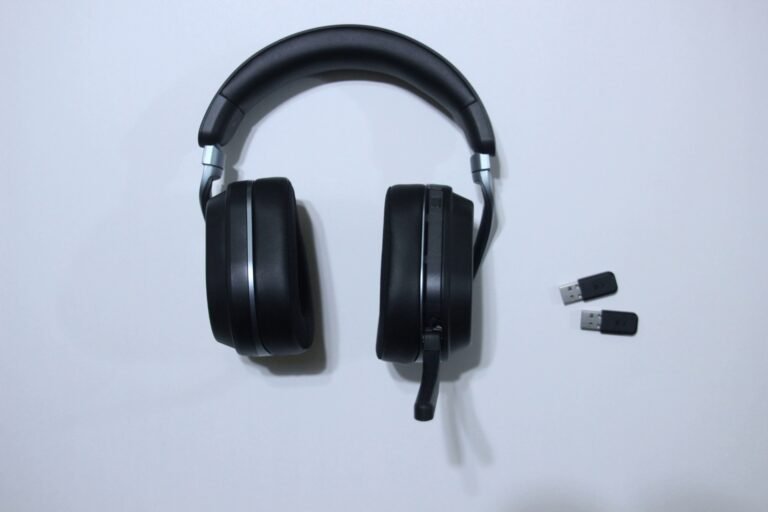
What stands out to me the most is the simultaneous wireless and Bluetooth feature. Being able to connect to my console or PC through the wireless transmitter while also staying connected to my tablet through Bluetooth adds a lot of flexibility. I can play a video or music on my tablet and still hear my gameplay at the same time. That kind of multitasking makes the headset feel more useful beyond just gaming.
The CrossPlay system is another feature I genuinely appreciate. The headset includes two wireless transmitters, which makes switching between systems simple. I tested it on my PS5, and it worked smoothly. Moving from my PC to my PS5 feels quick and convenient without needing to constantly unplug and reconfigure everything.
Sound quality has been consistently solid in my experience. The audio feels immersive with a balanced mix of bass and clarity, even at higher volume levels. It does not feel distorted when turned up, and the larger drivers help deliver fuller sound during gameplay. For gaming, music, and general media use, it has performed reliably for me.
Battery life has also been strong. The headset lasts a long time between charges, and the auto shut-off feature helps prevent unnecessary battery drain when it is not in use.
As for the microphone, I would describe it as decent but not perfect. It captures voice clearly, but I have a quieter voice, and even slight whispers can sound amplified. From my perspective, mic tuning could be refined a bit more.
Overall, the simultaneous wireless and Bluetooth functionality is the feature that makes this headset feel different to me. It adds real flexibility, especially if you like listening to media, studying, or multitasking while gaming.
Who Would Likely Favor This Product?
Gamers who use more than one platform might want to look into this headset. It supports PC, PlayStation consoles, and mobile devices, which makes it easier to use one headset across different systems instead of switching gear.
Those who move between a console and a PC may also want to consider it because of the CrossPlay system. With two wireless transmitters included, switching between systems can feel more convenient without constantly unplugging cables.
Players who value flexible connectivity might also find this headset worth exploring. It offers tri-mode connectivity, including 2.4GHz wireless, Bluetooth, and wired support. The ability to use wireless and Bluetooth at the same time may be useful for multitasking, such as listening to music or staying connected to a phone while gaming.
Gamers who like adjusting their audio settings might also want to look into it. The customization options allow changes to EQ settings and sound profiles, which can help tailor the audio to personal preference.
Those who enjoy immersive sound with noticeable bass may also find it appealing. The larger drivers are designed to deliver fuller audio, which can enhance gameplay and media use.
If multiplatform support, flexible connections, and customizable sound are important features, this headset may be worth considering.
FAQ (Frequently Asked Questions)
How do I download the Swarm II software?
- Visit the Turtle Beach website.
- Click on “Support & Downloads > Software Downloads.”
- Select “Headsets” as the product type.
- Search for “Turtle Beach Stealth 700 Gen 3.”
- Download Swarm II for desktop, or use the link provided on the page to access Swarm II Mobile for iOS or Android.
How do I get the Quick Start Guide manual?
- Visit the Turtle Beach website.
- Click on “Support & Downloads. > Software Downloads.”
- Select “Headsets” as the product type.
- Search for “Turtle Beach Stealth 700 Gen 3.”
- Scroll down until you find the Quick Start Guide.
What platforms does this headset support?
PC (Windows 10 and newer), PS5, PS4, Xbox Series X|S, Xbox One, Steam Deck, and Bluetooth-enabled mobile devices.
Does it support Bluetooth?
Yes. It supports Bluetooth 5.2.
Can wireless and Bluetooth work at the same time?
Yes. It supports simultaneous 2.4GHz wireless and Bluetooth audio.
Does it include wireless transmitters?
Yes. Two USB wireless transmitters are included.
How long does the battery last?
Up to 80 hours, depending on volume and usage.
Does it support audio customization?
Yes. Audio and mic settings can be adjusted using the Swarm II desktop or mobile app.
Does it have noise reduction on the mic?
Yes. The microphone includes built-in noise reduction.
How can this headset connect to my devices?
It supports 2.4GHz wireless using the included USB transmitters, Bluetooth 5.2 for mobile devices, and a wired connection through the audio port.
Can I use wireless and Bluetooth at the same time?
Yes. The headset supports simultaneous 2.4GHz wireless and Bluetooth audio.
Does it come with more than one transmitter?
Yes. Two USB transmitters are included for switching between systems.
Is there a wired option?
Yes. It can also be connected using a wired audio connection if preferred.
Connectivity Questions
How do I connect to PC or PlayStation?
- Plug a USB wireless transmitter into the system.
- Power on the headset.
- Wait for automatic pairing.
How do I switch between two connected systems?
- Connect both USB transmitters to two systems.
- Power on both systems.
- Press the CrossPlay button on the headset to switch.
How do I connect via Bluetooth?
- Press and hold the Bluetooth Multi-Function Button.
- Wait for the “Pairing Bluetooth” voice prompt.
- Select the headset in your device’s Bluetooth settings.
How do I answer or end calls over Bluetooth?
Press the Bluetooth Multi-Function Button once to answer.
Press it again to end the call.
Can I use wireless and Bluetooth together?
Yes. 2.4GHz wireless and Bluetooth can run at the same time.
How do I connect using a wired setup?
Use the wired audio connection if preferred.
Programming & Troubleshooting
How do I power the headset on or off?
Press and hold the Power button for 2 seconds.
How do I enable or disable Superhuman Hearing?
Press and hold the Superhuman Hearing button for 1 second.
What do the transmitter LED colors mean?
Green = Active connection
Amber = Standby
Red = Microphone muted
How do I adjust mic monitoring?
Use the variable mic monitoring control on the headset or adjust it in the Swarm II app.
How do I update firmware?
Connect the headset to the Swarm II app and follow update instructions.
If you are still interested in knowing more about the product, click the button below
Turtle Beach Stealth 700 Gen 3 Wireless Multiplatform Gaming Headset for PC, PS5, PS4, and Mobile – 24-Bit Audio, 60mm Drivers, High-Bandwidth Mic, Bluetooth, 80-Hour Battery – Black
- CrossPlay Dual Transmitter Wireless System: Designed with a dual transmitter wireless system to support multiplatform use, allowing connection across supported devices including PC and PlayStation systems.
- Simultaneous 2.4GHz Wireless + Bluetooth 5.2: Supports low-latency 2.4GHz wireless audio while also allowing Bluetooth 5.2 connectivity at the same time for mobile devices or additional audio sources.
- 60mm Eclipse Dual Drivers with 24-Bit Audio: Equipped with large 60mm dual drivers designed to deliver 24-bit high-fidelity audio performance.
- Flip-to-Mute High-Bandwidth Microphone: Features a flip-to-mute microphone with 16-bit, 32kHz sampling rate for voice clarity during communication.
- Up to 80-Hour Battery with Quick Charge: Built-in rechargeable battery supports extended use, offering up to 80 hours of battery life with quick-charge capability.
- Memory Foam Cushions with Glasses-Friendly Design: Ear cushions use memory foam padding and are designed to reduce pressure for users who wear glasses.
- Steel-Reinforced, Lay-Flat Construction: Built with a reinforced frame and lay-flat earcup design for durability and storage convenience.
- Swarm II App Support with Waves 3D Audio & 10-Band EQ: Compatible with the Swarm II desktop and mobile app, allowing access to Waves 3D Audio and customizable 10-band equalizer settings.
- Customizable Controls: Includes a mappable wheel and mode button for adjustable functionality directly on the headset.
- Built-In EQ Modes & Superhuman Hearing: Provides preset EQ modes along with Turtle Beach’s Superhuman Hearing feature for enhanced in-game audio cues.
Images by Gaming Gear Drop unless otherwise noted. Additional photos sourced from the official Turtle Beach Amazon listing for review purposes.