This post contains affiliate links. If you purchase through them, we may earn a small commission at no extra cost to you. This product was provided through the Amazon Vine program for our honest review. All opinions are our own. Thanks for supporting Gaming Gear Drop.
Pros
- Highly Responsive
- Customizable Keys
- Rapid Trigger
- 2-in-1 Action Keys
- Software Support
- OLED Display
- On-Board Controls
- Premium Build Quality
- RGB Lighting Customization
- Detachable Wrist Rest
- Multi-Platform Support
Cons
- Software Complaints
- Compatibility Complaints
- Limited Adjustment Complaints
Quick Summary
The SteelSeries Apex Pro is a premium mechanical keyboard designed for competitive gamers and enthusiasts who demand deep customization. Its main feature is the innovative OmniPoint adjustable switches, which allow users to customize the actuation point, enable a “Rapid Trigger” for faster inputs, and even set two actions on a single key. Combined with a powerful software suite for advanced macros and RGB effects, an OLED smart display for on-the-fly adjustments, and a premium build quality, it’s packed with high-end features. However, the software can be complex and bloated for new users, and some of the most advanced features are limited to specific keys and have limited support on macOS. Overall, it’s a top-tier choice for players who want to fine-tune every aspect of their keyboard’s performance.
For more information, stick around and read below for my take on this product.
Hey there, welcome to our review of the SteelSeries Apex Pro TKL Gen 3 Gaming Keyboard! We’re here to offer insights and hopefully make your decision-making a tad easier. We’ve collected details about the gaming accessory to share with you.
Throughout this review, we’ll delve into discussing its key features, highlighting user feedback, our impressions, and who might benefit most from it.
So, if you’re considering getting the SteelSeries Apex Pro TKL Gen 3 Gaming Keyboard and want to know if it suits your needs, stick around!
Key Features
Actuation & Switch Customization
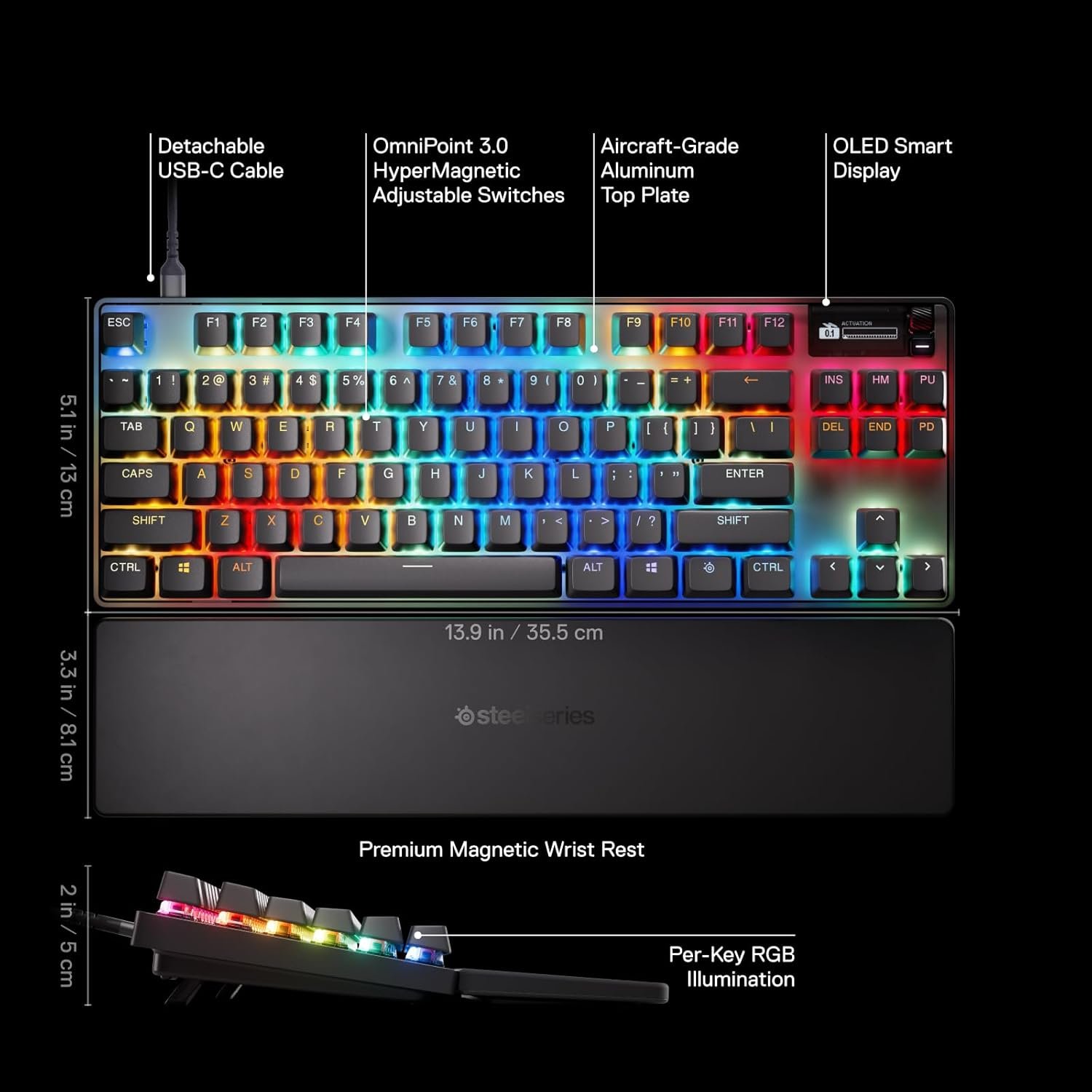
The standout feature of the Apex Pro is its OmniPoint 3.0 switches, which use Hall Effect technology and offer a unique level of customization.
You can change the Adjustable Actuation, which is how far you need to press a key for it to activate, with a full range from a super-light 0.1mm to a deep 4.0mm.
The Rapid Trigger feature allows for significantly faster repeated key presses because the key resets the instant you start to lift your finger, rather than waiting for it to return to a fixed reset point.
It also supports 2-in-1 Action Keys (also known as Dual Actuation), where you can assign two different actions to a single key at two different press depths, like a light press to walk and a full press to run.
For even faster inputs, Rapid Tap prioritizes the last key pressed in a pair without needing to release the previous key, which is great for advanced movements like counter-strafing.
Finally, it includes Protection Mode, a SteelSeries-exclusive feature that helps prevent accidental “fat-fingering” by reducing the sensitivity of the keys surrounding the one you are pressing.
Hardware & On-Board Controls
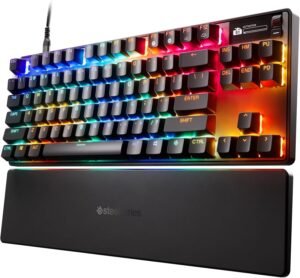
Unlike a standard membrane gaming keyboard, the Apex Pro has a premium build, featuring an aluminum top plate for durability.
It has been enhanced with new stabilizers to eliminate keycap wobble, triple-layer sound-dampening foam, and per-key lubrication for a smoother and quieter typing experience.
It comes with a comfortable magnetic wrist rest, two-level feet for adjusting the typing angle, and a keycap puller for the swappable, durable Double Shot PBT keycaps.
For direct control, it has on-the-fly keys for profile switching, macro recording, and brightness, all accessed with the SteelSeries Function Key.
OLED Smart Display
The keyboard has a small OLED Smart Display that acts as your command center, allowing you to adjust settings and control your media on the fly without ever having to alt-tab out of your game.
The software also allows you to customize the display with your own images or have it show real-time information from games that support the GameSense feature.
SteelSeries GG Software
The keyboard is supported by the SteelSeries GG software suite, which includes the “Engine” application for managing all settings, and it also includes firmware updates to update the gaming keyboard.
A key part of the software is the GG QuickSet feature, which provides a library of game-ready presets.
This feature can scan for your installed games and automatically apply optimized settings for features like Rapid Trigger, RGB Lighting, and per-key actuation. You can also create and save your own custom profiles that load automatically when you launch a specific game.
Key Remapping
The software allows you to rebind any key to perform a different function, including all alphanumeric, function, modifier keys, Dual Bindings and Meta Bindings.
Software Apps
Within the SteelSeries GG software, you can download other applications that interact with your keyboard to add more features. GG also includes other apps like “Moments,” which can be used for gameplay capture.
RGB Lighting Customization
The software allows you to personalize the keyboard’s lighting with 26 built-in presets and various base effects like color shifts and gradients. It includes new reactive typing effects and other features like a Screen Sampler that matches your lighting to the colors on your monitor. It also supports GameSense, which allows in-game events like low health and ammo to trigger real-time lighting changes, and Prism to sync lighting effects with your other SteelSeries devices.
Macro Editor
The keyboard features a macro editor within the software. You can record complex sequences of key presses, edit the delays, and assign them to any key. You can also record simple macros on-the-fly directly from the keyboard without needing to open the software.
Multi-Platform Compatibility
The Apex Pro is compatible with PC, Mac, Xbox, and PlayStation. However, it’s important to note that not all software features are supported on macOS.
Performance & Feedback
The SteelSeries Apex Pro is widely regarded by users as a premium keyboard that delivers on performance and comfort. Many customers describe it as a sturdy and comfortable keyboard for typing, praising the comfortable wrist rest and overall feel. In terms of performance, the keyboard is noted for its great responsiveness, with no delay in typing and excellent actuation changes.
The OmniPoint 3.0 switches are a major highlight for users, with many considering them to be really good and a key reason for the keyboard’s premium status. The beautiful and highly customizable RGB lighting is another frequently praised feature, along with the nice OLED screen that adds to its appeal.
However, the most common point of negative feedback is aimed at the software. Many users find the application to be complicated, cumbersome, and confusing, with some advanced features having a steep learning curve and minimal instructions. It is also described as being bloated with other features not directly related to the keyboard, and a few Mac users have reported compatibility issues when trying to use the device. A few users have also pointed out that some of the advanced adjustment features are limited to certain keys on the keyboard.
My Thoughts: SteelSeries Apex Pro TKL Gen 3 Wired Gaming Keyboard
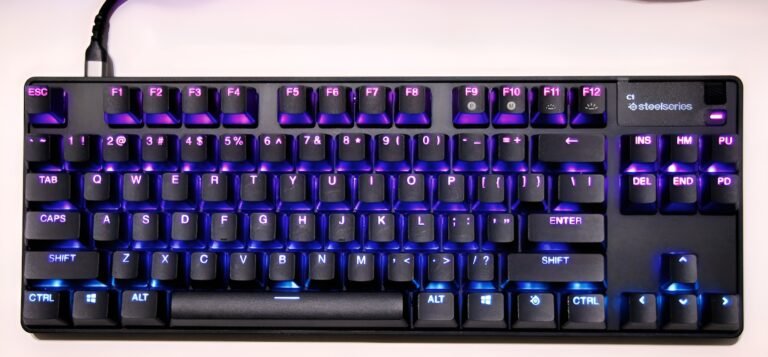
Right out of the box, the first things that impressed me were the satisfying feel of the keys and how vibrant and beautiful the RGB lighting is. The OLED screen is also a cool and functional touch.
What’s great is that you can control many features directly from the keyboard; using key combinations or the OLED screen to record a quick macro or adjust brightness is simple and convenient without ever needing to open the software.
For deeper customization, the SteelSeries GG software suite is impressive, though I do agree that it can feel a bit bloated. It includes extra features like 3D Aim Trainer, Sonar, and Moments that aren’t directly related to the keyboard.
While it can be a hassle to create an account and log in for some features, I was able to access the core keyboard customization without one. That said, once you’re in the “Engine” section, the level of control is fantastic. For me, the standout features were the detailed RGB effects and how easy it was to set up custom key bindings. I also had a lot of fun uploading my own art to the OLED screen.
When it comes to the advanced settings, there is a definite learning curve, but there’s also a huge amount of depth for players who love to tinker.
Features like adjusting the actuation point, setting up Dual Actuation, and using Dual or Meta Bindings offer a level of professional-grade control that is clearly aimed at serious gamers looking to perfectly fine-tune their gameplay style.
The “Apps” section is also a great addition, allowing for even more features like GameSense integration.
Who Would Likely Favor This Product?
Competitive gamers and those looking for an esports-ready keyboard might want to look into the Apex Pro. Its main draw is the OmniPoint switch technology, which allows for an incredible level of performance tuning. Features like Rapid Trigger, which enables faster repeated key presses, and adjustable actuation can provide a real edge in fast-paced games.
Players who love to personalize every aspect of their setup could also find this keyboard appealing. The deep software support allows for extensive customization of lighting, macros, and key bindings. The keyboard also has swappable keycaps for changing its look, and the OLED Smart Display is a great feature for both on-the-fly adjustments and adding a unique visual touch.
Finally, it’s a solid option for gamers who play on different systems. Its multi-platform compatibility means you can use it with a PC, Mac, Xbox, or PlayStation, making it a versatile choice for a multi-device setup.
FAQ (Frequently Asked Questions)
How do I download the SteelSeries GG software?
- Start by visiting the SteelSeries homepage.
- Click on the “Software” tab.
- Select the “SteelSeries GG” app.
- From there, you will find the option to download the software.
Where can I find the user manual?
- Go to the SteelSeries homepage.
- Navigate to the “Support” section, then select “Keyboards“.
- Find and click on the “Apex Pro Gen 3“.
- From that page, you can select and view the “Apex Pro TKL Gen 3 Manual and Product Information Guide“.
What are PBT keycaps? PBT is a type of high-quality plastic used for the keycaps. It’s more durable than the standard ABS plastic on most keyboards and is known for resisting the shiny, greasy feel that can develop over time.
What is Rapid Trigger? Rapid Trigger is a feature of the keyboard’s switches that allows for faster repeated key presses. It makes the key reset the instant you start to lift your finger, so you can press it again much more quickly, which is great for fast-paced games.
What is Protection Mode? Protection Mode is a feature that helps prevent accidental key presses. When it’s enabled for a specific key, it reduces the sensitivity of the keys around it, so you’re less likely to press the wrong key during intense gameplay.
What is OmniPoint? OmniPoint is the brand name for the special adjustable mechanical switches in this keyboard.
What are OmniPoint switches? They are special switches that use magnetic Hall Effect technology, which allows you to customize how light or deep each key press feels and enables features like Rapid Trigger and Dual Actuation.
What are mechanical switches? Mechanical switches are the individual mechanisms underneath each keycap that register a keystroke. Unlike a rubber membrane keyboard, each key has its own spring-loaded switch, which provides a more tactile, precise, and durable typing experience.
What are swappable keycaps? Swappable keycaps means you can easily pull the plastic caps off the top of the switches and replace them with a different set. This allows you to customize the look, color, and feel of your keyboard.
What is actuation? Actuation is the point where a key press is actually registered by the computer. On this keyboard, you can adjust the actuation point, meaning you can decide if a key should register with a very light touch or if it needs a deeper, more deliberate press.
What devices is the keyboard compatible with? The keyboard is compatible with PC, Mac, Xbox, and PlayStation. However, keep in mind that the advanced software features have limited support on macOS.
What is Dual Actuation? Dual Actuation is a feature that lets you assign two different actions to a single key. For example, you can set a light press on a key to make your character walk, and a full, deep press on the same key to make them run.
What can the OLED Smart Display do?
The OLED Smart Display acts as a mini command center. You can use it to control your music, see in-game information from supported games, change profiles and settings on the fly, and even display your own custom images or GIFs.
Do I need the software to use the keyboard?
No, the software is not required for many functions. You can control things like profile switching, brightness, and on-the-fly macro recording directly from the keyboard using the Function Key and the OLED screen. However, for deep customization like changing RGB effects or setting up advanced actuation, you will need the SteelSeries GG software.
Is the wrist rest detachable?
Yes, the wrist rest attaches to the keyboard magnetically and is easily detachable.
If you are still interested in knowing more about the product, click the button below
SteelSeries Apex Pro TKL Gen 3 Mechanical Keyboard OmniPoint 3.0 HyperMagnetic Switches | Adjustable Actuation | Rapid Trigger | OLED Smart Display.
OmniPoint 3.0 Adjustable Switches: Experience next-level speed with redesigned OmniPoint 3.0 Hall Effect switches, offering 20x faster actuation and 11x quicker response times. Fine-tune your keyboard’s feel with 40 different levels of adjustable actuation for a truly personalized setup.
Rapid Trigger & Protection Mode: Gain a competitive edge with features designed to reduce latency. Rapid Trigger and Rapid Tap register your keypresses faster for more responsive gameplay and improved aim. Activate the SteelSeries exclusive Protection Mode to reduce the sensitivity of surrounding keys, preventing accidental inputs during critical moments.
OLED Smart Display & Onboard Control: Stay in the game with the integrated OLED Smart Display, which acts as your digital command center for adjusting settings on the fly. You can also gain a competitive advantage with just a few clicks using GG QuickSet’s game-ready presets for your favorite titles.
Esports-Ready TKL Design: Built for competitive play, the Apex Pro features a compact TKL form factor that provides full-size functionality while saving desk space. It is equipped with durable PBT keycaps and connects via a modern USB-C cable.
Images by Gaming Gear Drop unless otherwise noted. Additional photos sourced from the official SteelSeries Amazon listing for review purposes.