This post contains affiliate links. If you purchase through them, we may earn a small commission at no extra cost to you. This product was provided through the Amazon Vine program for our honest review. All opinions are our own. Thanks for supporting Gaming Gear Drop.
Pros
- TMR Sticks
- Responsive Buttons
- Good D-Pad
- Extra Controls
- Tri-Mode Connectivity
- Removable Faceplates
- Nexus Software
- Gyro Controls
- Charging Dock
- 1200mAh Battery
Cons
- Xbox Wired
- Code Complaints
- Compatibility Limits
- Update Speed
Quick Summary
The GameSir G7 Pro Wired Xbox Controller is a gaming controller for Xbox, PC, and Android that focuses on TMR thumbsticks, adjustable trigger controls, extra buttons, and multiple connection options.
The controller includes four remappable controls, a built-in gyroscope, four rumble motors, a 1200mAh battery with charging dock, and GameSir Nexus software. Setup varies by platform, with Xbox supporting wired connection while PC also supports 2.4GHz wireless and Android supports Bluetooth.
Customers mention responsive controls, comfortable handling, and useful customization options, while some report concerns with compatibility, redeemed codes, and the wired-only connection on Xbox.
For more information, stick around and read below for my take on this product.
Hey there, welcome to our review of the GameSir G7 Pro Wired Xbox Controller.
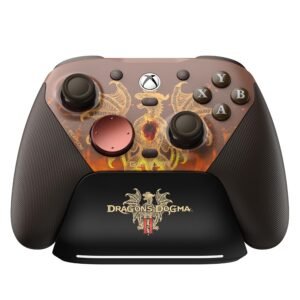
For this review, we looked at the Dragon’s Dogma II version to offer honest insights and hopefully make your decision-making a tad easier. We have gathered the important details about this gaming controller to share with you, specifically focusing on its compatibility with Xbox, Windows PC, and Android devices.
Throughout this post, we will discuss its key features, highlight user feedback, share our personal impressions, and explain who might benefit most from it.
So, if you are looking for a Dragon’s Dogma II Xbox controller, stick around to find out if this suits your needs.
Key Features
Button Layout
The G7 Pro follows an Xbox-style button layout with the ABXY buttons, D-pad, dual analog sticks, bumpers, triggers, and Xbox button.
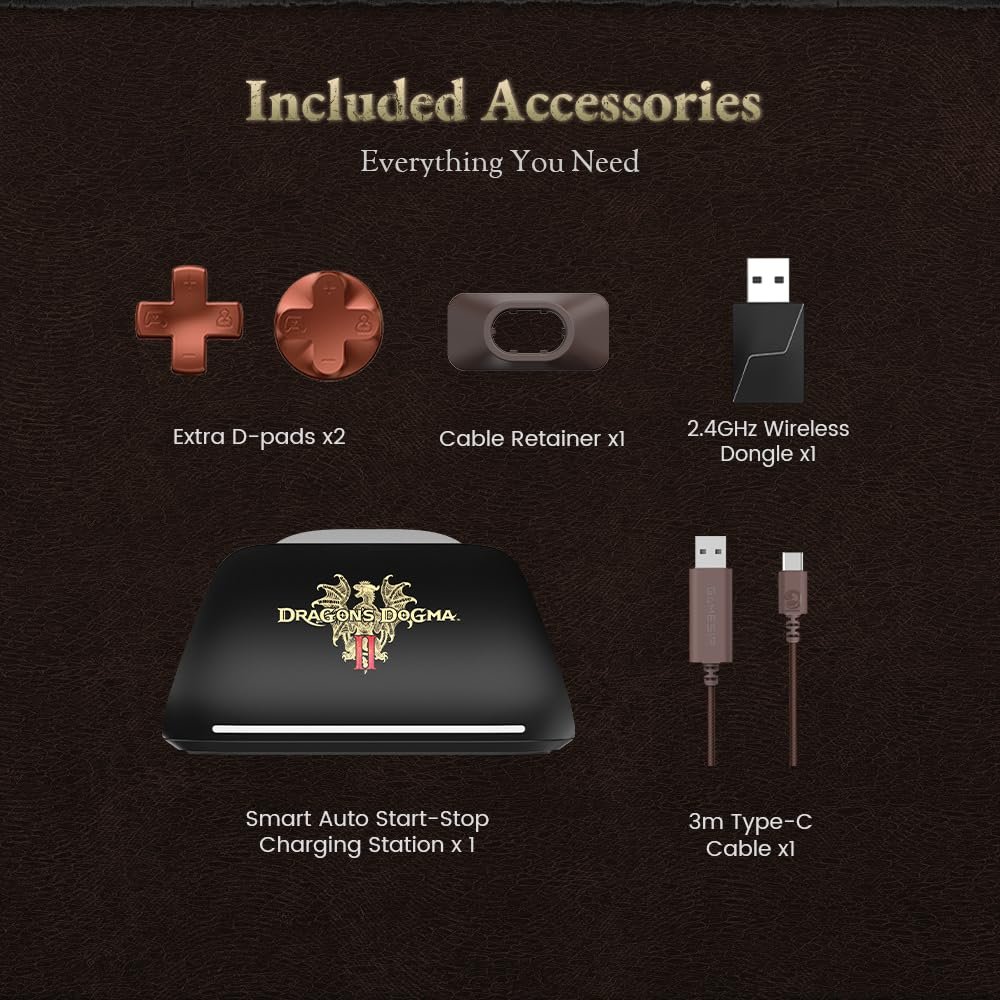
It also adds two rear buttons and two mini bumpers, giving you four additional inputs that can be remapped. The controller includes trigger gear switches, a dedicated M button, pairing and mode controls, a mute button, and a 3.5mm audio jack.
The faceplates are also removable, with the upper and left/right faceplates designed as separate pieces. The controller includes a USB-C port for wired connections and charging, along with a storage compartment for the 2.4GHz receiver.
TMR Magnetic Sticks
The GameSir G7 Pro uses GameSir Mag-Res TMR sticks, which combine magnetic sensing with a traditional analog stick design. The controller also uses a 12-bit ADC chip and provides 4096 levels of joystick resolution.
The sticks are listed with a 5-million-cycle durability rating and are designed to provide linear output and help reduce stick drift.
Adjustable Trigger Controls
The triggers can be switched between Hall Effect analog operation and clicky micro-switch operation using the trigger gear switches.
Hair Trigger Mode can also be enabled directly from the controller by holding the M button with LT or RT for two seconds. This provides a shorter trigger response when enabled, while the analog setting remains available for longer trigger travel.
Tri-Mode Connectivity
The G7 Pro supports three connection methods: wired USB for Xbox, 2.4GHz wireless or wired USB for PC, and Bluetooth for Android devices.
The controller has a physical mode switch for Bluetooth, wired, and 2.4GHz modes. Xbox use is limited to a wired connection.
Remappable Controls
The controller includes two rear buttons and two mini bumpers that can be remapped for additional inputs.
It also includes four preset configurations that can be switched directly from the controller using M button combinations. These provide different saved control setups without requiring the configuration to be changed from scratch each time.
Mechanical Buttons and D-Pad
The G7 Pro uses optical micro-switch ABXY buttons and a mechanical micro-switch D-pad.
The controller also has a three-part removable faceplate system, allowing the faceplates to be removed for access to the controller’s customization options.
Four-Motor Vibration
The controller uses four rumble motors, with vibration provided through the grips and triggers.
The trigger vibration works alongside the adjustable trigger modes, allowing vibration feedback to be used with the controller’s Hall Effect analog triggers.
Built-In Gyroscope
The G7 Pro includes a built-in gyroscope for PC use.
Through the GameSir Nexus software, gyro controls can be mapped to the sticks, buttons, or mouse input.
Charging Dock and Battery
The controller includes a 1200mAh rechargeable battery and a charging dock for wireless PC use.
The controller can also be charged directly through its USB-C port. A low-battery indicator activates when the battery falls below 15%.
GameSir Nexus Software
The G7 Pro supports GameSir Nexus software through the Microsoft Store on Xbox and PC or through the GameSir website.
The software provides controller configuration options, including button remapping, custom profiles, stick settings, trigger settings, and gyro controls.
Performance & Feedback
Customers who have used the GameSir G7 Pro generally describe the controller as responsive and comfortable to handle. The TMR thumbsticks receive positive feedback, with customers mentioning good control and no drift during their use. The buttons and D-pad are also described positively, while the additional rear buttons and mini bumpers give users more options for assigning controls. The removable faceplates and overall appearance are also mentioned as appealing features.
The controller’s customization options are another part of the feedback. Customers mention being able to remap buttons through the GameSir Nexus software, while the tri-mode connectivity gives the controller different connection options across supported Xbox, PC, and Android devices. The combination of TMR sticks, extra controls, software support, and the removable faceplate design gives users several ways to configure the controller around their preferred setup.
While feedback is generally positive about the controller itself, some complaints are also mentioned. These include issues involving redeemed codes and compatibility with certain devices or platforms. The Xbox version is also limited to a wired connection, which may be a consideration for customers looking specifically for wireless Xbox gameplay.
My Thoughts: GameSir G7 Pro Dragon’s Dogma II TMR Gaming Controller
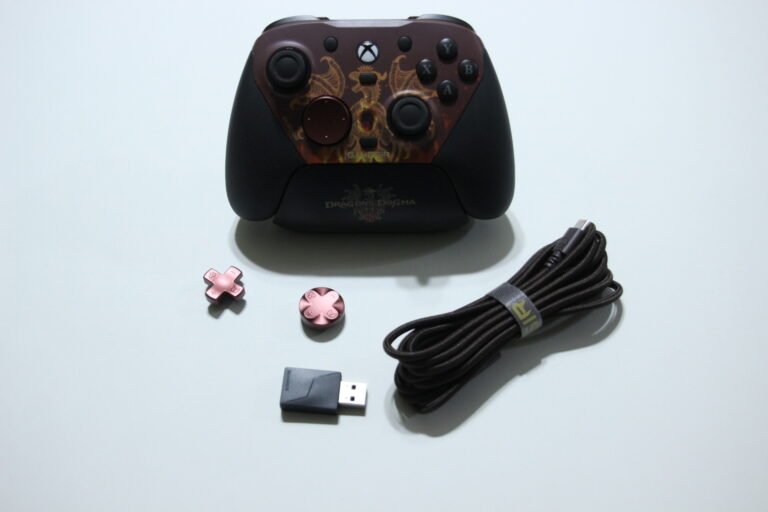
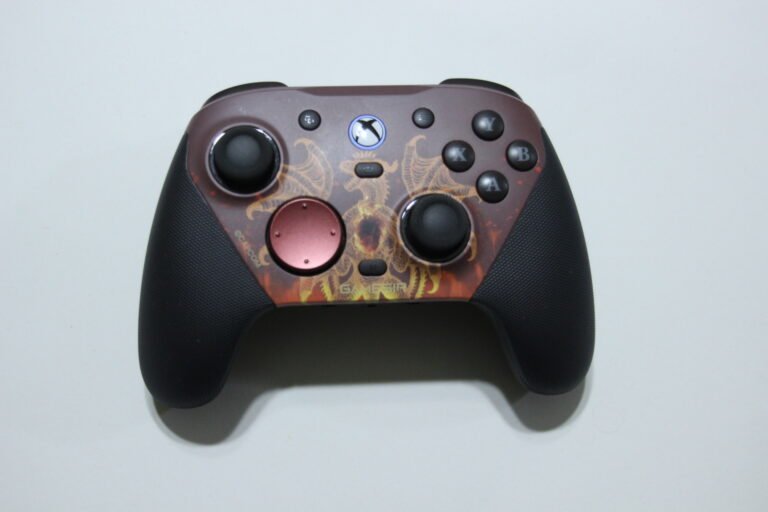
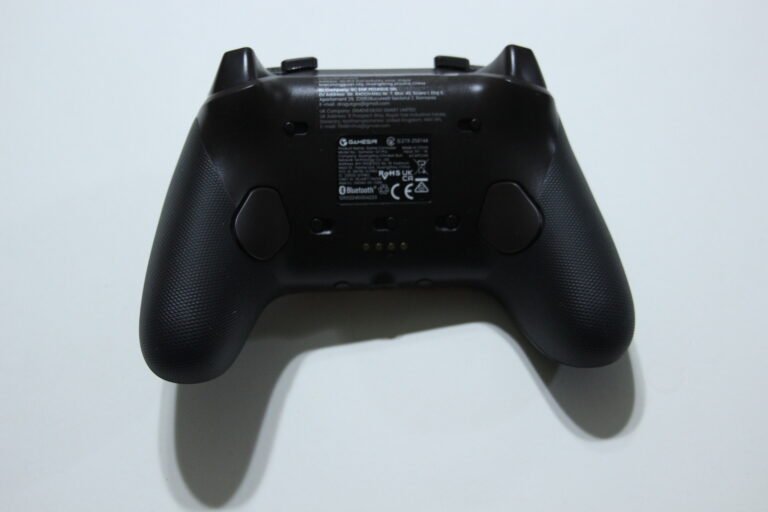
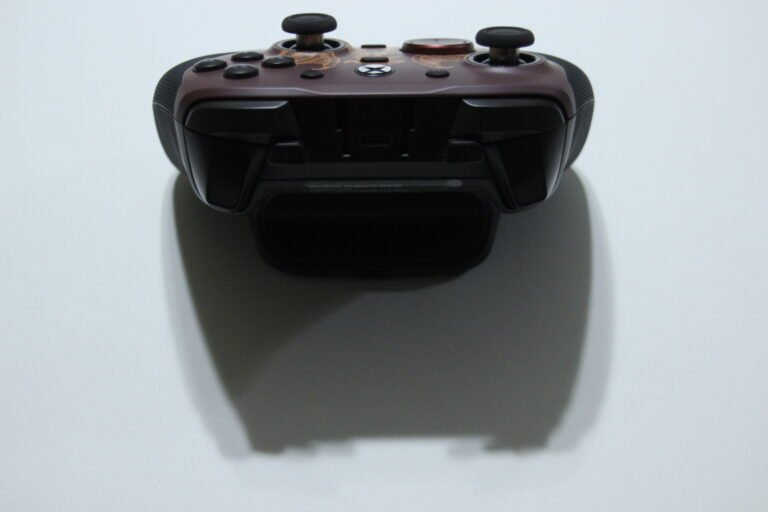
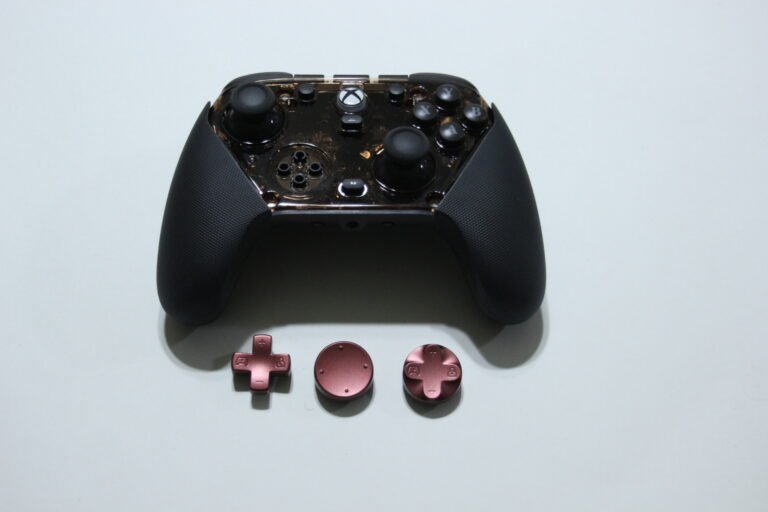
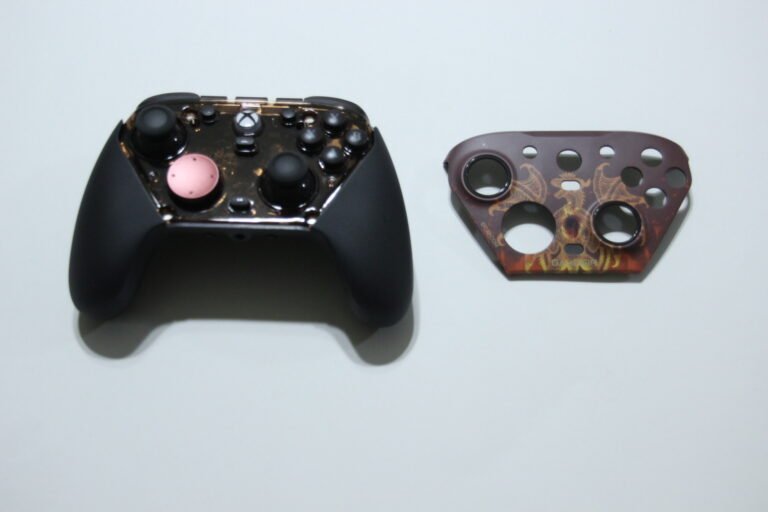
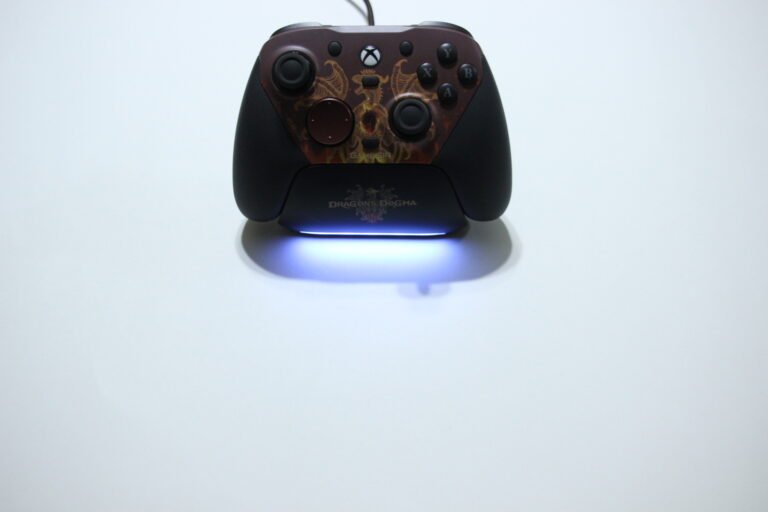
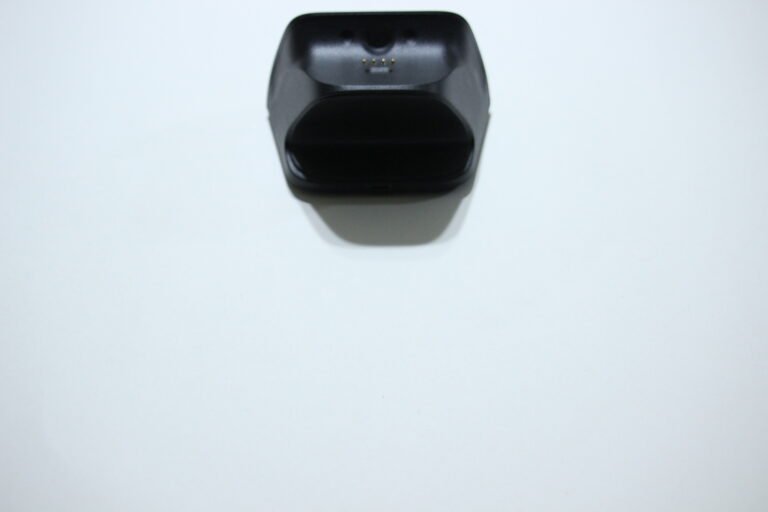
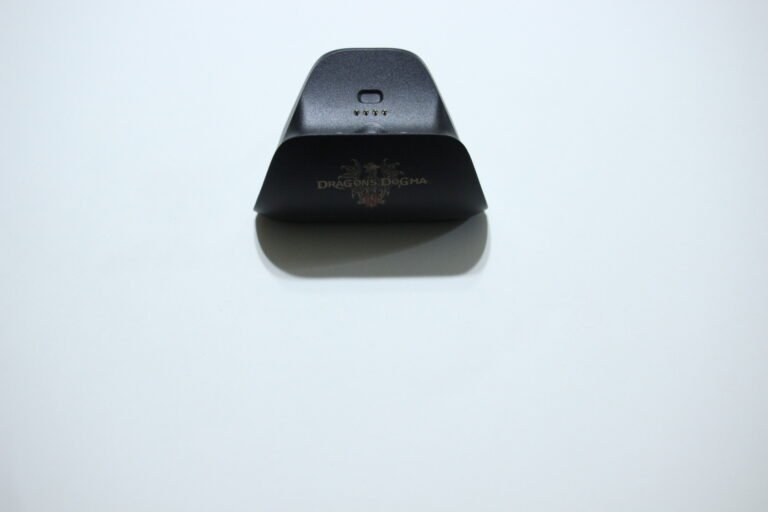
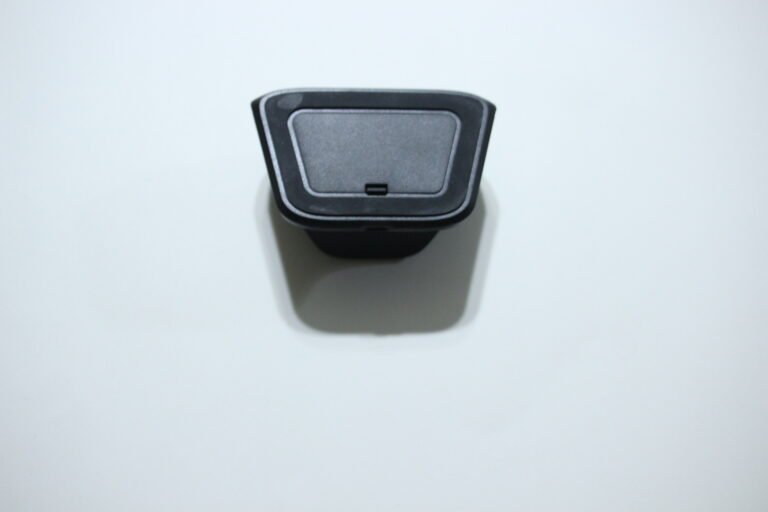
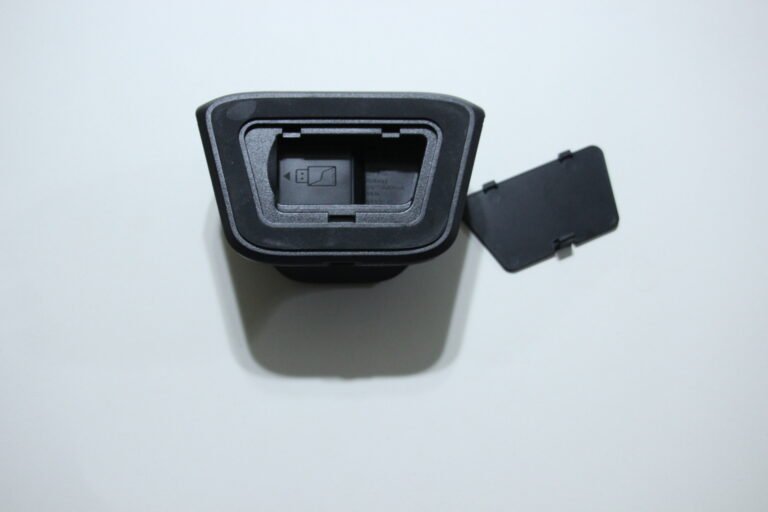
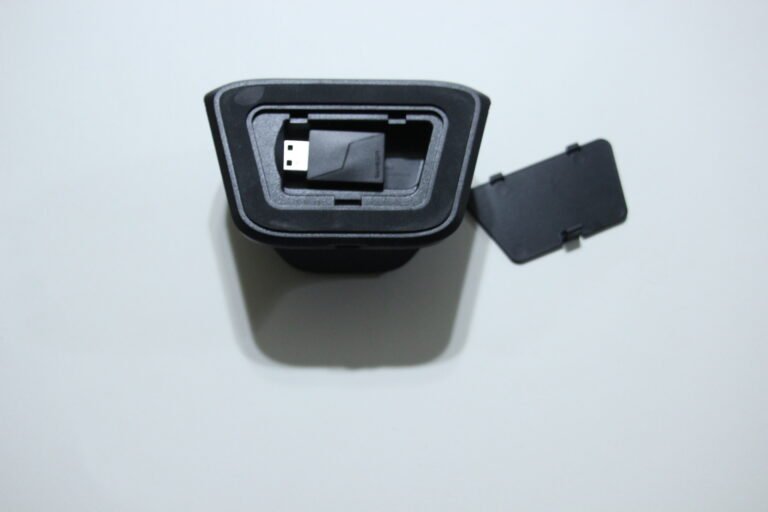
The G7 Pro comes with some useful extras, including replacement parts and a charging dock that worked well for charging the controller. I also liked the overall layout, especially the comfortable grips and the extra buttons near the shoulder buttons and behind the grips. The clicky feel of those buttons and the regular controls also felt good to press.
The Dragon logo on the controller looks good, although I think it would have been nice to have a glowing effect around the logo and perhaps some lighting around the buttons as well.
The GameSir Nexus software has some useful advanced settings, including button remapping, report rate adjustments, motion controls, dead zone settings, Hair Trigger Mode, and firmware updates. The firmware updates felt painfully slow, though. Button remapping also has some limitations, as it does not simply swap one controller button for another, but it can assign inputs to keyboard, mouse, or numeric keypad functions.
Responsiveness was good during my time with the controller, and I did not experience noticeable latency issues. The battery also lasted a good while before needing another charge, and having tri-mode connectivity was convenient for switching between supported devices.
Who Would Likely Favor This Product?
Gamers who might want to consider the GameSir G7 Pro are those looking for a controller with TMR thumbsticks, responsive buttons, extra rear controls, and a familiar Xbox-style layout. The additional buttons may also suit players who like having more inputs available without moving their thumbs away from the sticks.
PC gamers who might want to consider this controller may also appreciate the GameSir Nexus software. It provides settings for button assignments, report rates, motion controls, dead zones, Hair Trigger Mode, and firmware updates.
Players who switch between Xbox, PC, and Android might also want to look into it because of its tri-mode connectivity. PC users who prefer wireless gameplay can use the 2.4GHz connection, while Xbox use is limited to a wired connection.
FAQ (Frequently Asked Questions)
What platforms does the GameSir G7 Pro support?
It supports Xbox Series X|S, Xbox One, Windows 10/11, and Android.
Is the controller wireless on Xbox?
No. Xbox connection is wired only.
Can I use the controller wirelessly on PC?
Yes. PC supports 2.4GHz wireless and wired connections.
Does it support Bluetooth?
Yes, Bluetooth is supported for Android devices.
Does it have TMR thumbsticks?
Yes. The controller uses GameSir Mag-Res TMR thumbsticks.
Does it have Hall Effect triggers?
Yes. The triggers can operate as Hall Effect analog triggers or clicky micro-switch triggers.
Does it have trigger stops?
Yes. The trigger gear switches allow you to change the trigger operation.
Does it have extra buttons?
Yes. It has two rear buttons and two mini bumpers that can be remapped.
Does it have a gyroscope?
Yes. The built-in gyroscope can be mapped to sticks, buttons, or mouse input on PC.
Does it have a 3.5mm headphone jack?
Yes. The 3.5mm audio jack works with wired and 2.4GHz wireless connections.
Does it have a rechargeable battery?
Yes. It includes a 1200mAh rechargeable battery and charging dock.
Does it support GameSir Nexus?
Yes. GameSir Nexus is available for Xbox and PC and provides additional controller settings and customization.
Connectivity Questions
How to connect to Xbox
- Set the controller’s mode switch to Wired.
- Connect the included USB-C cable to the controller.
- Connect the other end to the Xbox console.
- Press the Xbox button to power on.
- The Xbox indicator should remain solid when connected.
Note: Xbox supports wired connection only.
How to connect to PC with 2.4GHz
- Insert the wireless receiver into the PC.
- Set the controller’s mode switch to 2.4G.
- Press the Xbox button to power on.
- Wait for the controller to connect.
- The Xbox indicator should remain solid when connected.
How to connect to PC with USB
- Set the controller to Wired mode.
- Connect the controller to the PC using the included USB-C cable.
- Press the Xbox button to power on.
- The Xbox indicator should remain solid when connected.
How to connect to Android with Bluetooth
- Set the controller’s mode switch to Bluetooth.
- Press the Xbox button to power on.
- Open your phone’s Bluetooth settings.
- Select GameSir-G7 Pro.
- The Xbox indicator should remain solid after connection.
If pairing does not work, hold the controller’s Pairing button to enter pairing mode again.
Programming & Troubleshooting
How to enter Bluetooth pairing mode
- Set the controller to Bluetooth mode.
- Press and hold the Pairing button for 2 seconds.
- The controller will enter forced pairing mode.
- Select GameSir-G7 Pro from the Android Bluetooth list.
How to enable Hair Trigger Mode
- Press and hold the M button + LT for 2 seconds to adjust the left trigger.
- Press and hold the M button + RT for 2 seconds to adjust the right trigger.
- Repeat the combination to change the setting.
How to switch between controller profiles
The controller supports four preset configurations:
- M + Y: Configuration 1
- M + B: Configuration 2
- M + A: Configuration 3
- M + X: Configuration 4
How to calibrate the sticks and triggers
- Set the triggers to analog mode.
- Hold the required Start, Xbox, and Select/Capture combination until the Xbox indicator flashes slowly.
- Make sure the sticks and triggers are not being touched.
- Press A.
- Press LT and RT fully three times each.
- Rotate both sticks to their maximum angles three times.
- Press A to finish calibration.
- A solid Xbox indicator confirms calibration is complete.
How to reset the controller
If the controller will not power on or off correctly, use a small object such as a paperclip to press the Reset button inside the circular hole on the back.
This forces the controller to power off.
How to reset the controller configuration
- Press and hold Start + Select + M together.
- Continue holding for 3 seconds.
- The controller configuration will reset.
How to use GameSir Nexus
- Download GameSir Nexus from the Microsoft Store or GameSir’s website.
- Connect the controller to your compatible device.
- Open GameSir Nexus.
- Use the software to access the available controller settings, profiles, remapping, stick settings, trigger settings, gyro controls, and firmware updates.
How to charge the controller
The controller can be charged using either the USB-C port or the included charging station.
When the battery falls below 15%, the Xbox indicator flashes red.
If you are still interested in knowing more about the product, click the button below
GameSir G7 Pro Wired Xbox Controller – Dragon's Dogma II
- TMR Magnetic Thumbsticks: Uses GameSir Mag-Res TMR sticks with 4096 levels of joystick resolution, a 12-bit ADC chip, and a listed 5-million-cycle lifespan.
- Adjustable Triggers: Hall Effect analog triggers can be switched to clicky micro-switch trigger stops. Hair Trigger Mode is also available for shorter trigger travel.
- Tri-Mode Connectivity: Supports wired connection for Xbox, 2.4GHz wireless or wired connection for PC, and Bluetooth for Android devices.
- 1000Hz PC Polling: Supports up to 1000Hz polling through wired and 2.4GHz wireless connections on PC.
- Extra Controls: Includes two rear buttons and two mini bumpers for additional inputs. The controls can be remapped through GameSir Nexus.
- Mechanical Controls: Uses optical micro-switch ABXY buttons and a mechanical micro-switch D-pad for tactile button presses.
- Removable Faceplates: Features a three-piece removable faceplate design that allows the upper and side faceplates to be removed.
- Four Rumble Motors: Includes two grip motors and two trigger motors for vibration feedback.
- Gyroscope: Built-in gyro controls can be mapped to sticks, buttons, or mouse input through GameSir Nexus on PC.
- 1200mAh Battery: Includes a rechargeable 1200mAh battery for wireless PC use.
- Charging Dock: Includes a charging dock for storing and charging the controller.
- GameSir Nexus: Supports controller profiles, button remapping, stick settings, trigger settings, gyro controls, and firmware updates.
- 3.5mm Audio: Includes a 3.5mm headphone jack with audio support through wired and 2.4GHz wireless connections.
Images by Gaming Gear Drop unless otherwise noted. Additional photos sourced from the official Gamesir Amazon listing for review purposes.