This post contains affiliate links. If you purchase through them, we may earn a small commission at no extra cost to you. This product was provided through the Amazon Vine program for our honest review. All opinions are our own. Thanks for supporting Gaming Gear Drop.
Pros
- RGB Lighting
- Comfortable Fit
- Good Audio
- Long Battery
- Bluetooth 5.2
- Gaming Mode
- App Support
Cons
- No 3.5mm
- Bluetooth Only
- Audio Cutouts
- Connection Issues
- Latency Issues
Quick Summary
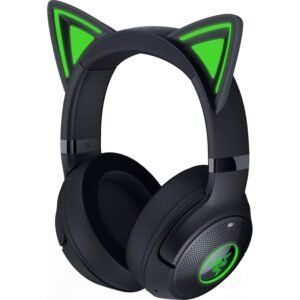
The Razer Kraken Kitty V2 BT is a wireless Bluetooth gaming headset with kitty ears, RGB lighting, and built-in microphones. It focuses on wireless audio, comfort, battery life, and software-based customization.
The headset includes 40mm drivers, Bluetooth 5.2 with Gaming Mode, two RGB lighting zones, and up to 40 hours of battery life. Razer Audio and Razer Synapse provide additional options for lighting, audio, microphone, and power settings.
Customers appreciate the comfortable design, audio quality, RGB lighting, and battery life, while some report audio cutouts, latency, and connection issues. The lack of a 3.5mm audio connection also limits how it can be connected.
For more information, stick around and read below for my take on this product.
Hey there, welcome to our review of the Razer Kraken Kitty V2 BT Wireless Headset.
For this review, we looked at the Black version to offer honest insights and hopefully make your decision-making a tad easier. We have gathered the important details about this gaming headset to share with you, specifically focusing on its Bluetooth compatibility, RGB lighting, and use across PC and other supported devices.
Throughout this post, we will discuss its key features, highlight user feedback, share our personal impressions, and explain who might benefit most from it.
So, if you are looking for a black Bluetooth gaming headset, stick around to find out if this suits your needs.
Key Features
Kitty Ears and RGB Lighting
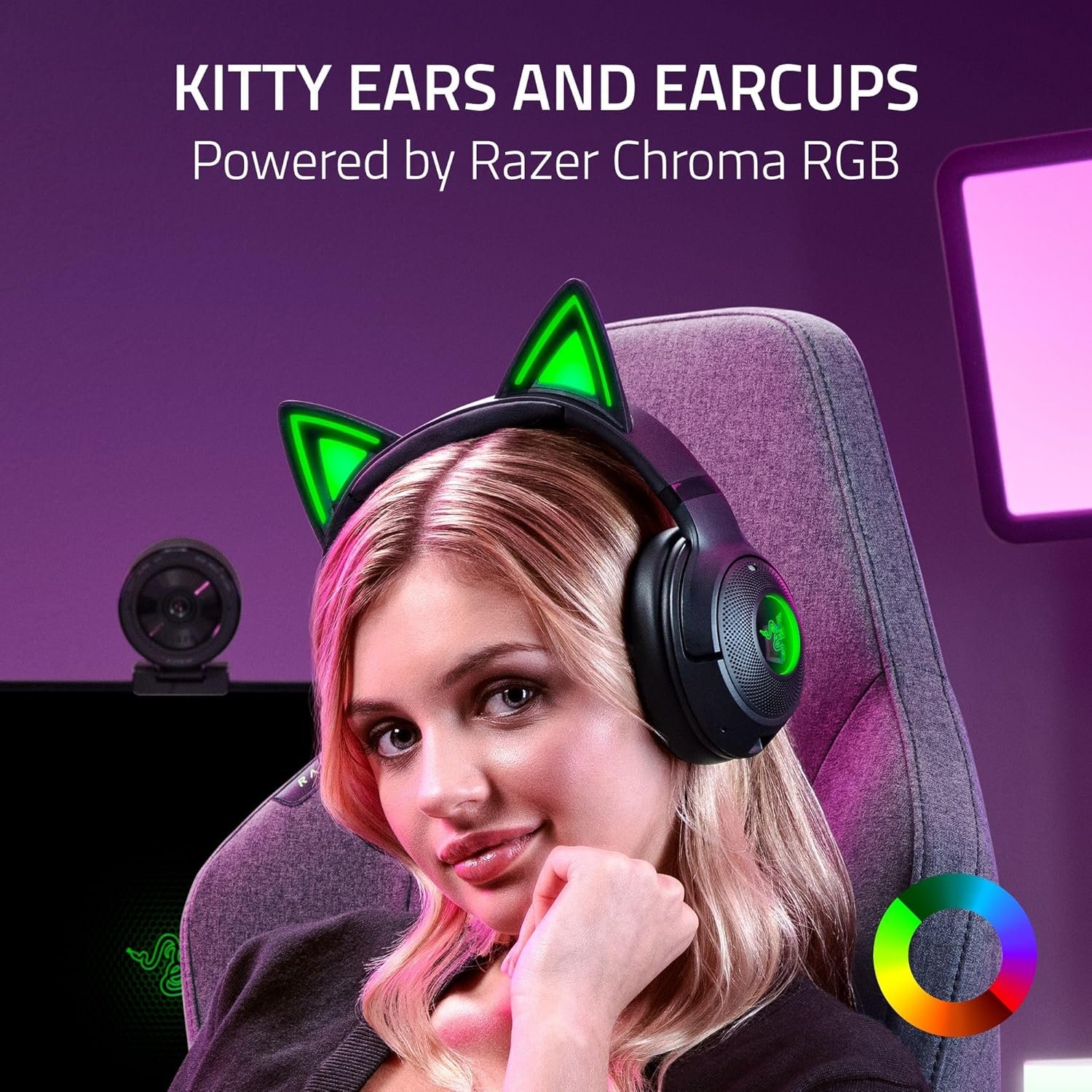
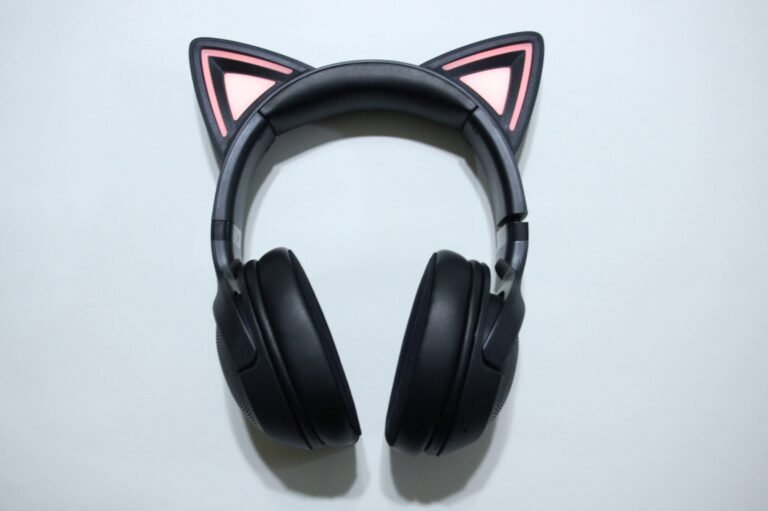
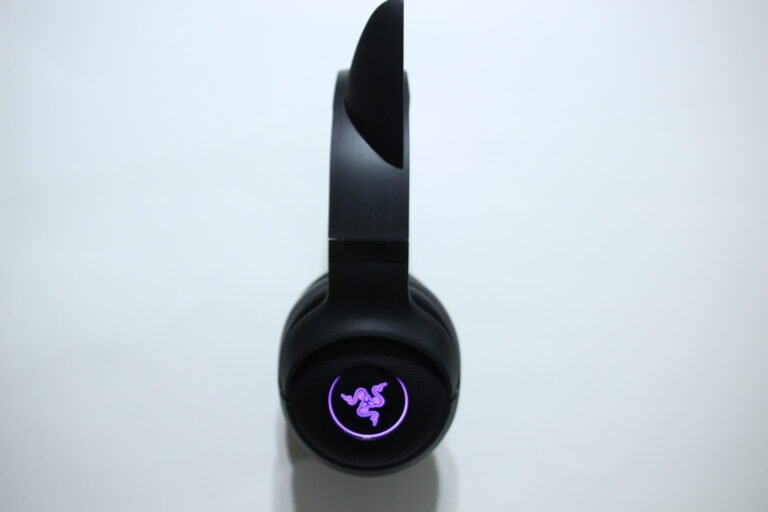
The headset features fixed kitty ears with Razer Chroma RGB lighting on both the ears and earcups.
There are two RGB lighting zones, allowing the headset lighting to be adjusted through supported Razer software.
Bluetooth 5.2 and Gaming Mode
The headset connects wirelessly through Bluetooth 5.2 to compatible PCs, Macs, smartphones, and tablets.
Gaming Mode is designed to reduce the delay between the game and the sound you hear. You can turn it on by pressing the power button twice, then holding it for 2 seconds.
40mm Audio Drivers
The headset uses customized 40mm drivers that produce the sound you hear through the earcups. In simple terms, the drivers are the parts inside the headset that turn the audio signal into sound.
The listed 20 Hz to 20 kHz range covers low bass sounds through higher-pitched sounds, so the headset can handle different types of game audio, music, and voice chat.
Beamforming Microphones
The headset has built-in beamforming noise-canceling microphones that pick up your voice while helping reduce unwanted background noise.
The microphone has a 100 Hz to 10 kHz frequency range. This describes the range of voice frequencies the microphone can pick up, rather than being a setting you need to adjust.
Padded Earcup Design
The Kraken Kitty V2 BT uses a padded adjustable headband and circumaural earcups designed to surround the ears.
The ear cushions use fabric and plush leatherette materials, while the headset weighs approximately 325 grams.
Battery Life and USB-C Charging
The headset provides up to 40 hours of battery life and charges through USB-C.
The included USB Type-A to Type-C cable can be used for charging, with the manual recommending a direct connection to a computer’s USB port for charging.
On-Earcup Controls
The headset includes controls for volume adjustment, power, Bluetooth pairing, and other audio functions directly on the earcups.
The multifunction button can also control media playback and calls. A single press can play or pause media or manage calls, while double and triple presses can skip forward or return to the previous track.
Razer Software Support
The Razer Audio app provides additional settings on supported mobile devices, including equalizer presets and RGB lighting controls.
On Windows 10 64-bit or higher, Razer Synapse provides additional audio and microphone presets, power-saving settings, and lighting controls.
7.1 Surround Sound
The headset supports 7.1 surround sound on Windows 10 64-bit or newer.
This is intended to make compatible game audio sound more directional, such as helping separate sounds coming from different positions around you.
Performance & Feedback
Customers describe the Razer Kraken Kitty V2 BT as a comfortable headset with a cute design and RGB lighting. The ear cushions are also mentioned as comfortable and breathable, while the audio quality and battery life receive positive feedback. The kitty ear design and lighting add a visual element that some customers enjoy.
Customers also mention the headset as being comfortable for longer listening sessions and suitable for everyday gaming and audio use. The Bluetooth connection provides wireless use without needing a cable during gameplay.
Some customers report audio cutouts and choppy sound during use, along with latency concerns. Others mention difficulty connecting the headset to certain platforms, including the PS5. The lack of a 3.5mm auxiliary input and the absence of another wireless connection method besides Bluetooth are also noted as limitations.
My Thoughts: Razer Kraken Kitty V2 BT Wireless RGB Headset
I really like the customization options that come with the software support. The headset itself has good sound quality with decent bass, although the audio did not feel as immersive as some of the other headsets I have used.
The headset is comfortable to wear, and the RGB lighting is a nice addition. The battery also lasted a long time in my use, going about a week or a little longer before needing another charge. Connecting and reconnecting to devices was also straightforward.
The feature I liked the most was the customization available through Razer Synapse. I could adjust different RGB colors and effects, as well as change the headset’s power settings, including its sleep time to help manage battery use.
I do wish the software included more EQ customization because that could have given me more control over the sound. I also tried the 7.1 surround sound feature but did not notice much of a difference when it was enabled. It is possible I did not have it configured correctly, as the feature provided limited ways to tell when it was active.
Who Would Likely Favor This Product?
Gamers who might want to consider the Razer Kraken Kitty V2 BT are those looking for a wireless Bluetooth headset with a lightweight design, RGB lighting, and a distinctive kitty ear style. The comfortable ear cushions and long battery life may also suit players who spend longer periods gaming or listening to audio.
Players who enjoy adjusting their headset settings might also want to look into this model. Razer Synapse provides options for RGB lighting, power settings, audio and microphone presets, while the Razer Audio app adds EQ preset and lighting options on supported mobile devices.
Those who primarily use Bluetooth-compatible devices might also want to consider it. The headset supports Bluetooth 5.2 with a Gaming Mode, although it does not include a 3.5mm audio connection or another wireless connection method.
FAQ (Frequently Asked Questions)
What devices is the Razer Kraken Kitty V2 BT compatible with?
It supports PCs, Macs, smartphones, and tablets with Bluetooth audio.
Does the Razer Kraken Kitty V2 BT use Bluetooth?
Yes. It uses Bluetooth 5.2 for wireless audio.
Does it work with a PS5?
The provided product information lists PC, Mac, smartphones, and tablets as supported devices. PS5 compatibility is not listed.
Does the headset have a 3.5mm audio jack?
No. The headset uses Bluetooth for audio and USB-C for charging.
Does the headset have RGB lighting?
Yes. The kitty ears and earcups have Razer Chroma RGB lighting with two lighting zones.
Does the headset have a microphone?
Yes. It has built-in beamforming noise-canceling microphones.
Does it support 7.1 surround sound?
Yes. 7.1 surround sound is available on Windows 10 64-bit or higher.
How long does the battery last?
The headset is rated for up to 40 hours of battery life.
Can the RGB lighting be customized?
Yes. RGB lighting can be adjusted through the Razer Audio app on supported mobile devices and Razer Synapse on compatible Windows PCs.
Can the audio be customized?
Yes. The Razer Audio app supports creating or selecting EQ presets on supported mobile devices. Razer Synapse also provides audio and microphone preset options on Windows.
Connectivity Questions
How to turn on the headset
- Press and hold the Power button for 2 seconds.
- The headset will turn on.
How to enter Bluetooth pairing mode
- Turn the headset off.
- Press and hold the Power button to enter pairing mode.
- Open the Bluetooth settings on your device.
- Select Razer Kraken Kitty V2 BT from the available devices.
- Complete the connection.
How to connect to a PC or Mac
- Turn on the headset.
- Open the computer’s Bluetooth settings.
- Select Razer Kraken Kitty V2 BT.
- Wait for the Bluetooth connection to complete.
How to connect to an Android phone or tablet
- Turn on the headset.
- Open the device’s Bluetooth settings.
- Select Razer Kraken Kitty V2 BT.
- Complete the pairing process.
How to connect to an iPhone or iPad
- Turn on the headset.
- Open Settings > Bluetooth.
- Select Razer Kraken Kitty V2 BT.
- Complete the pairing process.
What connection methods are available?
The headset uses Bluetooth 5.2 for wireless audio. The provided manual and product information do not list a 2.4GHz wireless receiver or wired audio connection.
The USB-C port is used for charging, not listed as a wired audio connection.
Programming & Troubleshooting
How to activate Gaming Mode
- Press the Power button twice.
- Press and hold the Power button for 2 seconds.
- Gaming Mode will activate.
- Repeat the same process to deactivate Gaming Mode.
The headset uses Gaming Mode to provide lower-latency Bluetooth performance. This is listed on the product packaging and manual.
How to enter Bluetooth pairing mode
- Turn the headset off.
- Press and hold the Power button to enter pairing mode.
- Open the Bluetooth settings on your device.
- Select the Razer Kraken Kitty V2 BT.
How to check the battery level
The manual provides battery status information through the headset’s indicator. The battery level can be checked using the headset’s controls.
How to adjust the volume
Use the Volume Up and Volume Down controls on the earcup to adjust the headset volume.
How to control music and calls
The multifunction button provides several controls:
- Single press: Play or pause media, accept or end a call
- Hold for 2 seconds: Launch voice command or reject an incoming call
- Double press: Skip to the next track
- Triple press: Return to the previous track
These controls are listed in the manual under the headset’s multifunction controls.
How to customize RGB lighting
- Install the Razer Audio app on a supported mobile device.
- Open the app and follow the setup instructions.
- Select the Kraken Kitty V2 BT.
- Adjust the available RGB lighting settings.
The manual states that the Razer Audio app can be used for lighting customization and EQ presets.
How to customize the headset on PC
- Install Razer Synapse on a compatible Windows PC.
- Connect the headset through Bluetooth.
- Open Razer Synapse.
- Select the Kraken Kitty V2 BT.
- Adjust the available audio, microphone, power-saving, and lighting settings.
Razer Synapse requires Windows 10 64-bit or higher.
How to adjust power-saving settings
- Open Razer Synapse.
- Select the Kraken Kitty V2 BT.
- Open the available power-saving settings.
- Adjust the settings according to your preference.
How to charge the headset
- Connect the included USB Type-A to Type-C cable to the headset.
- Connect the USB end to a compatible USB port.
- Allow the headset to charge.
The manual recommends connecting the charging cable directly to a computer’s USB port for the best charging results. The listed charging time is under 4 hours.
How to turn off the headset
- Press and hold the Power button for 4 seconds.
- The headset will turn off.
If you are still interested in knowing more about the product, click the button below
Razer Kraken Kitty V2 BT Wireless Headset – RGB Lighting | Bluetooth 5.2 | 40mm Drivers
- RGB Lighting on Ears and Earcups
Includes customizable lighting on both the cat ears and earcups. Supports a wide range of colors and lighting effects that can be adjusted to different styles. - Bluetooth 5.2 with Gaming Mode
Connects wirelessly using Bluetooth 5.2. Includes a gaming mode that reduces delay for more responsive audio during gameplay or streaming. - 40mm Audio Drivers
Uses 40mm drivers designed to deliver separate highs, mids, and lows. Aims to provide clear sound across different types of audio. - Built-In Noise-Cancelling Microphones
Features integrated microphones within the earcups. Designed to reduce background noise and provide clearer voice pickup during calls or in-game chat. - Lightweight Design
Weighs around 325g with soft ear cushions made from fabric and leatherette materials. Designed for longer use without adding too much pressure. - Battery Life and Charging
Offers up to 40 hours of battery life on a full charge. Uses a USB-C cable for charging between sessions.
- RGB Lighting on Ears and Earcups
Images by Gaming Gear Drop unless otherwise noted. Additional photos sourced from the official Razer Amazon listing for review purposes.