This post contains affiliate links. If you purchase through them, we may earn a small commission at no extra cost to you. This product was provided through the Amazon Vine program for our honest review. All opinions are our own, and our original thoughts are enhanced with AI for clarity. Thanks for supporting Gaming Gear Drop.
Pros
- Premium CNC Aluminum Build
- Gasket-Mounted Design
- Quiet, Cushioned Feel
- Customizable LCD Screen
- Multi-Function Knob
- Tri-Mode Connectivity
- Hot-Swappable Switches
- Excellent Value for Price
- Good Battery Life
Cons
- Lacking/Windows-Only Software
- Keycaps Not Shine-Through
- Some Quality Control Issues
- Limited Mac Compatibility
- Sound Can Be “Clacky” for Some
Quick Summary
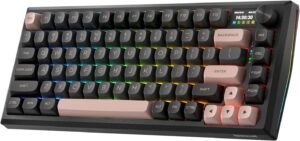
The Redragon K720 is a feature-packed mechanical keyboard that offers a premium build and deep customization at a great value. It features a solid CNC aluminum frame, a gasket-mounted design with five layers of sound dampening for a quiet and soft typing feel, and a customizable LCD screen with a control knob. With tri-mode connectivity for multiple platforms and hot-swappable sockets for changing out the switches, it’s a very versatile option. However, its biggest weaknesses are its software, which is Windows-only and considered lacking by many users, and its keycaps, which are not shine-through. Overall, it’s a strong choice for gamers who prioritize hardware quality and features over software polish.
For more information, stick around and read below for my take on this product.
Hey there, welcome to our review of the Redragon ECLIPSE K720 PRO CNC Gasket Gaming Keyboard! We’re here to offer insights and hopefully make your decision-making a tad easier. We’ve collected details about the gaming accessory to share with you.
Throughout this review, we’ll delve into discussing its key features, highlighting user feedback, our impressions, and who might benefit most from it.
So, if you’re considering getting the Redragon ECLIPSE K720 PRO CNC Gasket Gaming Keyboard and want to know if it suits your needs, stick around!
Key Features
CNC Aluminum Frame & Gasket Design
The keyboard is built with a solid CNC aluminum metal frame that has a frosted finish, giving it a steady and elegant feel on the desk. It uses a gasket-mounted structure, which provides a softer, cleaner, and more cushioned typing experience while also reducing noise. This is enhanced by five layers of sound-dampening material, including PO foam, IXPE switch foam, and silicone pads, to significantly reduce hollow acoustics.
Smart Info Screen & One-Knob Control
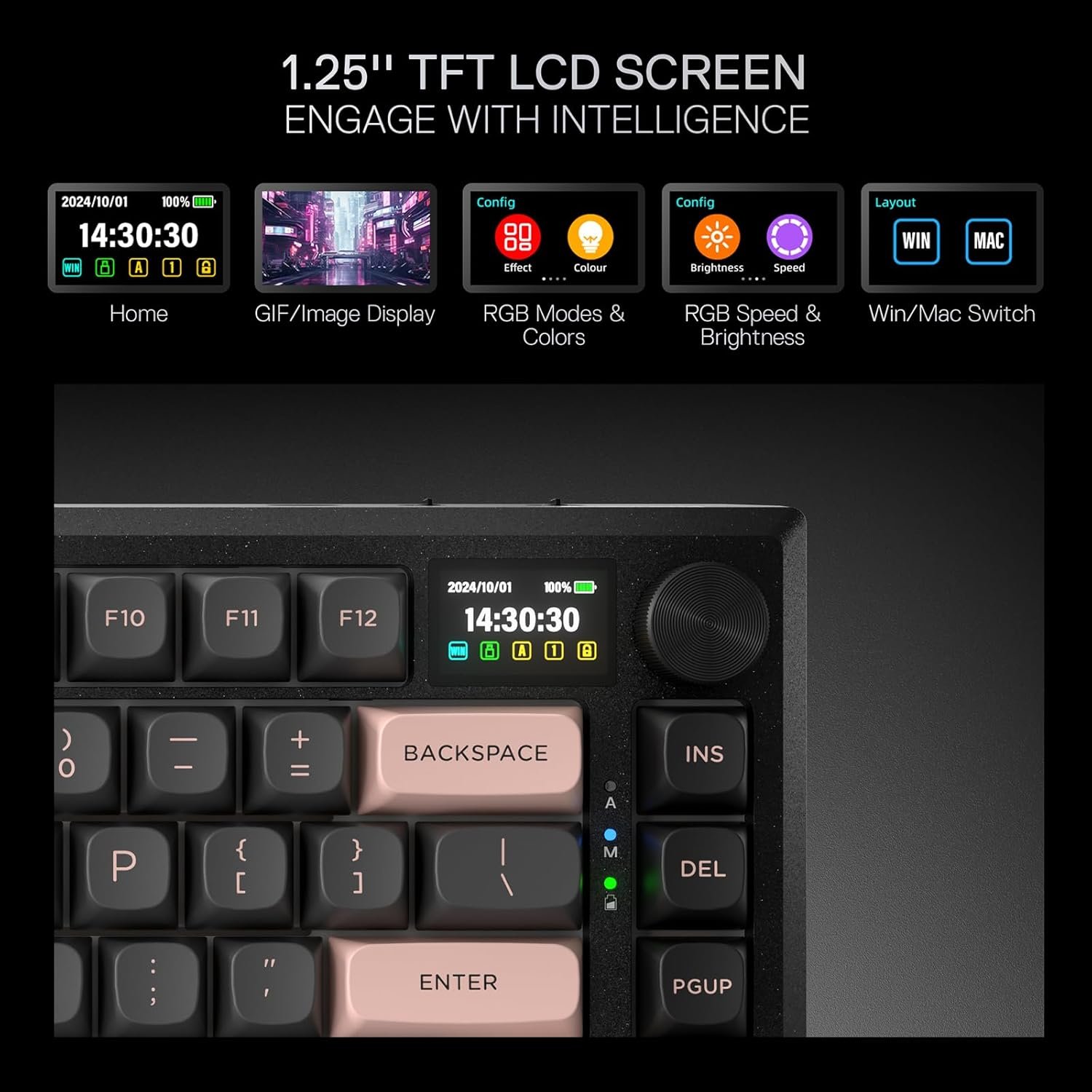
A built-in 1.14-inch TFT “Info-Island” screen displays useful information like the current connection mode, battery level, and typing status. You can also use the software to upload custom GIFs for a personal touch. A convenient knob controls media volume by default, but a press of the knob enters the LCD menu where you can adjust settings like RGB effects, brightness, speed, and language.
Tri-Mode Connectivity & Multi-Platform Support
The keyboard features Redragon’s advanced tri-mode connection technology, allowing you to connect via a USB-C wire, Bluetooth 3.0/5.0, or 2.4Ghz wireless. It is compatible with multiple operating systems, including Windows, macOS, iOS, and Android.
Hot-Swappable Custom Switches
The K720 comes with thick-lubed custom linear switches that provide a creamy and elastic typing feedback. The keyboard is also fully hot-swappable, with upgraded sockets that are compatible with nearly all 3-pin and 5-pin switches, allowing for easy, solder-free customization.
On-Board Controls
You can control many of the keyboard’s functions without ever needing to use the software. The multi-function knob can be used to control media like volume, play/pause, and switching tracks. By pressing the knob, you can enter the LCD screen menu to adjust settings like the 17 built-in RGB lighting patterns, brightness, and speed. The keyboard also supports a wide range of FN key combinations for more shortcuts, including a DIY lighting mode.
81-Key Layout with Anti-Ghosting
The innovative 81-key layout keeps the length of a smaller 65% keyboard but adds the top function keys zone, eliminating the need for FN combo keys for those functions. All 81 keys feature full rollover (100% anti-ghosting) to ensure every key press is registered accurately.
Software Support
For deeper personalization, the keyboard is supported by pro software that you can download from the Redragon shop. This software allows you to design your own new lighting modes and effects, create and assign complex macros with different keybindings, and upload custom GIFs to the Info-Island screen. When you first launch the software, it will also automatically sync the time on the keyboard’s screen with your PC’s system time.
Key Assignment
You can customize the function of every key, including the FN keys and tap functions. Keys can be reassigned to perform different actions, such as other keyboard inputs, mouse button clicks, multimedia controls, macros, or complex key combinations.
GIF & Screen Customization
The software enables you to customize the onboard screen by uploading your own GIFs. You can also create your own animations by building a frame list from a series of images to display on the screen.
RGB Lighting Customization
You can personalize the keyboard’s lighting with 26 different effects, including modes that react to the rhythm of your system’s sound. The software also gives you control over the brightness, speed, coloring, gain factor, and smoothness of the effects.
Macro Customization
The software allows you to create and customize your own macros. This lets you record a sequence of commands and assign them to a single key for quick execution in games or applications.
Performance & Feedback
The Redragon K720 is overwhelmingly praised by customers for its incredible build quality and premium feel, especially for its price. Many reviewers highlight the keyboard’s sheer heft, noting that its full metal CNC aluminum frame is heavy, sturdy, and won’t slide around the desk. The typing experience is another major positive, with the gasket-mounted design and internal sound dampening creating a smooth, quiet, and responsive keystroke that users describe as “buttery” and satisfying. The overall aesthetic, including the Dawn Sakura color scheme, is also frequently called out as beautiful and elegant.
Users consistently celebrate the keyboard’s convenient features. The multi-function knob is a standout, praised for being easy to use for controlling volume and adjusting settings without needing to read a manual. The small LCD screen is also a popular addition, seen as a fun, high-tech feature for displaying keyboard status, the time, and custom GIFs. The tri-mode connectivity (wired, 2.4Ghz, and Bluetooth) is reported to be seamless and easy to set up, and many were pleasantly surprised by the generous amount of included accessories like a cleaning brush and keychain.
However, there are a few consistent areas for improvement noted in the feedback. The most common complaint is about the software, which is described as lacking, outdated, and hard to find. Mac users in particular face issues, as the software is PC-only, making it difficult to customize settings or even set the clock on the LCD screen. Several users were also disappointed with the keycaps, noting that they are not shine-through, which makes the RGB lighting seem dim, and some reported quality control issues with their construction. Other minor critiques include a sound profile that can be too “clacky” for some, and a knob that can feel a bit wobbly or cheap.
My Thoughts: Redragon ECLIPSE K720 PRO CNC Gasket Gaming Keyboard
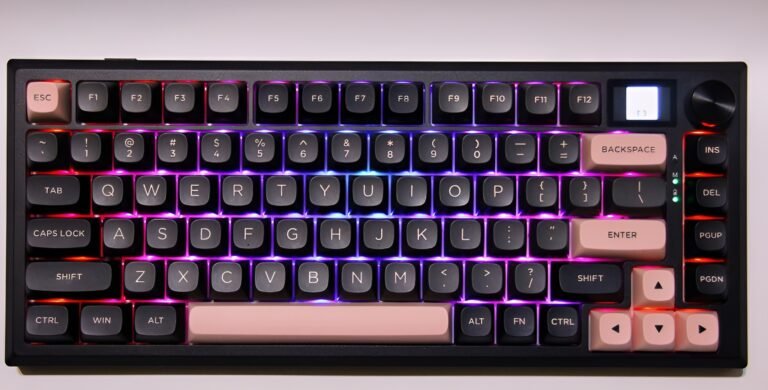
The first thing you notice about this keyboard is its weight; for a minimalist keyboard, it’s quite heavy, but I really love the solid metal design. The keys feel good to press, even with my big fingers, and the sound is a nice middle ground—not too quiet, but not too loud either. The battery life has also been impressive; I was able to use it in wireless mode for a week and a couple of days before needing to recharge. I also love having the option to connect via a wire or Bluetooth, which makes it very versatile.
This keyboard is packed with features. The LCD screen is a great addition, as it gives you an easy way to see what’s going on with the keyboard and access customization options. The software is where you can unlock even more, and it’s packed with great features like customizing the RGB lighting, remapping keys, and setting up macros. My favorite part is being able to customize the LCD screen with my own custom GIFs.
Who Would Likely Favor This Product?
Gamers who love to personalize the look of their setup might be interested in this keyboard’s deep RGB lighting customization. With 26 different effects, including modes that react to music, and the ability to create your own styles in the software, it offers a lot of options for creating a vibrant and unique look.
Players who prefer a minimalist keyboard could also find this to be a great fit. Its compact, 81-key layout saves a significant amount of desk space compared to a full-size keyboard. This leaves much more room for wide mouse movements, which is a big advantage in many games.
Finally, gamers who appreciate convenient tech and at-a-glance information might want to look into this keyboard because of its built-in screen. The small TFT display isn’t just for looks; it shows useful info like battery life and connection status, and can be used with the knob to change settings without opening the software. The ability to add custom GIFs is also a fun touch.
FAQ (Frequently Asked Questions)
How do I get the software for this keyboard?
You can download the software from the official Redragon website.
Main Method:
Go to the redragonshop website.
Click on the “Software” tab.
Select “Keyboards” and then search for “ECLIPSE K720 PRO”.
On the software page for the keyboard, you can download the driver.
Alternative Method:
Go to the product page and look for the “ECLIPSE K720 PRO (CNC Aluminum Gaming Keyboard) product page“.
Scroll down the page until you see the link for the download page.
On the download page, you can then download the software.
Where can I find the user manual for the ECLIPSE K720 PRO?
You can find the manual using the same methods as the software.
Main Method:
Go to the redragonshop website.
Click on the “Software” tab.
Select “Keyboards” and then search for “ECLIPSE K720 PRO”.
On the product’s download page, you can find the manual.
Alternative Method:
Go to the product page and look for the “ECLIPSE K720 PRO (CNC Aluminum Gaming Keyboard) product page“.
Scroll down the page until you see the link for the download page.
On the download page, you can then download the manual.
What does “gasket-mounted” mean?
A gasket-mounted keyboard uses soft material, like silicone, to cushion the internal plate that holds the switches. This design gives the keyboard a softer, bouncier typing feel and helps to reduce noise for a quieter experience.
Is this keyboard hot-swappable?
Yes, the keyboard is hot-swappable. This means you can easily pull out the mechanical switches with a tool and plug in different ones to customize the keyboard’s feel and sound without any soldering.
What can I do with the LCD screen and knob?
The LCD screen can display keyboard information like the connection mode and battery level, and you can also upload your own custom GIFs to it. The knob is used to control media volume and to navigate the on-screen menu to adjust settings like RGB lighting and brightness.
Does the software work on Mac?
Based on user feedback, the software is designed for Windows and is not compatible with macOS. Mac users may have difficulty accessing the full range of customization features.
Are the keycaps shine-through?
Based on user feedback, the keycaps are not shine-through. The RGB lighting glows from around the keys rather than through the letters, which can make them harder to see in the dark.
If you are still interested in knowing more about the product, click the button below
Redragon K720 Wireless CNC Gasket Gaming Keyboard 81 Keys | Smart Info Screen & Knob | 5-Layer Noise Dampening | Custom Linear Switches.
- Gasket Design in a CNC Aluminum Frame: Experience a premium typing feel with a gasket-mounted structure that provides even feedback and a softer, cleaner keystroke. The entire frame is crafted from tank-solid CNC aluminum metal with a frosted finish for a steady and elegant presence on your desk.
- Smart Info-Island Screen & One-Knob Control: Stay informed with the 1.14-inch TFT screen that displays connection mode, battery level, and typing status, and even lets you customize it with your own GIF memes. A convenient, easy-access control knob puts backlight brightness and media controls (volume, play/pause, switch) right at your fingertips.
- Five-Layer Sound Dampening: Built with five layers of sound-absorbing material, including PO foam, IXPE switch foam, and silicone pads, this keyboard significantly reduces hollow noise. This creates dampened and ultra-clean typing acoustics, making each keystroke satisfying and comfortable.
- Hot-Swappable Custom Linear Switches: The keyboard comes with thick-lubed custom linear switches for a faster, creamy, and elastic typing feedback. The upgraded sockets are compatible with nearly all 3-pin and 5-pin switches, allowing for easy, solder-free customization.
- Advanced 3-Mode Connectivity: Geared with Redragon’s advanced tri-mode connection technology, you can switch between USB-C wired, Bluetooth 3.0/5.0, and 2.4Ghz wireless modes to suit any setup or device.
- Pro Software for Deep Customization: Expand your options with the available software to design your own lighting modes and effects. You can also create macros with different keybindings and shortcuts for more efficient work and gaming. The on-screen time will also auto-sync with your PC’s system time when you launch the software.
Images by Gaming Gear Drop unless otherwise noted. Additional photos sourced from the official Redragon Amazon listing for review purposes.