This post contains affiliate links. If you purchase through them, we may earn a small commission at no extra cost to you. This product was provided through the Amazon Vine program for our honest review. All opinions are our own. Thanks for supporting Gaming Gear Drop.
Pros
- Cute Cake Design
- Creamy Thocky Sound
- Sturdy Build Quality
- Hot-Swappable
- Tri-Mode Connectivity
- Good Battery Life
- Vibrant RGB Lighting
- Bonus Accessories
Cons
- Software Complaints
- Refinement
Quick Summary
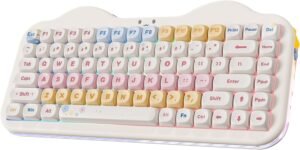
The YUNZII C75 is a compact 75 percent layout mechanical keyboard that stands out with a unique and cute cat-like cake design. It connects in three ways, including wirelessly, and is aimed at gamers who want a premium-feeling keyboard.
It’s important to know that this keyboard is sold with different switch options, most commonly the quiet and creamy “Milk V2” or the “Candy” switches. This review focuses specifically on the Milk V2 version, which is praised by users for its smooth, comfortable, and quiet “thocky” sound.
The keyboard has great features that apply to all models, like beautiful RGB lighting, hot-swappable sockets for changing switches, and a large 5500mAh battery. However, there are a few things customers wanted such as the keyboard does not support QMK or VIA features.
For more information, stick around and read below for my take on this product.
Hey there, welcome to our review of the YUNZII C75 Wireless Mechanical Keyboard! We’re here to offer insights and hopefully make your decision-making a tad easier. We’ve collected details about the gaming accessory to share with you.
Throughout this review, we’ll delve into discussing its key features, highlighting user feedback, our impressions, and who might benefit most from it.
So, if you’re considering getting the YUNZII C75 Wireless Mechanical Keyboard and want to know if it suits your needs, stick around!
Key Features
Design, Layout & Accessories
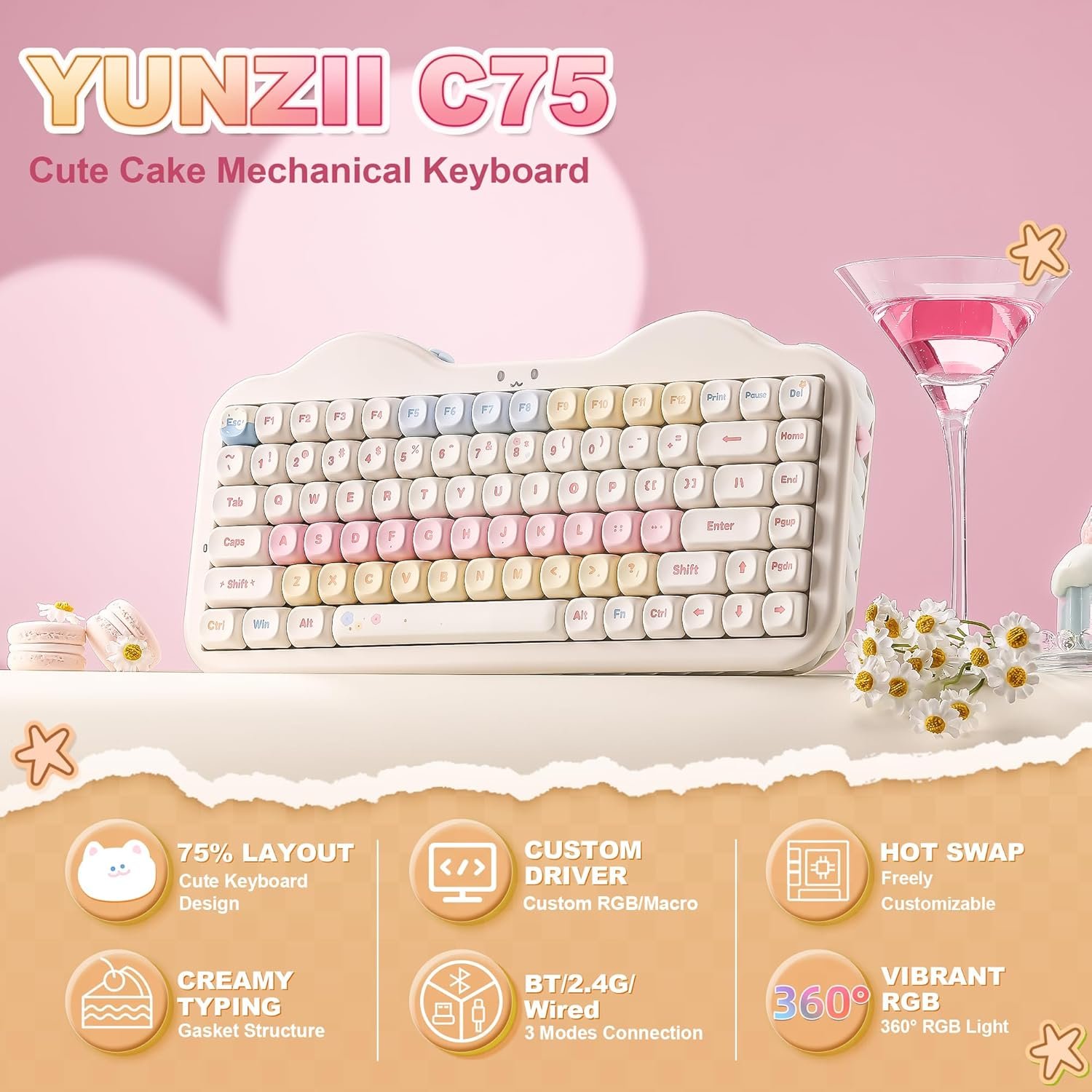
The YUNZII C75 is a compact, 75% layout keyboard with 84 keys, designed to save desk space while keeping essential functions. It has a unique “Cute Cake” design with a cat-like theme and soft swirls around the keyboard that glow with the RGB lighting. The keyboard has a solid feel, weighing about 1008g, and features durable Dye-Sublimation PBT keycaps in an MOA profile.
Inside the box, the keyboard comes packaged with several useful accessories. Along with the C75 keyboard itself, you get a detachable USB-C cable, a tool for pulling off both keycaps and switches, and the user manual. It also includes the 2.4G wireless dongle, extra switches, and extra keycaps for customization or replacement. Additionally, the package includes a dust cover, a mouse pad, and a greeting card.
Gasket-Mounted for a Creamy Feel
This keyboard uses a gasket-mounted structure and has multiple layers of sound-absorbing fillings inside. This design, combined with pre-lubed mechanical switches and stabilizers, helps to reduce typing noise and creates a smooth, consistent keystroke with a pleasant creamy sound.
Tri-Mode Connectivity
The C75 features tri-mode connectivity, allowing you to connect via Bluetooth 5.0, 2.4GHz wireless, or a standard USB-C cable. It can seamlessly switch between up to five devices and works with multiple systems, including Windows, Mac, Android, and iOS. For convenience, the 2.4Ghz dongle can be stored in a slot on the back of the keyboard.
Hot-Swappable Customization
The keyboard features a hot-swappable PCB that supports both 3-pin and 5-pin mechanical switches. This allows you to easily pull out the included linear switches and replace them with your favorite tactile or clicky switches to personalize the typing feel without any soldering required.
On-Board Controls and Shortcuts
You can control many of the keyboard’s functions directly without software by using FN key combinations. These shortcuts allow you to turn the backlight on or off, change lighting effects, adjust brightness and speed, and control the side-lights and smiley light. You can also switch between Windows and macOS modes, connect to different Bluetooth channels, check the battery level, and access multimedia controls like volume and play/pause.
Software and Web Driver Support
For deeper customization, the YUNZII C75 is supported by both a downloadable Windows software and a web-based driver that works for both Windows and Mac. To use either, the keyboard must be connected in wired mode.
Key Assignment
The software allows you to assign different tasks to all keys, including the FN keys. You can remap them to perform actions like other keyboard inputs, mouse clicks, multimedia controls, or even assign macros or complex key combinations.
RGB Lighting Customization
The YUNZII software provides 25 different lighting effect options to choose from, in addition to an “off” setting. You can set up the lighting to sync with the rhythm of your system’s sound, and you have full control to adjust the brightness, color, and speed of the effects.
Macro Customization
The software also includes a feature that lets you set up and customize your own macros. This is great for automating repetitive tasks or creating complex shortcuts for gaming.
Long-Lasting Battery
The keyboard is powered by a high-capacity 5500mAh battery. When the battery is low, the smiley light will flash red to let you know it’s time to charge. The keyboard also features a power-saving sleep mode to conserve battery life when it’s not in use.
Performance & Feedback
Customers who have used the YUNZII C75 keyboard with Milk V2 switches generally express high satisfaction, particularly praising its unique aesthetic and solid build quality. Many describe the keyboard as beautiful and adorable, with the cake design and included themed accessories exceeding expectations. Reviewers were often surprised by how sturdy and well-put-together the keyboard feels, noting that it doesn’t creak or flex despite being mostly plastic.
The typing experience is frequently highlighted as a major positive. Users find the Milk V2 switches to be fantastically smooth, pleasant, and deliver an excellent thocky sound profile that is satisfying without being overly loud. The keys are described as comfortable for typing, even for long sessions, and the stabilizers are noted as feeling stable. The keyboard is also reported to work well right out of the box, connecting easily via Bluetooth or 2.4GHz wireless without noticeable lag or dropped inputs. The included bonus accessories like extra keycaps, switches, and a mousepad are also frequently mentioned as a nice value add.
While feedback is on the good side about this product so far, a few minor downsides are mentioned. Such as a few felt the MOA profile keycaps were a bit too tall for their preference, and that the homing bumps on the F and J keys could be more defined, and noted a slightly hollow sound from the spacebar compared to other keys, and wished the included USB cable was coiled or of higher quality.
My Thoughts: YUNZII C75 Wireless Mechanical Gaming Keyboard
Just like many customers seem to agree, the first impression of the YUNZII C75 Milk V2 Switch version is definitely positive, starting right from the unboxing. It arrives nicely packaged, and I appreciated the welcome extras like the cute themed mouse pad, stickers, a dust cover, and even a few spare switches and extra keycaps. It’s also good that the manual includes some basic instructions for using the included tool to remove keys and switches.
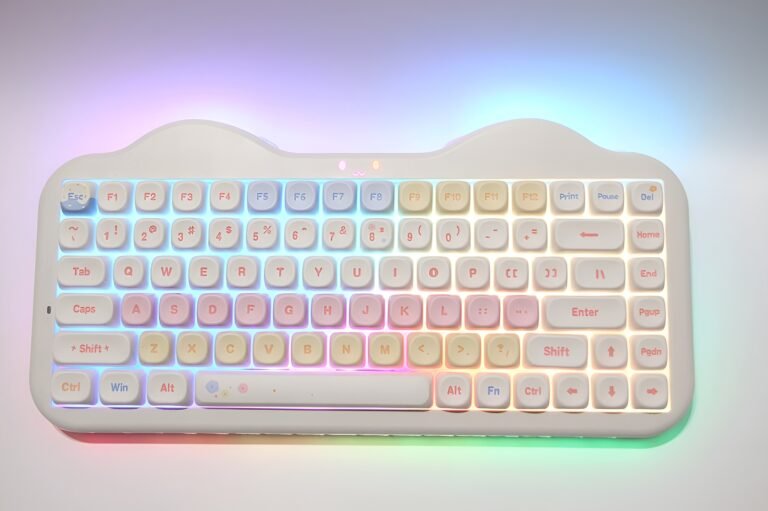
The keyboard’s design is certainly unique and lives up to the “cute” descriptions. The cat-like theme and the soft swirl patterns around the casing really do catch the colorful lighting beautifully. Even the included detachable cable connector has a custom shape. For me, the tall, rounded keycaps felt comfortable under my larger fingers, and the overall typing experience with the smooth pre-lubed switches is quite pleasant and relatively quiet.
Battery life seems decent enough in wireless mode. In my testing using the wireless connection with the USB dongle, the keyboard lasted about a week and a couple of days before needing a recharge, which feels pretty standard for a keyboard with this much lighting and a large battery. I also like that the wireless dongle stores conveniently in a slot on the back of the keyboard.
From my point of view, the Yunzii software offers the essential customization options you would expect. Remapping keys, setting up simple macros, and choosing from the various attractive lighting effects are all straightforward using either the downloadable software or the web driver accessed via wired mode. I also tested the web driver; it connected easily but seemed to have slightly fewer options available compared to the full software download.
However, my biggest issue aligns with a point others might notice too – the keycap and lighting combination. While the lighting effects are vibrant, the keycaps are not shine-through. This means the light glows brightly from underneath and around the keys but does not illuminate the letters themselves, making it surprisingly hard for me to see which key is which when typing in a dark room.
Who Would Likely Favor This Product?
Gamers who care a lot about the look of their setup might want to look into this keyboard. Its unique and cute cat-like design, which is also shaped like a cake and comes in several adorable colors, makes it a fun centerpiece for a desk. The beautiful RGB lighting also adds a lot of visual flair for those who enjoy a colorful setup.
This keyboard could also be a great fit for players who are particular about the sound and feel of their keys. It provides a very satisfying “thocky” or creamy sound profile that many users love. For those who like to tinker, the keyboard is also hot-swappable, meaning you can easily pull out and change the switches later on to get a different feel without any technical work.
Players who want to customize their controls might also be interested. The keyboard has software support that allows you to remap keys and create custom macros for automating tasks or setting up shortcuts for games.
Finally, anyone who appreciates getting a complete package might like this keyboard. It comes with a generous set of extra accessories, including a matching mouse pad and extra switches, which adds a lot of value right out of the box.
FAQ (Frequently Asked Questions)
How do I get the software or web driver?
You can get the software from the official YUNZII website by following these steps:
- Visit Yunzii.
- Click the Software Tab and then click on the “Software” page.
- Look for the C75 on that page to find the links for the software download or the web driver version.
What is a gasket-mounted keyboard?
A gasket-mounted keyboard uses soft, flexible material inside the case to cushion the plate that holds the switches. This design helps reduce vibration and noise, which is what gives the keyboard a softer, bouncier, and quieter “creamy” typing feel.
Is this keyboard hot-swappable?
Yes, the keyboard is hot-swappable. This means you can easily pull out the included Milk V2 switches with the provided tool and plug in different 3-pin or 5-pin switches to change how the keys feel without any soldering.
Does this keyboard work with Mac?
Yes, the keyboard is compatible with both Windows and macOS. There is an FN key combination (Fn+S) to switch the keyboard into macOS mode , and the web driver for customization also works with Mac.
Are the keycaps shine-through?
No, the keycaps are not shine-through. This was a point I also noted in my testing and other customers have mentioned. The RGB lighting glows from under the keycaps rather than through the letters, which can make the letters hard to see in a dark room.
How do I check the battery life?
You can check the battery level by pressing the Fn + Right-Ctrl key combination. When you do this, the main backlight will turn off, and the number keys from 1 to 0 will light up to show the battery percentage.
What does the “smiley light” mean?
The “smiley light” (the light on the front of the keyboard) is used as an indicator. It will flash red quickly when the battery is lower than 20% , and it will stay on red while charging. When the keyboard is fully charged, it will stay on green.
What are MOA PBT keycaps?
This breaks down into two parts: the plastic and the shape.
PBT is the type of plastic the keycaps are made from. It’s a high-quality, durable material that’s much better than the standard plastic on most keyboards. Its main benefit is that it has a slightly textured, matte feel and will not get that greasy, shiny look over time. It also tends to make a deeper, more satisfying “thocky” sound when you type.
MOA Profile describes the shape of the keycaps. MOA keycaps are tall, rounded, and have a uniform “bubble-like” shape that many people find comfortable. A key feature is that every key has the same height, unlike standard keyboards where each row is angled differently. This profile is often used for unique, stylized keyboard designs, just like the “Cute Cake” theme of this keyboard.
Connectivity Questions
How do I connect the YUNZII C75 using Bluetooth?
- Move the mode switch to Bluetooth.
- Press Fn + 1, Fn + 2, or Fn + 3 to select a Bluetooth channel.
- The selected number key will blink to indicate the channel.
- Hold the same Fn + number combination to enter Bluetooth pairing mode.
- Open Bluetooth settings on your device.
- Select YUNZII C75 BT3.0 or YUNZII C75 BT5.0.
- Once connected, the number key will stop blinking and the keyboard will return to its normal lighting.
How do I switch between the three Bluetooth channels?
- Make sure the keyboard is in Bluetooth mode.
- Press Fn + 1 for BT1.
- Press Fn + 2 for BT2.
- Press Fn + 3 for BT3.
The corresponding number key indicates the selected Bluetooth channel.
How do I connect the YUNZII C75 using 2.4G wireless?
- Move the mode switch to 2.4G Wireless.
- The 4 key will begin flashing green.
- Plug the 2.4G receiver into an available USB port on your computer.
- Once connected, the 4 key will stop blinking and return to the normal backlight.
How do I connect the YUNZII C75 using USB-C?
- Move the mode switch to Wired.
- Connect the included USB-C cable to the keyboard.
- Connect the other end to your computer.
- The keyboard’s lights will turn on when the wired connection is successful.
Programming & Troubleshooting
How do I reset the YUNZII C75?
- Hold Fn + Space.
- The backlight will flash three times.
- The keyboard will return to its normal lighting mode when the reset is complete.
How do I check the YUNZII C75 battery level?
- Make sure the keyboard is connected through Bluetooth or 2.4G wireless.
- Press Fn + Right Ctrl.
- The backlight will turn off.
- The number keys will light up to indicate the approximate battery level.
- Release the keys to return to the previous lighting mode.
What should I do if the YUNZII C75 will not connect?
- Check that the mode switch is set to the correct connection mode.
- For Bluetooth, make sure the correct Bluetooth channel is selected and pairing mode has been activated.
- For 2.4G, check that the receiver is connected properly.
- For wired mode, try another USB port or cable.
- Try another compatible device to help determine whether the issue is related to the keyboard, cable, receiver, or device.
How do I force-pair the YUNZII C75 with the 2.4G receiver?
- Switch the keyboard to 2.4G mode.
- Remove the 2.4G receiver.
- Keep the keyboard and device within about 20 cm of each other.
- Hold Fn + 4 to enter force-pairing mode.
- When the 4 key flashes green quickly, plug the receiver back into the device.
What should I do if the keyboard starts typing slowly or repeating characters?
First, check the battery level by pressing Fn + Right Ctrl while using wireless mode. If the battery is low, charge the keyboard.
If the problem continues, the manual recommends checking the mechanical switch pins and sockets. A bent switch pin or damaged socket can cause abnormal typing behavior.
How do I unlock the Windows key?
Press Fn + Win to lock or unlock the Windows key. If the keyboard is using macOS mode, press Fn + A to switch it back to Windows mode.
How do I switch between Windows and macOS modes?
- Fn + A: Windows mode
- Fn + S: macOS mode
The keyboard uses different function-key shortcuts depending on the selected operating system.
How do I customize the YUNZII C75?
For the online customization website:
- Open the YUNZII customization website.
- Connect the keyboard to the computer using wired mode.
- Switch the keyboard to the appropriate Windows or macOS system mode.
- Once the website recognizes the keyboard, customization can begin.
YUNZII also provides Windows software for additional customization.
Why isn’t the YUNZII C75 customization software detecting my keyboard?
The manual states that customization only works when the keyboard is connected in wired mode and switched to the correct system mode.
For Windows software, make sure the keyboard is in wired mode and Windows mode. For the online customization website, Windows and macOS are supported. If the website has problems, YUNZII suggests trying a different browser or computer.
How do I install replacement switches?
- Remove the existing switch with the switch puller.
- Check that the replacement switch pins are straight.
- Align the pins with the hot-swap socket.
- Gently press the switch into place.
The manual specifically warns against installing a switch with bent or broken pins.
How do I adjust the RGB backlight?
The C75 provides keyboard shortcuts for controlling the backlight, including:
- Fn + Backspace: Backlight on/off
- Fn + \|: Change backlight effect
- Fn + Enter: Change backlight color
- Fn + Tab: White light on/off
- Fn + Up Arrow: Increase brightness
- Fn + Down Arrow: Decrease brightness
- Fn + Left/Right Arrow: Adjust blinking speed
How do I adjust the side light?
The C75 provides keyboard shortcuts for controlling the side light, including:
- Fn + Delete: Side light on/off
- Fn + Home: Change side light effect
- Fn + End: Change side light color
- Fn + Page Up: Increase brightness
- Fn + Page Down: Decrease brightness
- Fn +
</>: Adjust blinking speed
How do I adjust the smiley light?
The C75 also provides keyboard shortcuts for controlling the smiley light, including:
- Fn + Pause: Smiley light on/off
- Fn + Print Screen: Change smiley light effect
- Fn + Right Shift: Change smiley light color
- Fn + [ / ]: Adjust brightness
- Fn + – / =: Adjust blinking speed
If you are still interested in knowing more about the product, click the button below
YUNZII C75 Wireless Mechanical Keyboard 75% Layout | Gasket Mount | Tri-Mode Connectivity | Hot-Swappable | RGB Backlit
- Cute & Compact 75% Layout: The YUNZII C75 is a compact mechanical keyboard with a colorful “Cute Cake” design that adds a charming look to any desk setup. Its 75% layout keeps all the essential keys while saving space for your mouse.
- Gasket-Mounted for a Creamy Feel: This keyboard uses a gasket structure and has multiple layers of sound-absorbing fillings inside. Combined with pre-lubed mechanical switches and stabilizers, this design reduces typing noise and creates a smooth, consistent keystroke with a pleasant “creamy” sound.
- Multi-Device & Tri-Mode Connectivity: The C75 features tri-mode connectivity, allowing you to connect via Bluetooth 5.0, 2.4GHz wireless, or a standard USB-C cable. It supports seamless switching between up to five devices and works with multiple systems, including Windows, Mac, Android, and iOS.
- Fully Hot-Swappable: The keyboard features a hot-swappable PCB that supports both 3-pin and 5-pin mechanical switches. This allows you to easily pull out the included linear switches and replace them with your favorite tactile or clicky switches to personalize the typing feel without any soldering required.
- Customizable with a Large Battery: The YUNZII C75 offers deep customization through its programmable software, which allows you to remap keys, create complex macros, and personalize the RGB backlighting on both Windows and Mac systems. It is powered by a high-capacity 5500mAh battery, ensuring stable performance during long work sessions and gaming marathons.
Images by Gaming Gear Drop unless otherwise noted. Additional photos sourced from the official Yunzii Amazon listing for review purposes.