This post contains affiliate links. If you purchase through them, we may earn a small commission at no extra cost to you. This product was provided through the Amazon Vine program for our honest review. All opinions are our own, and our original thoughts are enhanced with AI for clarity. Thanks for supporting Gaming Gear Drop.
Pros
- Creamy/Buttery Sound
- Gasket-Mounted
- Hot-Swappable
- Tri-Mode Connectivity
- Mac & Win Compatible
- Good Battery Life
- Software Support
- Sturdy Build
Cons
- Poor Manual
- Software Complaints
- Quality Complaints
Quick Summary
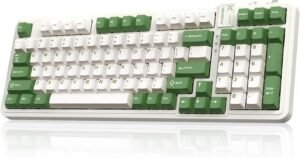
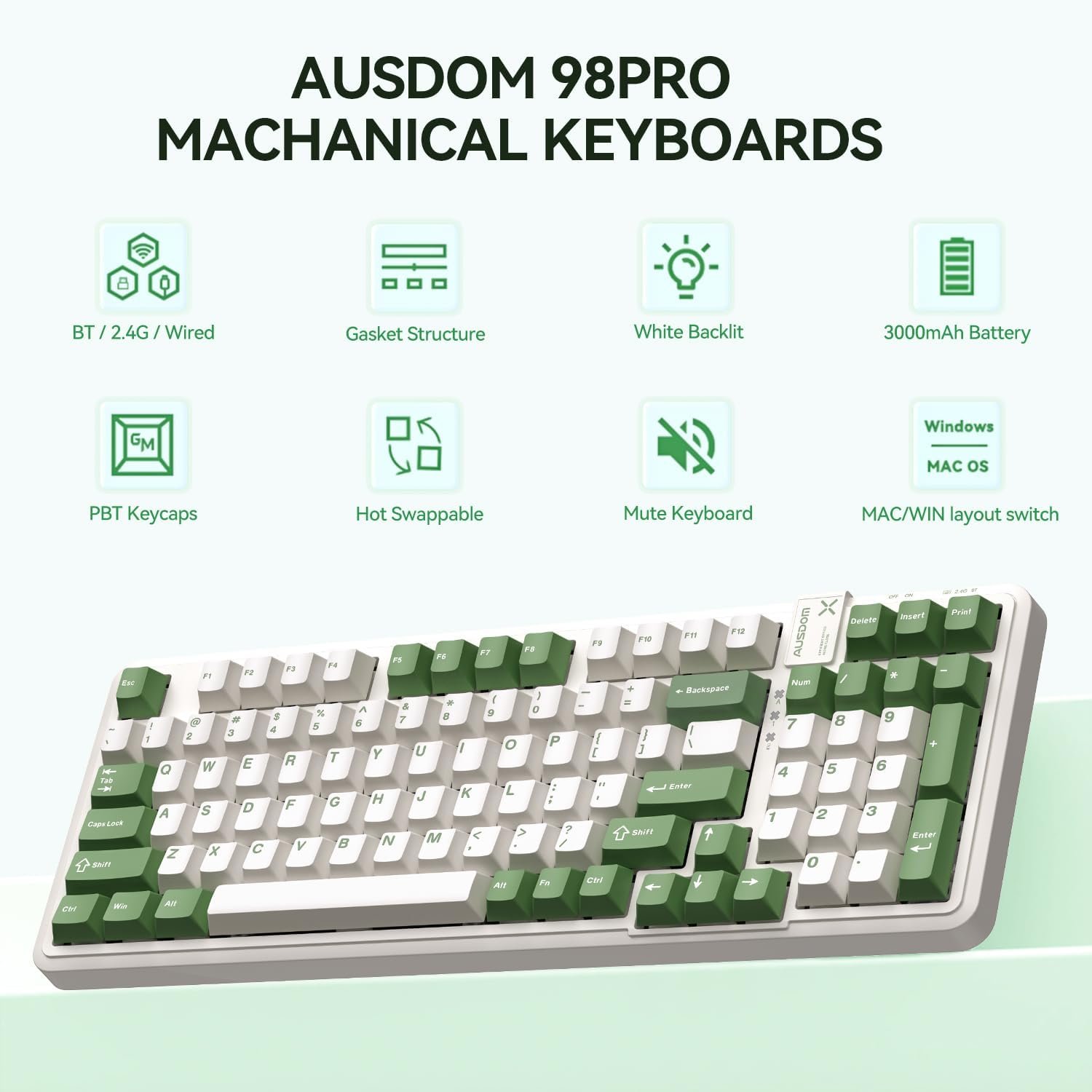
The AUSDOM 98Pro is a wireless mechanical keyboard featuring a 97-key layout, offering a compact design that still includes a numeric keypad. It connects via wired USB-C, 2.4Ghz wireless, or Bluetooth and is fully compatible with both Mac and Windows systems.
Its main feature is its gasket-mounted structure, which users praise for providing a “creamy” and “buttery” typing experience with a soft, soothing sound. The keyboard is also hot-swappable, allowing for easy customization of switches, and features software for remapping keys and creating macros.
While it has many good features, its biggest drawbacks are the poor user manual, which doesn’t explain all the functions well, and the lack of VIA or QMK support.
For more information, stick around and read below for my take on this product.
Hey there, welcome to our review of the AUSDOM 98Pro Gaming Keyboard! We’re here to offer insights and hopefully make your decision-making a tad easier. We’ve collected details about the gaming accessory to share with you.
Throughout this review, we’ll delve into discussing its key features, highlighting user feedback, our impressions, and who might benefit most from it.
So, if you’re considering getting the AUSDOM 98Pro Gaming Keyboard and want to know if it suits your needs, stick around!
Key Features
Gasket-Mounted Design
This keyboard features a gasket construction, which helps to reduce noise and provide a crisper, softer typing sound and feel.
Compact Layout & Included Accessories
The keyboard uses a 97-key layout, which saves desk space while still keeping a dedicated number pad. It comes with durable PBT keycaps, which are designed to resist becoming smooth or shiny over time. The keyboard also has dual-height adjustable feet, allowing you to change the tilt angle for a more comfortable typing experience.
Inside the box, the keyboard comes with all the necessary accessories, including a detachable USB-C cable, a 2-in-1 tool for pulling both keycaps and switches, and three spare switches. The 2.4Ghz USB receiver and a user manual are also included
Tri-Mode Connectivity
The keyboard supports three connection modes: a wired USB-C connection, 2.4GHz wireless, and Bluetooth 5.0. You can use FN key combinations to pair and switch between up to five different devices (three Bluetooth, one 2.4Ghz, one wired).
Hot-Swappable Switches
This is a hot-swappable mechanical keyboard, which means you can easily replace the key switches and keycaps without needing a screwdriver or any soldering. This allows you to customize the feel of the keyboard for gaming or office work.
On-Board Controls and Shortcuts
You can control many features directly from the keyboard using FN key combinations. These shortcuts let you access multimedia controls like play/pause and volume, as well as system functions like screen brightness and search. You can also lock the FN key, lock the Windows key, and restore the keyboard to its factory settings.
Mac & Windows Compatibility
The keyboard is compatible with both Mac and Windows operating systems. You can easily switch between the two layouts using the on-board controls to switch.
Software Support
The keyboard comes with software support that allows you to keep the keyboard’s firmware and the app itself updated.
It also features a user account system. This lets you upload your custom settings to cloud storage as a backup, and then restore them later if you need to. You can also share your customization settings—like lighting, key maps, and macros—with other users, or download settings that they have shared.
Key Customization
The software allows you to remap keys to perform different functions. You can assign them to be key combinations, macros, media, or system controls, different keys, or mouse button actions.
You can customize up to three different layers of keys, including a FN key layer customization, giving you a lot of flexibility.
Other settings can also be adjusted, such as key sensitivity, as well as the sleep and light modes for when you are using Bluetooth or 2.4Ghz wireless.
Macro Customization
The software includes a feature to create and customize your own macros, which is great for setting up shortcuts for gaming or work.
Adjustable White Backlight System
The keyboard features a white only backlight system; it does not have multi-color RGB.
You can control the lighting directly from the keyboard using FN key combinations. These shortcuts allow you to switch between different effects, change the speed, and adjust the brightness across four different levels.
For more control, the software allows you to personalize the lighting further. It offers 20 different built-in effect modes and even lets you create and save your own custom light edits.
Performance & Feedback
Overall, customers seem to enjoy the typing experience of the AUSDOM 98Pro. The keys and switches are frequently described in positive terms, with users noting they have a “soothing,” “buttery,” or “creamy” sound and a soft press. The keyboard’s layout and build are also praised for being sturdy, with a nice case and thick, protected legs.
The keyboard’s features are also a high point for many. The tri-mode connectivity and hot-swappable capability are seen as great, modern features. Users also mentioned that the keyboard has a quick response time and anti-ghosting, making it reliable for gaming. For Mac users, the easy compatibility is a significant plus. The white backlighting is also noted as being fun, unique, and sleek.
While feedback is generally positive, a few downsides are mentioned. Some users noted that the keyboard is not compatible with VIA software, which is a popular tool for more advanced customization. A few users with larger hands felt the keyboard was a little too small for them.
There were also some quality complaints, with a few customers reporting that the Bluetooth function stopped working. Finally, a few others pointed out of frustration was the poor manual, which users felt did not provide good instructions on all of the keyboard’s functions.
My Thoughts: AUSDOM 98Pro Wireless Mechanical Gaming Keyboard
In my testing, the battery life for the keyboard was decent, lasting about three to four days before it needed a recharge. I appreciate that it works reliably in all three connection modes: wireless, Bluetooth, and wired.
The included manual isn’t all that great, which aligns with what other customers have said. It really only provides the basics and doesn’t explain all the features the keyboard can do, like how to use the hot-swapping feature. Because the instructions were so poor, I had to figure out the software on my own to see what each customization option actually did.
Once I got the driver installed, I found that it provides some decent features. I was able to customize the FN layer, create macros, and adjust the lighting.
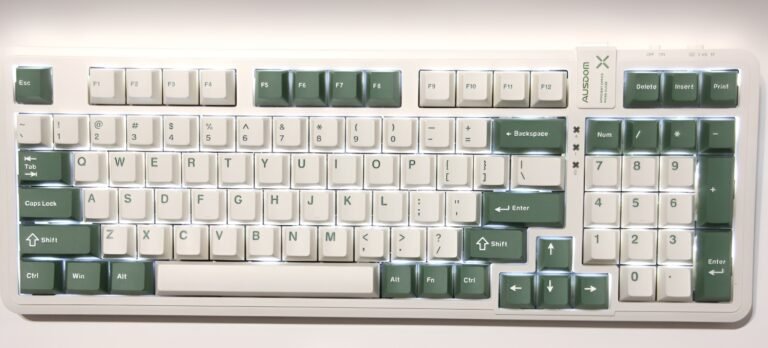
Sadly, the lighting itself was a big letdown for me. While the keyboard has 20 different effects, all of them are in white light only. There is no RGB. On top of that, the keycaps are not shine-through, so the white light only glows from under the keys, making it very hard to see the letters in the dark.
The software also has a feature for downloading custom profiles from other users. Right now, there aren’t many users sharing, and the few profiles I could find were in a language I couldn’t understand, so I wasn’t able to use that feature.
Who Would Likely Favor This Product?
Gamers who enjoy customizing their gear might want to look into this keyboard. It offers software support that allows you to remap keys, create macros, and even share or download custom profiles from other users.
The keyboard is also fully hot-swappable, which means you can easily pull out the included switches and plug in different ones to get the exact feel you want without any technical work.
This keyboard could also be a great fit for players who are particular about the sound and feel of their keys. Customer feedback frequently describes the typing experience as “creamy” and “buttery,” with a soothing sound and a soft press, which is great for long gaming or typing sessions.
Finally, players who want a more compact setup but still need a number pad might appreciate this 97-key layout. It saves desk space compared to a full-size board but keeps the number keys, which many users find essential for both gaming shortcuts and daily work.
FAQ (Frequently Asked Questions)
How do I get the software?
You can get the “AUSDOM 98PRO Macro Driver” by following these steps:
- Go to the official Ausdom main website.
- Click on the “Support” tab.
- Next, click on “Software download“.
- Find and download the “AUSDOM 98PRO Macro Driver” from the list.
What does “gasket-mounted” mean?
A gasket-mounted keyboard uses soft, flexible material inside the case to cushion the plate that holds the switches. This design helps reduce noise and vibration, which is what gives this keyboard the “creamy” and “buttery” typing feel that many users enjoy.
Is this keyboard hot-swappable?
Yes, the keyboard is hot-swappable. This means you can easily pull out the included switches with the provided tool and plug in different ones to change how the keys feel and sound without any soldering or technical work.
Does this keyboard have RGB lighting?
No, this keyboard does not have multi-color RGB. It features a white only backlight. While the software allows you to choose from 20 different effects (like breathing or wave patterns), all of these effects will only be in white.
Does this keyboard work with Mac?
Yes, the keyboard is fully compatible with both Windows and macOS. There is an FN key combination (FN+O) to switch the keyboard into Mac mode to ensure all the keys work correctly.
Does this keyboard support VIA or QMK?
No. Based on customer feedback, this keyboard is not compatible with VIA or QMK software. You must use the official AUSDOM software to customize keys and macros.
How do I switch between connected devices?
You can use the FN key combined with the Q, W, E, R, or T keys to switch between your connected devices. The keyboard supports up to five devices at once (three Bluetooth, one 2.4Ghz, and one wired).
If you are still interested in knowing more about the product, click the button below
AUSDOM 98Pro Wireless Mechanical Keyboard Tri-Mode Connectivity | Gasket Structure | Hot-Swappable | 97-Key Layout | Linear Switches
- Multi-Device & Tri-Mode Connection: This keyboard supports three connection modes: Bluetooth 5.0, 2.4GHz wireless, and a wired USB-C connection. It can be paired with up to five devices at once, allowing you to use FN key combinations to efficiently switch between them.
- Gasket Structure & Durable Keycaps: The keyboard features a gasket construction that effectively reduces noise and provides a crisper typing sound. This is paired with durable PBT keycaps that are designed to maintain good tactility and clarity over time, resisting the smooth, fuzzy, or shiny look that can develop from high-frequency use.
- Hot-Swappable Custom Keyboard: This mechanical keyboard is fully hot-swappable, so no soldering is required. You can easily replace the included linear switches or the keycaps to adapt the keyboard to your specific gaming and office needs (a switch puller is included).
- Ergonomic 97-Key Layout: The 97-key layout saves desk space by eliminating unnecessary keys while keeping a number pad. The keyboard is also equipped with dual-height adjustable feet, allowing you to easily adjust the tilt angle for a comfortable typing experience that reduces wrist pressure.
- Mac/Win Compatibility & Large Battery: The gaming keyboard is fully compatible with both Mac and Windows operating systems. You can easily switch between Win and Mac layouts using an FN key combination. It is powered by a 3000 mAh rechargeable battery that supports up to three months of use with the backlight turned off.
- Adjustable Backlight System: The keyboard features 16 different lighting effects to create a great gaming atmosphere. It also has four switchable backlight levels, allowing you to work or play in any lighting condition.
Images by Gaming Gear Drop unless otherwise noted. Additional photos sourced from the official AUSDOM Amazon listing for review purposes.