Lyyes 2-Pack Black Wireless Controllers Review for Nintendo Switch 1 and 2

This post contains affiliate links. If you purchase through them, we may earn a small commission at no extra cost to you. This product was provided through the Amazon Vine program for our honest review. All opinions are our own. Thanks for supporting Gaming Gear Drop.

Pros

  • Comfortable Grip
  • Great Value
  • Switch 2 Compatible
  • Long Battery
  • Adjustable Turbo
  • Good Vibration

Cons

  • Fast Sleep Mode
  • Quality Complaints

Quick Summary

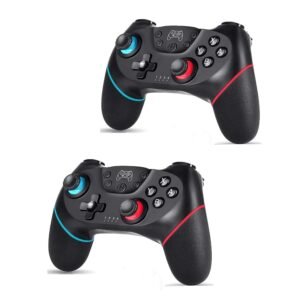
The Lyyes Wireless Controller is a budget-friendly third-party option designed for the Nintendo Switch and the Nintendo Switch 2. It is often sold as a two-pack, making it a popular choice for families needing extra controllers for local multiplayer.

Users frequently praise the controller for its comfortable, ergonomic grip and long battery life. It offers essential features like adjustable Turbo, motion controls, and rumble vibration.

However, there are some common complaints. Many users find that the controller turns off too quickly when idle. Others have reported long-term durability issues, such as joystick drift or buttons wearing out over time.

For more information, stick around and read below for my take on this product.

Hey there, welcome to our review of the Lyyes 2-Pack Wireless Switch Controllers.

For this review, we tested these controllers to offer honest insights and hopefully make your decision-making a tad easier. We have gathered all the important details about this gaming set to share with you.

Throughout this post, we will discuss their key features, highlight user feedback, share our personal impressions, and explain who might benefit most from them.

So, if you are looking for a reliable black third party Nintendo Switch controller set for your current console or the Nintendo Switch 2, stick around to find out if these suit your needs.

Key Features​

Ergonomic Design

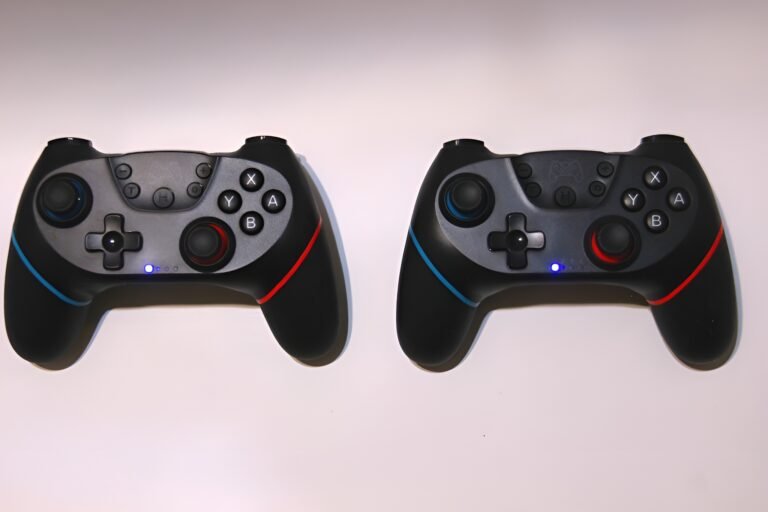
The controller features a simple, minimalist design that is shaped to be comfortable to hold.

It weighs about 212g. This is light enough to hold for long periods without your hands getting tired.

Wireless & Wired Connectivity

You can connect wirelessly to your Nintendo Switch or Nintendo Switch 2 using Bluetooth 5.0. This connection works up to 10 meters away.

It also supports Windows PCs. You can plug it in directly using the USB-C cable. Additionally, even though it is not mentioned in the manual, you have the choice to connect wirelessly to a PC via Bluetooth.

Turbo & Auto Functions

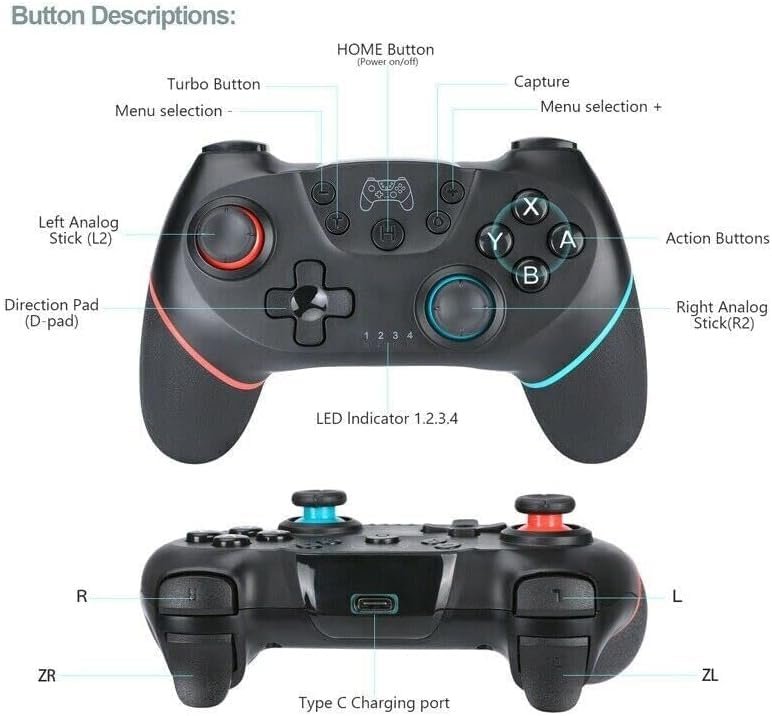
This controller has two rapid-fire modes. “Turbo” lets you hold a button to repeat an action. “Auto” continues the action automatically without you holding anything.

You can adjust the speed to 5, 12, or 20 shots per second. This is done using the “T” button and the right joystick.

Adjustable Vibration

There are dual motors inside to provide rumble feedback. You can adjust the vibration strength to four different levels: 100% (strong), 70% (medium), 30% (weak), or 0% (off).

To change the intensity, press the “T” button and move the left joystick up or down.

Battery Life

The controller comes with a built-in 550mAh rechargeable battery. This provides about 10 hours of continuous playtime.

When it runs out, it takes roughly 3.5 hours to recharge fully using the included USB-C cable.

Smart Sleep Mode

To save power, the controller will automatically turn off (enter sleep mode) if you haven’t pressed any buttons for 5 minutes.

If you want to turn it off manually, you can just hold the HOME button for 5 seconds.

Reset Function

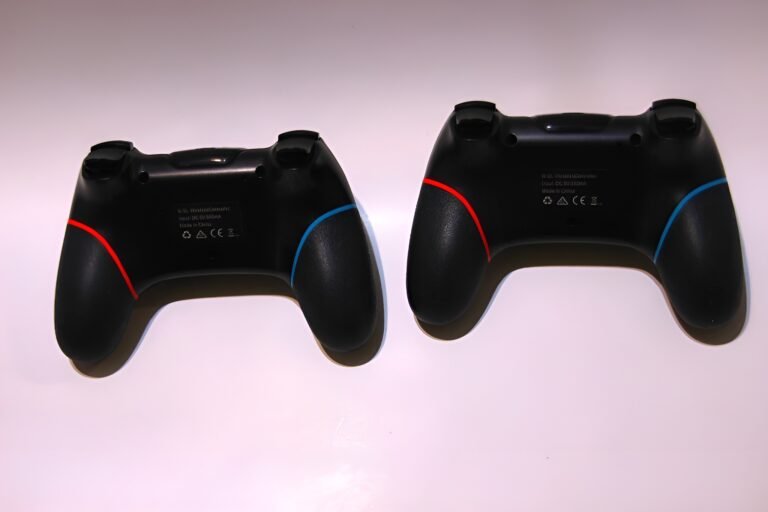
If the controller ever freezes or won’t pair, there is a small “Reset” hole on the back.

You can use a small tool, like a paperclip, to press the button inside. This resets the controller and helps fix connection issues.

Performance & Feedback

Overall, customer feedback for these controllers is largely positive. Many users love the comfortable design, noting that the rugged texture on the handles provides a reliable grip. They are frequently described as sturdy and durable, with many finding them to be good alternatives to Nintendo Switch Joy-Cons or Pro Controllers. The low price is also a major selling point, with users feeling they offer better value than more expensive alternatives.

In terms of performance, the buttons and triggers are reported to have good response times. Users found the motion sensors to be accurate and the rumble feature effective. Connectivity is another highlight; most users found it easy to pair with the Nintendo Switch. Some users even reported success connecting them to the Nintendo Switch 2, as well as other devices like PCs and Steam Decks. The battery life is also frequently praised for lasting a long time.

However, there are some negative reports. A common complaint is that the controllers turn off (enter sleep mode) too quickly when not in use. While many found them durable, others reported that the quality deteriorated over time, leading to issues like stick drift or latency. A few users also felt the materials were lightweight and felt “cheap” compared to official controllers.

My Thoughts: Lyyes NintendoSwitch Wireless Controllers

These are lightweight controllers that handle gaming well on both the Nintendo Switch and PC. In my testing, they were comfortable to hold, though I think the D-pads could be improved. They felt a little stiff to me; I would prefer them to be softer to press.

On the plus side, the connectivity is solid. They paired easily with the Switch right out of the box. I also had no trouble connecting them to my PC via Bluetooth, and they played great on that platform.

I decided to test the firmware update tool mentioned on the product page, which claims to fix technical issues. This turned out to be a hassle. The web address listed was spelled incorrectly, and when I corrected it, the site automatically downloaded a file without asking. I dislike this behavior as it feels unsafe.

To make matters worse, the update is a Windows file, so Mac users cannot run it. Even on my Windows computer, I could not get the program to work, and the instructions showed a completely different controller. Since the device works fine out of the box, I consider this update tool a waste of time.

Who Would Likely Favor This Product?

Gamers searching for a solid alternative for the Nintendo Switch or Nintendo Switch 2 might want to look into this product. It offers the comfortable shape and essential features of a “Pro” style controller but costs much less than the official versions.

Families and local multiplayer fans will also likely favor this option because it comes as a double pack. It is a practical choice for anyone who needs a spare controller ready for a friend to join in immediately.

FAQ (Frequently Asked Questions)

Does this work with the Nintendo Switch 2?

Yes. Users have reported that these controllers are compatible with the Nintendo Switch 2.

How do I connect this to a PC?

According to the manual, you can use the included USB Type-C cable to connect the controller to a Windows PC for a wired connection. However, you can also connect wirelessly via Bluetooth.

How do I connect via Bluetooth?

To pair wirelessly, press and hold the “Home” button for 3 to 5 seconds until the indicator lights flash rapidly back and forth. On your PC or device, search for “Pro Controller” in the Bluetooth settings and select it to connect.

How do I reset the controller?

If the controller freezes or will not pair, there is a small reset hole located on the back. You can use a thin tool, like a paperclip, to press the button inside the hole. This forces the controller to resync.

Can I change the vibration strength?

Yes. To adjust the vibration, hold down the “T” button and move the Left Joystick. Push it up to increase the strength or down to decrease it. There are four levels of intensity.

How do I change the Turbo speed?

To adjust how fast the Turbo mode fires, hold down the “T” button and move the Right Joystick. Push it up to make it faster or down to make it slower. You can set it to 5, 12, or 20 shots per second.

How do I turn the controller off?

While the controller is on, you can manually turn it off by pressing and holding the “Home” button for about 5 seconds until the lights turn off. The controller will also automatically enter sleep mode after 5 minutes of inactivity.
If you are still interested in knowing more about the product, click the button below

Lyyes Wireless Switch Controller (2-Pack) Wireless | Ergonomic | Turbo | Motion Control | PC Compatible
  • Comfortable Grip: These controllers are designed with a curved shape that fits your hands nicely. They are easier to hold than flat controllers, making them comfortable for long gaming sessions.
  • Good Battery Life: Each controller has a built-in 500mAh rechargeable battery. You can play for about 8 to 10 hours on a single charge, and they recharge fully in about 2 to 3 hours.
  • Motion Control & Vibration: They come with all the standard features you need, including sensitive joysticks, vibration motors for rumble feedback, and a gyro sensor for playing motion-controlled games.
  • Adjustable Turbo: For games that require fast button pressing, you can use the Turbo function. It supports both automatic and manual modes, with three adjustable speeds (5, 12, or 20 shots per second).
  • Wide Compatibility: These work wirelessly with the Nintendo Switch, Switch Lite, and Switch OLED models. You can also use them on a Windows PC by connecting them with a USB cable. This package includes two controllers.

Images by Gaming Gear Drop unless otherwise noted. Additional photos sourced from the official Lyyes Amazon listing for review purposes.