NBCP Wolf V-2 Wireless PS4 Controller Review

This post contains affiliate links. If you purchase through them, we may earn a small commission at no extra cost to you. This product was provided through the Amazon Vine program for our honest review. All opinions are our own. Thanks for supporting Gaming Gear Drop.

Pros

  • Multi-Platform Support
  • Hall Effect Triggers
  • Anti-Drift Technology
  • Turbo Burst Mode
  • Headphone Jack Included
  • Physical Mic Switch
  • Decent Battery Life

Cons

  • Quality Complaints
  • Limited PS5 Support
  • Connection Issues

Quick Summary

The NBCP Wireless Controller is a versatile option compatible with PS4, PS3, PC, and mobile devices. Its standout feature is the Hall Effect triggers and joysticks, designed to prevent drift and offer precise control, alongside a six-axis gyroscope for motion gaming. It also includes a turbo function and a physical microphone mute switch for added convenience.

However, user feedback highlights some issues. Many noted the build quality feels plastic and the grips can be slippery. Confusion exists regarding the PS5, as it only plays PS4 games on that console, and a small number of users reported inconsistent connection issues or sticky buttons. Though most customers feel it offers good value for the money.

For more information, stick around and read below for my take on this product.

Hey there, welcome to our review of the NBCP Wolf V-2 Wireless PS4 Controller.

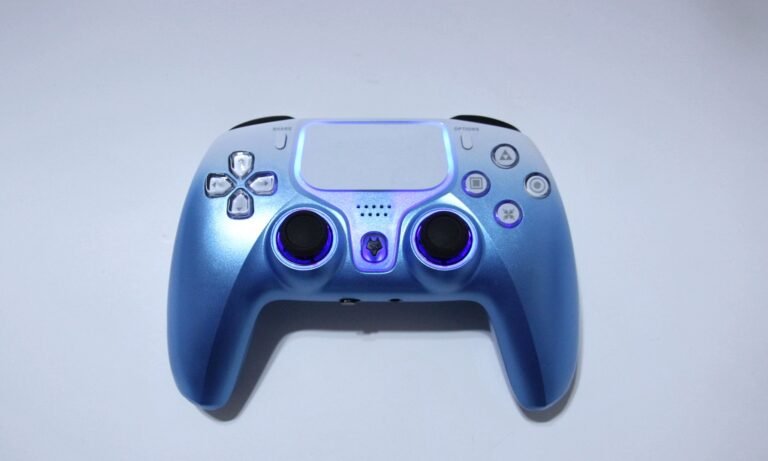
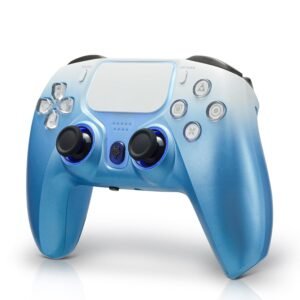
For this review, we tested this controller to offer honest insights and hopefully make your decision-making a tad easier. We have gathered all the important details about this gaming accessory to share with you, specifically focusing on the Blue version.

Throughout this post, we will discuss its key features, highlight user feedback, share our personal impressions, and explain who might benefit most from it.

So, if you are looking for a reliable blue wireless controller for your PlayStation, PC, or mobile device, stick around to find out if this suits your needs.

Key Features​

Multi-Platform Compatibility

This controller is built to work with almost every system you might own. It is primarily designed for the PlayStation 4, where it connects wirelessly via Bluetooth. However, it is also compatible with the PlayStation 3 and Windows PCs using a wired connection, though many laptops can connect wirelessly. It also works with mobile devices running iOS or Android, making it a flexible option if you play games on your phone or tablet.

Hall Effect Triggers & Accuracy

The L2 and R2 triggers use “Hall Effect” technology. Instead of using physical parts that rub together, they use magnets to detect your inputs. This provides a very smooth feel and better durability. It is especially useful in racing games where you need steady, precise control over the gas and brake.

Joystick Control & Calibration

The controller uses standard joysticks for movement. However, it includes a built-in calibration mode to help maintain accuracy. If you notice the sticks aren’t centering correctly after heavy use, you can use the “F” key combination or the reset hole to recalibrate the joysticks and gyroscope instantly.

Audio and Microphone Control

The controller includes a standard 3.5mm headphone jack at the bottom, so you can plug your headset directly into it. A unique and very practical feature mentioned in the manual is the physical “Mic Switch.” You can slide this switch left or right to instantly mute or unmute your headset microphone without having to pause the game or dig through on-screen menus.

Motion Sensing and Vibration

For games that require you to move the controller to aim or steer, this unit comes equipped with a six-axis gyroscope that tracks your movements accurately. It also has dual vibration motors inside the handles. These provide physical feedback, like the rumble of an engine or the shock of an explosion, to help make the gaming experience feel more immersive.

Turbo and Customization

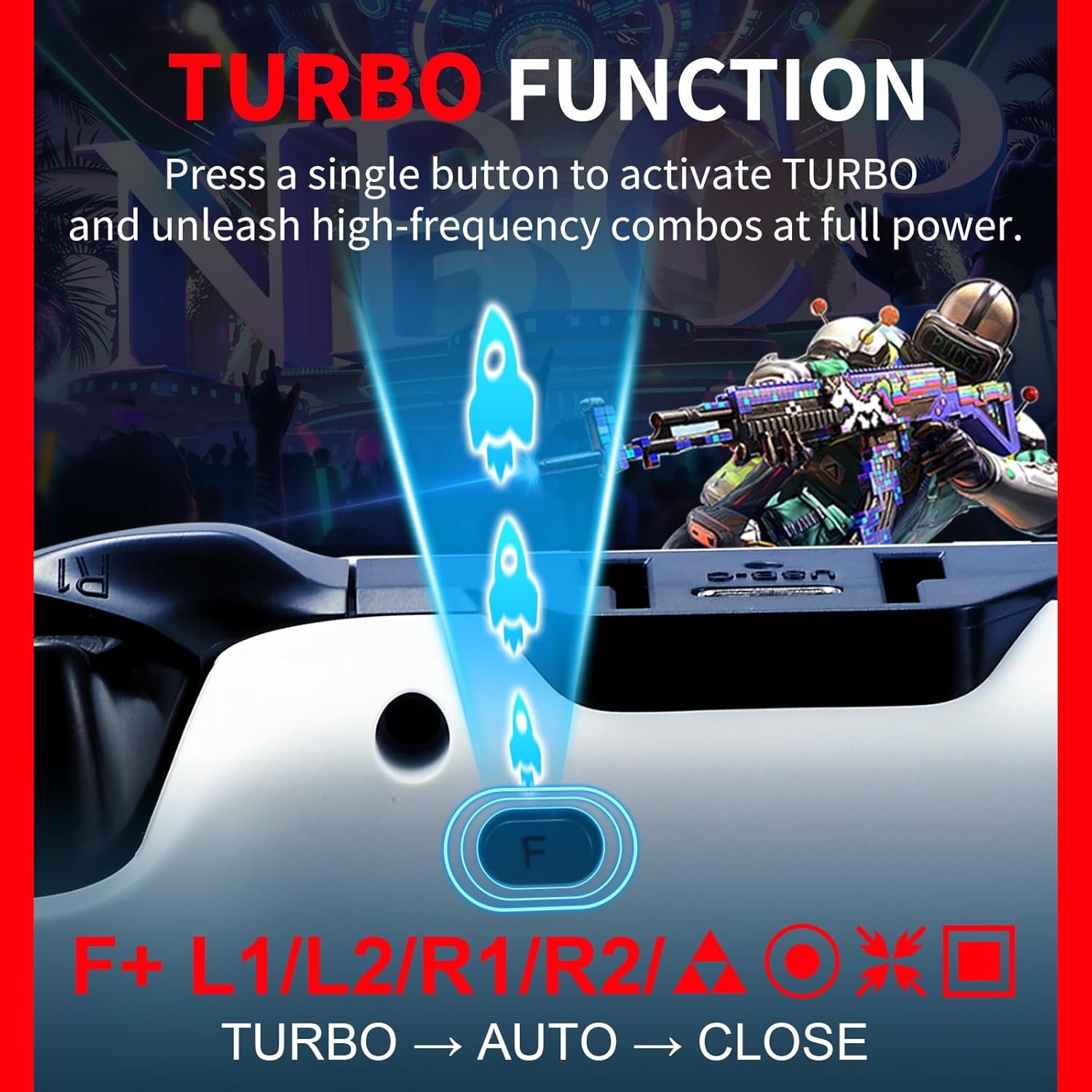
If you play fast-paced arcade or shooting games, you might find the “Turbo” function useful. This allows you to set a button to rapid-fire automatically when you hold it down, and you can even adjust the speed to 5, 12, or 20 clicks per second. The manual also highlights a special function that lets you electronically swap the left joystick and the D-pad inputs if you prefer a different control layout.

Battery and Power

The controller runs on a 1200mAh rechargeable battery. According to the specs, this provides around 8 hours of playtime on a full charge, though this can vary depending on how much the vibration motors are used. It charges via a USB-C cable and has an auto-sleep feature that turns the controller off after 5 minutes of inactivity to save power.

Performance & Feedback

Overall, the feedback for this controller is mixed, with a fair share of both positives and negatives. On the positive side, many gamers enjoy how easy it is to connect and start playing. The buttons feel sturdy, and the analog sticks are responsive, with many users appreciating the Hall Effect technology for preventing stick drift. It connects to various devices easily, and the battery life holds up well for long sessions. The lighting and haptic feedback also add a nice touch to the experience.

However, there are some specific complaints that drag it down. The build quality feels a bit plastic to some, and the grips can get slippery if your hands are sweaty. A common point of confusion is the PS5 compatibility; while most users understand it only plays PS4 games on the newer console, some were unaware of this limitation.

Strangely, the feedback regarding connection is inconsistent. A small number of users experienced a weird issue where the unit would not work for their PS4, yet worked for PS5 only. Conversely, others had trouble connecting it to the PS5 at all to play their PS4 games. There were also a few reports of sticky buttons and dissatisfaction with the placement of the turbo button

My Thoughts: NBCP Wolf V-2 Wireless PS4 Controller

The first thing I noticed is that this controller is a bit on the heavy side, but I actually really like the layout and how it handles. I tested it out on my PC and my PS5, and yes, I understand that although I can connect it to the PS5, it only allows me to play PS4 games.

On PC, it was overall great, with no disconnection issues or lag. It offers strong vibration and some nice RGB lighting effects, and I was impressed by the sound quality from the built-in speaker. However, I do wish the turbo button were a bit more visible. I did experience, however, a little bit of drift at one point, but reconnecting the controller fixed the issue immediately.

Who Would Likely Favor This Product?

Gamers who frequently switch between different platforms might want to look into this controller. Since it supports the PlayStation 4, PS3, PC, and mobile devices, it offers a lot of flexibility without needing to buy separate gear for every system. It is also worth considering if you need a budget-friendly spare for player two or a durable option for kids, saving your official controllers from daily wear and tear.

FAQ (Frequently Asked Questions)

How do I pair this controller with my PS4? 

To connect for the first time, you need to use the included USB-C cable. Plug the controller into your console and press the PS button. Once it connects and the light stays on, you can unplug the cable and use it wirelessly.

Can I use this on a PlayStation 5?

Yes, but with a major catch. It will connect to the PS5, but you can only use it to play PlayStation 4 games. If you try to play a native PS5 game, the console will likely tell you that the controller is not compatible.

How do I connect it to my phone (iOS or Android)? 

To enter Bluetooth pairing mode, hold down the SHARE button and the PS button at the same time for about 3 seconds until the light bar flashes quickly. On your phone’s Bluetooth menu, look for “Wireless Controller” or “DUALSHOCK 4 Wireless” and tap to connect.

My joystick is drifting. How do I fix it?

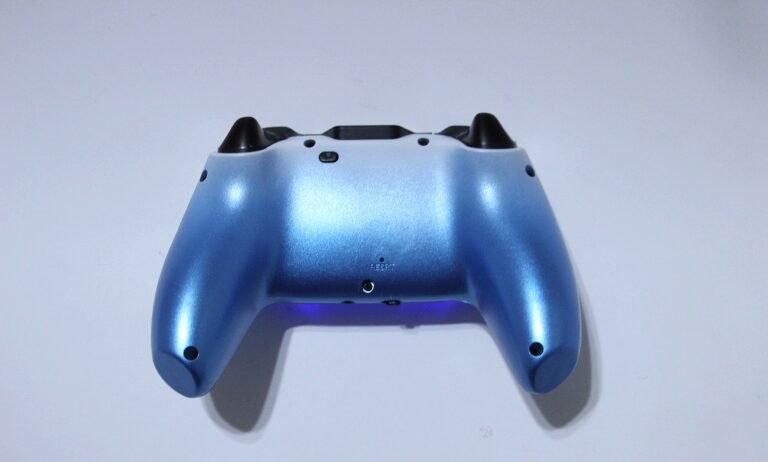
 The manual suggests calibrating the controller if you experience drift. With the controller turned off, press and hold the F key and specific buttons (refer to the manual for the exact combo, usually involving the joystick clicks) to enter calibration mode. You can then rotate the sticks to reset their center point. There is also a small Reset hole on the back of the controller you can press with a pin.

How do I use the Turbo function? 

To set a button to rapid-fire, hold down the button you want to change (like X or Square) and press the F key. You can also adjust the speed of the rapid-fire by holding F and pressing Up or Down on the D-pad.

Does the headphone jack work wirelessly?

Yes, the 3.5mm headphone jack works when connected wirelessly to the PS4. You can also use the physical switch on the controller to mute or unmute your microphone instant
If you are still interested in knowing more about the product, click the button below

NBCP Wireless Controller for PS4 – Hall Effect Triggers | 6-Axis Gyroscope | Multi-Platform | 1200mAh Battery | Blue
  • Universal Compatibility: Designed to be the only controller you need, working seamlessly with PlayStation 4, PS3, Windows PC (10/11), iOS, and Android devices.
  • Precision Hall Effect Triggers: Features advanced linear Hall Effect triggers that use magnetic sensors to ensure zero drift, higher stability, and millimeter-level accuracy for shooting and racing games.
  • Immersive Motion Control: Built with a high-precision six-axis gyroscope that accurately detects tilt and movement, making aiming and steering smoother and more responsive.
  • Dual Vibration & Turbo: Includes dual rumble motors for realistic feedback during gameplay, plus a Turbo function to give you an edge in fast-paced action games.
  • Extended Playtime: Powered by a large 1200mAh rechargeable battery that delivers up to 8 hours of continuous play. It also includes a 3.5mm jack for connecting your headset directly to the controller.

Images by Gaming Gear Drop unless otherwise noted. Additional photos sourced from the official NBCP Amazon listing for review purposes.