This post contains affiliate links. If you purchase through them, we may earn a small commission at no extra cost to you. This product was provided through the Amazon Vine program for our honest review. All opinions are our own, and our original thoughts are enhanced with AI for clarity. Thanks for supporting Gaming Gear Drop.
Pros
- Budget-Friendly Price
- Programmable Back Paddles
- Durable Build Quality
- Responsive Buttons & Triggers
- No Input Lag
- Turbo Functionality
- Decent Battery Life (8-10 Hours)
Cons
- Bulky & Heavy Design
- Incomplete Manual (Missing PC Wireless Steps)
- Potential for Stick Drift
Quick Summary
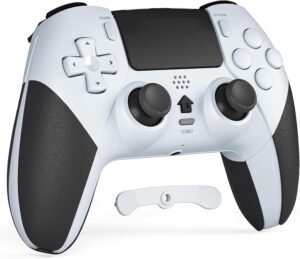
The CHEREEKI Wireless Controller for PS4 is a feature-packed alternative to the standard DualShock 4, offering programmable back buttons, turbo functionality, and decent battery life at a budget-friendly price. It feels sturdy and responsive, with many users noting that it holds up well over months of use. It is also a versatile option that works on PC and allows you to play PS4 games on a PlayStation 5.
However, it isn’t perfect. The design is noticeably bulkier and heavier than the original controller, which might be uncomfortable for some. The manual also leaves out key details, specifically forcing users to figure out the Bluetooth connection for PC on their own. While generally reliable, there are also a few reports of stick drift developing after short periods of use.
For more information, stick around and read below for my take on this product.
Hey there, welcome to our review of the CHEREEKI Wireless Controller for PS4.
For this review, we tested this controller to offer honest insights and hopefully make your decision-making a tad easier. We have gathered all the important details about this gaming accessory to share with you, specifically focusing on the White version we tested, though it is available in several other cool colors.
Throughout this post, we will discuss its key features, highlight user feedback, share our personal impressions, and explain who might benefit most from it.
So, if you are looking for a solid wireless controller for your PlayStation 4 or PC, stick around to find out if this suits your needs.
Key Features
Console Compatibility
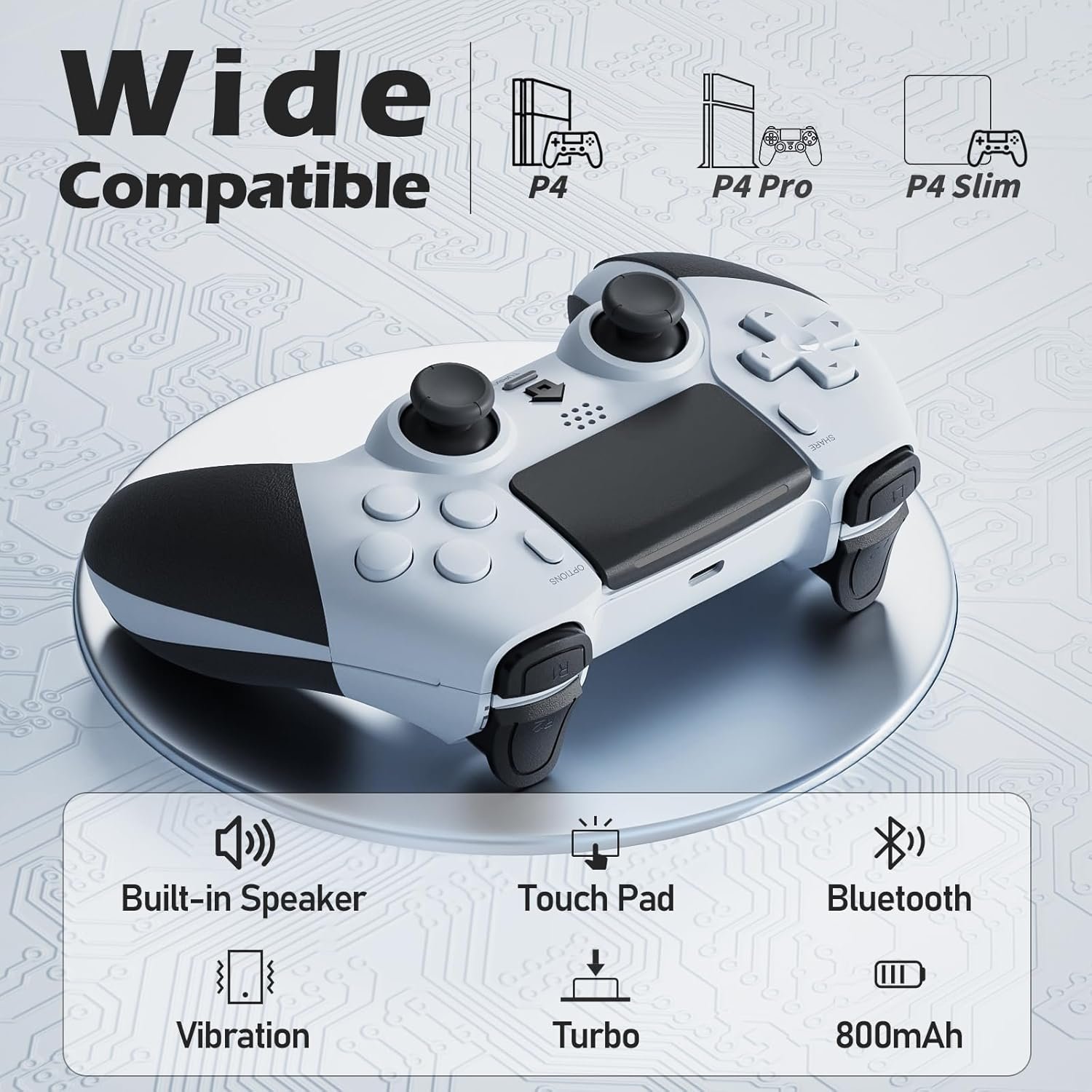
This controller is designed primarily for the PlayStation 4 ecosystem, including the standard, Slim, and Pro models. The manual also includes specific references to the “P5” (PlayStation 5), indicating it can pair with the newer console as well. However, it is important to note that it will only play PS4 titles on the PS5.
Wireless Gameplay
You have the flexibility to play how you want with this controller. It supports a stable wireless Bluetooth connection so you can sit back on the couch without cables getting in the way. Alternatively, if you prefer a direct line or need to charge while playing, you can simply keep the USB cable connected and play in wired mode.
Programmable Back Buttons
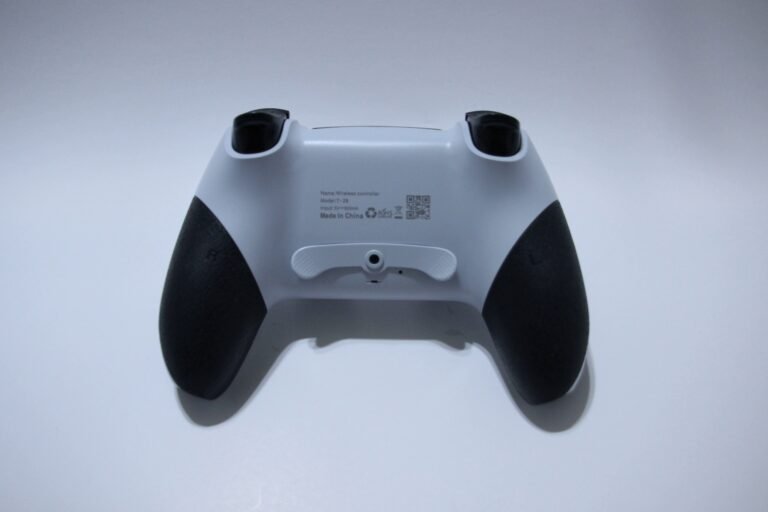
A standout feature on this unit is the addition of two extra function buttons on the back, labeled Fn1 and Fn2. By default, these are set to mimic the L3 and R3 buttons. However, you can “map” them to act as other buttons, such as the face buttons (X, O, etc.) or triggers. This is useful if you want to perform actions without taking your thumbs off the joysticks. You can also disable these buttons entirely if you don’t need them.
Turbo Functionality
For gamers who need rapid-fire capabilities, the controller includes a Turbo mode. You can assign this function to most of the main buttons (like Square, Triangle, L1, R1, etc.). According to the manual, enabling this sets the button to trigger repeatedly at a rate of about 10 times per second when held down, which can be helpful in arcade shooters or action games.
Battery and Charging
The controller is powered by an 800mAh rechargeable battery. The manufacturer estimates you will get about 10 hours of usage time per charge, though this depends on how often the vibration motors are running. It takes roughly 3 hours to fully recharge using a standard USB connection. The manual specifically recommends charging it via a console or PC USB port to ensure the correct current is used.
Sleep Mode and Power Saving
To save battery life, the controller has an automatic sleep function. If it is left connected but unused for 10 minutes, it will shut itself off. It will also go to sleep if it fails to connect to a console within 30 seconds of being turned on. Waking it up is simple; you just press the Home button, and it will attempt to reconnect automatically.
Reset and Maintenance
If the controller ever acts up or fails to connect, there is a physical reset hole located on the back. You can use a small pin to press the internal button and reset the device. The manual advises keeping the controller charged at least once every three months if you plan on storing it for a long time to keep the battery health
Performance & Feedback
For the price, this controller seems to be a hit with many gamers who are looking for a budget-friendly alternative to the official gear. A lot of users are surprised by the quality, with some even feeling it is superior to more expensive third-party options. It generally holds up well over time, with reports of it working perfectly after months of daily use. The battery life is another high point, lasting just about as long as a standard PS4 controller, which is great for long sessions.
In terms of gameplay, it feels responsive and sturdy. Players appreciate the tactile feel of the buttons and find the connection to be stable with no noticeable lag. The addition of the back paddles is a nice bonus that adds extra functionality without getting in the way. It is also worth noting that while it works on the PlayStation 5, it is strictly for playing your older PS4 library—don’t expect it to run new PS5 exclusives.
However, there are a few downsides that you should know about. Physically, this controller is quite large and bulky compared to the original, which makes it feel heavier in the hands. This might be a bit uncomfortable if you have smaller hands.
There are also some complaints about the manual being incomplete; specifically, it doesn’t clearly explain how to connect wirelessly to a PC, leaving some users confused. Finally, while most units are durable, a small number of users experienced stick drift after just a couple of days of use, so quality control can vary slightly.
My Thoughts: CHEREEKI T-29 PS4 Wireless Controller
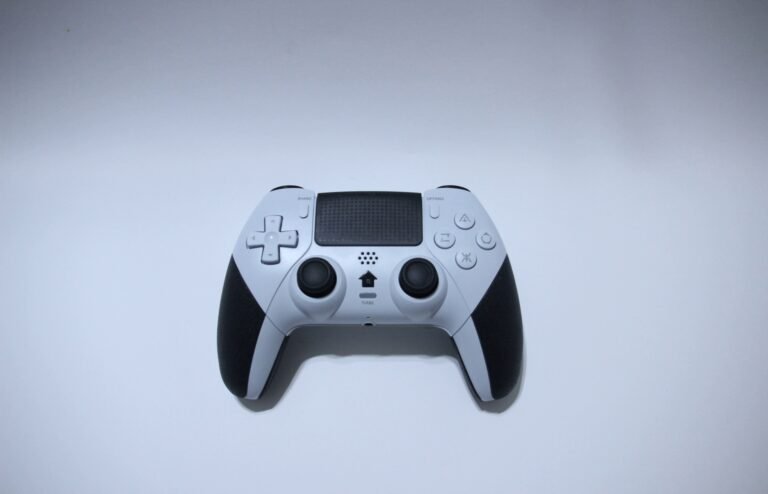
I spent some time using this controller on my PS5 to play through some older PS4 titles, and it handled well with all its key functions.
The grips are nice and comfortable, though the controller itself is a bit bulky. The back paddle can get in the way a tad when playing, but luckily, it can be removed with a screwdriver if I ever need to take it off.
Just like with other user reviews, the one real headache I ran into was the documentation. The manual doesn’t say a word about connecting wirelessly to a PC, which is a significant oversight.
I eventually figured out how to pair it via Bluetooth on my own, and once I did, it worked like a charm on my computer. I just wish the instructions had been clear upfront so I didn’t have to guess my way through the setup.
Who Would Likely Favor This Product?
Gamers may consider this product if they need a reliable, budget-friendly alternative to their PlayStation 4 that doesn’t compromise on features.
It handles all the standard console needs perfectly without the high cost of an official unit.
It is also a great option for those who want to use it for more than just a PS4 controller.
Since it connects to PC, it offers good flexibility for anyone who likes to switch between their console and computer without needing to buy separate gear.
FAQ (Frequently Asked Questions)
How to get CHEREEKI T-29 PS4 Controller Manual?
If you need the manual, just follow these steps:
Visit the CHEREEKI website.
Go to the Manuals section.
Search for T-29.
Select Download Manual.
How do I connect this controller to my PS4?
To pair it for the first time, connect the controller to your console using the included USB cable. Press the Home button in the middle until the light bar turns on (usually blue). Once connected, you can unplug the cable and use it wirelessly.
Can I use this on a PlayStation 5?
Yes, but with limitations. It connects to the PS5, but it is designed to play PlayStation 4 games only. It will not work for native PS5 titles.
How do I use the Turbo function?
To set a button to rapid-fire, hold down the TURBO button and the action button you want to assign (like X, Square, etc.) at the same time, then release. To disable it, hold the Turbo button and press that action button again.
How do I map the back buttons (Fn1/Fn2)?
- Press and hold the TURBO button until the light bar flashes.
- Press the button you want to copy (e.g., X or R1).
- Press the Fn1 or Fn2 button on the back to confirm. The controller will vibrate to let you know it is set.
- To clear mapping: Hold the TURBO button for 5 seconds until it vibrates.
How do I connect via Bluetooth to other devices (PC/Phone)?
Press and hold the Home and Share buttons together for a few seconds until the light bar starts flashing. Then, open your device’s Bluetooth settings, search for “Wireless Controller,” and connect. If successful, the controller light will turn solid blue.
What should I do if the controller isn’t responding or won’t connect?
If the controller freezes or fails to connect, there is a small Reset hole on the back. Use a paperclip or pin to press the internal button to reset the device.
How long does the battery last?
The 800mAh battery typically provides about 8 to 10 hours of playtime, depending on how much vibration and turbo you use. It takes approximately 3 hours to fully charge.
If you are still interested in knowing more about the product, click the button below
CHEREEKI Wireless Controller for PS4 – Macro Buttons | Turbo Function | 6-Axis Motion | 8-10 Hour Battery.
- Dedicated PS4 Compatibility: Built specifically for the PlayStation 4 ecosystem, working flawlessly with the standard PS4, PS4 Slim, and PS4 Pro via a stable Bluetooth connection that reaches up to 8 meters.
- Ergonomic & Anti-Slip: Designed for long gaming marathons, this controller features a comfortable shape with an anti-slip surface to ensure you keep a firm grip during intense moments.
- Pro-Level Controls: Features highly responsive sticks and triggers, plus two programmable Macro buttons on the back that give you extra control options beyond the standard layout.
- Motion & Feedback: Includes a built-in six-axis gyroscope for precise motion sensing and dual vibration motors to provide realistic tactile feedback while you play.
- Turbo & Battery Power: Offers a Turbo function for rapid-fire in shooting games and packs a battery capable of delivering 8 to 10 hours of continuous playtime on a single charge.
Images by Gaming Gear Drop unless otherwise noted. Additional photos sourced from the official CHEREEKI Amazon listing for review purposes.