This post contains affiliate links. If you purchase through them, we may earn a small commission at no extra cost to you. This product was provided through the Amazon Vine program for our honest review. All opinions are our own, and our original thoughts are enhanced with AI for clarity. Thanks for supporting Gaming Gear Drop.
Pros
- Multi-Compatible Support
- Turbo
- Vibration support
- Comfortable
Cons
- Wired only
- Build quality complaints
- Cable length may feel limiting
Quick Summary
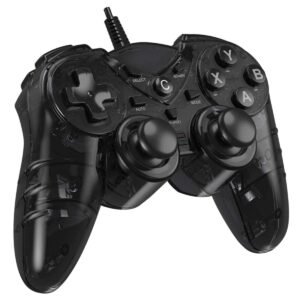
The NBCP 715 PS3 Wired Game Controller is a basic wired controller designed for PlayStation 3 and Windows PC use. It supports multiple input modes, including X-input and DirectInput, and connects through USB without requiring batteries or wireless pairing.
The controller includes features like dual vibration feedback, Turbo and Auto rapid-fire modes, and an ergonomic layout. These features cover the essentials for casual and older-generation gaming setups.
Feedback and hands-on use show that while the controller works as intended for supported platforms, build quality and cable length may not meet everyone’s expectations. It is best viewed as a straightforward wired option rather than a premium controller
For more information, stick around and read below for my take on this product.
Hey there, welcome to our review of the NBCP 715 PS3 Wired Game Controller.
For this review, we used the controller to share clear and honest impressions and help make things a bit easier if you’re deciding whether it fits your setup. We’ve gathered the key details that matter for this controller, covering the black wired version designed for PC and PlayStation 3 use.
Throughout this post, we’ll go over its main features, summarize user feedback, share hands-on thoughts, and explain who might want to look into this controller based on their gaming needs.
So, if you’re looking for a black wired game controller for PC or PS3, this overview should help you understand what to expect before deciding if it suits your setup.
Key Features
Controller Layout
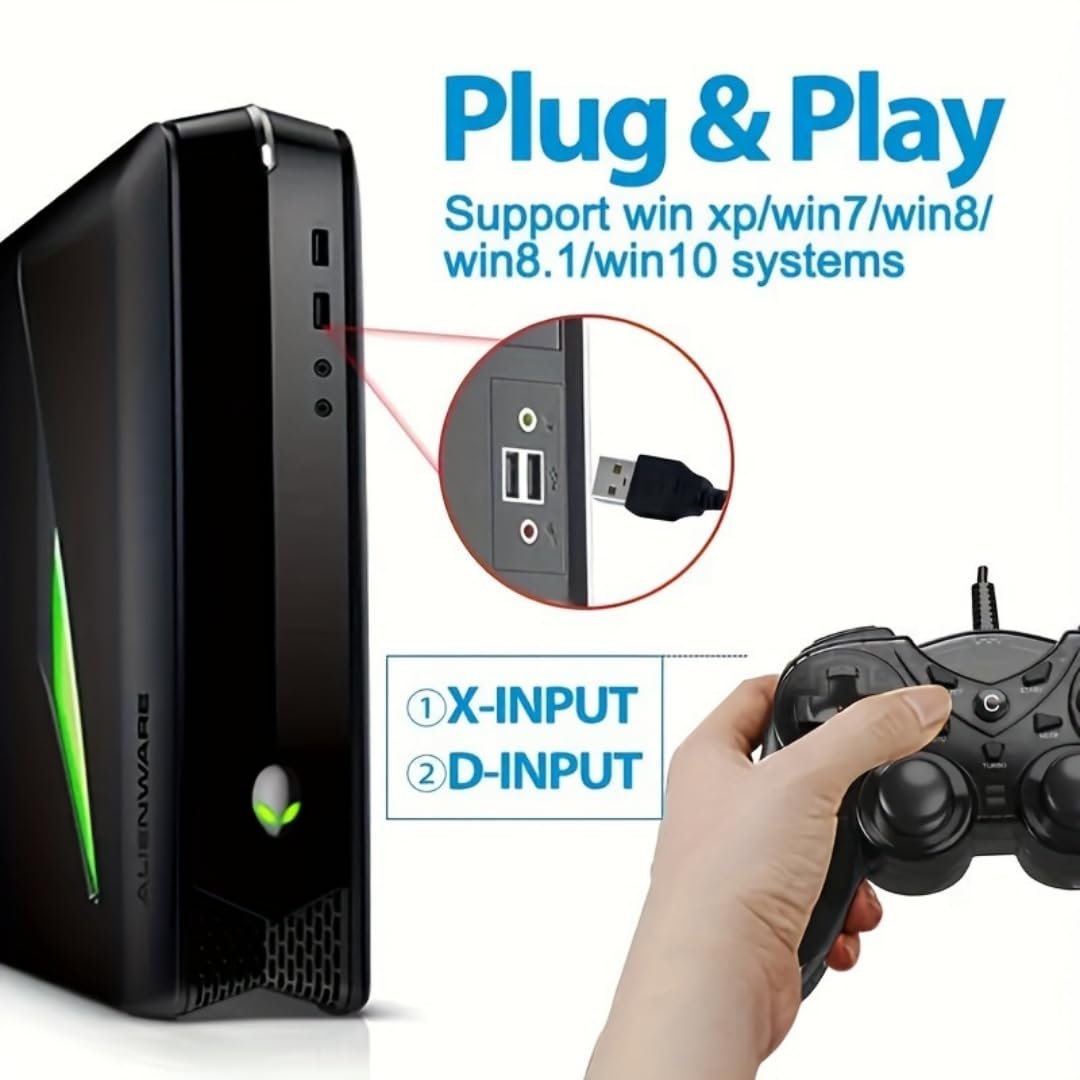
The controller connects through a wired USB connection and supports use on Windows systems, PlayStation 3, and supported Android devices. On Windows, X-input mode uses built-in system drivers, while DirectInput mode may require a driver depending on the system configuration.
It features dual analog joysticks with full 360-degree movement for directional control. Pressing down on either joystick also registers as a button input. The controller includes standard shoulder buttons and triggers as part of its full button layout, with behavior depending on the active input mode and game support.
An LED indicator displays the current operating mode and connection status. Different light states are used to indicate X-input, DirectInput, Android, or PS3 mode, making it easier to confirm how the controller is currently configured.
Turbo & Auto Burst
Turbo and Auto burst functions allow repeated button inputs to be assigned to supported buttons. Turbo mode activates repeated inputs while a button is held, while Auto mode continues sending inputs even after the button is released. These functions can be enabled or canceled using the dedicated buttons on the controller.
Vibration Customization
The controller includes dual vibration motors with adjustable intensity levels. Vibration strength can be set to different levels, allowing users to choose weaker or stronger feedback depending on the game and personal preference. Vibration behavior depends on the active input mode and game support. In X-input mode, vibration works normally in compatible titles, while support may vary in DirectInput mode.
Multi-Compatible Support
The controller supports multiple platforms and input standards, including X-input, DirectInput, Android mode, and PS3 mode. Users can switch between modes by holding the MODE button for several seconds. X-input is the default mode on Windows and works best with most modern PC games, while DirectInput is intended for older titles that rely on legacy controller support.
Performance & Feedback
Feedback on the NBCP 715 PS3 Wired Game Controller reflects a range of user experiences across different setups. At the time of this review, the controller does not appear to have a large volume of reviews, but the feedback available trends positive. Users mention the controller working on PC and PlayStation 3, with responsive inputs during gameplay. The Turbo feature is also mentioned as useful in games that involve repeated button presses.
Comfort comes up in user comments as well. Some users describe the controller as comfortable to hold and use, including for players with larger hands. The layout, which blends familiar elements from Xbox- and PlayStation-style controllers, is noted as easy to adapt to for general gameplay.
There are also drawbacks mentioned. Some users say the controller feels inexpensive in terms of materials or overall build quality. Others report connection issues when using it with certain devices, such as PC setups running Steam, depending on configuration and input mode.
Another limitation mentioned is that the controller is wired only. Users looking for wireless connectivity note this as a missing feature.
My Thoughts: NBCP 715 PS3 Wired Game Controller
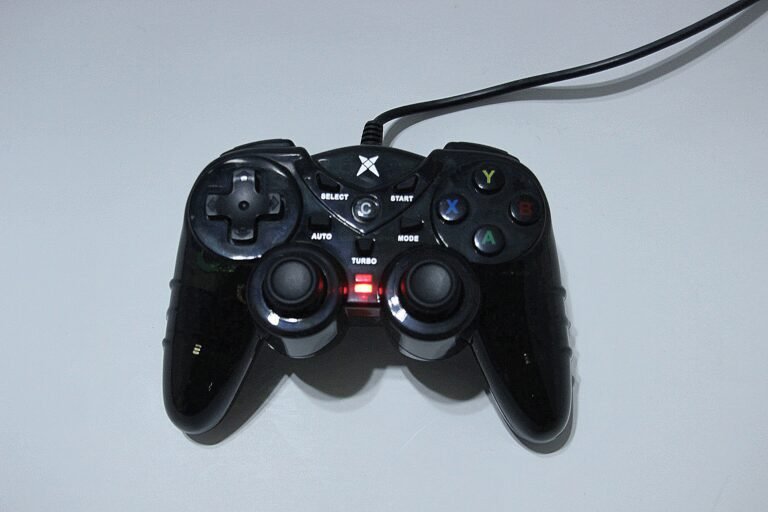
The first thing I noticed was the build. The controller feels a bit cheap in hand, but it is lightweight, and the buttons and sticks feel solid and responsive while playing.
I used the controller on both PC and PlayStation 3, and input felt smooth on both. Button presses registered well, and games played without noticeable delay during my time using it.
The controller includes extra features like Turbo mode and Auto rapid fire. These can be helpful in some games that need repeated button presses, though turning these features off can be confusing compared to other controllers with similar options.
Vibration feedback feels fine and adds some in-game response without being too strong. The wired cable has a decent length, but it may not reach far enough if you prefer to sit farther away from your screen.
The buttons and analog sticks feel accurate overall. I did notice that the R2 trigger would sometimes stick when pressed. I believe I may have received a bad batch version of this controller, as this issue came up during use.
Who Would Likely Favor This Product?
Gamers who still play on PlayStation 3 and want a simple wired controller might want to look into the NBCP 715 PS3 Wired Game Controller. It supports PS3 without extra setup and offers basic features that cover most standard gameplay needs.
PC users who play games that support X-input or DirectInput may also find this controller useful. It works with many Windows-based games and can be used with older titles that rely on legacy controller support.
This controller may also appeal to gamers who are looking for a lower-cost option and don’t need wireless features. Its wired design, basic vibration, and Turbo functions make it a practical choice for straightforward gaming setups.
FAQ (Frequently Asked Questions)
Does the NBCP 715 PS3 Wired Game Controller work on PC?
Yes. The controller works on Windows PCs and supports both X-input and DirectInput modes. Most modern PC games work best using X-input.
Does this controller work on PlayStation 3?
Yes. The controller supports PlayStation 3 through a wired USB connection and works without additional setup.
Is this controller wireless?
No. This is a wired controller and connects using a USB cable only.
How do I connect the controller to a PC?
To connect the controller to a Windows PC:
- Plug the controller into a USB port on the computer
- The system should automatically recognize it as a USB game controller
- Open Control Panel → Game Controllers to confirm the status shows “OK”
How do I switch between input modes (PC, Android, PS3)?
You can switch modes using the MODE button depending on which device you are using:
PC (X-input): The controller defaults to this mode when powered on (Blue light on). This is recommended for modern PC games.
PC (DirectInput): Press and hold the MODE button for 5 seconds until the Red and Blue lights turn on.
PC (Digital Mode): While in DirectInput mode, click the MODE button once. The Blue light will turn on. In this mode, the left joystick replaces the D-pad, and the right joystick mimics the A/B/X/Y buttons (great for fighting games).
Android Mode: By default, the Blue light is on. To switch to Android mode, press and hold MODE for 5 seconds (Red + Blue lights on), then press and hold MODE for 5 seconds again until just the Red light is on.
PS3 Mode: The controller automatically detects the PS3 and defaults to PS3 mode (Blue light on).
Does the controller require drivers on Windows?
In most cases, no. X-input mode uses built-in Windows drivers.
DirectInput mode may require a driver depending on your system and configuration.
How do I enable Turbo or Auto rapid-fire mode?
The controller supports both Turbo and Auto burst functions.
- Turbo mode
- Press and hold the desired button
- Press the TURBO button
- Repeated input activates while the button is held
- Auto mode
- Press the desired button
- Press the AUTO button
- Input continues even after releasing the button
- To cancel Turbo or Auto mode
- Press the same button together with the C (Clear) button
Does the controller support vibration?
Yes. The controller includes dual vibration motors with adjustable intensity levels. Vibration behavior depends on the game and the active input mode.
How do I test buttons, joysticks, or vibration on PC?
You can test the controller using Windows tools:
- Go to Control Panel → Game Controllers
- Select the controller and click Properties
- Test buttons, joystick movement, and vibration feedback
The controller does not respond after connecting. What should I check?
Check whether the correct driver is installed. If the driver is missing or not installed properly, the controller may not respond.
Why does vibration not work on my computer?
First, check whether the correct driver is installed. Also make sure the game you are playing supports vibration, as vibration will not work in games that do not support it.
Why does the controller not work on Android devices?
When using the controller with Android, it must be switched to Android mode.
- Press and hold the MODE button
- Continue holding until the LED indicator turns red
Once the red LED is active, the controller should function normally on Andro
If you are still interested in knowing more about the product, click the button below
NBCP Wired PS3 & PC Game Controller – USB Connection | Dual Vibration | Turbo Function | Ergonomic Design
- Wide Platform Support: Designed for PlayStation 3 and Windows PCs, this wired USB controller supports Windows 7, 8, 8.1, and 10. It works with both X-input and D-input modes, connects well with many Steam games, and can also be used with compatible TV boxes for basic gaming setups.
- Vibration Feedback & Turbo Control: The controller features dual vibration motors that provide in-game feedback during supported titles. A built-in Turbo function allows repeated button inputs with a single press, helping reduce finger strain during fast-paced or action-heavy gameplay.
- Ergonomic Design with Asymmetrical Sticks: Built with an asymmetrical joystick layout, the controller is shaped to support natural hand positioning. The analog sticks offer full 360-degree movement, and the buttons are designed to respond quickly to player input. The grips and contours help maintain comfort during longer play sessions.
- Stable Wired Connection: A thin and flexible USB cable provides a consistent wired connection during gameplay. With a cable length of approximately 1.8 meters (5.9 feet), it allows a comfortable range of movement while staying reliably connected.
Images by Gaming Gear Drop unless otherwise noted. Additional photos sourced from the official NBCP Amazon listing for review purposes.