Gamesir G7 HE Gaming Controller Review

This post contains affiliate links. If you purchase through them, we may earn a small commission at no extra cost to you. This product was provided through the Amazon Vine program for our honest review. All opinions are our own. Thanks for supporting Gaming Gear Drop.

Pros

  • Hall Effect sticks
  • Hall Effect triggers
  • Software support
  • Button remapping
  • Plug and play
  • 3.5mm jack
  • Mappable back buttons
  • Wired stability

Cons

  • Wired only
  • Quality control reports

Quick Summary

The GameSir G7 HE is a wired controller designed for Xbox Series X|S, Xbox One, and Windows 10/11 PCs. It focuses on Hall Effect stick and trigger technology along with software-based customization.

The controller includes a detachable 3-meter USB-C cable, mappable back buttons, and support for the GameSir Nexus software for profile adjustments and firmware updates. Setup is simple and requires only a wired connection to a supported device.

Some users appreciate the stable wired performance, Hall Effect components, and customization options, while others note the lack of wireless support and occasional quality control concerns.

For more information, stick around and read below for my take on this product.

Hey there, welcome to our review of the GameSir G7 HE Wired Controller.

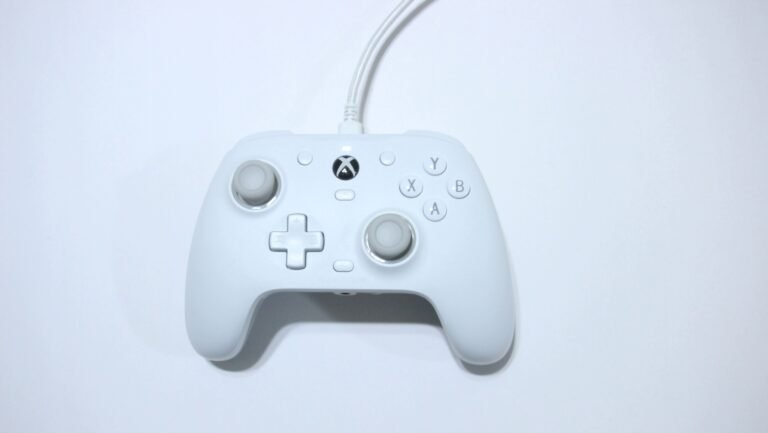
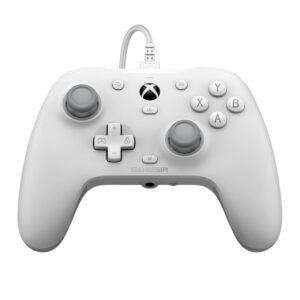
For this review, we tested this controller to provide honest insights and hopefully make your decision-making a bit easier. We tested the white version and gathered all the important details about this gaming accessory to share with you, specifically focusing on the white model.

Throughout this post, we will discuss its key features, highlight user feedback, share our personal impressions, and explain who might benefit most from it.

So, if you are looking for a reliable white wired controller for your Xbox Series X|S, Xbox One, or Windows PC, stick around to find out if this suits your needs.

Key Features​

Long Lasting Drift-Resistant Sticks

This controller uses Hall Effect magnetic sensors inside the thumbsticks. Unlike traditional designs, these sensors do not rely on parts rubbing together.

Because there is less internal friction, wear over time is reduced. The sticks are rated for up to 5 million cycles and include anti-friction glide rings to help movement stay smooth.

This setup is designed to improve long-term stability and lower the risk of stick drift.

Smooth Adjustable Triggers

The triggers also use Hall Effect magnetic sensing. This allows for steady and consistent input without relying on mechanical contact parts.

You can switch between standard analog trigger mode and hair trigger mode. Analog mode works well for racing games, while hair trigger mode shortens the pull distance for quicker response in shooter games.

Simple Plug and Play Wired Connection

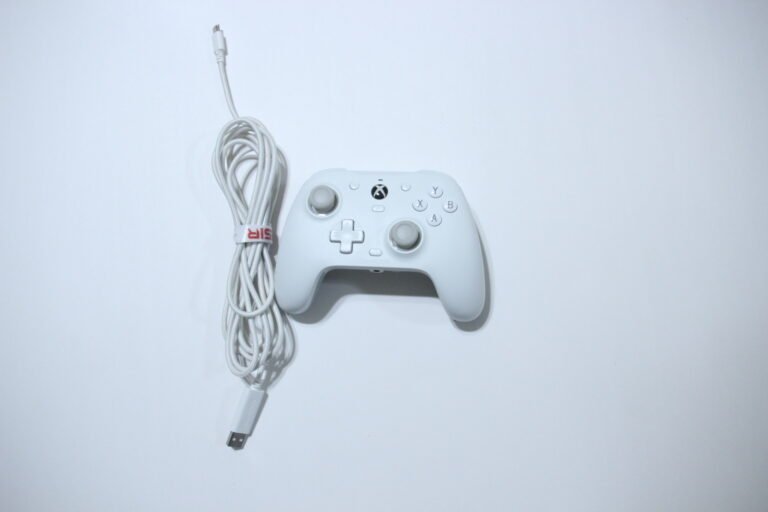
The controller connects using a detachable 3-meter USB-C cable. Plug it into your Xbox or PC and it works immediately. No batteries and no pairing required.

It supports Xbox One, Xbox Series X|S, and Windows 10 or newer PCs with a USB port. The wired connection helps maintain a steady signal during gameplay.

Responsive Buttons With Mappable Back Controls

The face buttons have a firm, click-style feel designed for quick response.

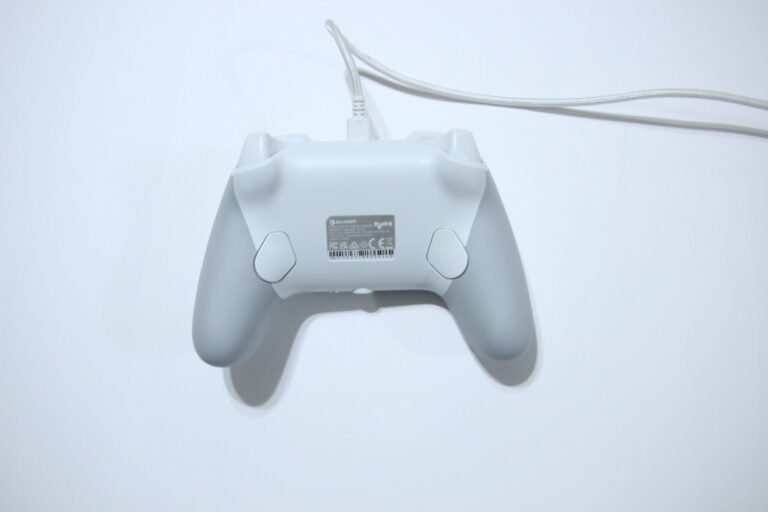
There are two rear buttons that can be mapped to most standard controller inputs. They are not pre-assigned, so you can choose the layout that fits your preference.

This allows for a more personalized control setup.

Built In Headset Support And Volume Controls

A 3.5mm headphone jack allows direct connection to a wired headset.

You can adjust master volume and balance game sound with voice chat directly from the controller. There is also a dedicated microphone mute button with a red indicator light when active.

Custom Profiles With Software Support

The controller includes one default profile and three additional custom profiles. You can switch between them using button combinations.

It also works with the GameSir Nexus software on Xbox and Windows. The software allows button remapping, stick and trigger adjustments, and vibration control. Software changes will override manual settings if both are used.

Textured Non Slip Grip

The controller includes textured grips along the handles to help improve control during gameplay.

The surface is designed to reduce slipping, especially during longer sessions. This can help maintain a steady hold without needing to constantly readjust your hands.

The added texture also supports comfort by providing a more secure feel while playing.

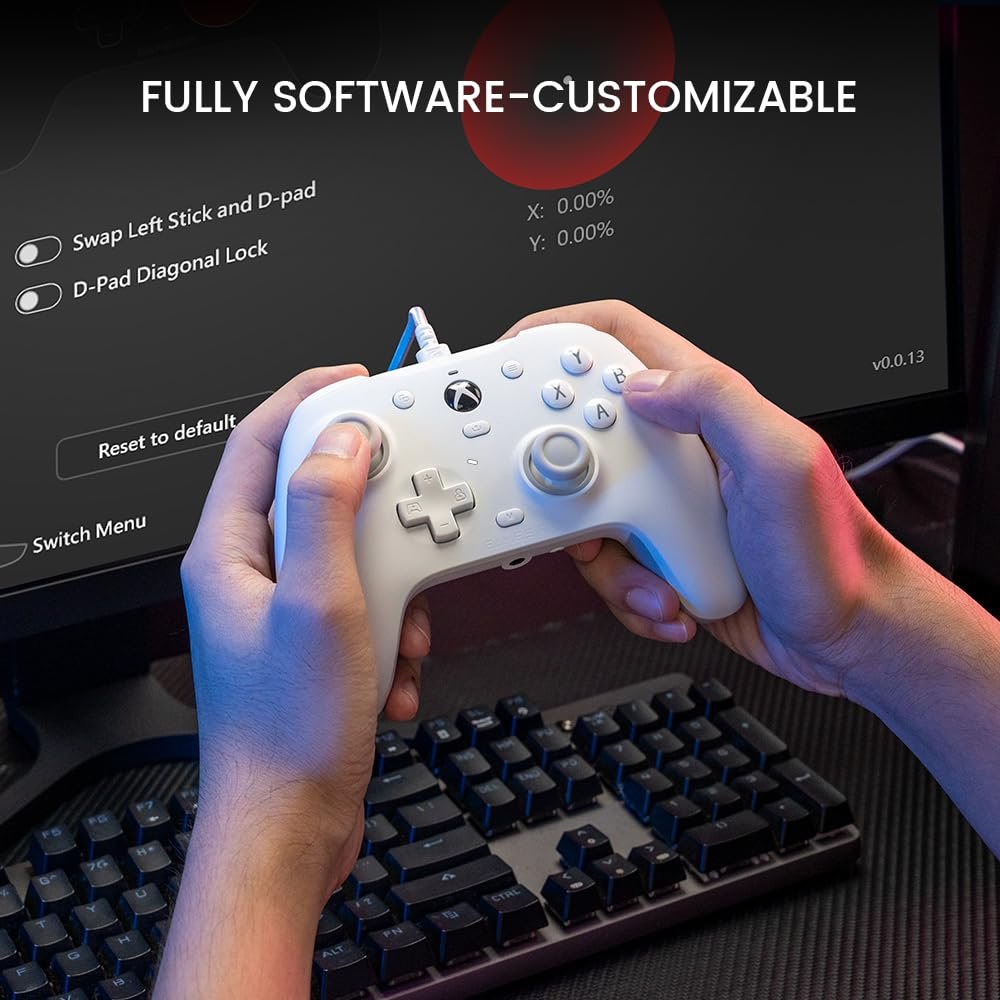
Full Controller Software Customization

The GameSir Nexus Legacy software allows deeper control over how the controller behaves. You can create up to three custom profiles and switch between them depending on the game you are playing.

The software also supports firmware updates when available. Profiles are saved directly to the controller for easy access.

Adjustable Report Rate Options

You can change the controller’s report rate to 250Hz, 500Hz, or 1000Hz. Higher report rates allow the controller to send input signals more frequently to the system.

The 1000Hz option is listed as experimental. When using this setting, the 3.5mm headphone jack is disabled.

Flexible Button Remapping

Nearly every button on the controller can be reassigned, including the rear buttons.

The software also includes button testing and calibration tools to confirm inputs are working correctly.

Advanced Stick Customization

You can adjust stick response ranges to change how sensitive the thumbsticks feel.

The software allows stick testing and calibration. You can also swap the left stick with the D-pad and adjust D-pad diagonal input settings if preferred.

Trigger Response Adjustment

Trigger ranges can be adjusted to control how far they need to be pressed before activating.

Hair trigger mode can also be enabled through the software for shorter trigger travel.

Adjustable Vibration Settings

Vibration strength can be customized for both the triggers and the grips. Levels can be set from 1 to 5.

You can choose to force trigger vibration, sync trigger vibration, or enable vibration separately for triggers and grips.

Performance & Feedback

Customer feedback for the GameSir G7 HE is generally positive. The controller is often described as feeling premium with solid build quality. The textured grips are noted for providing steady handling, and the buttons are described as responsive during gameplay.

Users report stable plug-and-play performance on Xbox and PC without setup issues. The Hall Effect sticks are frequently mentioned as a benefit, especially for reducing concerns about stick drift. The availability of software support through GameSir Nexus is also viewed as a practical feature for customization.

On the downside, the controller is wired only, which may not appeal to those who prefer wireless models. Some users report that the overall size feels slightly smaller than that of a standard Xbox controller. The plastic material, particularly around the thumbstick, has been described as less premium than other parts of the controller.

There are also reports of quality-control issues in some cases. These include buttons that don’t respond, audio jack issues, and occasional disconnections. A few users note that the white surface material can show dirt or discoloration more easily over time.

My Thoughts: Gamesir G7 HE Gaming Controller

I used the GameSir G7 HE primarily on PC. The controller feels lightweight without feeling fragile, and the textured grips help keep it steady during longer sessions. The layout feels natural in the hands, and the buttons are positioned in a way that makes inputs comfortable and easy to reach.

Installing the GameSir Nexus software from the Microsoft Store adds useful customization options. Nearly every button can be reassigned, stick ranges can be adjusted, and the D-pad can be swapped with the left stick if preferred. Trigger response can be fine-tuned, including enabling hair trigger mode, and vibration levels can also be adjusted depending on the game.

The two rear buttons are helpful for added control, though having more back buttons would increase flexibility. A wireless option would also have been welcome, along with additional features such as turbo or macro support.

Who Would Likely Favor This Product?

Gamers who play across different systems might want to look into this controller. It supports Xbox consoles and Windows PCs, making it suitable for players who switch between platforms but prefer a wired setup.

Players who value customization may also find it worth considering. The GameSir Nexus software allows for button remapping, stick adjustments, trigger tuning, and vibration control, which can help tailor the controller to different game types.

Those who are specifically looking for Hall Effect joysticks and triggers might also want to look into this model. The magnetic sensing design is intended to reduce wear over time and improve long-term consistency compared to traditional components.

FAQ (Frequently Asked Questions)

Is this controller wireless?


No. This is a wired controller only.


Does it support Bluetooth?

No. Bluetooth is not supported.


What devices is it compatible with?

It works with Xbox Series X|S, Xbox One, and Windows 10/11 PCs using a USB connection.


Does it work on PlayStation or Nintendo Switch?

No. It is not compatible with PlayStation or Switch consoles.


Does it support gyro or motion controls?

No. Gyro functionality is not included.


Does it have Hall Effect sticks and triggers?

Yes. Both the joysticks and triggers use Hall Effect magnetic sensing.


Can buttons be remapped?

Yes. Buttons can be remapped using the GameSir Nexus software.


Does it have turbo or macro support?

No. Turbo and macro functions are not included.


Does it have a headphone jack?

Yes. It includes a 3.5mm headset jack.

Connectivity Questions

How do I connect it to Xbox?

  1. Plug the USB-C cable into the controller.


  2. Plug the other end into the Xbox USB port.


  3. The controller powers on automatically.


How do I connect it to PC?

  1. Plug the USB-C cable into the controller.


  2. Connect the USB end to your PC.


  3. Windows will detect it automatically.


Does it support 2.4GHz wireless or a USB receiver?

No. Wireless connection is not supported.
 

Does it support Bluetooth pairing?

No. Bluetooth pairing is not available.


Is any pairing required?

No. It works immediately when plugged in.

Programming & Troubleshooting

How do I get software?

  1. Download GameSir Nexus Legacy from the Microsoft Store.
  2. Connect the controller to your Xbox or PC.


How do I remap back buttons manually?

  1. Hold the M button + R4 or L4 for 3 seconds.
  2. When the light blinks slowly, press the button you want to assign.
  3. The light turns solid to confirm.


How do I cancel a back button assignment?

  1. Hold the M button + R4 or L4 for 3 seconds.
  2. When blinking, press the same R4 or L4 button again.
  3. The light turns solid to confirm removal.


How do I adjust volume?

Hold M + D-pad Up or Down to increase or decrease master volume.

Hold M + D-pad Left or Right to adjust game and chat balance.


How do I mute the microphone?

Press the Microphone Mute button.
Red light on = muted.
Light off = microphone active.


How do I calibrate sticks and triggers?

  1. Hold View + Menu + Xbox button.
  2. Plug the USB cable into the PC.
  3. Wait for white blinking light.
  4. Press A without touching sticks or triggers.
  5. Fully rotate sticks and press triggers fully.
  6. Press A again.
  7. Unplug and reconnect controller.


How do I switch profiles?

Press M + A/B/X/Y to switch profiles.

M + Y = Default
M + B = Profile 1
M + A = Profile 2
M + X = Profile 3


Does it support X-input or D-input switching?

It operates as an Xbox controller. Manual input switching is not required.

If you are still interested in knowing more about the product, click the button below

GameSir G7 HE Wired Controller for Xbox Series X|S, Xbox One, and Windows 10/11 PC, Hall Effect Sticks – White
  • Officially Licensed and Multi-Platform Support: The GameSir G7 HE is an officially authorized controller designed for Xbox Series X|S and Xbox One consoles, and it also works with Windows 10/11 PCs and Steam, providing wired compatibility across multiple platforms.

  • Durable Microswitch Face Buttons: It uses microswitch-based face buttons rated for up to 3 million presses, delivering consistent input response and built for extended use.

  • Comfortable Textured Silicone Grip: Compared to the G7 SE, this version includes a silicone grip designed to improve comfort during longer sessions, with a textured surface to help maintain control.

  • Hall Effect Sticks: The controller is equipped with magnetic Hall Effect analog sticks rated for up to 5 million cycles, designed to provide stable input and reduce wear-related drift with the help of anti-friction rings.

  • Hall Effect Magnetic Triggers: The triggers also use Hall Effect magnetic sensing for smooth actuation, and they include a hair trigger mode option for shorter trigger travel in certain game types.

  • 3.5mm Headphone Jack and Microphone Mute Button: The 3.5mm audio jack allows easy headset connection for immersive sound and clear communication. The independent mute button provides convenient privacy during online interactions.

  • Remappable Back Buttons: The back buttons support remapping for nearly every button on the controller, offering more control options and allowing for a personalized and efficient gaming experience.

Images by Gaming Gear Drop unless otherwise noted. Additional photos sourced from the official Gamesir Amazon listing for review purposes.