Razer Wolverine V3 Tournament Edition Wired Gaming Controller Review

This post contains affiliate links. If you purchase through them, we may earn a small commission at no extra cost to you. This product was provided through the Amazon Vine program for our honest review. All opinions are our own. Thanks for supporting Gaming Gear Drop.

Pros

  • Extra buttons
  • Hall effect
  • Wired stability
  • Comfortable grip
  • Responsive input
  • Clicky buttons
  • Lightweight design
  • App support
  • Warranty included

Cons

  • Wired only
  • Software complaints
  • Deadzone complaints
  • Durability complaints

Quick Summary

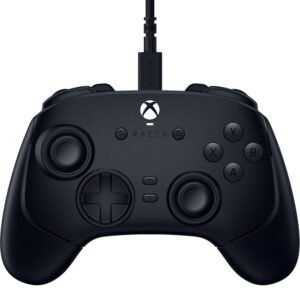
The Razer Wolverine V3 Tournament Edition is a wired gaming controller designed for Xbox Series X|S, Xbox One, and Windows PC. It focuses on responsive input, extra programmable buttons, and Hall-effect controls for smoother performance.

The controller includes remappable back buttons, adjustable trigger settings, and software support for customizing sensitivity and layouts. Setup requires a wired USB connection, and additional customization is done through the Razer Controller app.

Some users appreciate the handling, button responsiveness, and added controls, while others report software limitations, wired-only use, and concerns with thumbstick accuracy or long-term durability.

For more information, stick around and read below for my take on this product.

Hey there, welcome to our review of the Razer Wolverine V3 Tournament Edition Wired Gaming Controller.

For this review, we tested the black RZ06-0521 version to offer honest insights and hopefully make your decision-making a tad easier. We have gathered the important details about this wired gaming controller to share with you, specifically focusing on its compatibility with Xbox Series X|S, Xbox One, and Windows PC.

Throughout this post, we will discuss its key features, highlight user feedback, share our personal impressions, and explain who might benefit most from it.

So, if you are looking for a black wired controller for Xbox or PC with Hall-effect sticks and extra programmable buttons, stick around to find out if this suits your needs.

Key Features​

Controller Layout and Button Feel

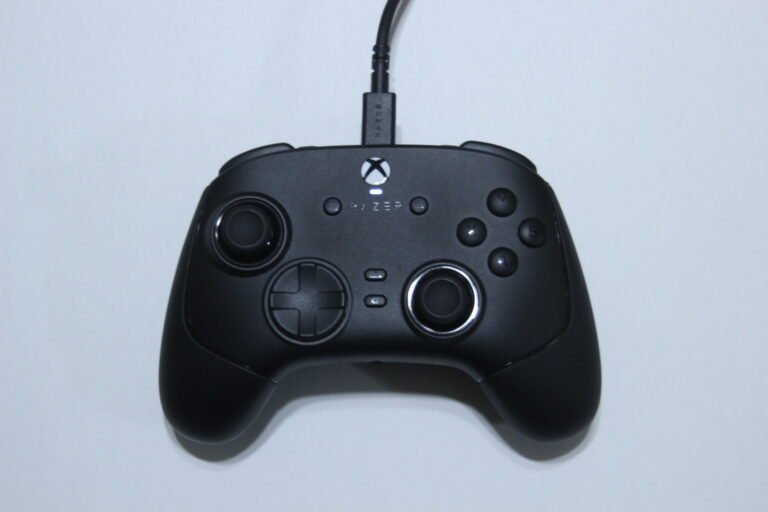
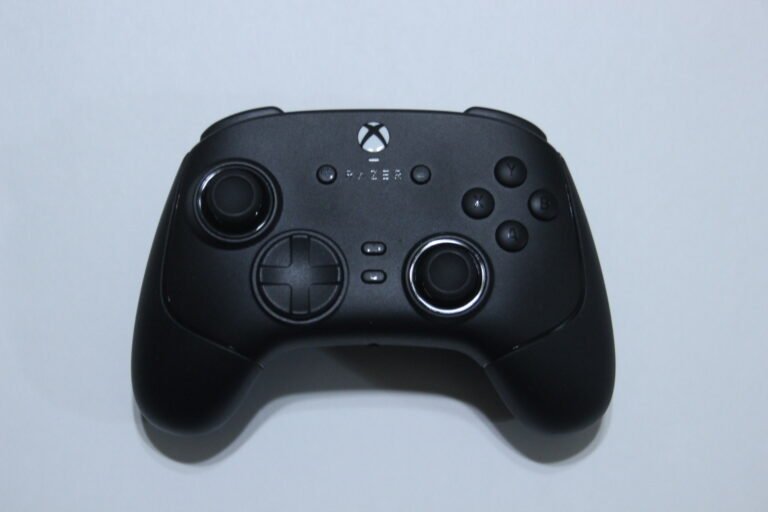
The controller uses mecha-tactile action buttons along with an 8-way D-pad.

The buttons provide a clicky response when pressed while still maintaining a cushioned feel. The layout includes additional inputs such as back paddles and bumpers, designed for easier access during gameplay.

Extra Control Buttons

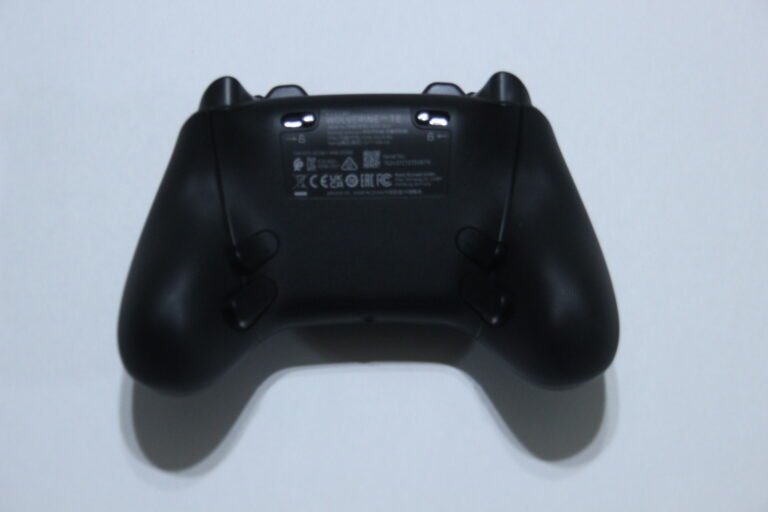
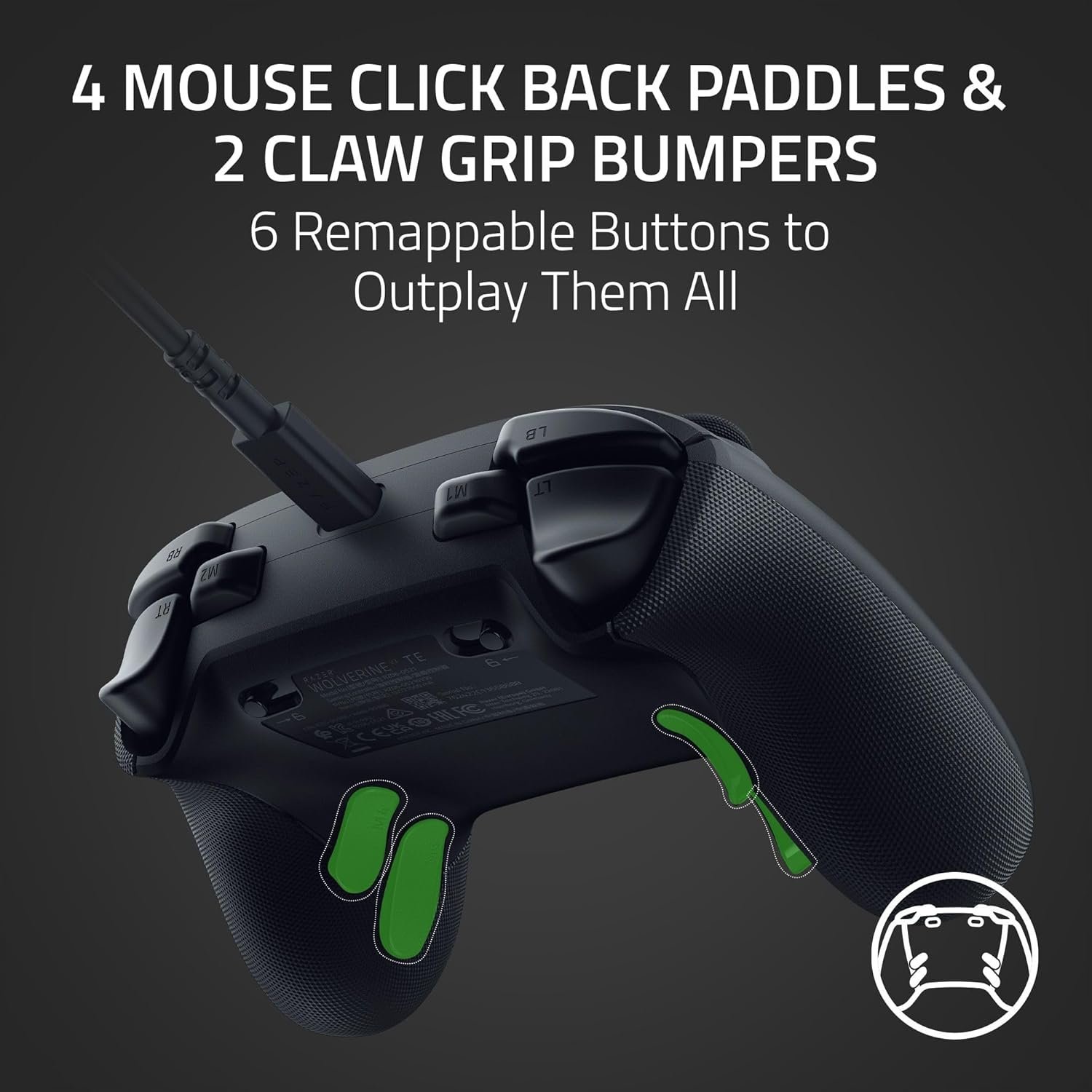
This controller includes multiple additional inputs such as 4 back paddles and 2 claw grip bumpers.

These buttons can be reassigned to different functions, allowing you to adjust controls based on your preferences. Mapping is done directly on the controller using the function button and selected inputs.

Hall Effect Sticks and Triggers

The controller uses Hall-effect thumbsticks and triggers designed to provide consistent input over time.

The thumbsticks are built to reduce wear and maintain smooth movement, while the triggers can be adjusted between analog and digital modes. Trigger stop switches can also be used to shorten travel distance for faster inputs.

It also includes a sensitivity clutch feature that lowers thumbstick sensitivity while held, which can help with more precise aiming or controlled movement in certain situations.

Wired Connection Stability

This controller uses a wired USB connection for consistent input.

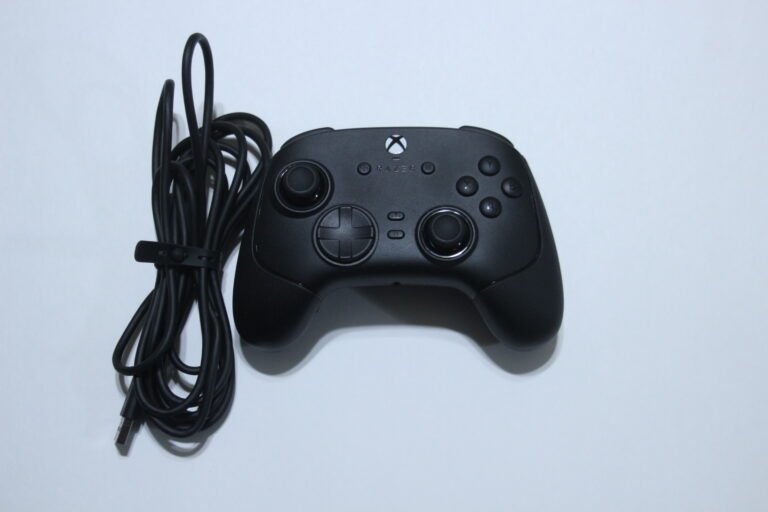
It connects using a USB-C to USB-A cable and is designed for stable performance on Xbox consoles and Windows PC systems.

App-Based Customization

The controller supports customization through the Razer Controller app or Razer Synapse.

You can adjust button mapping, thumbstick sensitivity, deadzones, trigger settings, and polling rate. Profiles can also be saved and switched as needed.

Tournament Mode Support

A dedicated tournament mode can be enabled when using the controller on PC.

This mode increases the polling rate, allowing faster input updates during gameplay. It can be activated through software or controller shortcuts.

Audio and Function Controls

The controller includes a 3.5mm headset port for audio support.

Additional controls allow adjustments to volume and vibration levels using the function button and directional inputs on the controller.

Performance & Feedback

Customers say the controller feels solid and well-built, with a lightweight design that is comfortable to use over longer sessions. The tactile buttons and responsive inputs are often noted, along with the Hall-effect sticks and triggers providing smooth and consistent control. Some also mention that the extra programmable buttons and customization through software can help improve gameplay, especially in more competitive settings.

The overall handling is described as ergonomic, and the wired connection is seen as stable during use. Some users also compare it favorably to standard Xbox controllers, pointing out the added features and input responsiveness.

On the downside, some users mention that the software feels limited in certain areas, with fewer customization options than expected. Updating the controller can also take extra steps. There are also reports of occasional disconnection issues during gameplay, although some note that support may assist with replacements if needed.

A few users point out that the controller does not include swappable thumbsticks and is limited to wired use only. There are also mentions of durability concerns over time, along with some reports of thumbstick deadzone issues affecting accuracy in certain cases.

My Thoughts: Razer Wolverine V3 Tournament Edition Gaming Controller

The controller feels comfortable to use, and the overall handling stands out right away. I tested it on PC, and the layout and grip made it easy to use for longer sessions without much adjustment. It has a solid feel in hand, and the shape works well for general gameplay.

The design is simple but clean, and the included 10 ft cable feels durable and long enough for most setups. The extra six buttons are also a nice addition, especially the ones placed near the top. They are easy to reach and can be remapped using the Razer Controller Setup for Xbox app, which adds some flexibility depending on how you like to play.

There are a few limitations to keep in mind. The controller is wired only, so it needs to stay connected with the USB cable. It also does not include features like RGB lighting, turbo, or macro support, which some users might expect at this level.

Overall, it feels like a step up from a standard Xbox controller for PC or Xbox use, mainly due to the added buttons and comfortable design.
Who Would Likely Favor This Product?

Players who prefer a wired connection for consistent input might want to consider this controller, especially for PC or Xbox use where stability is important.

Gamers who like having extra buttons for remapping might also want to look into this, as the additional paddles and bumpers can be useful for different control setups.

Those who are interested in Hall-effect sticks and triggers might want to consider it as well, since they are designed to provide smoother input and reduce wear over time.

Players who focus on competitive or fast-paced games might want to look into this, as the responsive inputs and trigger options can support quicker actions during gameplay.

It may also suit those who prefer a comfortable grip and a lightweight controller for longer sessions without adding too many extra features.

FAQ (Frequently Asked Questions)

Is this controller wireless?

No, it is wired only.


Does it support Bluetooth?

No, Bluetooth is not supported.


What platforms does it work with?

Compatible with Xbox Series X|S, Xbox One, and Windows PC.


Does it have gyro support?

No, it does not include gyro.


Does it support Hall-effect sticks?

Yes, it includes Hall-effect thumbsticks and triggers.


Can the buttons be remapped?

Yes, the extra buttons can be reassigned using the Razer software.


Does it have a headphone jack?

Yes, it includes a 3.5mm headset port.

Connectivity Questions

How to connect to PC or Xbox:

  1. Plug the USB-C cable into the controller
  2. Connect the USB-A end to your PC or Xbox
  3. Press the Xbox button to power on
  4. The controller will connect automatically

Programming & Troubleshooting

How to remap buttons:

  1. Hold the Function button
  2. Press the button you want to remap (M1–M6)
  3. Press the input you want to assign


How to use trigger stop switches:

  • Push switches outward → enable stop
  • Push switches inward → disable stop


How to adjust volume:

  • Hold Function + Up → increase volume
  • Hold Function + Down → decrease volume


How to adjust vibration:

  • Hold Function + RB → increase haptics
  • Hold Function + LB → decrease haptics


How to switch controller mode:

  1. Use software or controller shortcut
  2. Select between PC mode or Xbox mode


How to enable Tournament Mode (PC):

    1. Open Razer Controller app
    2. Enable Tournament Mode
  • Polling rate will increase automatically


How to adjust thumbstick sensitivity:

  1. Open Razer software
  2. Go to thumbstick settings
  3. Adjust deadzones or sensitivity sliders 

If you are still interested in knowing more about the product, click the button below

Razer Wolverine V3 Tournament Edition Wired Controller – Remappable Buttons | Hall Effect Sticks | Tournament Mode
  • Remappable Back Buttons and Bumpers
    Includes 4 rear buttons and 2 additional bumpers placed for easier access. Designed for quicker inputs and added control during gameplay.
  • Adjustable Trigger Input
    Triggers can be set for instant actuation with minimal travel or used in analog mode for more controlled input. Supports different play styles depending on the game.
  • Hall Effect Thumbsticks
    Uses thumbsticks designed for smoother movement and consistent input. Built with materials intended to reduce friction and improve durability over time.
  • Mecha-Tactile Buttons and D-Pad
    Combines a click-based feel with a softer press. Includes an 8-way D-pad designed for directional input across different game types.
  • App-Based Customization
    Supports customization through the Razer software. Allows adjustment of thumbstick sensitivity and button mapping, with profiles that can be saved for later use.
  • PC Tournament Mode
    Includes a wired mode on PC that enables up to 1000Hz polling rate. Can be activated through software or controller shortcuts.
  • Detachable USB-C Cable
    Comes with a detachable 10 ft USB-C cable for wired connection. Designed for stable input during gameplay on Xbox or PC.
  • Platform Compatibility
    Licensed for Xbox Series X|S and Xbox One. Also supports Windows PC when connected via USB.

Images by Gaming Gear Drop unless otherwise noted. Additional photos sourced from the official Razer Amazon listing for review purposes.