This post contains affiliate links. If you purchase through them, we may earn a small commission at no extra cost to you. This product was provided through the Amazon Vine program for our honest review. All opinions are our own, and our original thoughts are enhanced with AI for clarity. Thanks for supporting Gaming Gear Drop.
Pros
- Retro design
- Hall effect sticks
- Turbo support
- Back buttons
- Software support
- Good vibration
- Multi-platform support
- Responsive buttons
- Plug and play
Cons
- Wired only
- Trigger travel complaints
- Thumbstick quality complaints
- No printed manual
- D-pad complaints
- Bad batch complaints
Quick Summary
The GameSir Tegenaria Lite is a wired gaming controller designed for PC, Nintendo Switch, Android, and iOS devices. It focuses on a retro-inspired design while incorporating modern features such as Hall-effect sticks, programmable back buttons, turbo support, and vibration feedback.
The controller includes software support through GameSir Connect, multiple platform modes, and onboard settings for features such as turbo, vibration adjustment, and lighting controls. Setup may require downloading the online manual to access some of the more advanced functions and button combinations.
Some users appreciate the nostalgic design, responsive controls, and modern gaming features, while others note the wired-only design, trigger travel preferences, and occasional quality control complaints.
For more information, stick around and read below for my take on this product.
Hey there, welcome to our review of the GameSir Tegenaria Lite Wired Game Controller.
For this review, we tested the Retro Gray version to offer honest insights and hopefully make your decision-making a tad easier. We have gathered the important details about this gaming controller to share with you, specifically focusing on its compatibility with Nintendo Switch, Android, iOS, PC, and Steam devices.
Throughout this post, we will discuss its key features, highlight user feedback, share our personal impressions, and explain who might benefit most from it.
So, if you are looking for a retro-style wired gaming controller with Hall-effect sticks, programmable back buttons, and multi-platform support, stick around to find out if this suits your needs.
Key Features
Comfortable Controller Layout
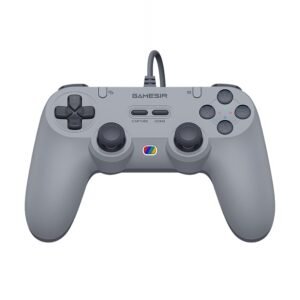
The controller features a retro-inspired design that is reminiscent of the original PlayStation 1 controller, while adding several modern gaming features.
It includes Hall-effect sticks, programmable back buttons, dual vibration motors, turbo functionality, textured grips, and software support. The controller also uses durable membrane buttons and analog membrane triggers designed to provide cushioned feedback during gameplay.
The anti-slip laser-textured grips help improve handling during longer gaming sessions, while the familiar layout may feel comfortable for players who enjoy classic controller designs.
Turbo and Back Button Controls
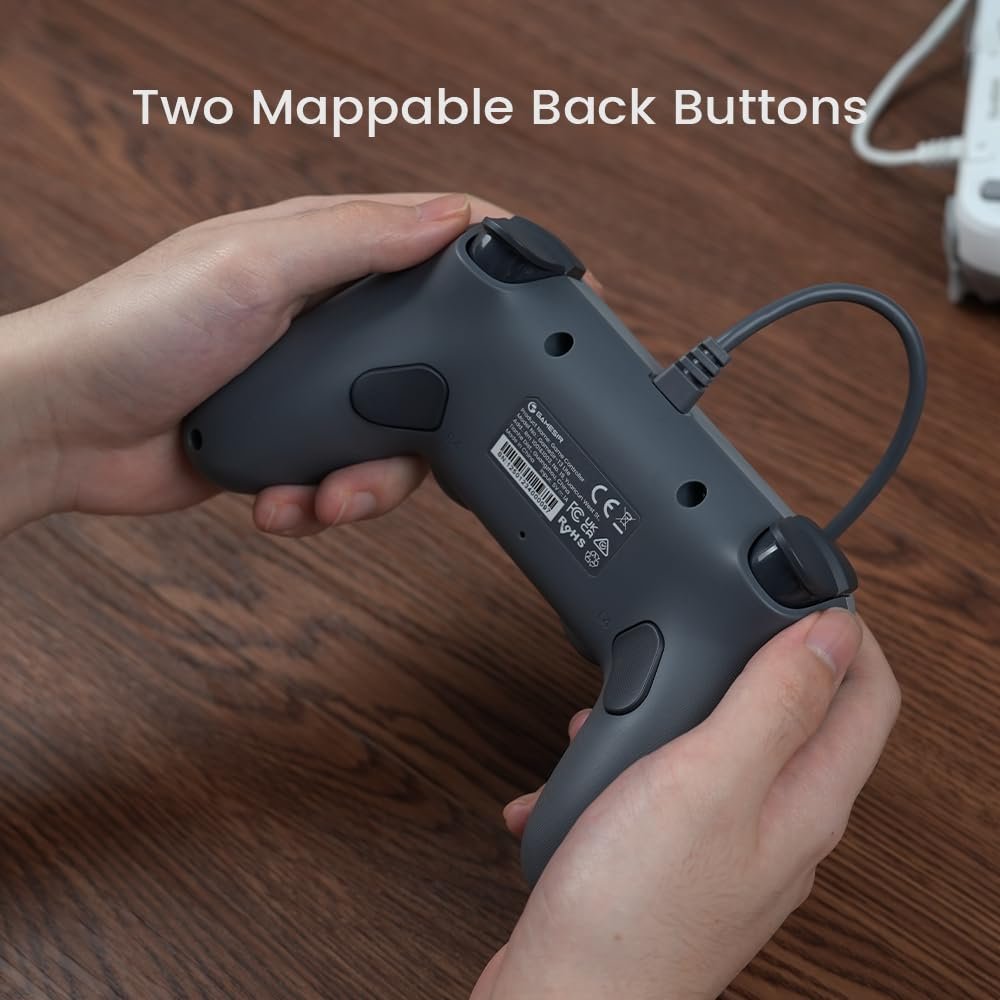
The controller includes two programmable back buttons that can be assigned to different functions directly on the controller.
Turbo can be assigned to supported buttons, and all turbo settings can be cleared without requiring software. Macro functions are also supported for the rear buttons.
Multi-Platform Support
The controller supports Windows PC, Nintendo Switch, Android, and iOS devices.
It can automatically detect supported platforms when connected, and manual mode switching is also available for Xbox Controller, Switch, Android, and DS4 connection modes.
Vibration Feedback Features
The controller uses dual asymmetric vibration motors to provide vibration feedback during gameplay.
Vibration strength can be adjusted directly on the controller using button combinations, allowing users to select their preferred intensity level.
Anti-Drift Stick Control
The controller uses Hall-effect sensing sticks designed to reduce stick drift and wear over time.
These sticks are designed for smoother movement and long-term use while maintaining consistent control during gameplay.
Additional Control Options
Several controller functions can be customized directly through onboard button combinations.
These include dead zone adjustment, D-pad and stick swapping, button layout swapping, and other gameplay-related settings.
Calibration and Reset Functions
The controller includes built-in calibration tools for both the thumbsticks and triggers.
A functional reset option is also available if troubleshooting is needed, allowing the controller to return to normal operation without a dedicated reset button.
Software Support
The controller uses the GameSir Connect software.
The software can be used to update controller firmware and perform calibration tests for the controller, helping verify that sticks, triggers, and other functions are operating properly.
Performance & Feedback
Customers say the retro-inspired design is one of the controller’s biggest highlights, especially for those who enjoy classic gaming systems. The familiar shape is often mentioned alongside the modern features, giving users a nostalgic feel while still offering Hall-effect sticks, programmable back buttons, turbo support, and software support. Some also note that it works well for emulation games where a retro-style layout feels more natural.
Users also mention that the controller is easy to set up and use, with responsive buttons, a solid D-pad, and low input latency during gameplay. The Hall-effect sticks, vibration feedback, and 1000Hz polling rate are frequently brought up as positive additions. The controller’s compatibility across multiple platforms is also commonly mentioned as a benefit.
On the downside, some users mention that the triggers have a shorter travel distance than expected. There are also comments about certain parts of the controller, particularly the thumbsticks, feeling less premium than the rest of the design.
A few users report receiving faulty units with issues such as unexpected turbo activation or controller malfunctions. Some also note that a printed manual is not always included in the box, which can make learning some of the advanced functions less convenient.
My Thoughts: GameSir Tegenaria Lite Gaming Controller
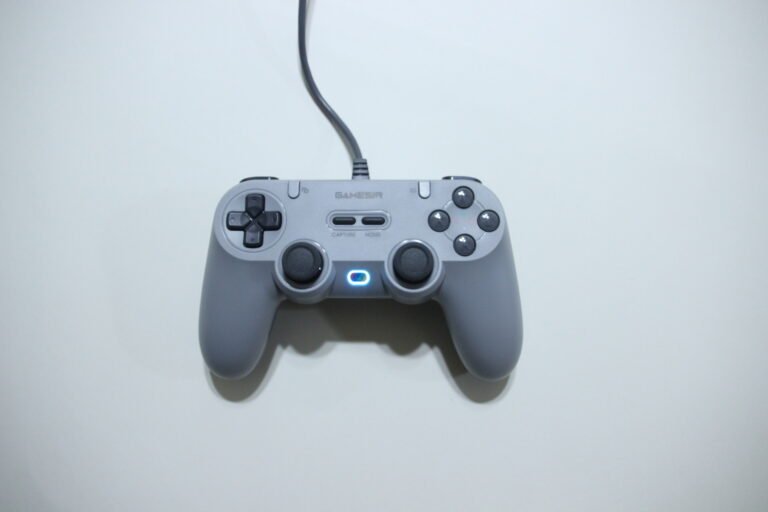
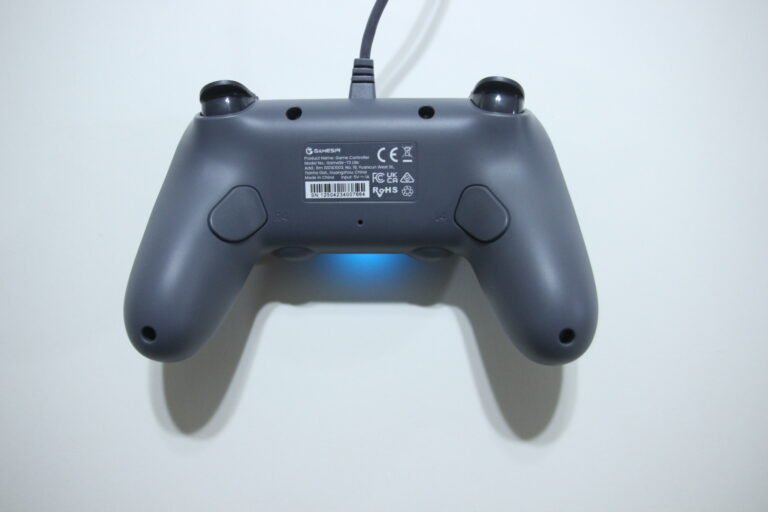
The retro-inspired design was the first thing that stood out to me. It brings back memories of older controllers from the 90s while adding modern features such as Hall-effect sticks, programmable back buttons, and turbo support. The wired connection also fits that classic feel, and the cable length was long enough that it never felt restrictive during use.
The controller itself feels comfortable to use. It is lightweight, the handling feels good in the hands, and the buttons and triggers provide a satisfying feel during gameplay. The vibration feedback is also solid and adds a little extra immersion without being distracting.
One drawback is that I had to find the manual online to learn some of the more advanced functions. Features such as turbo and controller shortcuts are available, but they are easier to understand once you have access to the manual.
The GameSir Connect software also felt fairly limited from my experience. It can be used to update the controller firmware and run calibration tests, but I did not find options for things like button remapping, macro adjustments, or vibration customization through the software itself.
Overall, I found it to be a comfortable controller that blends a classic design with several modern gaming features. For me, it captures some of the feel of older controllers while offering a few useful upgrades.
Who Would Likely Favor This Product?
Those who enjoy retro-style gaming controllers might want to consider this, especially if they like the look and feel of classic 90s-era controllers but still want modern gaming features.
Players looking for Hall-effect sticks, programmable back buttons, turbo functionality, vibration feedback, software support, and a responsive wired connection might also want to look into this for everyday gaming across different genres.
It may also suit gamers who use multiple devices, as the controller supports PC, Nintendo Switch, Android, and iOS platforms while maintaining a familiar controller layout.
FAQ (Frequently Asked Questions)
How do I download the GameSir Connect software?
- Visit GameSir’s website.
- Click the Software tab.
- Open the GameSir Connect page.
- Follow the link to the Microsoft Store download page and install the software.
How do I get the Tegenaria Lite manual?
- Visit GameSir’s website.
- Click the Support tab.
- Search for Tegenaria Lite.
- Open the product page and select the Manual section.
- Download the electronic manual.
What devices is the GameSir Tegenaria Lite compatible with?
It supports Windows 10 or later, Nintendo Switch, Android 8.0 or later, and iOS 13 or later.
Does it use Hall-effect sticks?
Yes. The controller uses Hall-effect sensing sticks designed to reduce stick drift and wear.
Does it have programmable buttons?
Yes. It includes two programmable back buttons.
Does it support turbo functions?
Yes. Turbo can be assigned to supported face buttons, triggers, and shoulder buttons.
Does it have vibration?
Yes. The controller includes dual asymmetric vibration motors with adjustable vibration intensity.
Is it wireless?
No. This is a wired controller.
Does it support Bluetooth?
No. The controller uses a wired USB connection only.
Does it have gyro controls?
No dedicated gyro support is listed in the manual.
Connectivity Questions
How to connect to PC (Xbox Controller Mode):
- Connect the controller to your PC using the USB cable.
- Hold the Home + X buttons for 2 seconds.
- The indicator light should turn green.
How to connect to PC, Android, or iOS (DS4 Mode):
- Connect the controller using USB.
- Hold the Home + B buttons for 2 seconds.
- The indicator light should turn blue.
How to connect to Nintendo Switch:
- Connect the controller to the Nintendo Switch dock using USB.
- Hold the Home + Y buttons for 2 seconds.
- The indicator light should turn red.
How to connect to Android Mode:
- Connect the controller using USB.
- Hold the Home + A buttons for 2 seconds.
- The indicator light should turn yellow.
How to restore automatic mode detection:
- Press and hold the Home button for 10 seconds.
- The controller will return to automatic detection mode.
Programming & Troubleshooting
How to program a back button (L4/R4):
- Hold the M button and L4 or R4 together.
- Wait for the controller to vibrate once.
- Press the button you want to assign.
- Press L4 or R4 again to save.
How to clear a back button assignment:
- Enter back button programming mode.
- Exit without assigning a button.
- The stored assignment will be cleared.
How to enable Turbo:
- Hold the M button.
- Press the button you want Turbo assigned to.
- Repeat the same process to disable Turbo.
How to clear all Turbo settings:
- Double-click the M button.
How to adjust vibration strength:
- Hold the M button.
- Press the View button to decrease vibration.
- Press the Menu button to increase vibration.
How to toggle stick dead zones:
- Hold the M button.
- Press the left or right stick button.
- The corresponding dead zone setting will change.
How to swap the D-pad and left stick:
- Hold the M button.
- Hold D-pad Left for 3 seconds.
- The D-pad and left stick functions will swap.
How to swap button layout values:
- Hold M + A.
- The A/B and X/Y button values will swap.
How to adjust RGB brightness:
- Hold the M button.
- Move the left stick up or down.
- Select the desired brightness level.
How to adjust RGB saturation:
- Hold the M button.
- Press D-pad Up or Down.
- Select the desired saturation level.
How to adjust RGB color:
- Hold the M button.
- Rotate the right stick.
- The lighting color will change based on stick position.
How to calibrate sticks and triggers:
- Hold View + Menu + Home until the controller vibrates.
- Press A once.
- Rotate both sticks fully 2–3 times.
- Fully press both triggers 3 times.
- Press A again to save and exit.
How to reset the controller:
- Hold Menu + Home for 5 seconds.
- The controller will perform a functional reset.
How to update firmware:
- Download and open GameSir Connect.
- Connect the controller to your PC.
- Follow the software prompts to install available firmware updates.
If you are still interested in knowing more about the product, click the button below
GameSir Tegenaria Lite Wired Game Controller – Hall Effect Sticks | 1000Hz Polling Rate | Retro Design
- Ultra-Low Latency Wired Connection
Uses a wired connection designed to provide consistent input response during gameplay without relying on wireless connectivity. - GameSir Hall Effect Sticks
Equipped with Hall-effect thumbsticks designed to provide smooth 360-degree control while reducing stick drift and wear over time. - 1000Hz Polling Rate
Supports a 1000Hz polling rate for more frequent input updates and reduced input delay during gameplay. - Membrane Triggers and Buttons
Features membrane-based triggers and buttons designed to provide cushioned feedback while maintaining responsive operation. - Dual Rumble Motors
Includes dual asymmetric vibration motors that provide both lighter and stronger vibration effects depending on gameplay events. - Mappable Back Buttons
Includes two programmable back buttons that can be assigned to different functions for additional control options. - Turbo Function Support
Supports turbo functionality on compatible buttons, allowing repeated inputs to be automated for supported games. - Multi-Platform Compatibility
Compatible with Nintendo Switch, Android, iOS, PC, and Steam devices.
Images by Gaming Gear Drop unless otherwise noted. Additional photos sourced from the official Gamesir Amazon listing for review purposes.