This post contains affiliate links. If you purchase through them, we may earn a small commission at no extra cost to you. This product was provided through the Amazon Vine program for our honest review. All opinions are our own. Thanks for supporting Gaming Gear Drop.
Pros
- Hall effect
- Tri-mode connection
- On-device mapping
- Extra buttons
- Comfortable grip
- Textured surface
- Responsive input
- Turbo support
- Lightweight
Cons
- Connection issues
- D-pad complaints
- Trigger noise
- Stick noise
- No headphone jack
- Faulty unit reports
Quick Summary
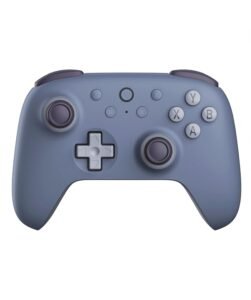
The AKNES 8Bitdo Ultimate 2C Wireless Controller is a multi-mode gamepad designed for Windows PC and Android devices. It focuses on Hall-effect controls, flexible connection options, and on-device customization without requiring software.
The controller includes remappable bumpers, turbo functionality, and multiple connection modes such as 2.4GHz wireless, Bluetooth, and wired USB. Setup is straightforward with plug-and-play support on PC and simple pairing for Android devices.
Some users appreciate the handling, responsive input, and ease of use, while others report connection issues, minor hardware noise, and occasional concerns with consistency depending on the unit.
For more information, stick around and read below for my take on this product.
Hey there, welcome to our review of the AKNES 8Bitdo Ultimate 2C Wireless 2.4G Gaming Controller.
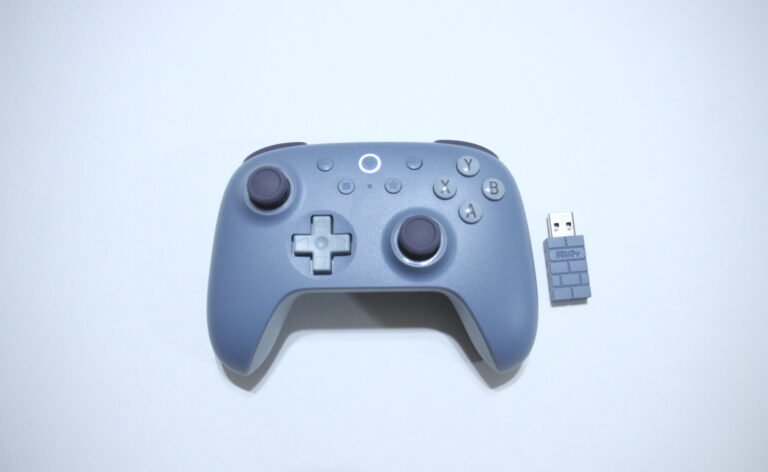
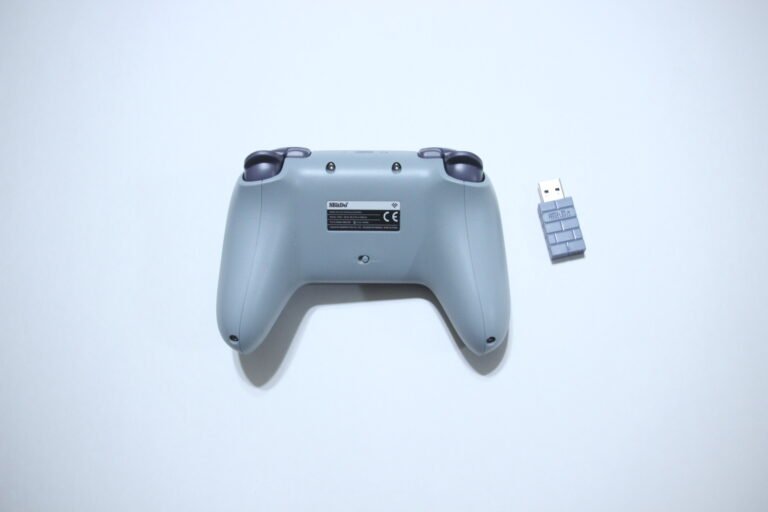
For this review, we tested the Blueberry version to offer honest insights and hopefully make your decision-making a tad easier. We have gathered the important details about this wireless gaming controller to share with you, specifically focusing on its compatibility with Windows PC and Android devices.
Throughout this post, we will discuss its key features, highlight user feedback, share our personal impressions, and explain who might benefit most from it.
So, if you are looking for a Blueberry wireless controller for PC or Android with multiple connection options, stick around to find out if this suits your needs.
Key Features
Multiple Connection Methods
The controller supports multiple connection methods depending on the device being used.
For Windows, it can connect using a 2.4GHz wireless adapter or a wired USB connection. For Android devices, it connects through Bluetooth. While the manual lists Bluetooth for Android, it may also work on PC with potentially limited functionality. Switching between modes is handled using the onboard switch and pairing steps.
Anti-Drift Stick Control
The controller uses Hall-effect joysticks and triggers designed to provide consistent input during gameplay.
These components are built to reduce wear over time and help prevent stick drift. This can support smoother movement and more stable control across different game types.
Remappable Bumpers
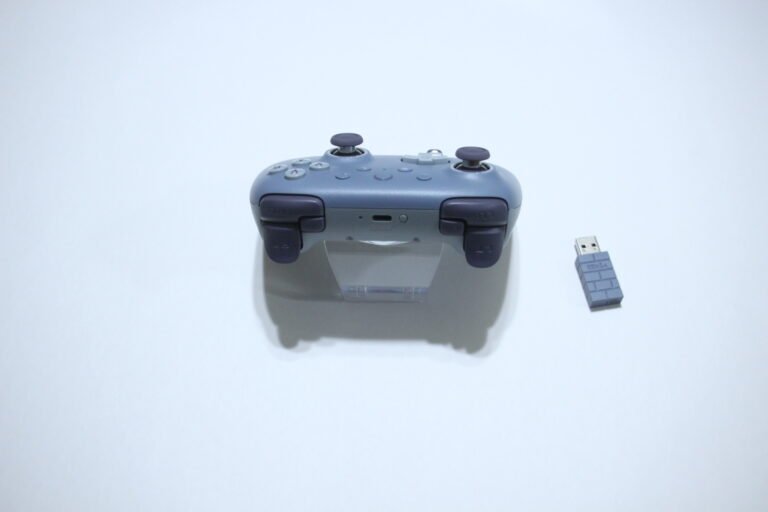
The controller includes L4 and R4 buttons that can be reassigned directly on the device.
You can map these buttons by holding the desired input and confirming with the mapping button. The configuration can also be cleared using the same process.
Turbo Function Settings
Turbo functionality can be assigned to most action buttons, except for system controls like D-pad, View, Menu, and Home.
You can enable standard or auto turbo modes using button combinations. Turbo settings reset after the controller is powered off or disconnected.
Battery and Power Features
The controller includes a built-in 480mAh rechargeable battery.
It supports up to 32 hours of use on Bluetooth and around 19 hours on 2.4GHz wireless, with about a 2-hour charging time. LED indicators show battery status during use and charging. The controller will automatically turn off if it does not connect within one minute or after 15 minutes of inactivity, while remaining powered during wired use.
Performance & Feedback
Customers say the controller is easy to use right out of the box, with simple plug-and-play setup across supported devices. The overall feel is often described as comfortable, with a textured grip that helps during longer sessions or when hands get sweaty. Some also mention the color design and build quality, noting that it feels solid and holds up well over time.
Users also point out the smooth gameplay and responsive input, along with the Hall-effect sticks and triggers providing consistent control. The tactile buttons and on-controller programming are also mentioned, especially since settings can be adjusted without needing software. Multi-device support is another aspect that gets noted for convenience.
On the downside, some users report receiving faulty units, which may vary depending on the batch. There are also mentions of connection issues, including random disconnections or difficulty maintaining a stable connection. A few users note concerns with the D-pad layout, along with squeaky triggers or minor noise from the thumbsticks during use.
Some also mention the lack of a headphone jack, which may be a limitation depending on how the controller is used.
My Thoughts: AKNES 8Bitdo Ultimate 2C Wireless 2.4G Controller


The layout feels comfortable overall, with a grip that holds up well during longer sessions. The controller sits nicely in hand, and the texture helps keep it steady even during extended use. The extra shoulder buttons are a nice addition, especially for games that benefit from more inputs, although they took a little time to get used to since they sit close to the standard shoulder buttons.
I mainly used this on PC across different connection types, including Bluetooth, wired, and the 2.4GHz wireless dongle. While the manual lists Bluetooth support for Android, Bluetooth also worked on my PC during testing, although there was no vibration feedback when using it. Switching between these connection methods was simple. I do wish it supported more systems like the Nintendo Switch, as that would make it more flexible for different setups.
Features like turbo are easy to use and add some convenience depending on the game. The overall performance feels smooth, and the controller handles well for general gameplay. It comes across as a solid option for everyday use without needing extra setup or software.
Who Would Likely Favor This Product?
Players who mainly game on PC or Android devices might want to consider this, especially if they want flexible connection options like wireless, wired, or Bluetooth.
Gamers who prefer simple setup without needing software might also want to look into this, as basic features like button remapping and turbo can be handled directly on the controller.
Those who are interested in Hall-effect sticks and triggers might want to consider it as well, since they are designed to provide smoother input and reduce wear over time.
It may also suit players looking for a comfortable grip with extra shoulder buttons for added control in different types of games.
FAQ (Frequently Asked Questions)
What devices does this controller support?
Works with Windows 10 and above, and Android 9.0 and above.
Does it support Bluetooth?
Yes, Bluetooth is supported for Android. It may also work on PC, but functionality like vibration may not be available.
Can it connect wirelessly to PC?
Yes, using the 2.4GHz USB adapter.
Does it support wired connection?
Yes, it can connect using a USB cable.
Does it have gyro support?
No, it does not include gyro.
Does it have Hall-effect sticks and triggers?
Yes, both sticks and triggers use Hall-effect design.
Does it require software to remap buttons?
No, button remapping can be done directly on the controller.
Does it have a headphone jack?
No, it does not include a headphone jack.
Connectivity Questions
How to connect to PC (2.4GHz):
- Switch the controller to 2.4G mode
- Plug the USB adapter into your PC
- Press the Home button
- Wait for the LED to stay solid
How to connect to PC (Wired):
- Plug the USB cable into the controller
- Connect it to your PC
- Wait for the system to recognize the controller
How to connect to Android (Bluetooth):
- Switch the controller to BT mode
- Press the Home button
- Hold the Pair button for 3 seconds
- Enable Bluetooth on your phone
- Select “8BitDo Ultimate 2C Wireless”
- Wait for the LED to stay solid
How to connect via Bluetooth (PC):
- Switch the controller to BT mode
- Press the Home button
- Hold the Pair button for 3 seconds
- Open Bluetooth settings on your PC
- Select “8BitDo Ultimate 2C Wireless”
- Wait for the connection to complete
How to re-pair the controller (2.4GHz):
- Switch to 2.4G mode
- Press the Home button
- Hold the Pair button for 3 seconds
- Plug in the USB adapter
- Wait for both LEDs to stay solid
Programming & Troubleshooting
How to turn the controller on/off:
- Press Home → turn on
- Hold Home (3 sec) → turn off
- Hold Home (8 sec) → force off
How to set turbo:
- Hold desired button + Star → enable turbo
- Hold button + press Star twice → auto turbo
- Hold button + Star → disable turbo
How to remap L4/R4 buttons:
- Hold L4 or R4 + desired button
- Press Mapping button to confirm
- Repeat to clear mapping
Battery indicators:
- Red blinking → low battery
- Red solid → charging
- Light off → fully charged
Auto power behavior:
- Turns off after 1 minute if not connected
- Turns off after 15 minutes of inactivity
- Stays on during wired use
If you are still interested in knowing more about the product, click the button below
AKNES 8Bitdo Ultimate 2C Wireless Controller – Hall Effect Controls | 1000Hz Polling | Multi-Platform Support
- Multi-Platform Compatibility: Supports Windows 10 and above, along with Android 9.0 and higher. Uses 2.4GHz wireless or wired connection for Windows, and Bluetooth for Android devices.
- Hall Effect Joysticks and Triggers: Equipped with Hall-effect thumbsticks and triggers designed for consistent input. Includes metal joystick rings to help reduce wear during use.
- 1000Hz Polling Rate: Supports up to 1000Hz polling rate when using 2.4GHz wireless or wired connection. Allows more frequent input updates for responsive gameplay.
- Remappable Bumpers: Includes additional L4 and R4 bumpers that can be reassigned directly on the controller. No software is required for button remapping.
- Refined Controls and Feedback: Features an updated D-pad and bumpers for directional input. Includes vibration support and turbo functionality for different gameplay needs.
- Rechargeable Battery: Powered by a 480mAh rechargeable Li-ion battery for wireless use.
- Support and Assistance: Customer support is available for product-related questions or assistance when needed.
Images by Gaming Gear Drop unless otherwise noted. Additional photos sourced from the official AKNES Amazon listing for review purposes.