This post contains affiliate links. If you purchase through them, we may earn a small commission at no extra cost to you. This product was provided through the Amazon Vine program for our honest review. All opinions are our own, and our original thoughts are enhanced with AI for clarity. Thanks for supporting Gaming Gear Drop.
Pros
Hall effect
Tri-mode connection
Charging dock
Lightweight design
Comfortable grip
Responsive input
RGB lighting
Turbo support
Multi platform
Cons
Connection issues
Latency reports
Build concerns
Charging issues
Quick Summary
The ECHTPower EP01 Wireless PC Gaming Controller is a multi-platform controller designed for PC, Nintendo Switch, Android, iOS, and Steam. It focuses on Hall-effect control, flexible connection options, and a built-in charging dock for everyday use.
The controller includes tri-mode connectivity, turbo and vibration settings, and RGB lighting that can be adjusted directly on the device. Setup requires selecting the correct mode depending on the platform, along with using the included receiver, Bluetooth, or wired connection.
Some users appreciate the comfort, responsive input, and charging dock, while others report connection issues, occasional latency, and inconsistencies depending on the unit.
For more information, stick around and read below for my take on this product.
Hey there, welcome to our review of the ECHTPower EP01 Wireless PC Gaming Controller.
For this review, we tested this controller to offer honest insights and hopefully make your decision-making a tad easier. We have gathered the important details about this gaming controller to share with you, specifically focusing on its compatibility with PC, Nintendo Switch, Android, iOS, and Steam.
Throughout this post, we will discuss its key features, highlight user feedback, share our personal impressions, and explain who might benefit most from it.
So, if you are looking for a wireless controller with tri-mode connectivity and a charging dock for PC, Switch, or mobile devices, stick around to find out if this suits your needs.
Key Features
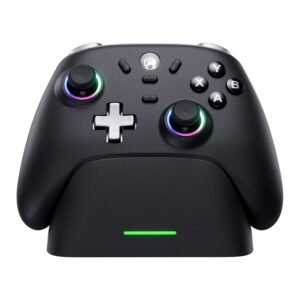
Controller Layout
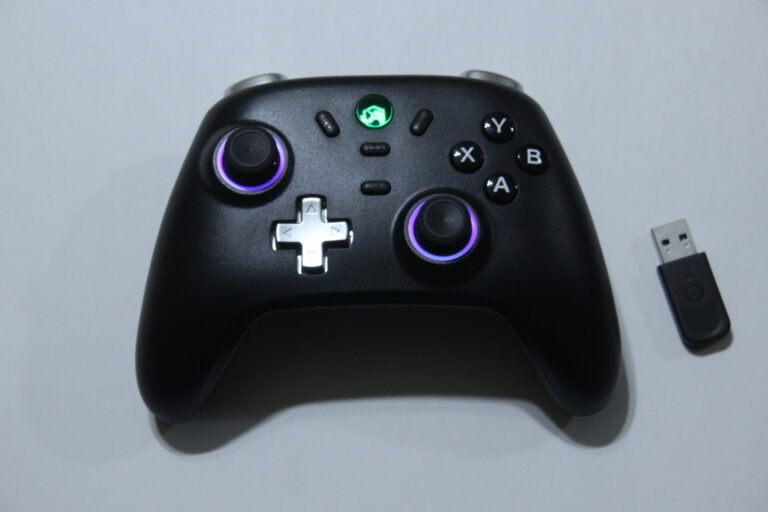
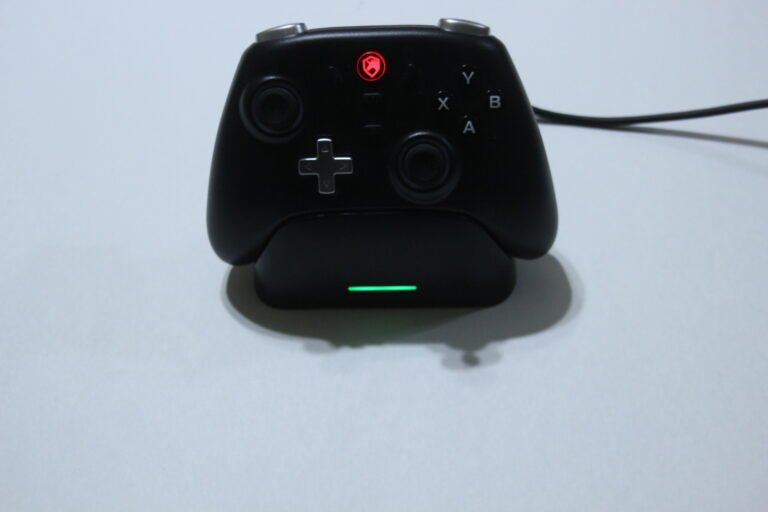
The controller includes a standard layout with built-in controls for everyday use.
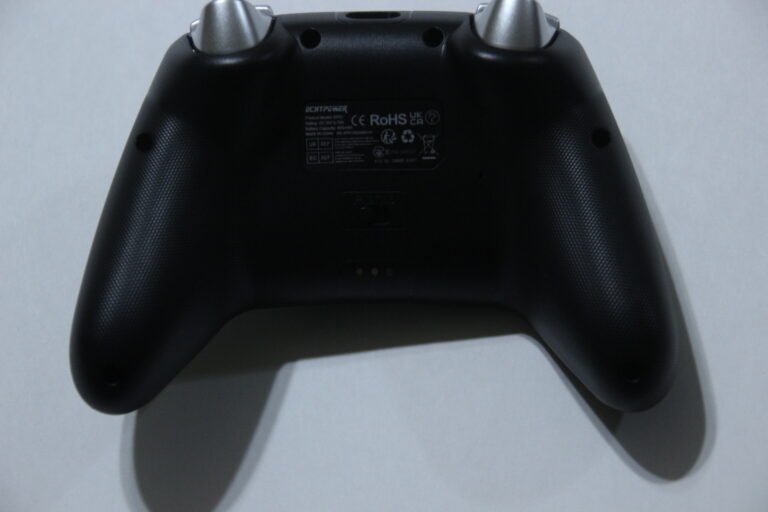
Basic functions like power, pairing, and reset are handled directly on the controller. LED indicators show battery level, charging status, and connection state, and the controller will power off automatically after inactivity to help save battery.
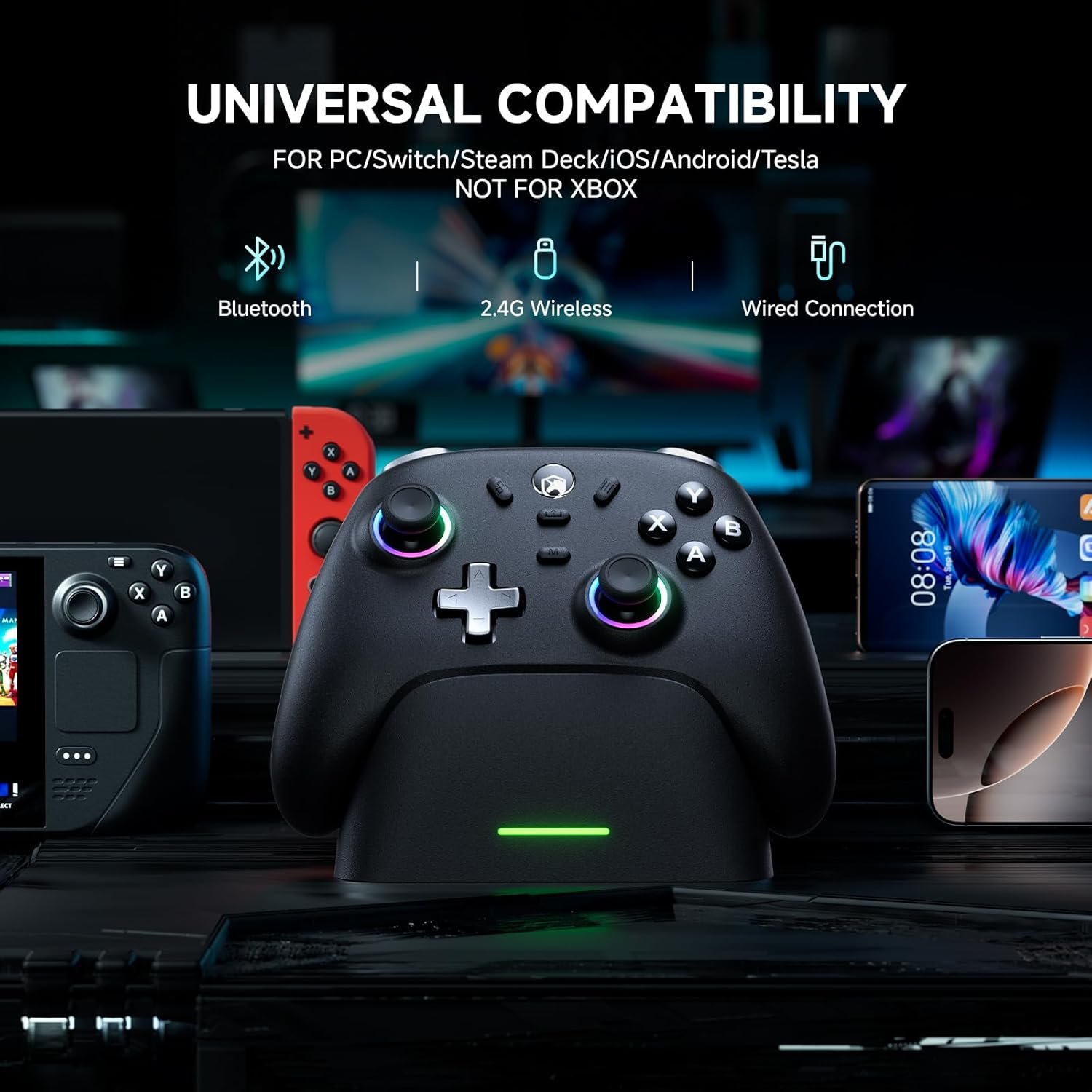
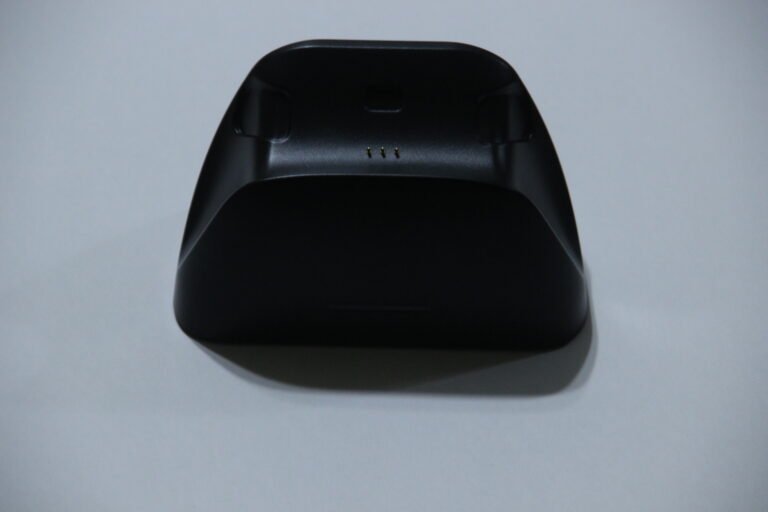
It includes an 800mAh rechargeable battery along with a charging dock for drop-in charging. Charging takes around 2–3 hours, with up to 15 hours of usage per charge. The dock can also connect to a PC using the included cable and receiver for wireless use.
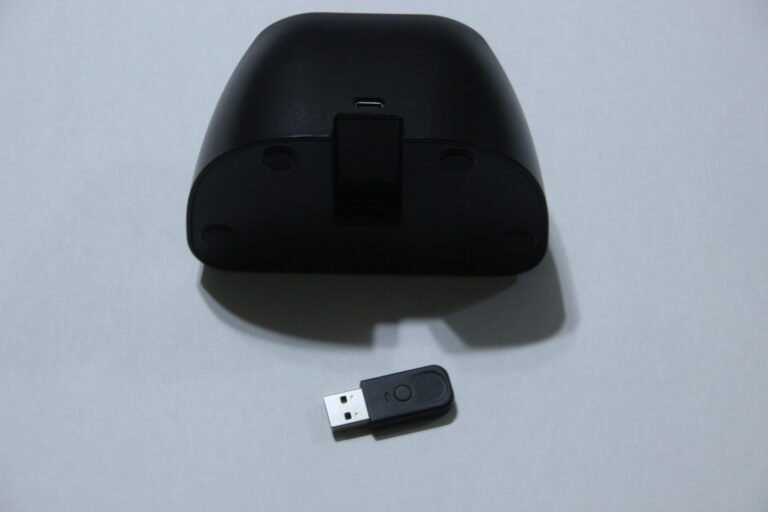
The package includes the controller, charging dock, wireless receiver, cable, and user manual, covering both charging and connection needs.
Anti-Drift Stick Control
The controller uses Hall-effect joysticks designed to reduce stick drift over time.
These sticks are built to provide smoother movement and more consistent input during gameplay.
Fast Input Response
The controller supports up to a 1000Hz polling rate when using a 2.4GHz wireless connection or wired mode.
This allows inputs to register with less delay, which can feel more consistent during gameplay, especially in faster-paced games. Bluetooth and Switch connections run at a lower report rate, which may feel slightly less responsive depending on the device being used.
Multi-Platform Compatibility
This controller works across multiple devices including Windows PC, Nintendo Switch, Android, and iOS.
It supports Bluetooth, 2.4GHz wireless, and wired connections. A mode switch on the back is used to match the correct platform before connecting.
Turbo and Vibration Settings
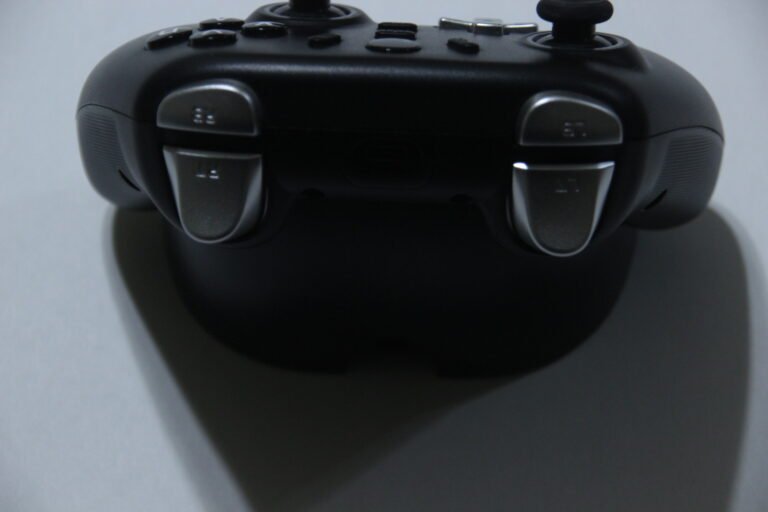
Turbo can be assigned to multiple buttons including A, B, X, Y, D-pad, and shoulder triggers.
You can switch between manual and auto turbo, as well as adjust speed levels. Vibration strength can also be changed directly on the controller.
RGB Lighting Controls
The controller includes LED lighting with multiple colors and modes.
You can adjust brightness, change colors, and switch between lighting effects using button combinations on the controller.
Performance & Feedback
Customers say the controller works well for general use, with responsive input and a comfortable grip during longer sessions. The layout is described as ergonomic, and the textured design helps with handling. Some also mention the vibration feedback and RGB lighting, noting that both add to the overall experience. The Hall-effect joysticks are also pointed out for smoother control, and the charging dock is seen as a convenient way to keep the controller ready between sessions.
Users also note that it connects easily across supported devices, and the battery life holds up well for extended use. Some compare it favorably to standard Switch controllers, especially in terms of handling and added features.
On the downside, some users report latency or connection issues depending on the setup. There are also mentions of inconsistent build quality in certain units, along with occasional charging problems.
My Thoughts: ECHTPower EP01 Gaming Controller


The controller feels lightweight while still providing a comfortable grip during use.
I used it on Nintendo Switch, PC, and Steam Deck, and it worked well across all three. Switching between wireless, Bluetooth, and Switch modes was straightforward using the back switch. The layout feels natural, and the RGB lighting around the analog sticks adds a nice visual touch without getting in the way. There are no extra back buttons, but the overall design still feels functional for general use.
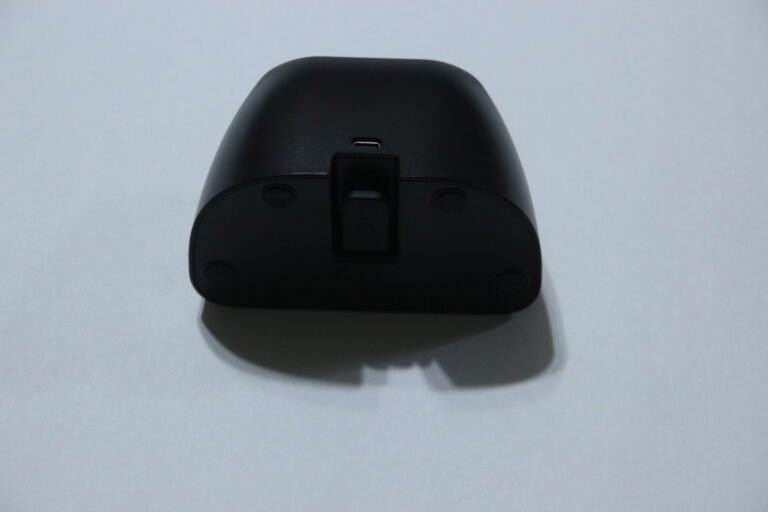
The charging dock is easy to use and keeps the controller powered without needing to plug in cables directly. It also includes a place to store the 2.4GHz receiver, which helps keep everything together when not in use.
Overall, it feels like a solid controller for everyday use, especially if you want something simple with multiple connection options and a convenient charging setup.
Who Would Likely Favor This Product?
Players who mainly use Switch, PC, or handheld devices might want to consider this, especially if they switch between platforms.
Gamers looking for a budget-friendly controller with a lightweight feel and comfortable grip for longer sessions might also want to look into this.
Those who prefer tri-mode connectivity options, including Bluetooth, 2.4GHz wireless, and wired, might want to consider it as well for flexible setup.
Players who want simple features like Hall-effect sticks, vibration, turbo functions, and RGB lighting without needing extra software might also find it suitable.
It may also suit users who want a charging dock for easy storage and keeping the controller ready between sessions.
FAQ (Frequently Asked Questions)
What devices does this controller support?
Works with Windows PC, Nintendo Switch, Android, iOS, and Steam.
Does it support Bluetooth?
Yes, Bluetooth is supported.
Can it connect wirelessly to PC?
Yes, using the 2.4GHz USB receiver.
Does it support wired connection?
Yes, it can connect using a USB-C cable.
Does it have Hall-effect sticks?
Yes, it includes Hall-effect joysticks.
Does it have gyro support?
No, gyro is not listed.
Does it include a charging dock?
Yes, a charging dock is included.
Connectivity Questions
How to connect to PC (2.4GHz):
- Plug the receiver into the charging dock
- Connect the dock to your PC using the USB cable
- Switch the controller to 2.4G mode
- Press the Home button
- Wait for the LED to turn solid
How to connect to PC (Wired):
- Switch to BT or 2.4G mode
- Connect the controller using a USB-C cable
- Wait for the system to recognize the controller
How to connect via Bluetooth:
- Switch the controller to BT mode
- Press and hold the Home button until the LED flashes
- Open Bluetooth settings on your device
- Select the controller from the list
- Wait for the LED to turn solid
How to connect to Nintendo Switch:
- Go to “Change Grip/Order” on the Switch
- Switch the controller to NS mode
- Hold the Home button until the LED flashes
- Follow on-screen pairing instructions
- Wait for the LED to stay solid
Programming & Troubleshooting
How to set turbo:
- Hold M + desired button → enable turbo
- Hold M + same button → enable auto turbo
- Hold M + button again → disable turbo
How to adjust turbo speed:
- Hold M + move left stick left/right
- Adjust between fast, medium, or slow
How to adjust vibration:
- Hold M + move left stick up/down
- Adjust between strong, medium, weak, or off
How to change RGB lighting mode:
- Hold M + press R3
- Cycle through lighting modes
How to change RGB color:
- Hold M + move right stick left
- Cycle through color options
How to adjust brightness:
- Hold M + move right stick up/down
How to reset the controller:
- Use a pin to press the reset hole
Power controls:
- Press Home → power on
- Switch mode or idle → power off
- Auto shuts off after inactivity
If you are still interested in knowing more about the product, click the button below
ECHTPower Wireless PC Gaming Controller – Hall Effect Sticks | Charging Dock | Multi-Platform Support
- Hall Effect Joysticks
Uses Hall-effect thumbsticks designed to reduce stick drift and maintain consistent input over time. - 1000Hz Polling Rate
Supports up to 1000Hz polling rate when using 2.4GHz wireless or wired connection for faster input updates. - Charging Dock Support
Includes a charging base that allows the controller to be placed and charged without plugging in a cable directly. The dock also includes a USB extension for stable connection. - Multi-Platform Compatibility
Works with Windows PC, Nintendo Switch, iOS, and Android devices. Supports Bluetooth, 2.4GHz wireless, and USB-C wired connections. Requires switching the mode on the back before pairing. - Battery and Playtime
Includes an 800mAh rechargeable battery with up to around 15 hours of use per charge. - Turbo and Vibration Settings
Supports adjustable turbo levels and vibration intensity, allowing different control preferences. - RGB Lighting Options
Includes multiple color options and lighting modes that can be adjusted on the controller. - Durable Button Design
Uses conductive gel buttons designed for repeated use, rated for up to 1 million presses.
Images by Gaming Gear Drop unless otherwise noted. Additional photos sourced from the official ECHTPower Amazon listing for review purposes.