This post contains affiliate links. If you purchase through them, we may earn a small commission at no extra cost to you. This product was provided through the Amazon Vine program for our honest review. All opinions are our own. Thanks for supporting Gaming Gear Drop.
Pros
Multi-platform
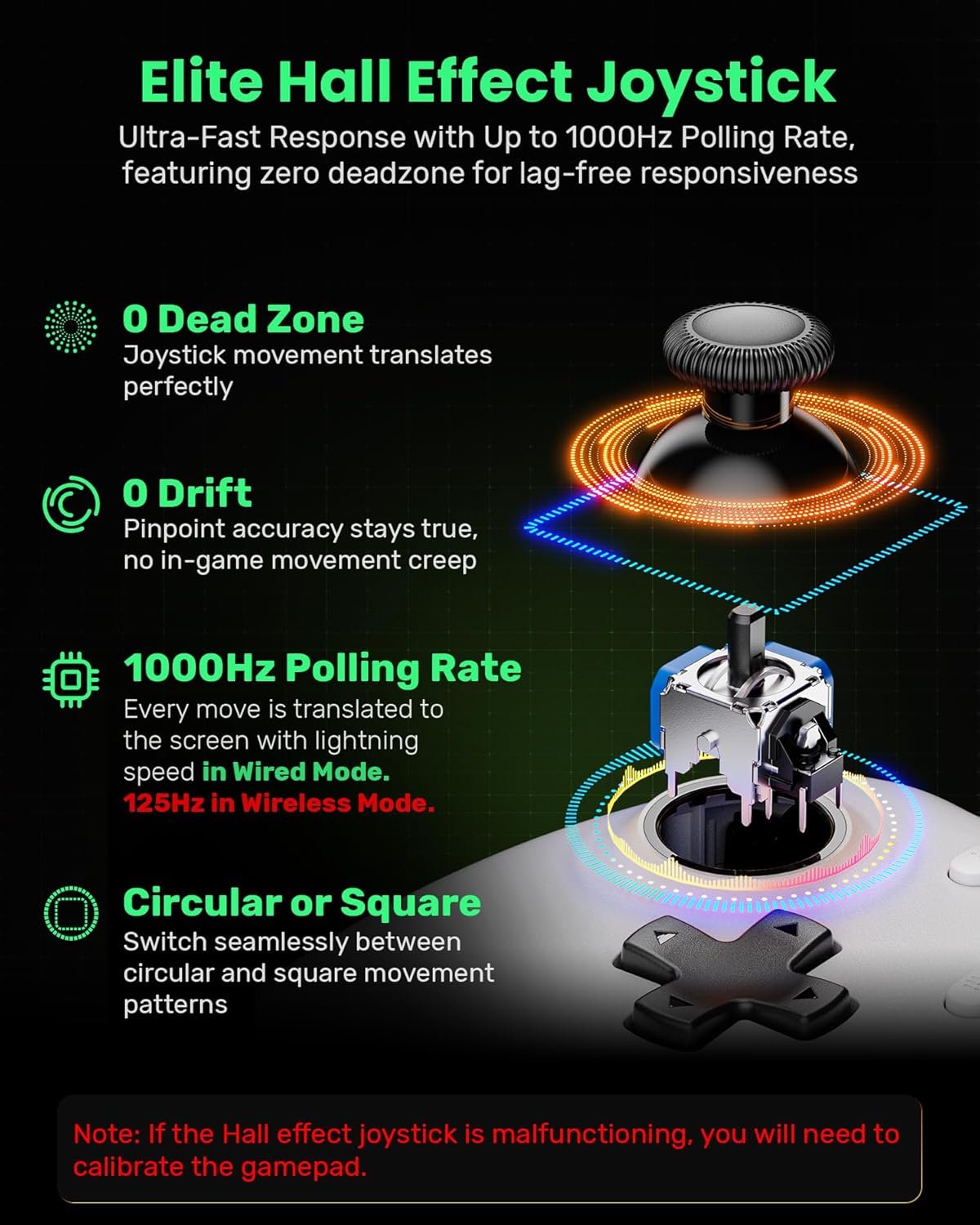
Hall Effect sticks
Hall Effect triggers
Turbo function
Adjustable vibration
Dual connection
Rechargeable battery
Input mode switch
Warranty included
Cons
- No Bluetooth
- No gyroscope
- Basic design
- Feels lightweight
- Receiver required
Quick Summary
The IFYOO N1 is a dual-mode gaming controller that supports both 2.4GHz wireless and wired USB connections. It is compatible with Windows PCs, PS3, Nintendo Switch, and supported Android devices. This model does not include Bluetooth or gyroscope functionality.
It features Hall Effect joysticks and triggers, adjustable vibration levels, turbo and auto functions, and input mode switching between X-Input and D-Input. A built-in 600mAh rechargeable battery powers wireless gameplay, and manual calibration options are available to maintain control accuracy.
Overall, it focuses on functional performance across multiple platforms rather than extra visual features, offering core gaming features in a straightforward design.
For more information, stick around and read below for my take on this product.
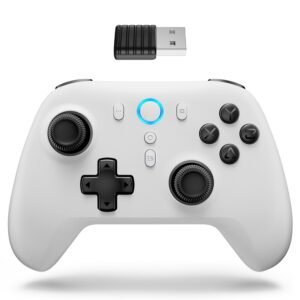
Hey there, welcome to our review of the IFYOO N1 Wireless Gaming Controller in the white controller version.
For this review, we spent time using this controller across multiple platforms to provide clear and honest insights. We gathered the key details about its features, connection options, and overall performance to give a complete picture of how it performs in everyday gameplay.
Throughout this post, we will go over its key features, highlight customer feedback, share our personal impressions, and explain who might find it useful.
So, if you are looking for a white multi-platform controller with Hall Effect sticks and turbo support, stick around to see whether this fits what you are looking for.
Key Features
Dual Connection Modes
The IFYOO N1 supports both 2.4GHz wireless connection using the included receiver and direct wired USB connection. This allows flexibility depending on whether you prefer untethered gameplay or a stable wired setup.
Mutiplatform
It is compatible with Windows (XP/7/8/10/11), PS3, Switch, and supported Android devices.
600mAh Rechargeable Battery with Auto Sleep
The built-in 600mAh battery charges in approximately 2–3 hours using a 5V/1A power source. An automatic sleep function activates after 5 minutes of inactivity to help preserve battery life. LED indicators display charging status and battery level.
Hall Effect Calibration Support
The controller allows manual calibration of the Hall Effect joysticks and triggers. This helps maintain input accuracy over time and ensures movement and trigger response stay consistent.
X-Input and D-Input Mode Switching
Users can switch between X-input mode for modern PC games and D-input mode for emulators or older titles. This adds flexibility when playing across different game types and platforms.
Adjustable Vibration Levels
The controller offers four vibration intensity settings: 100%, 70%, 40%, and 0%. The selected level is saved even after powering off, allowing users to customize feedback strength.
Customizable Turbo and Auto Functions
Turbo and Auto functions can be assigned to supported buttons. Three turbo speed levels are available, allowing repeated inputs at different speeds depending on the game. Settings remain saved after adjustment.
Built-In Battery Level Display
A button combination allows users to check remaining battery percentage through LED indicators. This makes it easier to monitor power without connecting to software.
Reset and Re-Pairing Functions
A built-in reset function restores factory settings if needed. The controller also supports automatic reconnection and forced pairing with the 2.4G receiver, which can help if connection issues occur.
Performance & Feedback
Customers say the IFYOO N1 feels ergonomically comfortable during use. The button layout and overall shape are described as fitting well in the hands. Some mention that the buttons feel responsive, and the Hall Effect triggers and joysticks are appreciated for helping reduce stick drift while maintaining smooth control.
The material quality is generally described as solid for its price range. Users note that it holds up well during regular gameplay and feels functional without major issues in day-to-day use.
On the downside, some customers point out that the controller does not support Bluetooth connectivity, which limits wireless options to the included 2.4G receiver. Others mention the absence of gyroscope support, which may matter for motion-based games. A few users also describe the overall build as feeling somewhat lightweight or less premium compared to higher-priced controllers.
My Thoughts: IFYOO N1 2.4G Wireless Gaming Controller
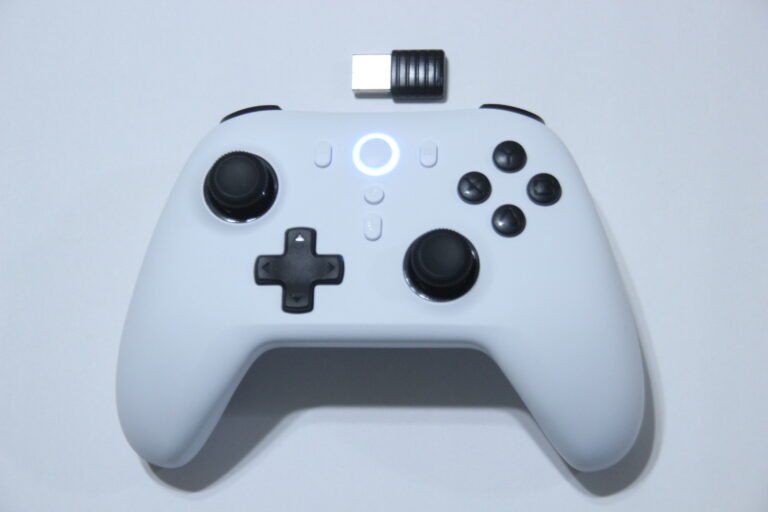
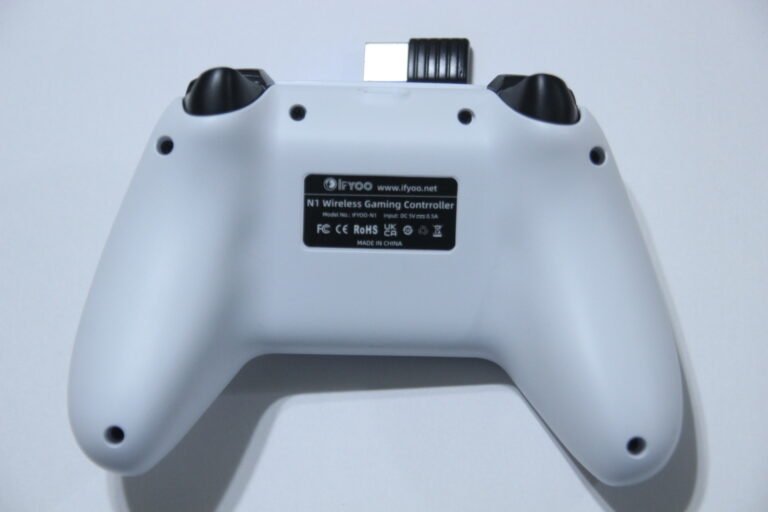
The IFYOO N1 feels comfortable in hand, especially with larger hands. The layout feels natural, and the grip makes longer sessions manageable. The buttons respond well, and the Hall Effect sticks felt accurate in FPS games where precise control matters.
It worked smoothly on PC, Nintendo Switch, and PS3. Connections were stable, and switching between systems did not cause issues during testing.
Battery life lasted through extended sessions without needing constant recharging. Turbo mode was a useful extra feature when needed.
It is not a flashy controller. There are no RGB lighting effects or decorative elements. The focus feels centered on gameplay rather than aesthetics.
Overall, it performed reliably across platforms and felt consistent during use.
Who Would Likely Favor This Product?
Gamers who play across multiple platforms might want to look into this controller. Since it supports Windows PC, PS3, Switch, and Android, it can work as a single option for different systems instead of needing separate controllers.
Players who prefer Hall Effect joysticks and triggers may also find this model appealing. That type of design is intended to reduce stick drift and maintain smoother input control over time.
Those who use turbo functions in certain games might appreciate the adjustable turbo and auto settings. Having the ability to customize repeated button inputs can be useful depending on the game style.
Overall, gamers looking for a straightforward controller focused on functionality rather than extra lighting or cosmetic features might consider this as an option.
FAQ (Frequently Asked Questions)
Does the IFYOO N1 support Bluetooth?
No. This controller does not support Bluetooth connectivity. Wireless use requires the included 2.4G receiver.
Does it have gyroscope support?
No. The controller does not include a gyroscope function.
What platforms is it compatible with?
It supports Windows (XP/7/8/10/11), PS3, Nintendo Switch, and Android devices that support OTG and game controller input.
How long does the battery last?
It includes a built-in 600mAh rechargeable battery. Actual playtime varies depending on usage, vibration settings, and whether it is used wirelessly or wired.
How long does it take to charge?
Charging time is approximately 2 to 3 hours using a 5V/1A power source.
Does it support Turbo mode?
Yes. Turbo and Auto functions can be assigned to supported buttons, with adjustable speed levels.
Can vibration strength be adjusted?
Yes. The controller supports multiple vibration intensity levels that can be manually adjusted and saved.
Does it support X-Input and D-Input?
Yes. It allows switching between X-Input (commonly used for modern PC games) and D-Input (often used for emulators and older games).
How does the IFYOO N1 connect?
The controller supports two connection methods: 2.4GHz wireless using the included receiver, or a wired USB connection using the Type-C cable.
It does not support Bluetooth connectivity.
Does it come with a warranty?
Yes. The controller includes a 90-day free replacement service and a one-year warranty from the date of purchase.
Connectivity Questions
How do I connect it to a Windows PC wirelessly?
Insert the 2.4G receiver into a USB port on the PC.
Hold the HOME button for about one second until the LED lights flash. The controller will automatically reconnect once detected.
LED1-2 staying lit indicates a successful connection.
Can it be used as a wired controller on PC?
Yes. Connect the controller to the PC using the included USB cable. After connecting, press the HOME button to activate it. Once connected, the indicator lights will confirm the connection.
Does it support X-Input and D-Input on PC?
Yes. The controller allows switching between X-Input and D-Input modes by holding the HOME button for about five seconds.
X-Input mode is typically used for modern PC games.
D-Input mode is commonly used for emulators and older titles.
How does it connect to Nintendo Switch?
The controller connects to Switch using the 2.4G receiver or wired connection.
It does not support Bluetooth pairing or gyroscope functions on Switch.
How does it connect to Android devices?
It can connect using the 2.4G receiver. Some Android devices may require an OTG adapter.
Android version 4.0 or higher is required, and the game must support controller input.
How does it connect to PS3?
Insert the 2.4G receiver into the PS3 USB port, then press the HOME button to pair automatically. It can also connect using a wired USB connection.
Programming & Troubleshooting
How do I reset the controller?
If the controller stops responding or behaves unexpectedly, hold the HOME button for about 10 seconds, then release it. This restores the controller to factory default settings.
What should I do if it will not reconnect to the 2.4G receiver?
If automatic reconnection fails or a new receiver is being used, activate forced pairing mode:
- Hold the HOME button for 1 second to power it on.
- Then hold the HOME button again for about 3 seconds until the LED lights turn off and begin flashing rapidly.
This places the controller into forced pairing mode and allows it to re-pair with the receiver.
How does automatic sleep mode work?
If no buttons are pressed for approximately 5 minutes, the controller enters deep sleep mode to conserve battery.
To wake it, hold the HOME button for 1 second.
How do I check battery level?
Hold TURBO + START for about 1 second. The LED indicators will display battery percentage:
- LED1: 1–25%
- LED1-2: 26–50%
- LED1-3: 51–75%
- LED1-4: 76–100%
Why does vibration stop working?
When battery level becomes low, the vibration function is automatically disabled to conserve power.
Recharge using a 5V/1A power source. Higher voltage charging is not recommended.
How do I adjust vibration strength?
The controller supports four vibration levels:
100%, 70% (default), 40%, and 0%.
To adjust:
- Hold the TURBO button and move the right joystick up to increase intensity.
- Hold the TURBO button and move the right joystick down to decrease intensity.
The setting is saved after adjustment.
How do I calibrate the Hall Effect triggers and joysticks?
- Hold LB + SELECT.
- Connect the controller to a PC using a USB cable.
- When LED1 flashes slowly, release the buttons and press A to enter calibration mode.
- Rotate both joysticks fully 3 times.
- Press both triggers fully 3 times.
- Press A again to complete calibration.
Calibration can help maintain input accuracy.
How do Turbo and Auto functions work?
Turbo and Auto can be assigned to:
A, B, X, Y, LB, LT, RB, RT.
To set Turbo:
- Hold TURBO and press the desired button once.
To set Auto:
- Hold TURBO and press the button again.
To remove Turbo/Auto:
- Hold TURBO and press the button again.
To clear all Turbo/Auto settings:
- Turn off the controller
or - Enter sleep mode
or - Hold TURBO + SELECT for 5 seconds.
How do I adjust Turbo speed?
Three speed levels are available:
- Level 1: 5 presses per second
- Level 2: 15 presses per second
- Level 3: 25 presses per second
To adjust:
- Hold TURBO and move the right joystick right to increase speed.
- Hold TURBO and move the right joystick left to decrease speed.
Settings are saved after adjustment.
Can joystick movement behavior be changed?
Yes. Hold L3 + TURBO for about 1 second.
This switches joystick movement pattern between:
- Circular (default)
- Square trajectory
Repeat the combination to toggle back.
If you are still interested in knowing more about the product, click the button below
IFYOO N1 2.4G Wireless Gaming Controller with Hall Effect Joysticks and Triggers, Dual-Mode Wired Gamepad for PC (Win 11/10/8/7), Steam, Android, PS3, Switch (No Gyro)
It does not support Bluetooth connectivity or gyroscope functionality.
- 【Hall Effect Joysticks and Triggers】Built with Hall Effect technology in both the joysticks and triggers to help reduce drift and improve long-term durability. Zero deadzone design allows inputs to register immediately, and up to 1000Hz polling rate in wired mode supports faster response during gameplay.
- 【2.4Ghz Wireless or Wired】Supports 2.4GHz wireless connection using a receiver or direct wired USB connection. Choose wireless for flexible movement or wired mode for a stable connection.
- 【Plug & Play】Compatible with Windows PC (11/10/8/7/XP), Nintendo Switch (no Bluetooth or gyroscope support), PS3, Android devices (OTG adapter required), and Steam. Designed for simple connection without additional drivers in most cases.
- 【Dual Rumble Motors & Turbo】Equipped with dual vibration motors to provide feedback during gameplay. Includes a customizable turbo function for repeated button input when enabled.
- 【600 mAh Rechargeable Battery】Includes a built-in 600mAh rechargeable battery for wireless play. Recharge as needed to continue gaming sessions.
Images by Gaming Gear Drop unless otherwise noted. Additional photos sourced from the official IFYOO Amazon listing for review purposes.