This post contains affiliate links. If you purchase through them, we may earn a small commission at no extra cost to you. This product was provided through the Amazon Vine program for our honest review. All opinions are our own. Thanks for supporting Gaming Gear Drop.
Pros
- Compact Design
- Lightweight
- Multi-Platform Compatibility
- Bluetooth Connectivity
- Motion Controls
- Vibration Support
- USB-C Charging
- Long Battery Life
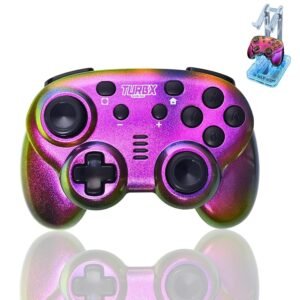
- Gradient Galaxy Finish
- Travel Friendly
- Mystery Bonus Item
Cons
- Small for Large Hands
- Weak Vibration
- No Amiibo Support
- Connectivity Complaints
- Quality Complaints
Quick Summary
The TurbX Prism Shift Mini is a compact wireless gaming controller designed for Nintendo Switch players and anyone looking for a lightweight controller that travels easily. Its Gradient Galaxy finish creates a color-shifting appearance under different lighting, giving it a distinctive look while maintaining a compact design that’s comfortable for children and players with smaller hands.
The controller supports Bluetooth connectivity with Nintendo Switch, Steam Deck, Windows PCs, Android devices, and iOS devices. It also includes motion controls, vibration support, USB-C charging, and up to 12 hours of battery life, making it a versatile option across multiple supported platforms.
While its smaller size may not be the best fit for players with larger hands, and the vibration feels fairly subtle, the Prism Shift Mini adds several useful features over the Mini Mate while keeping the same lightweight, travel-friendly design.
For more information, stick around and read below for my take on this product.
Hey there, welcome to our review of the TurbX Prism Shift Mini Wireless Gaming Controller.
For this review, we spent time testing the TurbX Prism Shift Mini to see how it performs during everyday gaming. We also reviewed its documentation and features to provide a balanced overview that can help you decide whether it’s the right controller for your setup.
Throughout this review, we’ll explore its key features, customer feedback, our hands-on experience, and the type of player who may get the most value from this compact controller.
If you’re looking for a lightweight wireless controller with multi-platform compatibility, motion controls, vibration support, and a colorful Gradient Galaxy finish, keep reading to see whether the TurbX Prism Shift Mini is a good fit for your gaming setup.
Key Features
Compact Design for Smaller Hands
The TurbX Prism Shift Mini features a compact and lightweight design that’s easy to carry and comfortable to hold. Its smaller grip is well suited for children, players with smaller hands, or anyone looking for a travel-friendly controller. Despite its compact size, it still includes the essential controls found on a traditional Nintendo Switch controller, including clickable L3 and R3 thumbsticks.
Multi-Platform Compatibility
The TurbX Prism Shift Mini is compatible with Nintendo Switch, Nintendo Switch OLED, Nintendo Switch Lite, Windows PCs, Steam Deck, Android devices, and iOS devices. It supports Bluetooth connectivity on compatible devices, while Windows PCs can also use a wired USB connection when preferred.
Included Mystery Bonus Item
Every package includes one surprise bonus accessory. Depending on the version received, buyers may find either the TurbX Nebula RGB Charging Dock or the TurbX Micro Retro Arcade handheld system included with the controller.
Precision Controls & Motion Support
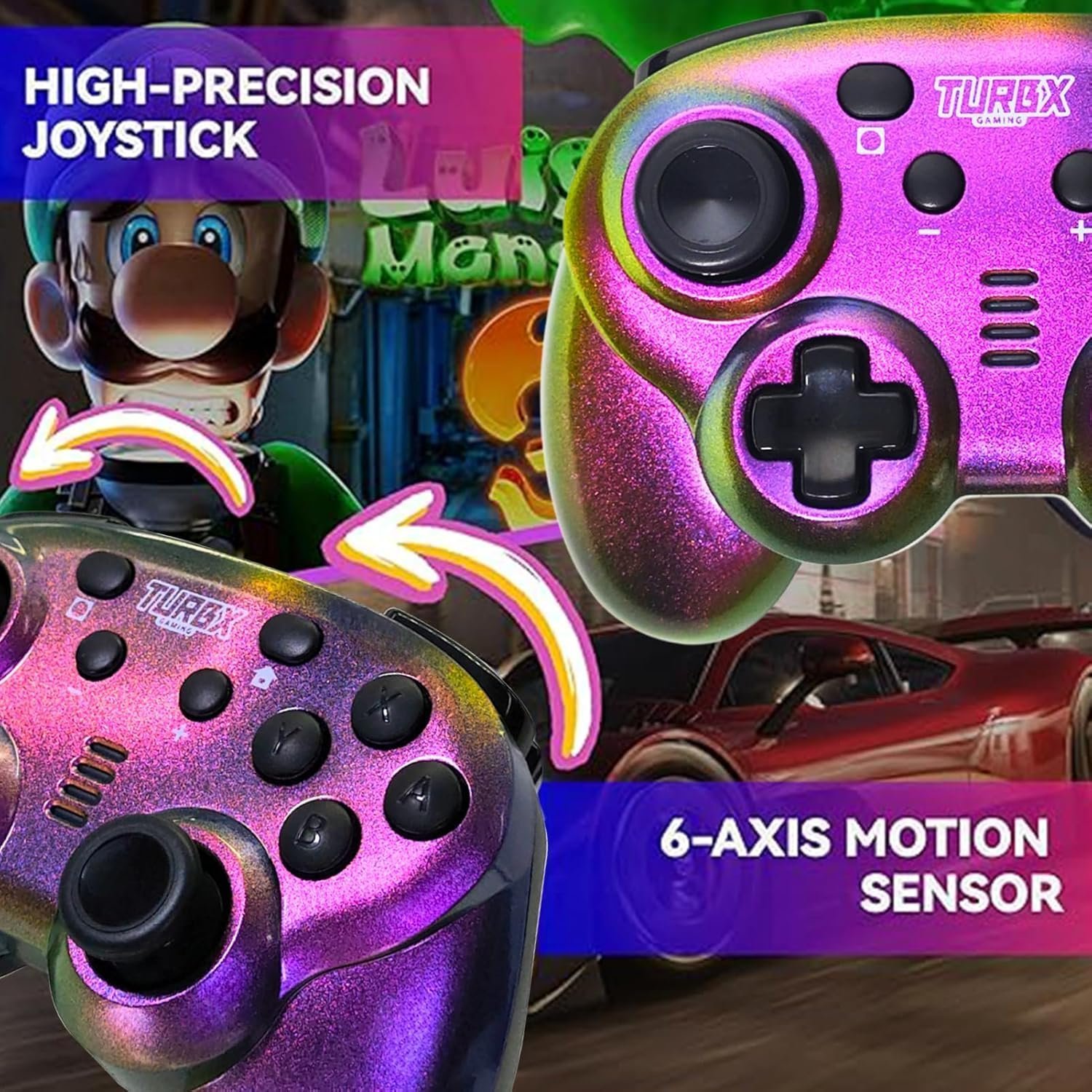
The controller features dual analog thumbsticks, mechanical triggers, and a built-in 6-axis motion sensor for games that support motion controls. Together, these features provide smooth movement, responsive controls, and accurate input across a variety of compatible games.
Long Battery Life & Fast USB-C Charging
The built-in rechargeable battery provides up to 12 hours of gameplay on a full charge. Charging is handled through the USB-C port, while built-in LED indicators display charging status, connection status, and low battery warnings.
Vibration Feedback
Unlike the TurbX Mini Mate, the Prism Shift Mini includes built-in vibration support for compatible games. This adds tactile feedback during gameplay, making actions like collisions, impacts, and other in-game events feel more immersive.
Helpful Built-In Functions
The controller includes several built-in functions that simplify everyday use. Users can automatically reconnect to previously paired devices, reset the thumbsticks when needed, switch between supported PC input modes, and monitor battery, charging, and connection status using the onboard LED indicators. Automatic sleep mode also helps conserve battery life when the controller isn’t in use.
Performance & Feedback
Customers mention the TurbX Prism Shift Mini’s compact and lightweight design, making it comfortable for children, players with smaller hands, and anyone looking for a travel-friendly controller. The Gradient Galaxy finish is also appreciated for its color-shifting appearance, giving the controller a distinctive look under different lighting conditions.
In addition, the battery life is described as lasting through extended gaming sessions before needing to be recharged. Bluetooth compatibility across Nintendo Switch, Windows PCs, Steam Deck, Android devices, and iOS devices is also mentioned as a useful feature.
The responsive thumbsticks, motion controls, vibration support, and included mystery bonus item are also viewed as welcome additions, giving the controller more versatility across supported devices.
Some users mention occasional connectivity issues when pairing with the Nintendo Switch. Others comment that the controller’s compact size may be less comfortable for players with larger hands during extended gaming sessions.
A few users also report quality control concerns or mention controllers that stopped working sooner than expected. Others wish they could choose which mystery bonus item was included instead of receiving one at random.
My Thoughts: TurbX Prism Shift Mini Wireless Gaming Controller
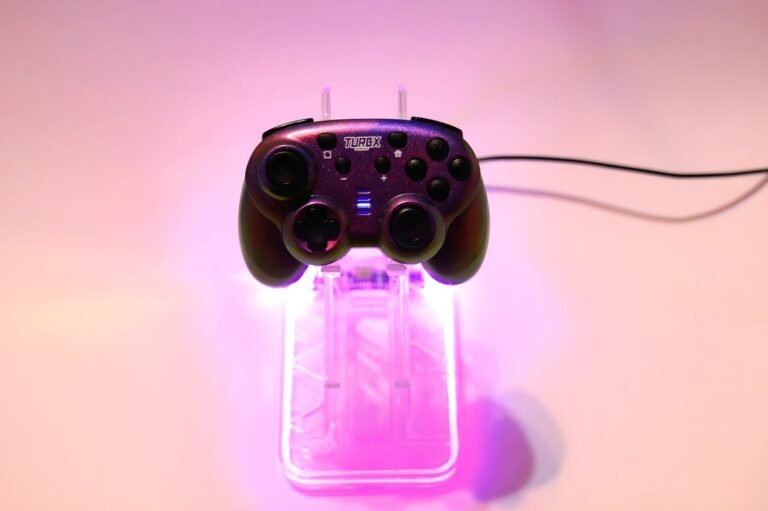
Like the TurbX Mini Mate, the Prism Shift Mini is a very compact and lightweight controller. As an adult with larger hands, I found it a bit too small for extended gaming sessions. I think it’s better suited for children or players who naturally prefer a smaller controller.
Functionally, it performs much like a standard Nintendo Switch controller, and I didn’t experience any major issues during testing. The compact size was the only aspect that made it less comfortable for me personally.
One area where I think the Prism Shift Mini stands out is its design. The Gradient Galaxy finish gives the controller a unique color-shifting appearance that looks great under different lighting. It also includes a few additional features that make it feel like an upgrade over the Mini Mate.
The added vibration support is a welcome feature, although I found the vibration to be fairly subtle. I also appreciate the Bluetooth support for PC, Steam Deck, and mobile devices, which gives it more flexibility than the Mini Mate. Another difference I noticed was the triggers, which felt a little smoother and more comfortable to press, though that’s based on my personal experience.
While it’s still designed with a compact form factor, I would personally choose the TurbX Prism Shift Mini over the Mini Mate because of its extra features, improved connectivity options, and overall design. It offers a little more versatility while keeping the same lightweight, travel-friendly feel.
Who Would Likely Favor This Product?
Players who use multiple gaming devices might want to look into the TurbX Prism Shift Mini. Its Bluetooth compatibility with Nintendo Switch, Steam Deck, Windows PCs, Android devices, and iOS devices makes it easy to switch between supported platforms without needing multiple controllers.
Children and players with smaller hands may also find this controller more comfortable than a full-size gamepad. Its compact and lightweight design makes it easy to carry in a backpack or travel case for gaming on the go.
Gamers who enjoy colorful gaming accessories might appreciate the Gradient Galaxy finish, which shifts colors under different lighting to give the controller a distinctive appearance.
Those looking for a compact controller with a few extra features may also find the Prism Shift Mini worth considering. Compared to the Mini Mate, it adds vibration support and broader Bluetooth compatibility, making it a more versatile choice for players who game across multiple supported devices.
FAQ (Frequently Asked Questions)
How do I access the TurbX Prism Shift Mini User Guide?
To access the User Guide:
- Visit the TurbX website.
- Open the Support tab.
- Locate the Prism Shift Mini Wireless Gaming Controller.
- Click User Guide.
The User Guide includes instructions for connecting the controller, troubleshooting common issues, and learning about its functions and features.
What devices is the TurbX Prism Shift Mini compatible with?
The controller is compatible with Nintendo Switch, Nintendo Switch OLED, Nintendo Switch Lite, Windows PCs, Steam Deck, Android devices, and iOS devices.
Does the controller support motion controls?
Yes. The TurbX Prism Shift Mini includes a built-in 6-axis motion sensor for compatible games that support motion controls.
Does the controller include vibration?
Yes. The controller features built-in vibration support for compatible games.
Does the controller support Amiibo?
No. According to the user guide, the controller does not support Amiibo, the Nintendo Switch Pro Controller’s IR camera, or other exclusive Nintendo Switch Pro Controller features.
Can I use the controller while it’s charging?
Yes. The controller can be used while connected with the included USB-C charging cable.
Does the controller automatically reconnect?
Yes. If the controller was previously paired with a supported device, it automatically reconnects after being powered on.
Connectivity Questions
How do I connect the TurbX Prism Shift Mini to a Nintendo Switch?
- Turn on the Nintendo Switch.
- Open Controllers from the HOME menu.
- Select Change Grip/Order.
- Press and hold Y + HOME for three seconds.
- Wait for the controller to appear, then confirm the connection.
How do I connect the controller to a Windows PC using Bluetooth?
- Open your PC’s Bluetooth settings.
- Press and hold B + HOME for three seconds.
- Select Xbox Wireless Controller from the Bluetooth device list.
- Wait for the LED indicators to remain lit, confirming the connection.
How do I connect the controller to Steam Deck?
Open the Steam Deck Bluetooth settings, then press and hold B + HOME for three seconds. Select Xbox Wireless Controller from the available devices to complete pairing.
How do I connect the controller to an Android device?
Enable Bluetooth on your Android device, then press and hold A + HOME for three seconds. Select TurbX MINI Controller from the Bluetooth device list to pair.
How do I connect the controller to an iPhone or iPad?
Enable Bluetooth on your iPhone or iPad, then press and hold B + HOME for three seconds. Select Xbox Wireless Controller from the available Bluetooth devices.
Can I use the controller with a USB cable?
Yes. The controller supports wired gameplay on Nintendo Switch and Windows PCs using a USB connection. For Nintendo Switch, Pro Controller Wired Communication must be enabled in the console settings before connecting.
Programming & Troubleshooting
How do I reset the controller?
Press the small Reset button on the back of the controller. If the issue continues, restart your Nintendo Switch, wait about 30 seconds, and reconnect the controller.
What should I do if the controller won’t connect?
- Verify the controller is turned on.
- Make sure the battery has enough charge.
- Confirm the controller is within Bluetooth range.
- Check that the controller is in pairing mode.
- Restart the controller and try pairing again if necessary.
How do I reset the thumbsticks?
- Leave both thumbsticks centered.
- Hold the HOME button for five seconds to turn the controller off.
- Hold the HOME button again for three seconds to restart it.
- The thumbsticks will reset during startup.
How do I check the battery level or charging status?
The built-in LED indicators display charging progress, pairing status, connection status, and low battery warnings while the controller is in use or connected to power.
Does the controller have a power-saving mode?
Yes. The controller automatically enters sleep mode after about five minutes of inactivity or if a pairing attempt is unsuccessful. Press and hold the HOME button for three seconds to wake it.
How do I switch between XInput and DirectInput modes on PC?
When using a wired connection on Windows, press and hold the HOME button for five seconds to switch between the supported PC input modes. The LED indicators show which mode is currently active.
If you are still interested in knowing more about the product, click the button below
TurbX Prism Shift Mini Wireless Gaming Controller – Multi-Platform Compatibility | Motion Controls | Gradient Galaxy Finish
- Compact Design: Features a lightweight controller with a smaller grip that’s designed for children, players with smaller hands, or anyone looking for a portable controller that’s easy to take on the go.
- Multi-Platform Compatibility: Supports Bluetooth connectivity with Nintendo Switch, Nintendo Switch OLED, Nintendo Switch Lite, Windows PCs, Steam Deck, Android devices, and iOS devices. Windows PCs also support a wired USB connection.
- Precision Controls: Equipped with dual analog thumbsticks, mechanical triggers, built-in vibration, and a 6-axis motion sensor for compatible games that support motion controls.
- Long Battery Life: The rechargeable battery provides up to 12 hours of gameplay on a full charge and up to 35 days of standby time.
- USB-C Charging: Recharges in approximately two hours using the included USB-C charging cable, helping reduce downtime between gaming sessions.
- Gradient Galaxy Finish: Features a color-shifting finish that changes appearance under different lighting, giving each controller a distinctive look.
- Mystery Bonus Item: Every package includes one surprise bonus accessory. Depending on the version received, buyers may receive the TurbX Nebula RGB Charging Dock or the TurbX Micro Retro Arcade handheld system.
- Plug-and-Play Setup: Designed for quick pairing with supported devices without requiring additional software. Windows users can also connect using a wired USB connection when preferred.
Images by Gaming Gear Drop unless otherwise noted. Additional photos sourced from the official turbX Amazon listing for review purposes.