This post contains affiliate links. If you purchase through them, we may earn a small commission at no extra cost to you. This product was provided through the Amazon Vine program for our honest review. All opinions are our own. Thanks for supporting Gaming Gear Drop.
Pros
- 40-Hour Battery
- Memory Foam Cushions
- QuickSwitch Button
- Bluetooth Support
- Audio Presets
- Superhuman Hearing
- Flip-to-Mute Mic
- Multi-Platform Support
Cons
Audio Preferences Vary
Durability Concerns
Connectivity Complaints
Batch Variations
Quick Summary
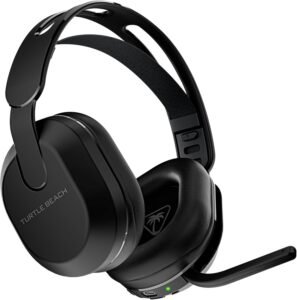
The Turtle Beach Stealth 500 is a wireless gaming headset designed for gaming, voice chat, and everyday media use. It focuses on providing flexible connectivity options, long battery life, and onboard audio controls for multiple supported devices.
The headset includes Bluetooth and 2.4GHz wireless connectivity, built-in EQ presets, a flip-to-mute microphone, and Turtle Beach’s Superhuman Hearing feature. Setup is straightforward using the included wireless transmitter, while the QuickSwitch button allows users to move between wireless and Bluetooth modes.
Some users appreciate the headset’s comfort, battery life, and connectivity options, while others note mixed opinions regarding audio tuning, occasional connection issues, and concerns about long-term durability.
For more information, stick around and read below for my take on this product.
Hey there, welcome to our review of the Turtle Beach Stealth 500 Wireless Gaming Headset.
For this review, we tested the Turtle Beach Stealth 500 Wireless Gaming Headset to offer honest insights and hopefully make your decision-making a tad easier. We have gathered the important details about this gaming headset to share with you, specifically focusing on its wireless connectivity, audio features, and multi-platform compatibility.
Throughout this post, we will discuss its key features, highlight user feedback, share our personal impressions, and explain who might benefit most from it.
So, if you are looking for a wireless gaming headset with Bluetooth support, 2.4GHz wireless connectivity, and onboard audio controls, stick around to find out if this suits your needs.
Key Features
Multi-Device Connectivity
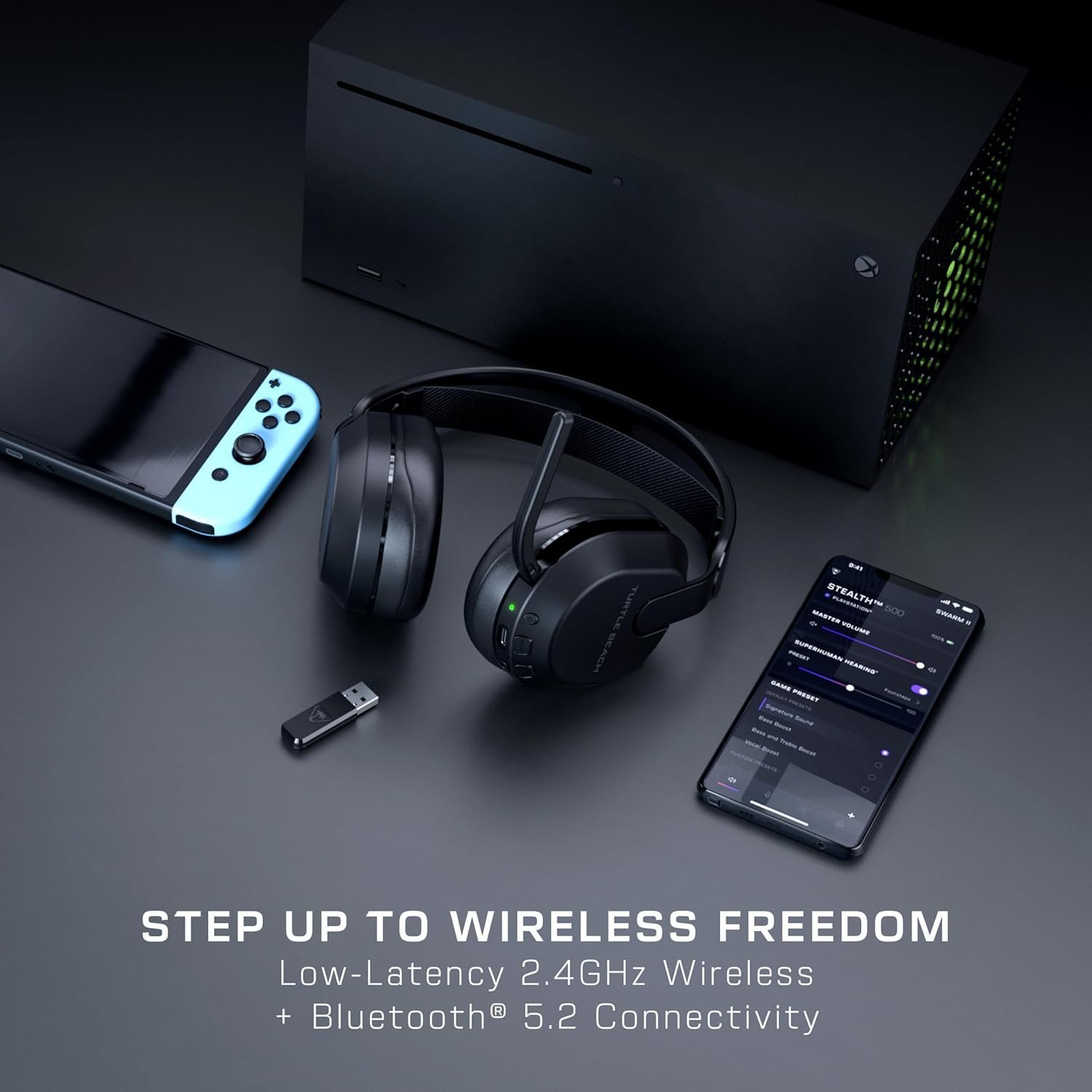
The Turtle Beach Stealth 500 supports both 2.4GHz wireless and Bluetooth connections. Using the QuickSwitch button, users can switch between gaming devices and compatible Bluetooth devices such as smartphones or tablets without re-pairing the headset each time.
QuickSwitch Technology
The QuickSwitch button lets you easily change between 2.4GHz wireless and Bluetooth modes, depending on what you need. Use Bluetooth to connect to your phone, listen to music, or make calls, while 2.4GHz wireless is great for gaming on consoles or PCs. This flexibility makes it simple to switch between devices without hassle.
Audio Presets
The headset includes four built-in EQ presets: Signature Sound, Bass Boost, Bass & Treble Boost, and Vocal Boost. These presets allow users to choose an audio profile that best fits their games, media, or personal preferences.
Superhuman Hearing Feature
The Turtle Beach Stealth 500 comes with Superhuman Hearing, a feature that makes it easier to hear important in-game sounds like footsteps, reloading, or distant gunfire. This gives you a clear advantage by helping you react faster and stay ahead in intense gaming situations. It’s especially useful in competitive games where every detail counts.
Memory Foam Comfort
The headset features a lightweight design with memory foam ear cushions and an adjustable head strap intended to provide comfort during longer gaming sessions.
Flip-to-Mute Microphone
The flip-to-mute mic makes muting and unmuting easy—just flip it forward to unmute or back to mute. A tone confirms when the mic is muted or active. The omni-directional mic ensures clear voice capture during chat and neatly folds away when not in use.
Swarm II Software Support
The Turtle Beach Swarm II software allows users to adjust supported audio settings, customize presets, and install firmware updates through the headset’s USB-C connection.
Game and Chat Controls
The headset includes onboard controls for volume adjustment and game/chat balancing on supported models. Depending on the version, users can also adjust microphone monitoring levels directly from the headset.
Bluetooth and Wireless Multifunction Button
The Bluetooth button lets you manage calls and media playback with ease. You can play or pause media, answer or end phone calls, skip tracks, or reject calls while in Bluetooth mode. In 2.4GHz wireless mode, the button handles media playback controls, allowing you to play, pause, or skip tracks without needing additional controls.
Performance & Feedback
Customers often praise the Turtle Beach Stealth 500 for its comfort during longer gaming sessions. The memory foam ear cushions and lightweight design are frequently mentioned as contributing to a comfortable fit during extended use.
Users also appreciate the headset’s wireless and Bluetooth connectivity options. Features such as QuickSwitch, the flip-to-mute microphone, and the available audio presets receive positive feedback from those who regularly switch between gaming, media playback, and voice communication.
The microphone receives favorable comments for voice chat, with users reporting clear communication during multiplayer games and online conversations. Some customers also enjoy features like Superhuman Hearing and the ability to adjust audio settings through the available software.
Some customers report mixed experiences with the sound profile. While some find the audio clear and enjoyable, others mention that the default tuning may not match their preferences, particularly when it comes to bass response.
There are also reports of connectivity issues involving Bluetooth or wireless connections in certain setups. A few users mention durability concerns or receiving units that did not perform as expected, which may vary between individual units and batches.
My Thoughts: Turtle Beach Stealth 500 Wireless Gaming Headset
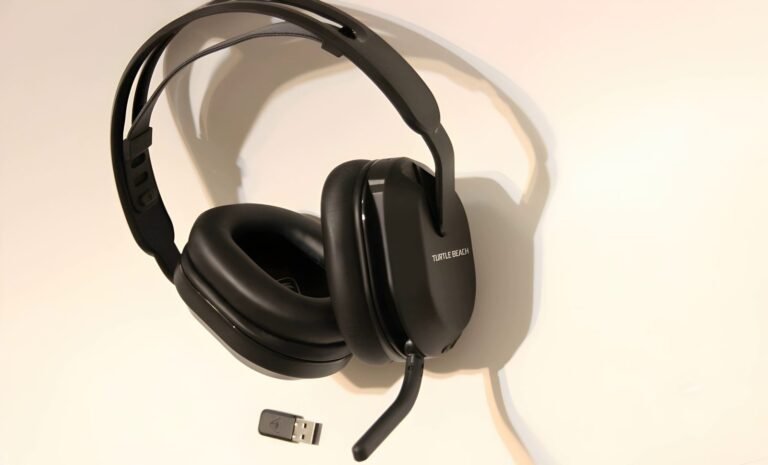
The Turtle Beach Stealth 500 ended up being one of the easier headsets I’ve used when it comes to switching between devices. The QuickSwitch feature worked well for moving between Bluetooth and wireless modes, and I liked not having to constantly reconnect devices. The flip-to-mute microphone was also convenient and quickly became something I used without thinking about it.
Battery life was another strong point during my testing. I was able to use the headset for extended gaming and work sessions without feeling like I constantly needed to recharge it.
The audio was clear during games, videos, and voice chats. I also appreciated having access to the built-in EQ presets and Superhuman Hearing mode, which made it easy to experiment with different audio settings depending on what I was doing.
One issue I experienced was getting the wireless connection to work properly on my PS5. Despite multiple attempts, I wasn’t able to get it working during my testing. It’s possible I received a unit with a connection issue, or this could have been related to my particular setup. I also found that the microphone only worked in wireless mode based on my experience.
Aside from those issues, I found the headset comfortable to wear and easy to use on a daily basis. The combination of Bluetooth support, wireless connectivity, and simple onboard controls made it straightforward to switch between gaming, media, and voice communication.
Who Would Likely Favor This Product?
Gamers who regularly play across multiple devices might want to consider the Turtle Beach Stealth 500. The headset supports wireless and Bluetooth connectivity, making it useful for those who switch between consoles, PCs, and mobile devices.
Players who prefer simple onboard controls might want to consider this headset. Features such as the flip-to-mute microphone, QuickSwitch button, and built-in audio controls allow common functions to be adjusted directly from the headset.
Users who frequently participate in voice chat might want to consider the Turtle Beach Stealth 500. The headset includes a microphone designed for multiplayer communication and provides controls for managing audio and microphone settings.
Those who like adjusting their audio experience might want to consider this headset. The available EQ presets, Superhuman Hearing mode, and software customization options provide additional control over how games, music, and voice chat sound.
Gamers looking for a headset that can be used for both gaming and everyday media consumption might also want to consider the Turtle Beach Stealth 500. The combination of Bluetooth support, media controls, and wireless connectivity makes it suitable for a variety of listening situations.
FAQ (Frequently Asked Questions)
How do I find the software and manual for the Turtle Beach Stealth 500?
To access the software and manual for the Turtle Beach Stealth 500:
- Visit the Turtle Beach website.
- Navigate to the Support & Downloads tab.
- Click on Software Downloads to access the downloads page.
- Locate the Stealth 500 in the list to open its product page.
- On the Stealth 500 page, you’ll find downloadable software for Windows and the mobile app, as well as the quick support manual.
This ensures you have all the resources needed for setup and customization.
What devices is the Turtle Beach Stealth 500 compatible with?
Compatibility depends on the version purchased. Supported models are available for Xbox consoles, PlayStation consoles, PC, Nintendo Switch, and Bluetooth-compatible mobile devices.
Does the Turtle Beach Stealth 500 support Bluetooth?
Yes. The headset supports Bluetooth connections for compatible smartphones, tablets, and other Bluetooth-enabled devices.
What is Superhuman Hearing?
Superhuman Hearing is an audio feature designed to amplify certain in-game sounds, making them easier to hear during gameplay.
Does the headset support audio presets?
Yes. The headset includes four built-in EQ presets: Signature Sound, Bass Boost, Bass & Treble Boost, and Vocal Boost.
How does the flip-to-mute microphone work?
Flip the microphone forward to unmute it. Flip the microphone back to mute it. A tone will play when the microphone status changes.
Can I control music and phone calls from the headset?
Yes. When connected through Bluetooth, the multifunction button can be used to answer calls, end calls, play or pause media, and skip tracks.
Can the headset be updated?
Yes. Firmware updates can be installed through the USB-C update port using Turtle Beach software.
Connectivity Questions
How do I connect the Turtle Beach Stealth 500 to a PlayStation, PC, or Nintendo Switch?
- Connect the USB wireless transmitter to the device.
- Power on the headset.
- Wait for the headset and transmitter to pair automatically.
How do I connect the Turtle Beach Stealth 500 to Bluetooth?
- Press and hold the Bluetooth Multifunction Button (MFB).
- Wait for the “Pairing Bluetooth” voice prompt.
- Open the Bluetooth settings on your device.
- Select the Turtle Beach Stealth 500 from the available devices.
- Wait for the connection to complete.
How do I switch between Bluetooth and wireless mode?
- Press and hold the QuickSwitch button for approximately one second.
- The headset will switch between 2.4GHz wireless mode and Bluetooth mode.
Can I answer phone calls while gaming?
Yes. Incoming calls can be answered using the Bluetooth Multifunction Button when a compatible phone is connected.
Does the headset support wired audio connections?
No. The Stealth 500 is designed primarily for 2.4GHz wireless and Bluetooth connectivity.
Troubleshooting & Settings
How do I enable or disable Superhuman Hearing?
- Press the Power/Superhuman Hearing button for approximately one second.
- Repeat the process to toggle the feature on or off.
How do I change EQ presets?
- Press the EQ Mode button.
- Continue pressing to cycle through the available presets:
- Signature Sound
- Bass Boost
- Bass & Treble Boost
- Vocal Boost
How do I mute or unmute the microphone?
- Flip the microphone forward to unmute.
- Flip the microphone backward to mute.
- Listen for the confirmation tone.
How do I adjust headset volume?
- Rotate the Master Volume wheel.
- Increase or decrease volume to the desired level.
How do I adjust microphone monitoring?
- Rotate the lower volume dial.
- Increase or decrease microphone monitoring based on your preference.
What should I do if Bluetooth pairing stops?
- Press and hold the Bluetooth Multifunction Button again.
- Wait for the pairing prompt.
- Re-open your device’s Bluetooth settings.
- Select the headset and reconnect.
What should I do if the headset will not connect to the wireless transmitter?
- Confirm the USB transmitter is securely connected.
- Power off the headset.
- Power the headset back on.
- Wait for the headset and transmitter to pair again.
- If the issue continues, check for available firmware updates through the Turtle Beach software.
If you are still interested in knowing more about the product, click the button below
Turtle Beach Stealth 500 Wireless Gaming Headset | 40-Hour Battery
Low-Latency Connectivity: Enjoy 2.4GHz wireless and Bluetooth 5.2 for fast and stable audio connections across devices.
Extended Battery Life: Play up to 40 hours on a single charge with quick-charge capabilities for minimal downtime.
QuickSwitch Button: Easily toggle between wireless and Bluetooth modes for versatile use across gaming, calls, and media.
Lightweight Design: Features a floating headband and plush memory foam cushions for long-lasting comfort.
Immersive Audio: Amplified 40mm drivers deliver powerful spatial sound for an enhanced gaming experience.
Customizable Audio Settings: Use the Swarm II app on desktop or mobile to adjust the advanced 10-band EQ and other audio preferences.
Flip-to-Mute Microphone: Omni-directional mic ensures clear communication and mutes easily by flipping back.
Audio EQ Modes: Choose from four preset sound profiles, including Bass Boost, Vocal Boost, and more, for tailored audio.
Superhuman Hearing: Amplifies critical in-game sounds like footsteps and reloading, giving you a competitive edge.
Mic Monitoring: Adjust and hear your voice level with variable mic monitoring for better control during chat