This post contains affiliate links. If you purchase through them, we may earn a small commission at no extra cost to you. This product was provided through the Amazon Vine program for our honest review. All opinions are our own. Thanks for supporting Gaming Gear Drop.
Pros
- Triple-Mode Connectivity
- Hot-Swappable Switches
- Programmable Controls
- RGB Lighting
- PBT Keycaps
- Gasket Mount
- Sound Dampening
- Anti-Ghosting
- 5000mAh Battery
- Multifunction Knob
- Compact Layout
Cons
Quality Complaints
Quick Summary
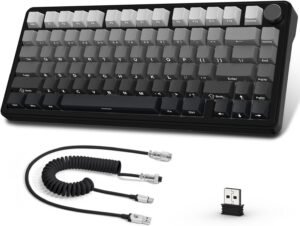
The ATTACK SHARK X85 is a compact 75% mechanical keyboard designed for gaming, work, and everyday use. It features a gasket-mounted design, hot-swappable switches, PBT keycaps, and triple-mode connectivity with Bluetooth, 2.4GHz wireless, and USB-C wired support.
The keyboard includes customizable RGB lighting, programmable controls, a multifunction control knob, full anti-ghosting, and a rechargeable battery for wireless use. Users can also customize supported keys, macros, and lighting effects through the companion software.
Some users appreciate the keyboard’s customization features, typing experience, and multiple connection options, while others mention quality control concerns or report receiving units with defects.
For more information, stick around and read below for my take on this product.
Hey there, welcome to our review of ATTACK SHARK X85 Wireless Gaming Mechanical Keyboard! We’re here to offer insights and hopefully make your decision-making a tad easier. We’ve collected details about ATTACK SHARK X85 to share with you.
Throughout this review, we’ll delve into ATTACK SHARK X85 discussing its key features, highlighting user feedback, our impressions and who might benefit most from it.
So, if you’re considering ATTACK SHARK X85 Wireless Gaming Mechanical Keyboard and want to know if it suits your needs, stick around!
Key Features
Minimalist Gasket-Mount Mechanical Keyboard
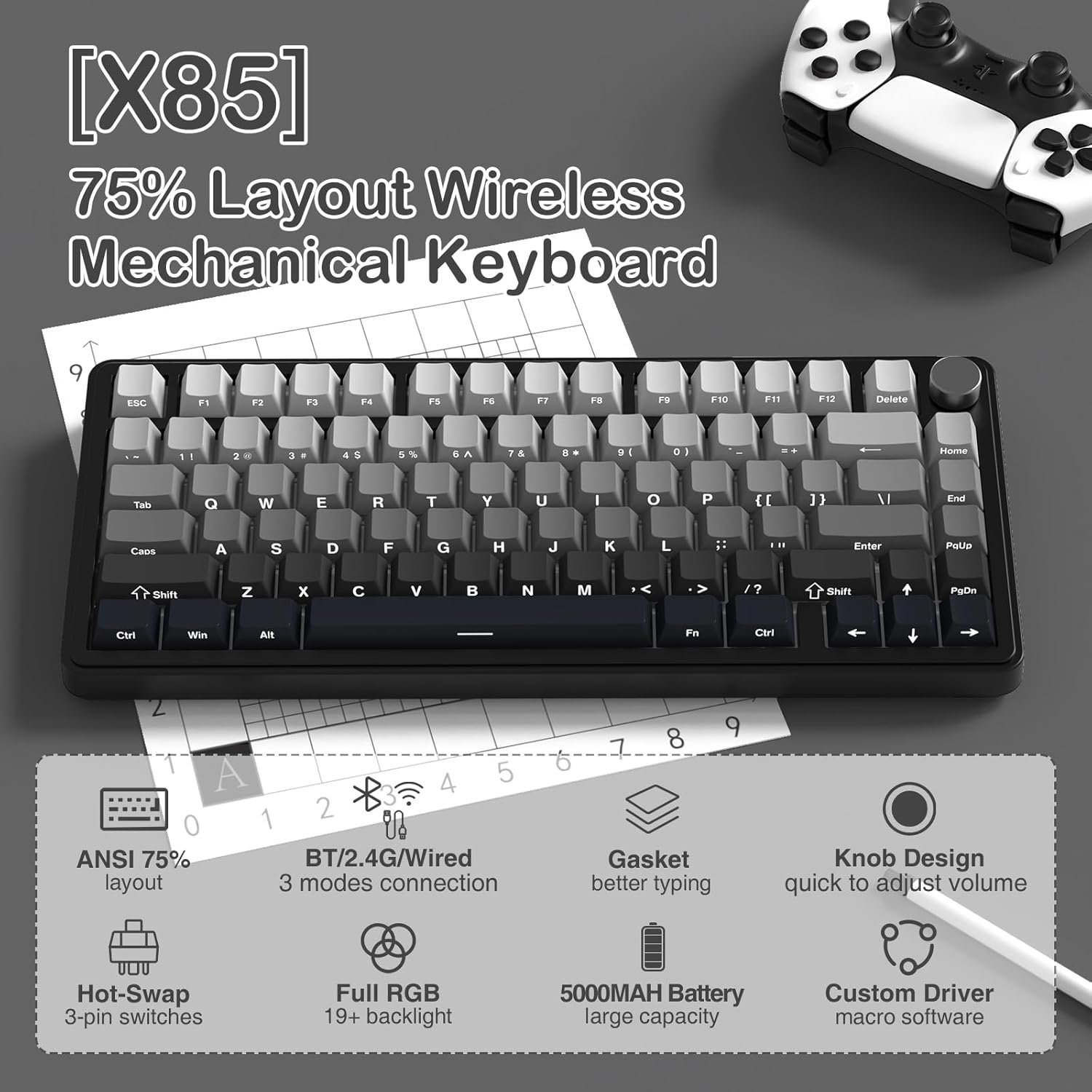
The ATTACK SHARK X85 features a compact 75% layout with 81 keys, giving you more desk space while keeping the keys most people use for gaming and everyday tasks. It also includes a multifunction aluminum control knob that lets you quickly adjust lighting or multimedia controls without opening the software.
Its gasket-mounted design helps reduce vibration while providing a softer and quieter typing experience. The keyboard also uses a single-key slotted PCB design, which helps keep each switch more stable for consistent key presses during gaming and typing.
Powered by a built-in rechargeable battery, the X85 supports extended wireless use over Bluetooth or 2.4GHz wireless, while also allowing you to connect with the included USB-C cable whenever you prefer a wired connection.
Triple-Mode Connectivity
The ATTACK SHARK X85 supports Bluetooth, 2.4GHz wireless, and USB-C wired connections, making it easy to use with a variety of compatible devices. The keyboard can store up to three Bluetooth devices, allowing you to switch between computers, tablets, or smartphones using simple keyboard shortcuts.
A dedicated Windows and macOS switch changes the keyboard layout to match your operating system, while the built-in storage compartment keeps the 2.4GHz receiver safely stored when it’s not being used.
Programmable Controls
The ATTACK SHARK companion software unlocks a variety of customization options. Users can remap supported keys, create macros, customize RGB lighting effects, save multiple profiles, and adjust supported keyboard settings for different games or everyday tasks.
Whether you’re assigning shortcuts for productivity or creating custom layouts for your favorite games, the software provides plenty of flexibility without requiring changes directly on the keyboard each time.
Key Customization
Supported keys can be reassigned to perform different functions, making it easier to create personalized layouts for gaming, productivity, or everyday shortcuts. This flexibility allows users to configure the keyboard around the way they work or play.
Macros Customization
The software also supports macro creation, allowing multiple commands or key combinations to be assigned to a single key. This can help simplify repetitive actions in games or speed up common tasks during everyday use.
Whether you’re creating custom shortcuts for work or specialized controls for your favorite games, the software provides plenty of flexibility without requiring you to reconfigure the keyboard each time.
RGB Lighting
The X85 includes multiple RGB lighting effects that can be customized using onboard shortcuts, the multifunction control knob, or the companion software. Users can adjust lighting colors, brightness, animation speed, and supported visual effects to better match their gaming setup.
For users who enjoy customizing their desk setup, the keyboard offers plenty of lighting options while still allowing the backlighting to be turned off whenever preferred.
Hot-Swappable Switches & PBT Keycaps
The ATTACK SHARK X85 supports compatible 3-pin hot-swappable mechanical switches, making it easy to replace switches without soldering. Whether you’re experimenting with a different switch feel or replacing a worn switch, customization is straightforward using the included 2-in-1 keycap and switch puller.
The keyboard also comes equipped with durable PBT keycaps, which are designed to resist wear better than standard ABS keycaps. Their textured finish helps maintain a consistent feel during extended gaming and typing sessions.
Anti-Ghosting
The ATTACK SHARK X85 supports full anti-ghosting, allowing multiple keys to register correctly at the same time. This helps provide reliable input during fast-paced games, complex key combinations, and everyday typing without missed keystrokes.
Performance & Feedback
Customers often praise the ATTACK SHARK X85 for its compact layout and triple-mode connectivity. Many appreciate being able to switch between Bluetooth, 2.4GHz wireless, and wired modes depending on the device they are using.
The keyboard’s customization features also receive positive feedback. Users enjoy the RGB lighting effects, hot-swappable switch support, programmable controls, and the ability to customize keys and macros through the companion software.
Many customers describe the typing experience as comfortable and responsive. The gasket-mounted design, multifunction control knob, and long battery life are also commonly mentioned as useful features for both gaming and everyday use.
Some customers feel the keycaps and certain parts of the keyboard’s construction could feel more premium. Others mention that the companion software takes time to learn, and a few report receiving units with quality control issues or other defects.
There are also mixed opinions about the overall build quality. While many users are satisfied with the keyboard, others feel some materials do not match their expectations.
My Thoughts: ATTACK SHARK X85 Wireless Mechanical Keyboard
The ATTACK SHARK X85 made a good first impression with its compact layout and lightweight design. Even with larger hands, I found it comfortable to use, and the smaller size helped free up desk space without feeling cramped during gaming or everyday use.
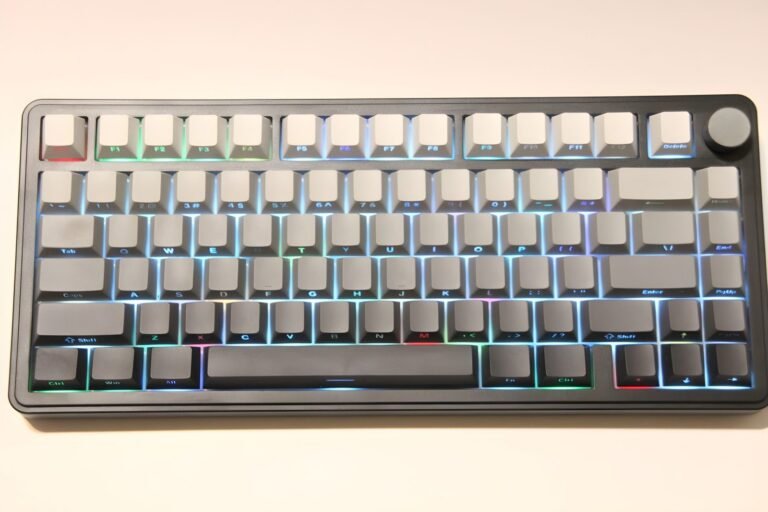
The RGB lighting is one of my favorite features. The colors look vibrant, and the companion software provides plenty of customization options for lighting, key assignments, and macros. I also liked the multifunction volume knob, which made it quick and easy to adjust or mute audio without interrupting what I was doing.
One thing I wasn’t a fan of was the side-printed keycaps. On my model, the black lettering on the gray keycaps can be difficult to read when the RGB lighting is turned off, especially in a darker room. While the side-printed design may help reduce wear on the legends over time, I found it less convenient during everyday use.
The compact layout also means a few dedicated keys, such as Scroll Lock and Num Lock, are not included. That wasn’t a major issue for me, but it’s something to keep in mind if you use those keys regularly.
Overall, I enjoyed using the ATTACK SHARK X85. It offers a good balance of customization features, multiple connection options, and everyday usability, with only a few design choices that may come down to personal preference.
Who Would Likely Favor This Product?
Gamers who prefer a compact keyboard might want to consider the ATTACK SHARK X85. Its 75% layout saves desk space while keeping the keys most people use for gaming and everyday tasks.
Users who switch between multiple devices might want to consider this keyboard. It supports Bluetooth, 2.4GHz wireless, and USB-C wired connections, making it easy to move between compatible PCs, Macs, tablets, and smartphones.
People who enjoy customizing their keyboard might want to consider the X85. The companion software supports key remapping, macros, and RGB lighting customization, while the hot-swappable switch design makes it easier to replace compatible switches without soldering.
Those who like personalizing the look of their setup might also want to consider this keyboard. It includes multiple RGB lighting effects and durable PBT keycaps designed to resist wear from everyday use.
Users who play games that require multiple simultaneous key presses might want to consider the ATTACK SHARK X85. Its full anti-ghosting support helps ensure key presses register accurately during fast-paced gameplay.
FAQ (Frequently Asked Questions)
How do I download the ATTACK SHARK X85 software or manual?
- Visit the ATTACK SHARK website.
- Navigate to the ATTACK SHARK X85 product page.
- Scroll down until you find the Software and Manual download sections.
- Download the files that match your operating system.
Is the ATTACK SHARK X85 a mechanical keyboard?
Yes. The X85 is a mechanical keyboard with hot-swappable switches, allowing compatible switches to be replaced without soldering.
Can I customize the ATTACK SHARK X85?
Yes. The companion software supports key remapping, macro creation, RGB lighting customization, and profile management.
Does the keyboard have RGB lighting?
Yes. The X85 includes multiple RGB lighting effects with adjustable brightness, animation speed, and color options. Lighting can be customized using onboard controls or the companion software.
What operating systems is the keyboard compatible with?
The ATTACK SHARK X85 supports Windows and macOS. It also works with compatible Bluetooth-enabled smartphones and tablets.
Are the switches hot-swappable?
Yes. The keyboard supports compatible 3-pin hot-swappable mechanical switches, making it easier to replace switches without soldering.
What does the multifunction control knob do?
The control knob can switch lighting modes, adjust lighting brightness or speed, and change to multimedia mode for volume control, mute, and media playback.
Does the keyboard support anti-ghosting?
Yes. The ATTACK SHARK X85 supports full anti-ghosting, allowing multiple keys to register at the same time during gaming or typing.
Can I use the keyboard without installing the software?
Yes. The keyboard works out of the box using its onboard controls. The software is only needed for supported customization features such as key remapping, macros, RGB lighting, and profile management.
What comes in the box?
The package includes the ATTACK SHARK X85 keyboard, a USB-C charging cable, a 2-in-1 keycap and switch puller, a 2.4GHz wireless receiver, and the user manual.
Connectivity Questions
How do I connect the ATTACK SHARK X85 using Bluetooth?
- Move the connection switch to the Bluetooth position.
- Press and hold FN + Q, FN + W, or FN + E to enter Bluetooth pairing mode.
- Open the Bluetooth settings on your device.
- Select the corresponding X85-5.0-BT1, BT2, or BT3 device to complete pairing.
How do I connect the ATTACK SHARK X85 using 2.4GHz wireless?
- Move the connection switch to the 2.4GHz position.
- Press and hold FN + R.
- Insert the included 2.4GHz receiver into an available USB port.
- Wait for the keyboard and receiver to pair automatically.
How do I use the ATTACK SHARK X85 in wired mode?
- Connect the included USB-C cable to the keyboard.
- Connect the other end to your computer.
- Move the connection switch to the Wired position.
- The keyboard will be ready to use.
Can I pair the keyboard with multiple Bluetooth devices?
Yes. The X85 can store up to three Bluetooth devices. Use FN + Q, FN + W, or FN + E to switch between saved Bluetooth channels.
Does the keyboard support Windows and macOS?
Yes. The ATTACK SHARK X85 supports both Windows and macOS. Use the operating system switch on the keyboard to select the appropriate layout.
Troubleshooting & Settings
How do I change the RGB lighting mode?
- Press FN + \ to cycle through the available lighting modes.
How do I change the lighting color?
- Press FN + Delete to switch between supported lighting colors.
How do I adjust the lighting brightness?
- Press FN + Up Arrow to increase brightness.
- Press FN + Down Arrow to decrease brightness.
How do I adjust the lighting speed?
- Press FN + Left Arrow to slow the lighting animation.
- Press FN + Right Arrow to increase the animation speed.
How do I turn the backlight off?
- Press FN + Backspace to turn the lighting off.
- Repeat the shortcut to restore the lighting.
How do I check the battery level?
- Press FN + Alt.
- The number keys will light up to indicate the remaining battery level.
How do I restore the default lighting settings?
- Press FN + ESC.
- The lighting settings will return to their default state.
How do I lock the Windows key?
- Press FN + Windows.
- Repeat the shortcut to unlock the Windows key.
How do I use the multifunction control knob?
- Press the knob to switch between lighting mode and multimedia mode.
- Rotate the knob to adjust brightness or lighting speed in lighting mode.
- In multimedia mode, rotate the knob to adjust volume and press it to play, pause, or mute audio.
If you are still interested in knowing more about the product, click the button below
ATTACK SHARK X85 Wireless Mechanical Gaming Keyboard – Triple-Mode Connectivity | Hot-Swappable Switches | RGB Lighting
- 75% Compact Layout: Features an 81-key layout that saves desk space while keeping commonly used keys for gaming, work, and everyday use.
- Triple-Mode Connectivity: Supports Bluetooth, 2.4GHz wireless, and USB-C wired connections. The keyboard can also store up to three Bluetooth devices for quick switching.
- Gasket-Mounted Design: Uses multiple sound-dampening layers and a gasket-mounted structure to provide a softer typing experience while helping reduce vibration and noise.
- Hot-Swappable Switches: Compatible with supported 3-pin mechanical switches, making it easier to replace switches without soldering.
- PBT Keycaps: Includes Cherry-profile PBT keycaps that are designed to resist wear while providing a comfortable typing surface.
- Programmable Controls: The companion software supports key remapping, macro creation, RGB lighting customization, and profile management.
- RGB Lighting & Multifunction Knob: Includes multiple RGB lighting effects with adjustable brightness and animation speed. The multifunction knob also provides quick access to lighting controls and multimedia functions.
- 5000mAh Rechargeable Battery: The built-in battery supports extended wireless use over Bluetooth or 2.4GHz wireless mode.
- Full Anti-Ghosting: Supports simultaneous key presses across all 81 keys for reliable input during gaming and everyday use.
- Included Accessories: Comes with a USB-C charging cable, coiled keyboard cable, 2-in-1 keycap and switch puller, 2.4GHz wireless receiver, and user documentation.