This post contains affiliate links. If you purchase through them, we may earn a small commission at no extra cost to you. This product was provided through the Amazon Vine program for our honest review. All opinions are our own. Thanks for supporting Gaming Gear Drop.
Pros
Quiet Keys
RGB Lighting
Macro Keys
Mouse Software
Adjustable DPI
Good Value
Wrist Rest
Cons
Limited Software
Plastic Feel
Quick Summary
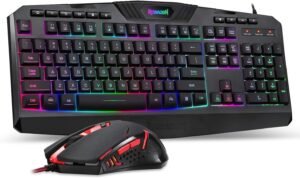
The Redragon S101 Gaming Keyboard and M601 Gaming Mouse Combo is a wired keyboard and mouse bundle designed for PC gaming and everyday computer use. It focuses on providing a complete setup for users who want a keyboard and mouse package without purchasing each item separately.
The keyboard includes quiet membrane keys, dedicated macro buttons, multimedia shortcuts, and built-in lighting effects. The mouse features adjustable DPI settings, customizable buttons, and software support for additional personalization. Both devices connect through standard USB ports and are ready to use with minimal setup.
Some users appreciate the quiet keyboard, included features, and overall value of the bundle, while others note the limited software options and lack of software customization for the keyboard.
For more information, stick around and read below for my take on this product.
Hey there, welcome to our review of the Redragon S101 Gaming Keyboard and Mouse Combo.
For this review, we tested the updated S101-3 PRO version to offer honest insights and hopefully make your decision-making a tad easier. We have gathered all the important details about this gaming accessory bundle to share with you, specifically focusing on the features and functionality included in this version.
Throughout this post, we will discuss its key features, highlight user feedback, share our personal impressions, and explain who might benefit most from it.
So, if you are looking for a wired gaming keyboard and mouse combo for your Windows PC, stick around to find out if this suits your needs.
Key Features
Quiet Typing Experience
The Redragon S101 keyboard uses quiet membrane keys that help reduce noise during typing and gaming sessions. This makes it a practical option for shared spaces, home offices, or situations where loud mechanical switches may be distracting.
The keyboard also includes a full-size layout with a number pad, allowing it to handle both gaming and everyday computer tasks.
Keyboard Lighting Effects
The keyboard includes six built-in lighting effects that can be changed directly from the keyboard without installing software. Available effects include gradient, single-color, breathing, running light, radiate, and a user-defined lighting mode.
Brightness and lighting speed can also be adjusted using keyboard shortcuts, allowing users to customize the appearance to their preference.
Built-In Macro Recording
Five dedicated macro keys are located on the left side of the keyboard. These keys can be programmed directly on the keyboard without requiring additional software.
Users can record commands, save them to a macro key, and play them back with a single press. The keyboard also includes options to clear individual macros or reset all macro settings.
Gaming and Shortcut Controls
The keyboard includes a Windows key lock function that helps prevent accidental interruptions during gaming sessions. It also supports a 26-key anti-ghosting zone across commonly used gaming keys.
Additional multimedia shortcuts allow quick access to functions such as play, pause, previous track, next track, and volume controls.
Adjustable Mouse Control
The Redragon M601 mouse includes multiple DPI levels that can be changed directly from the mouse. Users can switch between preset DPI settings to match different games or desktop tasks.
The mouse also includes a weight-tuning system, allowing users to adjust the overall feel of the mouse to better suit their preferences.
Mouse Software Customization
The included software is designed for the Redragon M601 mouse and provides access to additional customization options. Users can adjust DPI settings, assign button functions, create macros, manage user profiles, and change the mouse lighting effects.
The software does not provide customization options for the keyboard. Keyboard lighting modes, macro recording, and other functions are controlled directly from the keyboard using built-in key combinations.
Mouse Lighting Effects
The mouse includes multiple lighting effects that can be adjusted through the software. Available options include steady lighting, breathing effects, wave effects, neon effects, colorful modes, and additional preset patterns.
These effects allow users to personalize the appearance of the mouse to better match their setup.
Programmable Buttons and Macros
The mouse includes programmable buttons that can be reassigned through the software. Macro support allows users to record a sequence of actions and activate them with a single button press.
According to the software guide, macros can store up to 59 actions, providing additional flexibility for gaming and productivity tasks.
Performance & Feedback
Customers say the Redragon S101 keyboard and M601 mouse combo offers good value for the price. The keyboard’s quiet keys are frequently mentioned as a positive, especially for everyday use and longer gaming sessions. Users also appreciate the built-in lighting effects, which add some visual customization without making the setup overly complicated.
The mouse receives positive feedback for its adjustable DPI settings, programmable functions, and overall ease of use. Some users find the included software useful for customizing button assignments, macros, and lighting options. The combo is often viewed as a practical starter setup for gaming or general PC use.
Some users note that the software is limited compared to what is available on higher-end gaming mice. Others mention that the keyboard does not support software customization, which restricts lighting and macro adjustments to the onboard controls. There are also reports that the keyboard and mouse can feel somewhat basic in build quality, particularly when compared to more expensive gaming peripherals.
My Thoughts: The Redragon S101 Gaming Keyboard & Redragon M601 Gaming Mouse
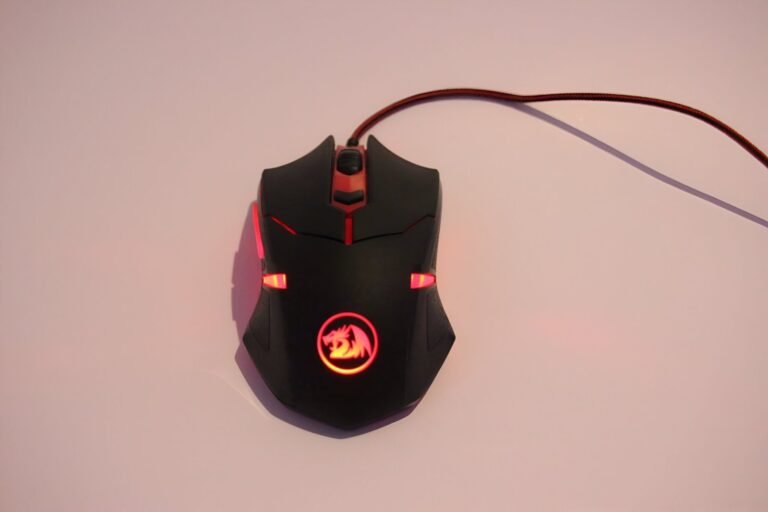
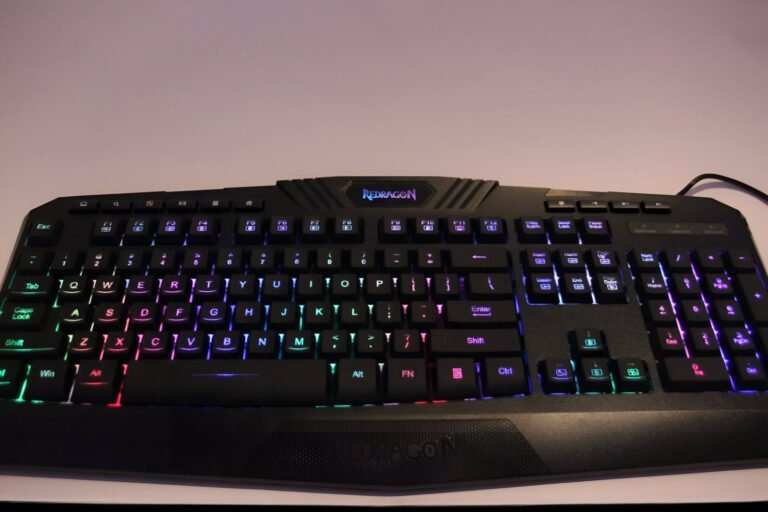
I spent some time using the Redragon S101 keyboard and M601 mouse combo, and it felt like a solid entry-level setup. The keyboard’s keys are soft and relatively quiet, which I appreciated during longer sessions and general everyday use. The included wrist rest is also a nice addition for comfort.
The mouse offers a few useful features that stand out at this price point. I liked having adjustable weights, and the software allows you to customize DPI settings, button functions, and macros. For basic gaming needs, it covers the essentials without being complicated to use.
One thing I would have liked to see is software support for the keyboard. While the keyboard includes built-in lighting effects and macro functions, all adjustments have to be made directly on the keyboard. The mouse software also feels fairly basic compared to what is available on higher-end gaming peripherals.
Overall, the combo provides a good mix of features for the price. It handled everyday gaming well, but those looking for deeper customization options may find the software somewhat limited.
Who Would Likely Favor This Product?
Gamers who are just starting out might want to look into the Redragon S101 combo because it offers essential features at an affordable price, making it a great introduction to gaming peripherals.
Those looking for a budget-friendly option without compromising on essential features might find the Redragon S101 combo appealing. It provides a decent keyboard and mouse setup for a competitive price.
Gamers who prefer purchasing a bundled keyboard and mouse might appreciate the convenience and compatibility offered by the Redragon S101 combo, simplifying their setup process and ensuring that both peripherals work well together.
FAQ (Frequently Asked Questions)
What devices is this keyboard and mouse combo compatible with?
It is primarily designed for Windows PCs, including Windows 10, 8, 7, Vista, and XP. Mac support is limited, and some features may not function correctly.
Does the keyboard require software?
No. The keyboard works through a standard USB connection and can be used without installing software or drivers.
Does the mouse require software?
No. The mouse works without software, but additional customization features are available through the Redragon software.
Can I customize the keyboard through software?
No. Keyboard lighting effects and macro functions are controlled directly on the keyboard.
Can I customize the mouse buttons?
Yes. The software allows you to customize mouse buttons, DPI settings, macros, and lighting effects.
Does this combo support Bluetooth?
No. Both the keyboard and mouse use wired USB connections.
Does the keyboard have macro keys?
Yes. The keyboard includes five dedicated macro keys labeled G1 through G5.
Can I change the DPI on the mouse?
Yes. The mouse supports multiple DPI levels and can also be adjusted through the software.
Troubleshooting and Settings
How to change keyboard lighting modes
Press FN plus Insert, Home, Delete, End, Page Up, or Page Down to cycle through the available lighting effects.
How to adjust keyboard brightness
Press FN plus Arrow Up to increase brightness.
Press FN plus Arrow Down to decrease brightness.
How to adjust keyboard lighting speed
Press FN plus Minus to slow the effect speed.
Press FN plus Right Arrow to increase the effect speed.
How to disable the Windows key
Press FN plus Windows Key to enable or disable the Windows key.
How to record a keyboard macro
Press Rec.
Press a G key from G1 to G5.
Enter the desired key sequence.
Press Rec again to save.
How to clear a keyboard macro
Press Rec.
Press the desired G key.
Press Rec again to remove the macro.
How to reset the keyboard to factory settings
Press FN plus ESC plus F1 plus F3 plus F5.
This removes saved macros and lighting settings.
How to change mouse DPI
Press the DPI button on the mouse to switch between DPI levels.
How to customize the mouse
Install the Redragon software.
Open the software and adjust DPI, button assignments, lighting effects, or macros.
How to switch mouse user profiles
Press the user mode button on the mouse to switch between saved user profiles.
How to create a mouse macro
Open the mouse software.
Go to the Macro section.
Record the desired actions and save them to a button.
If you are still interested in knowing more about the product, click the button below
Redragon S101 Gaming Keyboard, M601 Mouse, RGB Illuminated Gaming Keyboard, Programmable Backlit Gaming Mouse, Value Bundle Set
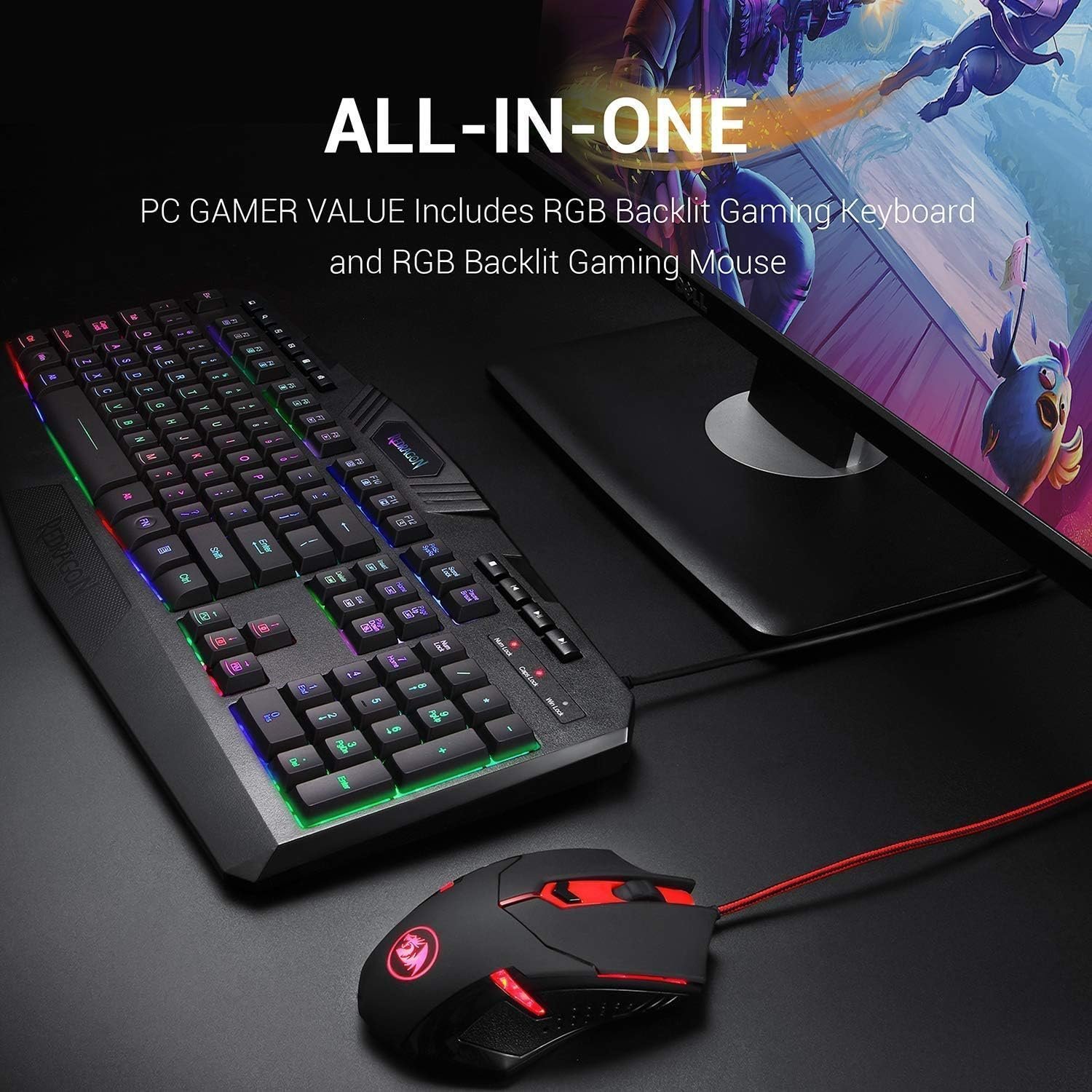
PC Gaming Keyboard and Mouse Set: This bundle includes a Redragon RGB backlit computer gaming keyboard and an RGB backlit gaming mouse. It’s an all-in-one value kit designed for gamers, featuring new and improved versions of both peripherals.
RGB Backlit Gaming Keyboard: The keyboard offers seven different RGB lighting modes and effects, four backlight brightness levels, and adjustable breathing speed. The keycaps provide clear and uniform backlighting, and the Windows key can be disabled for gaming. Ergonomically designed, it’s also a superb typing tool for office work and is built to withstand average liquid spills. The integrated wrist rest ensures comfort during marathon gaming sessions.
Multimedia & Anti-Ghosting Features: This gaming keyboard features 25 conflict-free (n-key rollover) keys, 10 dedicated multimedia keys, and 12 additional FN+ multimedia keys, totaling 114 keys. The keys are quiet and designed for longevity and durability, delivering precise tactile feedback. It includes a full numeric keypad and a gold-plated corrosion-free USB connector for reliable connection and ultimate gaming performance.
Wired Programmable Gaming Mouse: The ergonomic Redragon mouse, with red backlighting, supports up to 3200 DPI (user adjustable: 800/1600/2400/3200 DPI), 30G acceleration, and weight tuning set. It has six buttons, five of which are programmable. The high-precision sensor ensures pinpoint accuracy, while the gaming-grade micro switches provide longevity, greater durability, and extreme responsiveness, giving you a competitive edge.
PC Gaming Keyboard and Mouse Compatibility: This combo is compatible with Windows 10, Windows 8, Windows 7, Windows Vista, and Windows XP. It has limited Mac OS keyboard support and works well with all major computer brands and gaming PC